 MOD Converter
This MOD converter offers a smooth conversion from MOD videos to SD/HD/Ultra HD files within clicks. You can easily convert JAC/Panasonic/Canon MOD files to video and audio formats like MP4, MP3, FLAC, WMV and so on.
$29.00 $23.20 20% OFF
Windows 10/8/7 | Requirements
30-Day Money Back Guarantee
The best MOD/TOD converter can change MOD/TOD files from/to any video and audio format with outstanding quality. You can share the HD/4K videos to YouTube, Facebook, TikTok and more after the conversion.




Aiseesoft Video Converter supports MOD/TOD videos output from various camcorder in brand of JAC, Panasonic, Canon, etc. Here's a table you may want to know:
| Camcorder | Format | Camcorder series |
| JAC | GZ-MC100, GZ-MC200, GZ-MG30, GZ-MG70, GZ-MG37, GZ-MG77, GZ-MG505, GZ-MG130, GZ-MG135AA (HDD, SD card), GZ-MG155, GZ-MG175, GZ-MG255, GZ-MG555, GZ-MS100U, GZ-MG465, GZ-MG7230, GZ-MG630, GZ-MG670, GZ-MG680 |
|
|---|---|---|
TOD |
GZ-HD7, GZ-HD3, GZ-HD5, GZ-HD6, GZ-HD30, GZ-HD40 (capable of both TOD and AVCHD recording) |
|
| Panasonic | MOD |
SV-AV100, SDR-S100, SDR-S150, SDR-S10, SDR-H18, SDR-H200, SDR-H20, SDR-H60, SDR-S7, SDR-SW20, SDR-SW21, SDR-S26, SDR-S50, SDR-T50P, SDR-T55P, SDR-H85P, SDR-H85, SDR-H100, SDR-H288GK |
| Canon | MOD |
FS100, FS10, FS11, FS200, FS21, FS22 |
This software can easily convert MOD and TOD files from JVC, Panasonic and Canon. It can help you to convert MOD files to MP4, AVI, WMV, MOV, MKV, FLV, ASF, MPEG, VOB and many other popular video formats you want (4K supported). It also enables you to extract the audio parts of the .mod files and convert them to MP3, AAC, WMA, OGG, AC3, ALAC, FLAC and other audio formats. Although this software is designed to convert MOD and TOD video files, it can also convert MP4, WMV, AVI, MKV, FLV and other popular video formats to meet your basic video converting requirements.
For many mobile devices users who want to put their MOD files (JVC Everio camcorder file extension) in their mobile devices, such as iPhone 11 Pro Max/11 Pro/11/XS/XS Max/XR/X/8/7/SE/6s/6s Plus, iPad Pro/mini 4, iPod touch, Samsung Galaxy S9/S8/S7/S6/S5, HTC One M9/M8, Sony and LG, Aiseesoft MOD Converter can convert MOD videos to the video formats that can be played on your mobile devices (e.g. convert MOD to iPad). Also, you can use it to convert video or audio files for playing on PS3, PS4, Xbox 360, Wii or editing on Adobe Premiere Pro, iMovie, Final Cut Pro, Sony Vegas Pro and Magix Video Pro.
The software provides many default output profiles for mobile users. You don't need to set the output settings after selecting the output profile for your devices. You can also convert MOD files to and other devices.
If you want to edit your .mod files to make a short film, you can use the Clip option. If you want the vivid effect of your recorded 2D video, just click 3D button to realize it. Still, you can crop the video to get rid of the unwanted edges. For your recorded sideways video, you can rotate in 90 counterclockwise or 90 clockwise. Watermark in text or picture can specify your video file for sharing. Effect adjustment lets you become the professional video editor to set the contrast, saturation and hue automatically.

Set output
Adjust the file's encoder, resolution, frame rate, bit rate, sample rate, etc.
Preview effects
Preview the output video's effect at real time before you start to convert.
Merge videos
Merge more than one video files or audio files into one long file.
Flip files
Flip video vertically or horizontally according to your watching habit.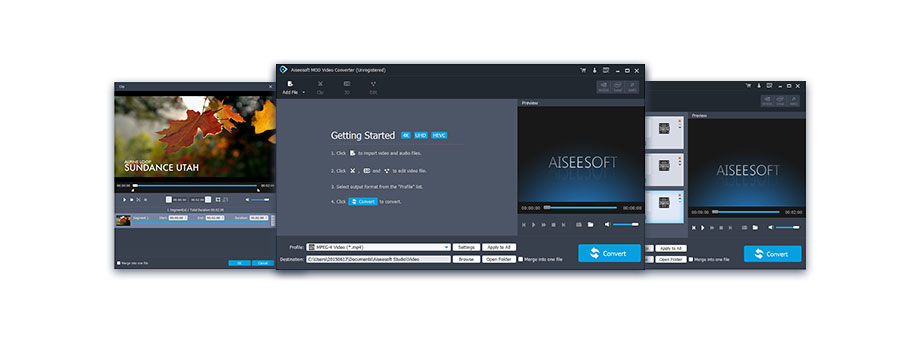
1 Year License
$29.00$23.20
Use it 1 Year
Use it on 1 PC
30-Day Money Back Guarantee
Lifetime License
$42.00$33.60
Use it lifetime
Use it on 1 PC
30-Day Money Back Guarantee
Multiple-User Personal License
$215.00$172.00
Use it lifetime
Use it on 8 PCs
30-Day Money Back Guarantee
Check what famous editor and our customer talk about our product.


Easily convert my .mod videos to .mp4. Now, I can play it on my iPhone conveniently.
By Deshan
I have to give 1000 likes to this software. I can convert my TOD from my JAC GZ-MG155 to WMV, and share it on YouTube easily.
By Pillay
One of my favorite video converting software to change MOD to WMV on my Windows computer. Now I can play it directly and frequently.
By Veronica
The converting quality is so great. I can get the extremely high quality videos including the 4K UHD files.
By Pinero
This MOD Converter is compatible with CUDA Hardware Acceleration technology on my computer. The converting speed is 10X faster than online converters.
By Verner
I try the free version of this software, and find it works wonderful. It helps me extract audio file from the video and keep the background music on my computer forever.
By Steve
I can change the subtitle for my original video file and watch the video files happily.
By Oberholzer
I have a JVC GZ-MG630 camcorder and it records mod video. Thank you very much for this mod video converter. It converted my mod video files to mp4 format. Now I can edit my mod videos easily. Definitely a thumb up!
By Anna
Multi-media helper to convert, edit and enhance video and audio file in one click.
BUY NOW BUY NOW
Best DVD/Blu-ray burner to edit and burn video to DVD disc/folder/ISO file or Blu-ray disc/folder/ISO file.
BUY NOW
Transfer photos, messages, contacts, music, videos between iPhone and computer or between iDevices.
BUY NOW BUY NOW
*Required field
*Please enter a valid email


