Best WTV Converter to help you to convert WTV to MP4, MKV, AVI, MPEG, WMV, VOB, MP3, WAV and other frequently-used 4K/1080p HD/SD video and audio formats, so that you can easily edit and watch WTV file on other devices.
$49.00 $39.20 20% OFF
Convert WTV files recorded by Windows Media Center to MP4/MKV/AVI/MPEG/MP3 and other popular video/audio formats. It also can play WTV content, edit WTV file and add 3D effects to 2D WTV video.




This WTV converting program has the capability to convert WTV to MP4, MKV, AVI, WMV, MPEG, MPG, TS and more 4K/HD/SD video formats including MOV, ASF, FLV, 3GP, MXF, RM, MPEG-1, MPEG-2, DivX, etc. It also can help you to change WTV to any regular and lossless audio format like MP3/WMA/WAV/AAC/FLAC and more. The converted video/audio file will be compatible with iPhone, iPad, iPod, PS3/4 and other portable devices.
The powerful WTV converter can work as the WTV file player to play imported video/audio WTV files on Window 7/8/10 computer smoothly. You can preview the output video changes when editing WTV and adjusting video effects. Moreover, it enables you to enjoy MTV on any iOS/Android devices, such as iPhone 11/X/8/7/SE/6/5/4, iPad Pro/Air 2/mini 4, iPod touch 7/6/5/4/3/2/1, Samsung Galaxy S9 edge/Note 8, HTC One M10, Sony Z5, LG G6 and other mobile phones and tablets.
It provides various setting options for you to edit WTV videos and adjust the effects. You can handily rotate WTV file, flip video vertically or horizontally, crop playing area to remove the unwanted part, cut any length of WTV segment and merge several clips into one new file. You are able to define output video/audio effects by adjusting brightness/contrast/saturation/hue/volume, add text or image watermark, and take snapshots to save any specific moment and so on. In addition, it can easily convert 2D WTV to 3D video.
Thanks to the concise interface and user-friendly design, you can convert WTV to MP4, MKV, AVI, MPEG, MP3, WAV and more in just a few clicks. More importantly, the converted video will keep the original WTV quality. With the adoption of the professional NVIDIA® CUDA™ and AMD APP acceleration technology, it can provide you with a super fast WTV to MP4/MP3 conversion speed. Simple operations, high output quality and fast converting speed will guarantee you the excellent user experience.

Preview
Preview the effects of both source WTV file and converted video while adjusting it.
3D converting
Convert normal 2D WTV to 3D video so as to play 3D movie on your 3D TVs or players.
Snapshot
Take randomly snapshot at any specific moment to save preferred picture you like.
Customize settings
Adjust output parameters by setting video encoder, frame rate, bitrate, audio channel, etc.
Batch conversion
Convert several WTV files to MP4/AVI/MP3 simultaneously to improve conversion efficiency.
Edit track/subtitle
Various subtitles and audio tracks are provided for you to select according to your need.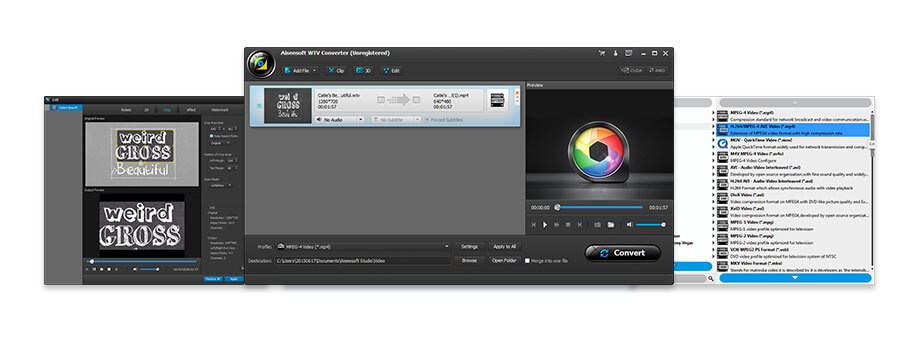 Step 1. Free download this software on your computer. Click "Add File" to import one or more WTV video files to this program.
Check what famous editor and our customer talk about our product.


With this WTV video converter, I can easily convert WTV to any popular video or audio format like MP4, MKV, AVI, WMV, MP3 and more. Besides, it offers a fast convert speed.
From Elise
A great WTV to MP4 converter! I purchased this WTV converter mainly for convert the unsupported WTV to my iPhone supported MP4. Quite easy to make the conversion.
By Jacob
I tried converting several large WTV files with this WTV converter and get a very comfortable experience. Just add file, choose output format and click on Convert button. The whole converting process will be complete.
By Jane
Great WTV format converter and lots of useful features. Besides converting WTV to AVI and other regular formats, it can help me to do some basic editing on my WTV files.
By Hall
Best DVD/Blu-ray burner to edit and burn video to DVD disc/folder/ISO file or Blu-ray disc/folder/ISO file.
BUY NOW
Multi-media helper to convert, edit and enhance video and audio file in one click.
BUY NOW BUY NOW
The best video recording tool to easily record screen, meetings, game, webinar, audio, and webcam videos.
BUY NOW
 WTV Converter