Aiseesoft Screen Recorder
 100% Secure. No Ads.
100% Secure. No Ads.
How to see who screenshotted your public story on Snapchat?
Sharing moments on Snapchat is funny and private. The photos and videos you sent will disappear after a set amount of time. This app built its reputation on ephemeral content. However, after you post something to your Story, you lose full control over where it goes. You should know that anything you post on Snapchat and other platforms can be saved. You may wonder who has saved your public or private Snapchat story content.
This guide will discover the latest notification policy for screenshots on Snapchat. You can find out exactly who is saving your Story content.
Can you see who screenshotted your public or private Story on Snapchat? Does Snapchat notify when you screenshot a Story?
First, let’s be clear that Snapchat does not automatically notify you when someone screenshots your story. Only private snaps and chat messages in Snapchat can trigger alerts. You will receive an immediate notification when someone takes a screenshot of a private snap or chat. However, when it comes to stories, things are different. Anyone can take a screenshot and save story content without the creator/poster receiving a notification. Screenshots on public Snapchat stories go undetected.
Then, how to identify the specific people who have screenshotted your public or private Snapchat story content?
For these contacts/users who are already on your friend list, you can easily check who screenshotted your Private or Friends-Only Story. Snapchat makes it easy to see exactly who took a screenshot if you have posted a “My Story” or “Private Story” restricted to a custom list of people.
For standard users with a Public Profile, Snapchat will show you a total count of viewers and screenshots under the Insights tab. It will often hide the usernames of non-friends who captured the story content.
To access your Insights, you can tap your Bitmoji and go to Public Profile. Locate the Insights tab and tap it to view performance metrics for your Public Stories and Spotlight posts.
For Snap Stars, such as verified creators and public figures, Snapchat offers them a much deeper set of analytics. They can get detailed audience demographics, including age, gender, and geographic breakdown. Moreover, they have detailed views on story replies, watch time, and more.
The reality is that once your snap is on a screen, it can be captured. You cannot disable the screenshot functionality on another person’s device. To better protect your privacy, you can control who has the opportunity to see your content in the first place.
To avoid or minimize unwanted screenshots on your Snapchat Story, you should strictly manage your privacy settings.
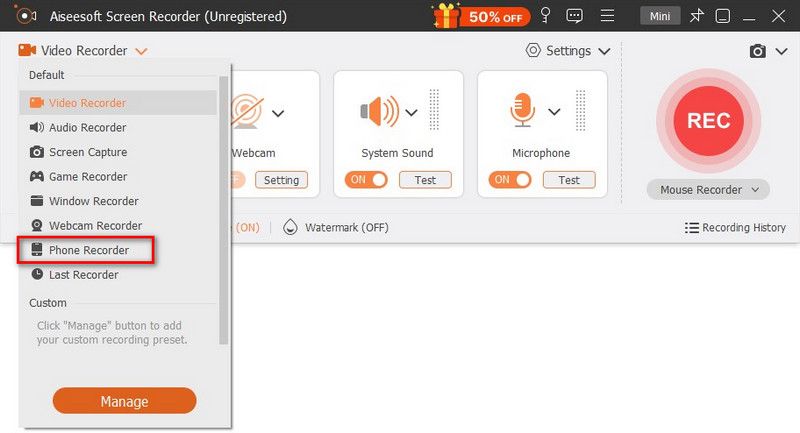
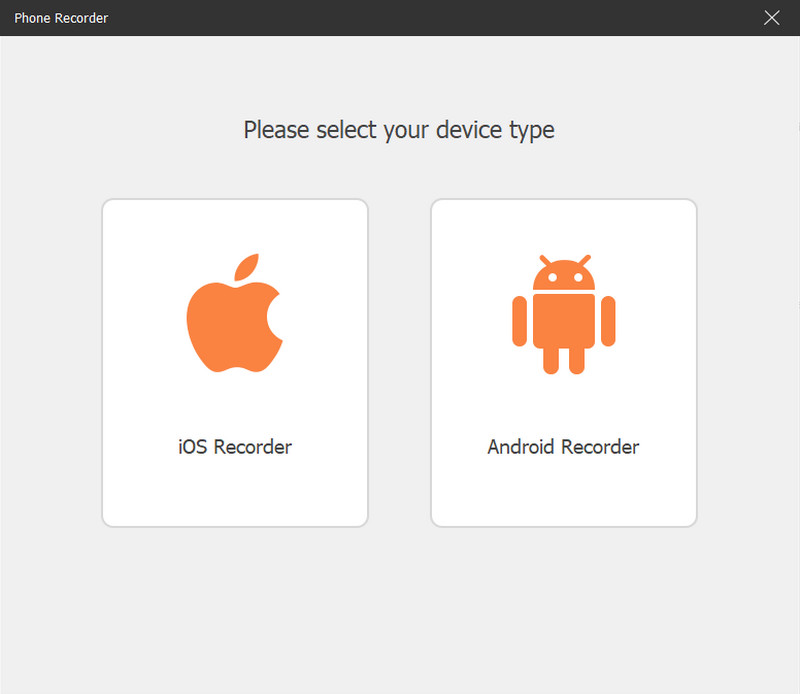
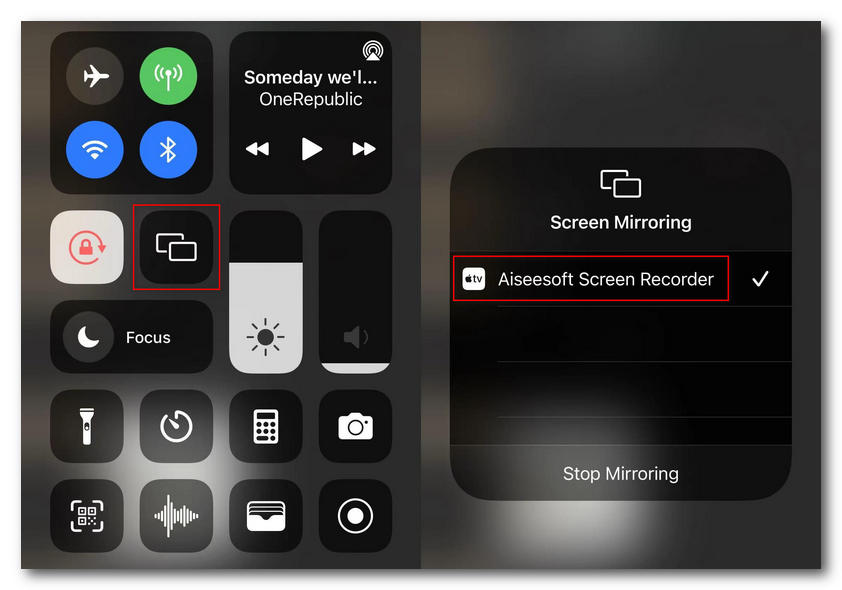
If you occasionally have the need to take screenshots of your friends’ stories and prefer not to trigger the awkward screenshot notification, turn to the reputable Aiseesoft Screen Recorder. It lets you mirror your phone (iOS and Android) screen to a computer for capturing. In that case, you can screenshot or record a Snapchat Story without notifying the sender.
100% Secure. No Ads.
100% Secure. No Ads.
Question 1. Can I see the specific names of non-friends who screenshot my Public Story?
No. As mentioned above, the Snapchat app only shows you the total number of screenshots in your Public Story. You can check the information from the Insights tab. For privacy reasons, Snapchat will not show the specific usernames of users who are not on your friend list.
Question 2. Does Snapchat notify users when you screen record their Story?
Yes. If you use the native screen recording tool in iOS or the built-in screen recorder on Android, the Snapchat app will detect the capture and immediately place a certain icon next to your name in their viewer list.
Question 3. Is it legal to screenshot someone else’s Snapchat Story?
It is generally considered not illegal to take a screenshot or a photo for personal reference, especially between friends. Saving Snapchat pictures or videos is not a crime. However, sharing the screenshot content without permission can break the app’s terms of service.
Conclusion
This post has mainly talked about how to see who screenshotted your public Snapchat story. By learning the latest policy information about the app’s screenshot notification system, you can better protect your privacy, mainly for private stories, snaps, and chats. To see who saved your Snapchat content, you can manually check your story viewer list while the content is still live.
 The Default Method to Use Boomerang on Snapchat on iOS/Android/Web
A boomerang video has been a popular post on any social platform. Here, you can learn how to do a boomerang on Snapchat by default.
 Access Your Account with 4 Snapchat Password Finders
If you are having trouble remembering the Snapchat passwords, here are 4 Snapchat password finders that can help you re-access the Snapchat account.
 Why Snapchat Won't Let Me Log in and Solutions to Fix It
Can you log into Snapchat on two devices? Why does my Snapchat keep logging me out? Learn the reasons why Snapchat won’t let you log in and ways to fix it.
 Leave your comment and join our discussion
Aiseesoft Screen Recorder is the best screen recording software to capture any activity like online videos, webcam calls, game on Windows/Mac.
100% Secure. No Ads.
100% Secure. No Ads.

*Required field
*Please enter a valid email

