For many people, transferring data from an Android phone to an iPhone can be complex and fraught with complications. This transformation involves careful thought, from compatibility problems between various file formats to the risk of data loss and compromise. However, users can achieve the transformation by using multiple methods available. This post will teach you how to transfer data from Android to iPhone in three practical ways, each with detailed guides. You can easily manage the migration process and ensure that essential data is transmitted securely by following the suggested steps. Continue reading to learn how to effectively transfer your files from your Android phone to your iPhone.
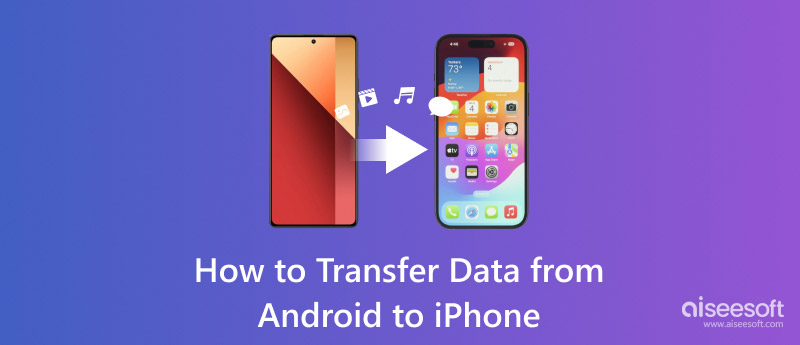
If you want the quickest and most reliable route without worrying about Wi-Fi dropping out or losing image quality, using a dedicated desktop tool is your best bet.
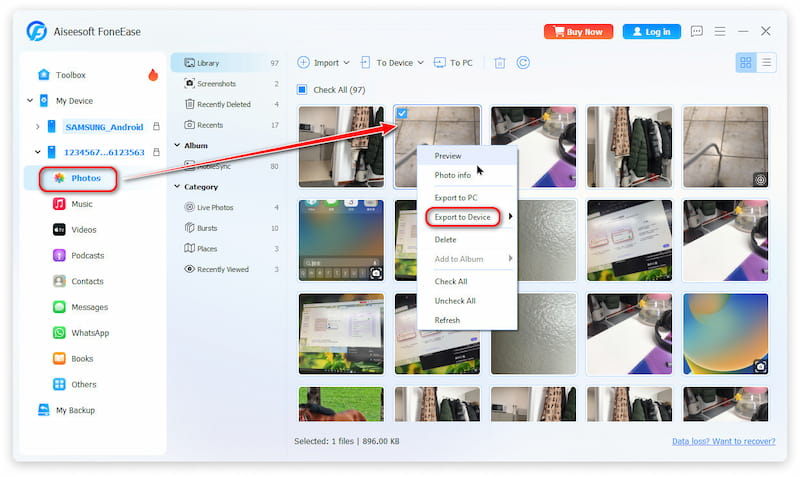
Aiseesoft FoneEase is such an all-in-one phone management and transfer tool designed to bridge the gap between Android and iOS. It allows you to selectively move or fully sync your files across desktops, Android devices, and the latest iOS devices with just a few clicks. Whether you need to migrate thousands of photos, years of text messages, or your entire contact list, FoneEase handles it without lagging or freezing.
 100% Secure. No Ads.
100% Secure. No Ads.
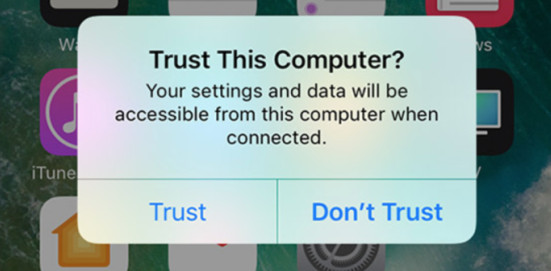
To ensure a successful data bridge, you must authorize the connection on both devices:
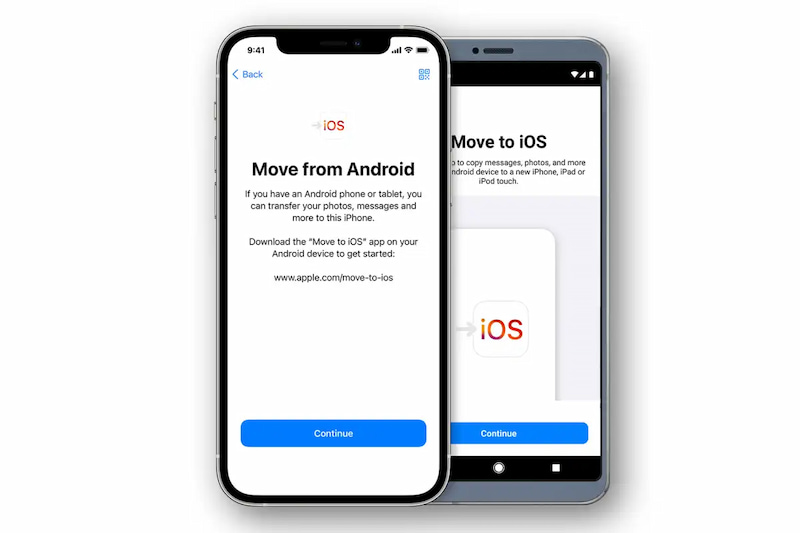
If you are setting up your iPhone for the very first time, Apple’s official Move to iOS app is a solid wireless option. It creates a private Wi-Fi network between your devices to safely transfer your essential data.
Move to iOS is intended to reduce the inconvenience usually involved with transferring devices by assisting consumers in making a seamless transition from an Android phone to an iPhone. It offers a user-friendly interface that makes it possible to securely move your contacts, messages, images, and other data while setting up your new iPhone. This approach guarantees that nothing is lost during data migration, regardless of how much data is moved.
Features:
• Transfer multiple data from Android to iPhone: contacts, message history, photos, videos, etc.
• Migration is supported for network speeds up to 5GHz.
• Photo transfers support individual images above 2GB.
How to Transfer:
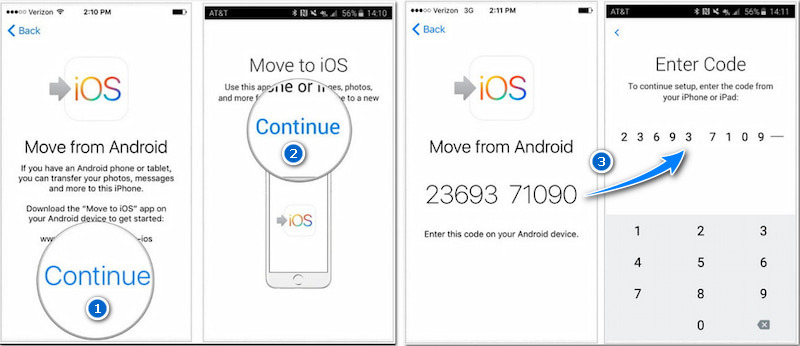
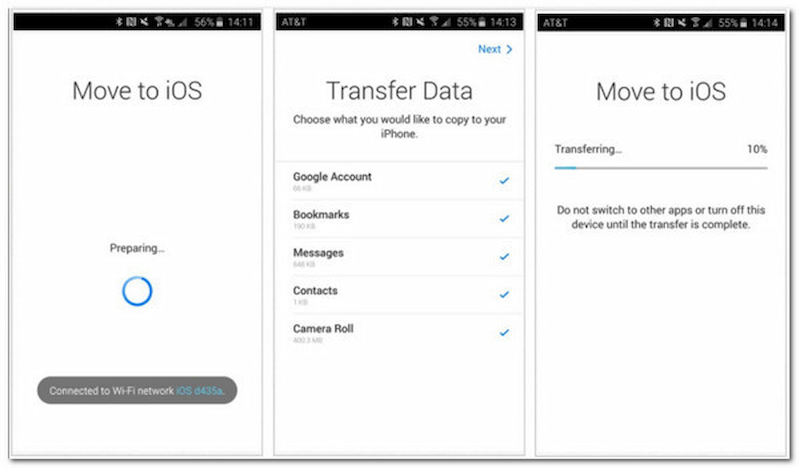
With Move to iOS, nearly any type of data may be effortlessly transferred from an Android device to an iPhone. However, it should be noted that Move to iOS occasionally does not seem to function correctly. You are supposed to think twice before using it.
While convenient, Move to iOS requires a stable Wi-Fi connection and can occasionally experience disconnection errors. It only works during the initial iPhone setup; if your iPhone is already set up, you will have to factory reset it to use this app. Therefore, if you are reluctant to reset, I recommend you try Aiseesoft FoneEase or the next solution.
100% Secure. No Ads.
If your iPhone is already set up and you don't want to reset it, cloud storage services offer a completely PC-free way to move your core files like contacts, calendars, photos, and documents.
Features:
How to Transfer:
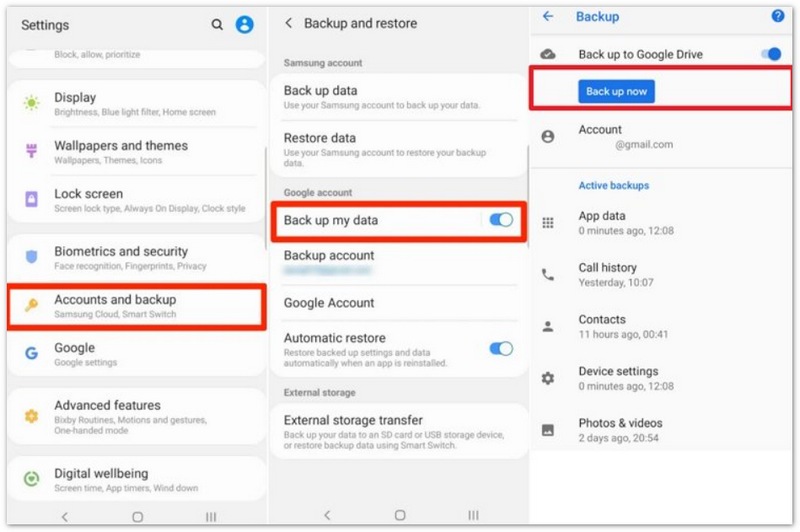
However, while cloud syncing saves you from resetting your phone, it cannot transfer your text messages (SMS), call logs, or local music libraries, and you are heavily dependent on your Wi-Fi speed and cloud storage limits. If you want a more comprehensive solution, Aiseesoft FoneEase can help you.
100% Secure. No Ads.
Can we transfer data from Android to iPhone after setup?
Yes, but if you already finished the setup, you need to erase your iOS device and start over. If you don't want to erase, just transfer your content manually.
What cannot be transferred from Android to iPhone?
The iPhone and Android do not support each other's app stores. Therefore, if you switch to an iPhone, any Android apps you own won't transfer over. Fortunately, a lot of Android apps have equivalents or versions for iPhones that essentially perform the same functions.
How long does it take to transfer data from Android to iPhone?
It depends on the kind of file you're attempting to move from Android to iOS and the volume of data. On average, a 2GB data sharing could take 5 to 10 minutes. However, moving 2GB of WhatsApp data can take up to 30 minutes throughout the transfer.
Conclusion
Switching from Android to iPhone 17 doesn't mean leaving your digital life behind. Depending on your specific needs, here is how to choose the best way to transfer data from Android to iPhone: if your device is brand new, Apple’s "Move to iOS" app provides a decent wireless way to copy files over Wi-Fi during the initial configuration; if you only need to sync basic files like contacts or calendars without a computer, relying on cloud migration via Google Drive works well as a flexible option; however, if you want a fast, reliable, "one-and-done" migration that gives you total control over individual files—without factory resetting an already activated phone—Aiseesoft FoneEase is the ultimate Android to iPhone transfer tool. It completely prevents wireless data loss, safely handles all major file types via a secure USB connection, and gets your new iPhone 17 perfectly ready to use in no time.
100% Secure. No Ads.
 Best 4 Methods to Transfer Contacts from Android to iPhone
Want to transfer contacts from Android to your iPhone? This article offers 4 practical solutions to move contacts from Samsung to iPhone 16/15/14/13/12/11/8/7/6/SE.
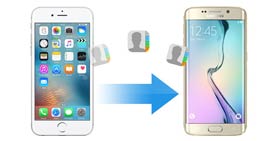 Top 3 Methods on How to Transfer Contacts from iPhone to Android
This article describes 3 methods to help you transfer contacts from iPhone X/8/7/SE/6s Plus/6s/6 Plus/6/5s/5c/5/4S to Android phone.
Top 3 Methods on How to Transfer Contacts from iPhone to Android
This article describes 3 methods to help you transfer contacts from iPhone X/8/7/SE/6s Plus/6s/6 Plus/6/5s/5c/5/4S to Android phone.
 Leave your comment and join our discussion
Aiseesoft FoneEase is a data transfer and management tool that lets you seamlessly move, back up, and manage various data between iOS, Android, and computers without resetting your phone or relying on iTunes.
100% Secure. No Ads.

*Required field
*Please enter a valid email

