Moving files between Apple devices should be simple. However, when you want to transfer music from an iPod touch to an old iPad, you may feel confused. iTunes does not allow you to connect two devices and then make the transition directly.
This post shares three proven ways to transfer music from an iPod touch to an old iPad - iCloud sync, FoneEase (a third‑party tool), and iTunes (Finder) sync. You can choose the one that fits your Apple devices.
Quick Guide: What You Need Before Transferring Music
Before you dive into any method, there are a few basics to check.
iCloud Music Library is Apple’s cloud-based service that keeps your songs, albums, and playlists across all devices signed in to the same Apple ID. Once enabled, any music (purchased from the iTunes Store) added to your library on one device automatically appears on all others. iCloud sync is a default, convenient method if you have an active Apple Music subscription.
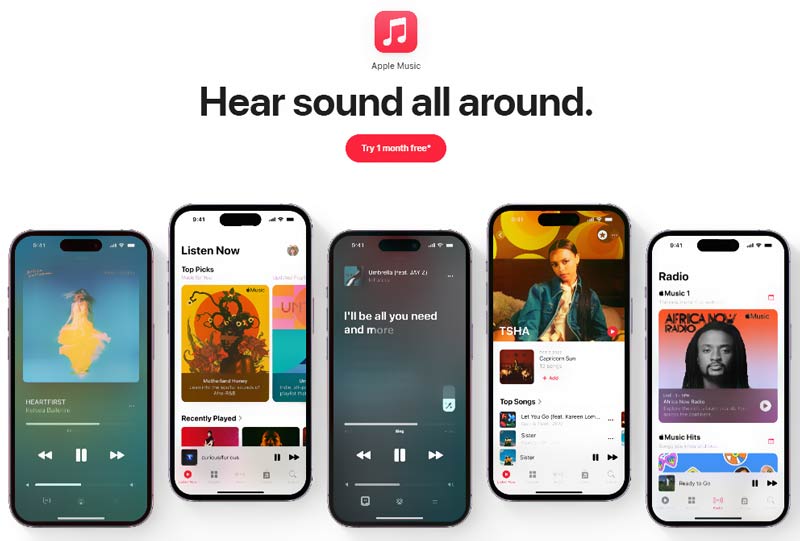
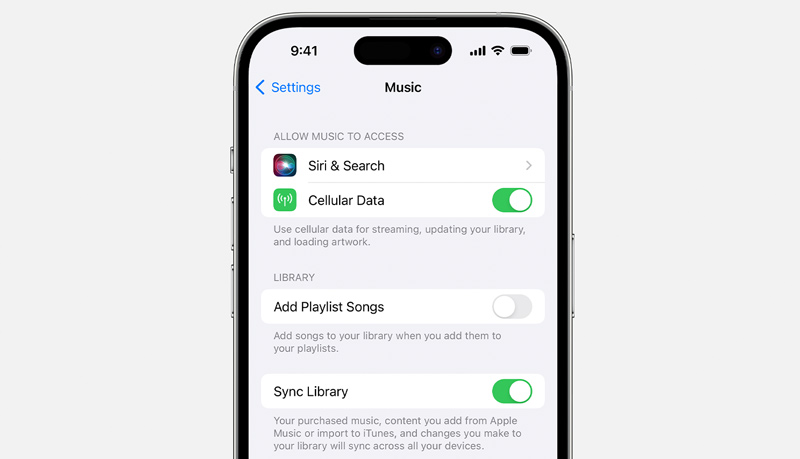
Note that your old iPad must be running iOS 8.4 or later to support Apple Music and iCloud Music Library. Besides, you should be an Apple Music subscriber. If songs don’t appear, force-close the Music app and reopen it.
If you want to directly transfer music and other files from an iPod touch to an older iPad or iPhone, turn to the powerful Aiseesoft FoneEase. It is a comprehensive data management tool that works on both Windows and Mac. It allows you to transfer music, videos, podcasts, contacts, and more between iOS/Android devices and computers. FoneEase lets you selectively transfer data. It is a lifesaver if you are afraid that iCloud or iTunes will accidentally wipe your existing music.
 100% Secure. No Ads.
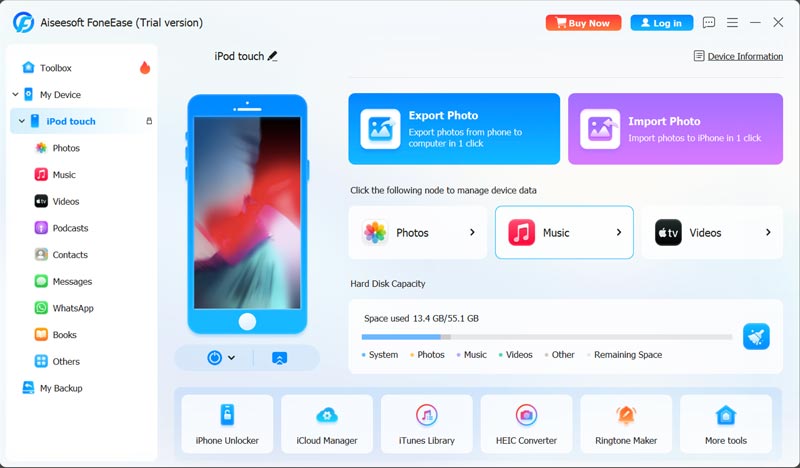
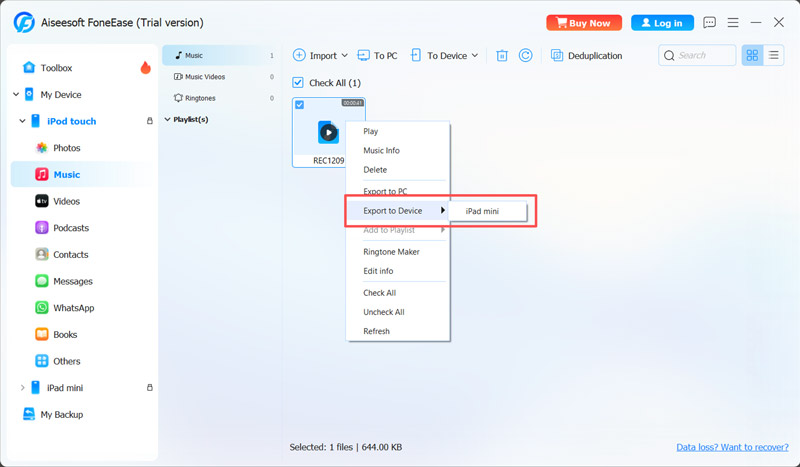
FoneEase is a dedicated iOS data transfer tool that handles music, videos, photos, contacts, and more. It supports direct device-to-device transfer over USB or WiFi. The software can preserve all your music playlists and album art. Moreover, compared to iCloud sync and other transfer solutions, it offers faster transfer speeds.
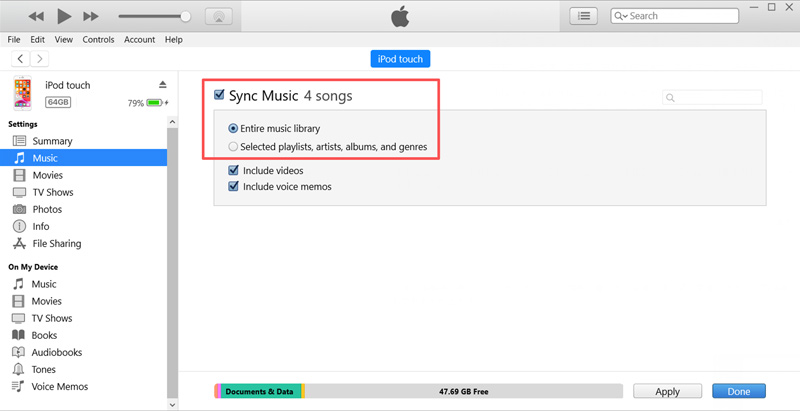
iTunes has been the traditional method for Apple users to manage music since the early days of the iPod. If you have a computer at hand and are comfortable using the iTunes restore method, you can use it to transfer purchased and imported music from your iPod touch to an older iPad.
Question 1. Will iTunes delete the music already on my iPad?
Yes. If your iPad was previously synced with a different computer, syncing with a new library will erase and replace existing music files. You need to rely on a third‑party tool like FoneEase to avoid this entirely.
Question 2. Can I transfer music directly from an iPod touch to an iPad without a computer?
Yes, you can rely on iCloud to sync purchased music between linked Apple devices. It can automatically transfer music from an iPod touch to an iPad. However, for these non-purchased tracks, you need a computer with iTunes or a third-party tool like Aiseesoft FoneEase.
Question 3. Can I copy music from my iPod touch to an old iPad with Bluetooth?
No, you cannot transfer music directly from an iPod touch to an old iPad via standard Bluetooth. If you have an iPod touch (5th generation or later) with iOS 7 or later, you can use AirDrop to transfer music instead.
This guide tells three common methods to transfer music from iPod touch to old iPad. For your purchased songs in the iTunes Store, you can use iCloud to sync them. iTunes is free and works well for authorized music. If you prefer a direct way to copy music from one Apple device to another, FoneEase is a better choice. It lets you export music from an iPod touch to an older iPad without erasing existing data or losing playlists or album art.
 Apple Music Not Working on iOS 18/17 and iOS 16
As a music lover, you don’t want Apple Music not working on your device. Check out the most effective fixes to solve errors on iPhone or Android.
 Guide for Recovering Music from iPod and Copy to Computer
If you need to recover music from the iPod and copy it to a computer, this article will be the best option. You'll learn 3 practical ways and get the best tool.
 How to Stop Apple Music from Automatically Playing [iPhone/CarPlay]
Don’t know how to stop Apple Music from automatically playing on your iPhone or car? Here are 9 solutions and tips to help you stop Apple Music!
 Leave your comment and join our discussion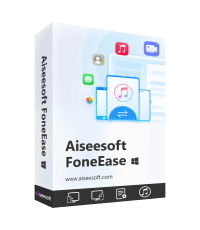
Aiseesoft FoneEase is a data transfer and management tool that lets you seamlessly move, back up, and manage various data between iOS, Android, and computers without resetting your phone or relying on iTunes.
100% Secure. No Ads.

*Required field
*Please enter a valid email

