
Trust by 50,000+ Users: Aiseesoft Android Unlocker
 100% Secure. No Ads.
100% Secure. No Ads.
Contents
If you have forgotten your Motorola smartphone's PIN, password, or pattern lock and can’t remember them, don’t be frustrated. It’s a common issue. Fortunately, there are several solutions you can take to get your Motorola phone back into use. In this comprehensive guide, we'll help you solve the problem of how to unlock Motorola phone with multiple methods, ranging from completely removing the password to employing a third-party unlocking tool. Read on and choose the most appropriate method to reopen your Motorola phone effectively.
| Method | Cost | Speed | Operation |
| Carrier Unlock | Free | Slow (7-30 days) | Easy |
| Third-Party Unlock Service | Paid | Fast | Medium |
| Find My Device | Free | Fast | Hard |
| Factory Reset | Free | Fast | Hard |
This is the most straightforward and free option. You just need to connect your device’s carrier with some certifications. They will offer the official to help you. However, the official carrier unlock process has a series of conditions and takes time to wait.
First, let us see what requirements you need to fulfill:
• Paid off: The phone must be fully paid off.
• 40 days active: Your account with the carrier should be active for at least 40 days.
• No issues: The phone shouldn’t be reported as lost or stolen, and ensure that your account is in good state with no overdue payments or issues.
Then, let us learn how to operate:
Finally, your Motorola phone should now be unlocked, and you can use it freely again. However, many of you may forget your account information, or lose the purchase certification, etc. In these cases, the carrier will refuse to help you remove the lock of your Motorola phone. Therefore, we offer another unlocking Motorola way below, which needn’t the passcode.
Why Use a Third-Party Service?
• Speed: Most third-party services can unlock Motorola phone within 1-2 hours.
• Convenience: You don’t have to wait on carrier processing times, and you can unlock your device with an app anytime.
If you still cannot unlock your Motorola effectively, or if you want to unlock it without a Google account or factory reset, you can choose the best unlocking tool, Aiseesoft Android Unlocker.
Aiseesoft Android Unlocker helps you remove the screen lock quickly and get back access to your Motorola phone effortlessly. Meanwhile, Android Unlocker has a user-friendly interface and simple instructions to follow. The combination of all these elements guarantees you a convenient environment for removing any Android screen lock.
100% Secure. No Ads.
100% Secure. No Ads.
Features:
• Remove any Android screen lock, including PIN, pattern, password, fingerprint & face recognition.
• Easily bypass FRP lock without a Google account or password.
• Support the latest Android OS 16.
How to use:
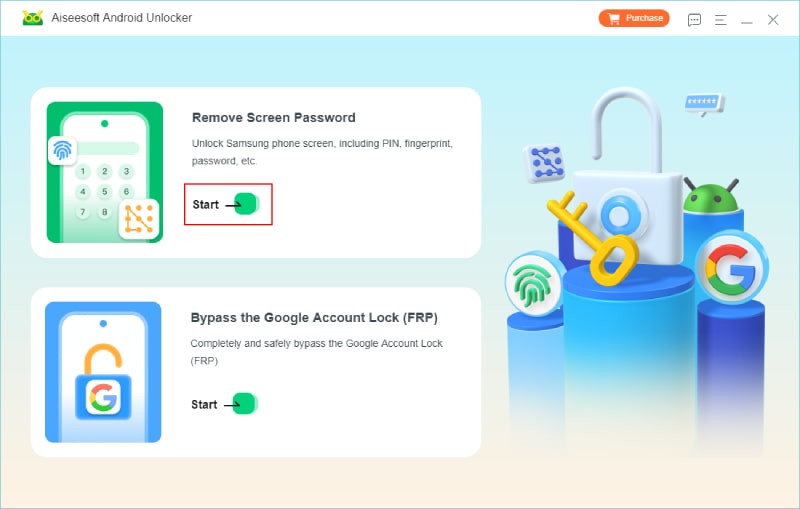
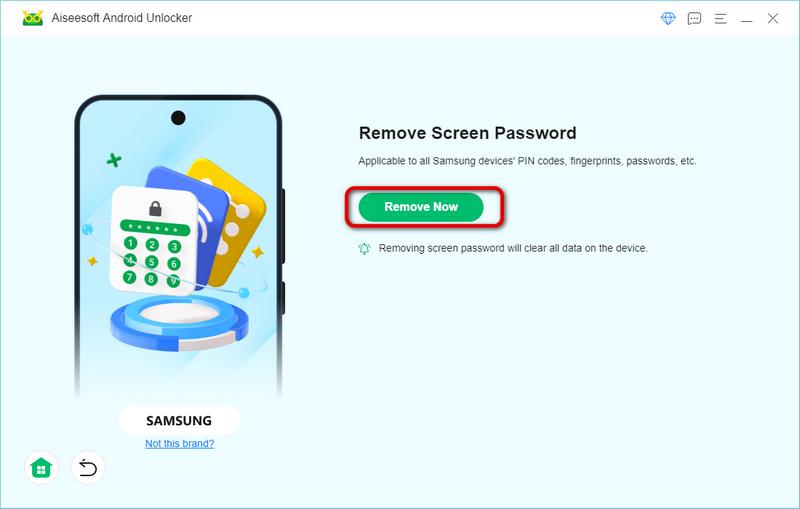
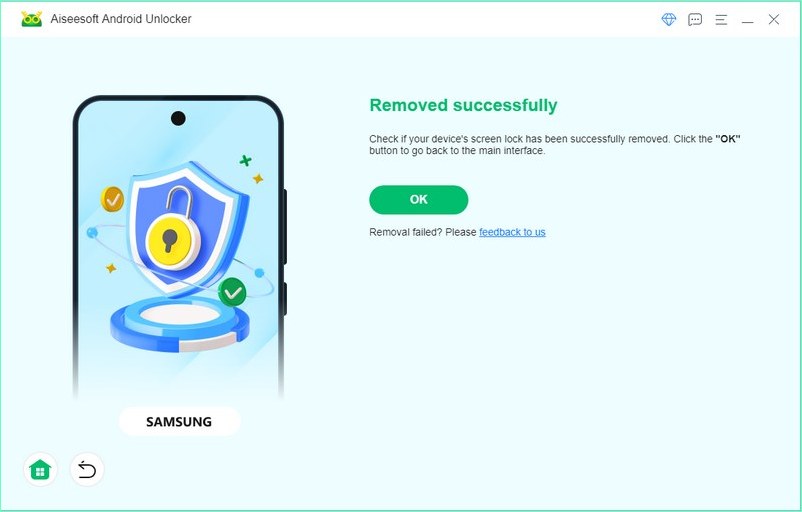
Now, you can quickly unlock a Motorola phone without the password with Aiseesoft Android Unlocker. In addition, it can handle Samsung, Huawei, and other Android 6.0 and later devices by removing the Android screen lock or bypassing the FRP lock without a Google account or password.
If you have a Google account linked to your Motorola device, you can use the Find My Device feature to unlock the screen lock. The phone should be in the internet-connected state.
Note: If you don’t enable the Find My Device feature before, you cannot use this method.
Let us learn together.
Then, your phone will automatically reset to unlock your Motorola phone.
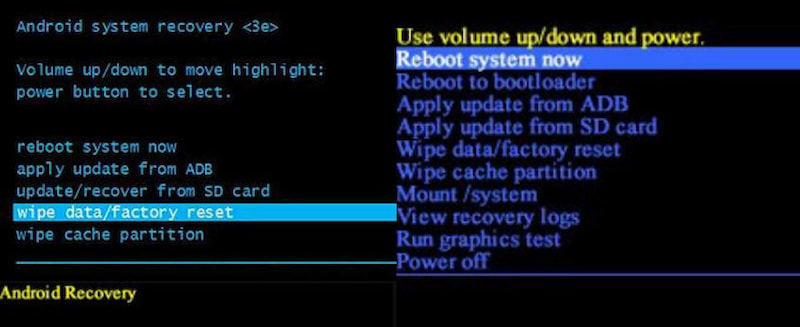
Another solution you can try when you forget your Motorola password is to perform a factory reset. It can effortlessly erase your screen passcode and unlock your Motorola phone. However, a factory reset will delete all of the data on your phone, so you should make a backup before doing so to prevent losing any vital information. You can follow the steps below to make a factory reset.
Note: If you enabled the location service on your phone, you need to log in with your Google account to get access to your phone after a factory reset.
Where to find the IMEI number of a Motorola phone?
To find the IMEI number, you can:
1. Dial *#06#.
2. Look at the package box.
3. Click Settings > About Phone > Status > IMEI Information in order to check it.
How long does it take to unlock the Motorola phone?
It depends on the way you choose. As we list at the front of this article, the carrier service takes the longest time, and the third-party software is the most efficient.
What is the master code to unlock a Motorola phone?
There is no master code to unlock a Motorola phone, because unlock codes are specific to your phone's model and carrier lock, which is generated from the IMEI number.
What if the Motorola phone does not prompt for the unlock code?
In this situation, you can double-check the code to ensure you’ve entered the correct code provided by the carrier or third-party service. Or, you can try to restart the phone.
How to unlock my Motorola phone's screen without losing data?
I am afraid not. In most ways, unlocking the Motorola phone's screen tends to erase the data on the phone or perform a factory reset. Therefore, you’d better have a habit of backup files.
Conclusion
In conclusion, you can unlock your Motorola phone via the carrier help, Google account, factory reset, and third-party unlocking tools. If you are looking for a quick and easy solution to unlock Motorola phone, pick Aiseesoft Android Unlocker as the best Android unlocking tool. Have a try now!
 [Easy] How to Factory Reset a Motorola Phone that is Locked
Getting locked out of a Motorola phone is frustrating. The good thing is you can reset the device with two solutions. Click here to read the best guide.
 5 Easy Ways to Backup Motorola Data to PC/Cloud/Another Phone
How to backup your Motorola phone? This page collects 5 easy methods of migrating data from Motorola Z/X/G/E series to PC, another phone, even the cloud in detailed steps.
 Convert Video to Xoom - How to Convert Video to Motorola Xoom
Convert video to Xoom – Guide about how to convert video, like AVI, MKV, MOV, FLV, VOB, WMV, etc. to Motorola Xoom compatible video/audio formats. Free download this Xoom Video Converter to convert any video to Xoom.
 Leave your comment and join our discussion
Compatible with all Android OS versions, this unlocker provides a secure and easy way to remove screen lock of any kind and bypass FRP quickly.
100% Secure. No Ads.
100% Secure. No Ads.

*Required field
*Please enter a valid email

