Aiseesoft Anock - Android Unlocker
 100% Secure. No Ads.
Can't access a screen-locked TCL phone? If you have locked your TCL phone, you will not be able to access your device if you have forgotten your password, PIN, or pattern. Thankfully, there are several possible solutions you can try before surrendering the device. You can learn how to unlock a TCL phone with the help of your Google account, unlock software, or recovery mode. You will find out when you should contact TCL Support, as well as what data to prepare before calling. Some modes may wipe your device, so we detail the constraints of each to help you pick the most appropriate route.
Check if you still have login access to the accounts linked to your TCL smartphone before attempting to use any unlocking tool or resetting it to factory settings. Certain recovery solutions require you to log in to your Google account, so knowing your account information is going to be helpful.
Can you still sign in? Confirm that you have access to the Google or TCL account on your device. Confirm the email address, password, and the recovery phone number you use to get into your account. If you've forgotten your Google password, you should try to recover the Google account first using Google's account recovery page.
To unlock a TCL phone without losing data, begin with these account verifications before resetting. An account does not "unlock" your screen lock, at the very least; you will be able to use the recovery choices that are already there.
If you have a Google account tied to your TCL phone, you can also remotely erase the device via the Google Find Hub or Google Find My Device. This is an option for unlocking a TCL phone when you don't remember your screen lock, but it will factory reset your device.
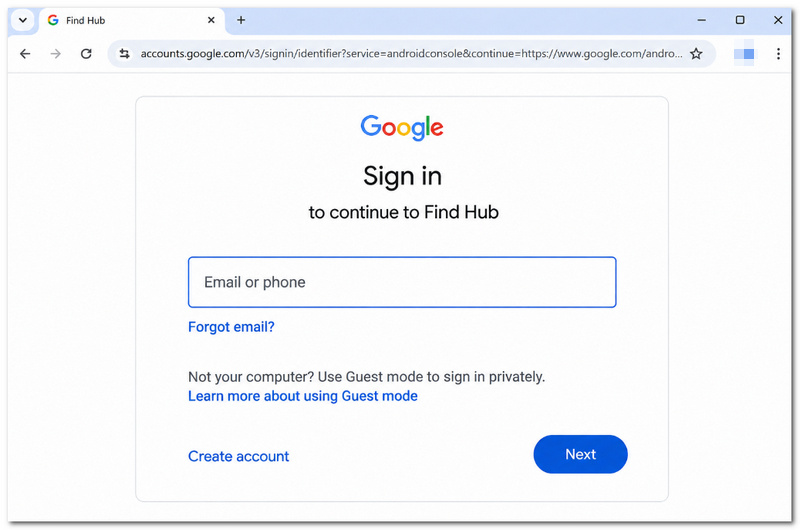
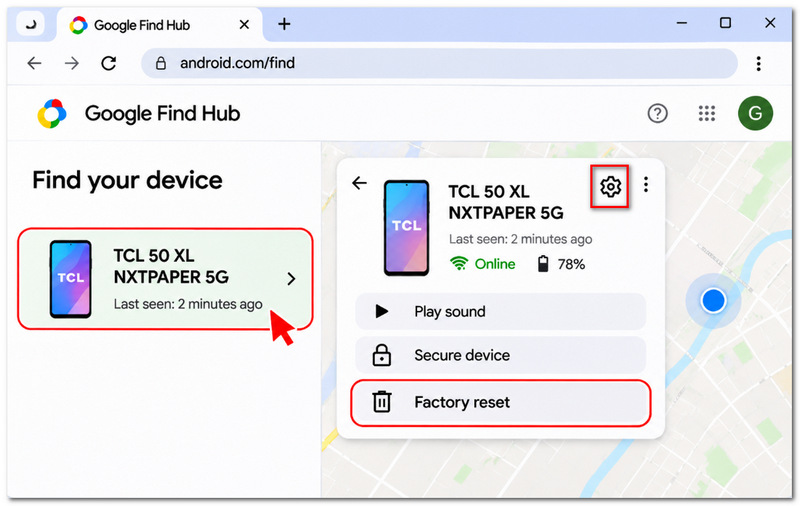
Warning: Your TCL phone should be on, its internet connection should be active, and the Find Hub should be turned on. Your data stored on the TCL phone will be permanently lost after a factory reset, so be sure before proceeding.
In case you can't get into your Google Account, you can try Aiseesoft Anock. It aims to bypass some Android lock screens without entering the actual password, PIN, or pattern. To unlock a TCL phone for free, the software is free to download, but you need to buy a license if you want to get through the screen lock.
Downloads
100% Secure. No Ads.
100% Secure. No Ads.
How to Use Aiseesoft Android Unlocker to Unlock a TCL Phone
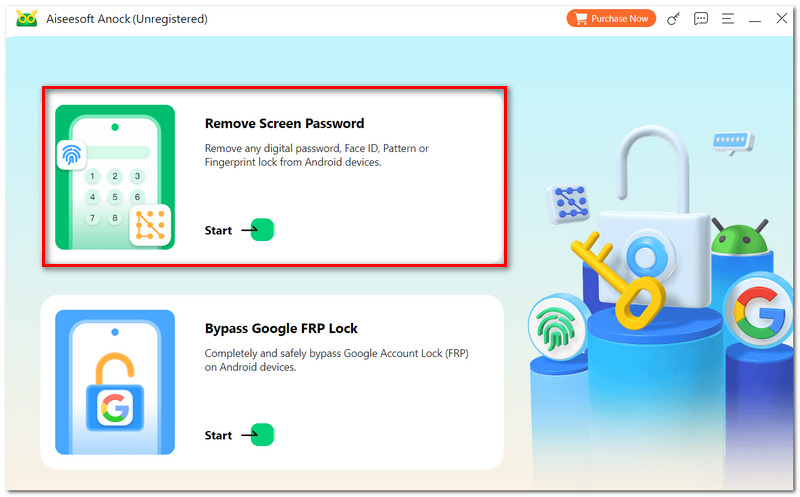
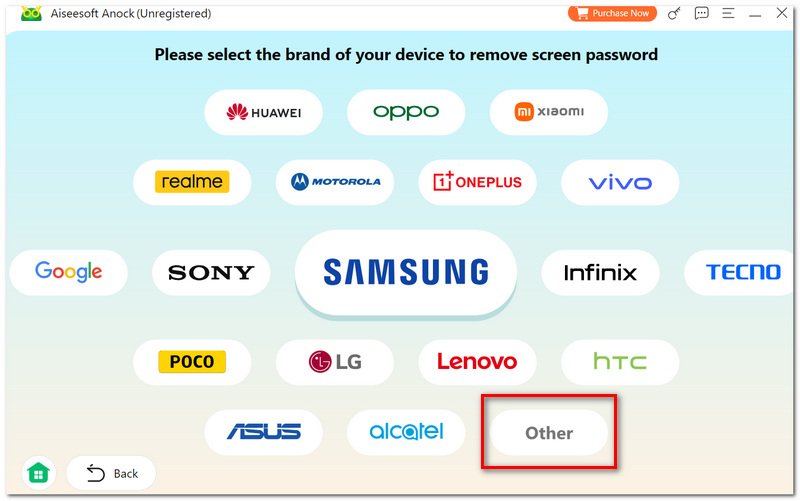
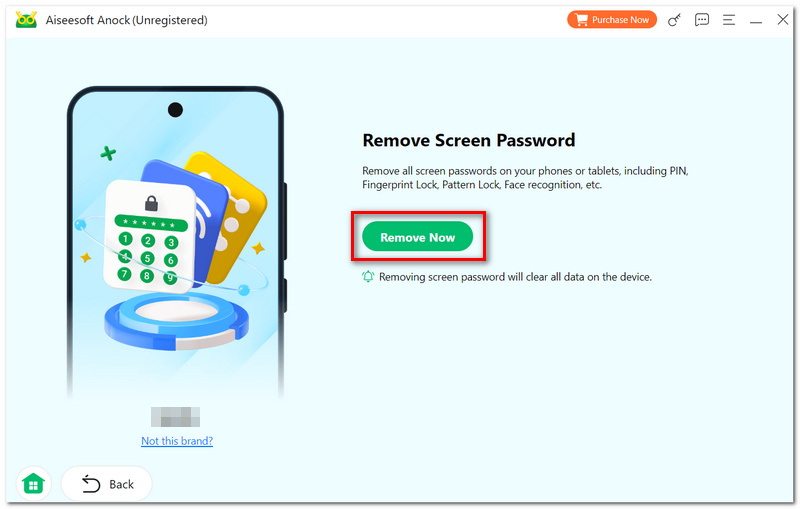
If you can't get into your Google account or don't have access to a computer, you can reset your TCL phone directly through Recovery Mode. This method is one way to unlock a TCL phone without a computer, but it will delete all locally stored data, such as photos, apps, and files.
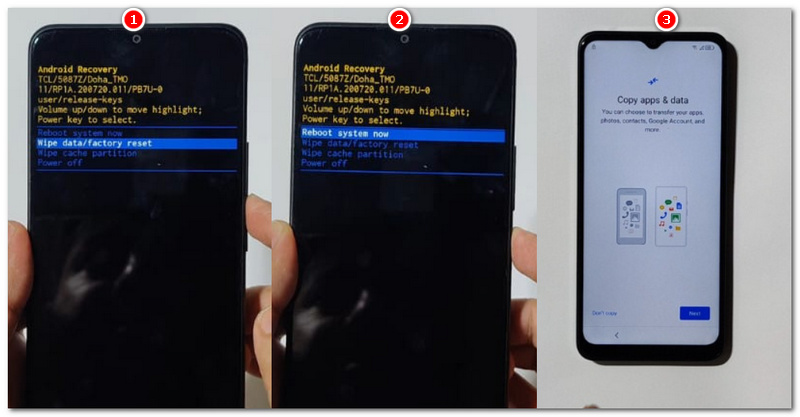
Important: A factory reset will delete all local data, but it may not remove Google Factory Reset Protection (FRP). You will be asked to sign in to the Google account previously used with the device.
If no other method works, then you can get help from TCL Support or go to an authorized service center. They'll guide you in identifying the right recovery method to unlock your TCL phone.
Note: If the screen lock is removed, TCL Support may recommend that you do a factory reset on your device. Please bring your receipt as proof of ownership. Your personal data on the device may be lost and is not restorable by the local authorities.
Can a carrier-locked TCL phone still have a separate screen lock?
Yes. Unlike carrier lock, which blocks a mobile to only a certain network, a lock screen blocks the device itself. Unlocking one does not unlock the other.
So why does my TCL phone keep taking me to the lock screen after rebooting?
This can occur if the phone hasn't finished starting up, if it has a software problem, or if it's got a problem with a system update. Turn the phone off, then on again. If it still doesn't work, have your device checked for hardware or software issues.
Can I unlock a TCL phone with a black screen?
No, possibly. If you have the display turned on and see a black screen, your problem could lie in the display or with the hardware rather than your password. Verify your display and device before doing a reset.
Conclusion
There are various ways to unlock the phone, depending on whether you want to turn off the lock or bypass a screen lock, if possible. Remember the process to unlock a TCL phone without losing data. Consider that most resets that restore your device will delete the files stored locally. If you want to unlock a TCL phone without losing data, consider other ways.
 How to Screen Mirror to TCL Roku TV Using iPhone/iPad & Android
With this smart TV, screen mirroring on TCL Roku TV is interestingly doable and manageable. By reading this, you will become more familiar with it.
 Cast iPad to Roku – 3 Best Methods to Mirror iPad to Roku
To play games or enjoy movies with a larger screen, you can find 3 easy methods to screen mirror an iPad to a Roku TV from the article.
 How to Connect an iPad or iPhone to TV in 5 Varied Ways [Solved]
How to connect iPad to TV for content on a bigger screen? This page shows you four ways to connect iPad to TV with cable, wirelessly, AirPlay and adapter.
 Leave your comment and join our discussion
Compatible with all Android OS versions, this unlocker provides a secure and easy way to remove screen lock of any kind and bypass FRP quickly.
100% Secure. No Ads.
100% Secure. No Ads.

*Required field
*Please enter a valid email