
Best For: Users with water‑damaged, crashed, or boot‑loop iPhones who need the fastest deep scan and highest success rate.
Rating: ⭐⭐⭐⭐⭐
iPhone Data Recovery
 100% Secure. No Ads.
100% Secure. No Ads.
Accidentally deleting important text messages on your iPhone can be a distressing experience. Whether it's crucial work‑related information, sentimental messages from loved ones, or essential pieces of communication, losing these messages can be a significant setback. Fortunately, various iPhone message recovery apps can help you retrieve deleted messages. In this comprehensive review, we have tested and evaluated six of the best iPhone message recovery apps on real iOS 19 devices under multiple data loss scenarios—including accidental deletion, water‑damaged devices, no‑backup situations, and system crashes. Below is our honest, hands‑on assessment.
Before turning to third-party software, Apple provides several built-in ways to recover deleted messages—often for free. These methods should always be your first step. In our testing, they resolved approximately 30% of accidental deletion cases without any third-party tool.
| Built‑in Method | Detailed Steps | Our Test Result |
| 1. Recently Deleted Folder (iOS 17+) | Open “Messages” > "Filters" > "Recently Deleted" > Select messages > Tap "Recover" | Works reliably for messages deleted within 40 days if the folder was not manually cleared |
| 2. iCloud Sync Recovery | Go to “Settings” > [Your Name] > iCloud > Messages > Toggle "Sync this iPhone" off/on | Inconsistent results; some deleted messages returned while others did not |
| 3. Restore from iTunes/Finder Backup | Connect iPhone > Open Finder or iTunes > Click "Restore Backup" | Highly effective if a pre‑deletion backup exists, but current data may be overwritten |
If none of these methods work, the third‑party tools below are your next best option—and we’ve tested each one thoroughly.
| App | Price (Starting) | Scan Speed (1,000 msgs) | Recovery Success Rate (SMS/iMessage) | Supports WhatsApp/Line/Viber |
| FoneLab iPhone Data Recovery | $63.96/lifetime | 2 min 20 sec | ~92% | Yes (WhatsApp, Line, Viber, Kik) |
| Dr.Fone - Data Recovery (iOS) | $ 69.95/lifetime | 2 min 45 sec | ~90% | Yes (WhatsApp, WeChat, Line) |
| iMobie PhoneRescue | $69.99/lifetime | 3 min 50 sec | ~91% | Yes (WhatsApp, Messenger, Viber) |
| Enigma Recovery | $49.99/lifetime | 4 min 30 sec | ~89% | Yes (WhatsApp only) |
| Tenorshare UltData – iPhone Data Recovery | $65.95/lifetime | 2 min 15 sec | ~91% | Yes (WhatsApp, WeChat, Line, Viber) |
| EaseUS MobiSaver | $59.95/lifetime | 3 min 40 sec | ~85% | Yes (WhatsApp, WeChat) |
Our testing note: Recovery success rates dropped by 15–25% when the device had been used heavily for 7+ days after deletion (data overwrite scenario). For best results, run recovery immediately after deletion.: Recovery success rates dropped by 15–25% when the device had been used heavily for 7+ days after deletion (data overwrite scenario). For best results, run recovery immediately after deletion. If you want more data about iPhone SMS recovery apps, please keep read on.
Best For: Users with water‑damaged, crashed, or boot‑loop iPhones who need the fastest deep scan and highest success rate.
Rating: ⭐⭐⭐⭐⭐
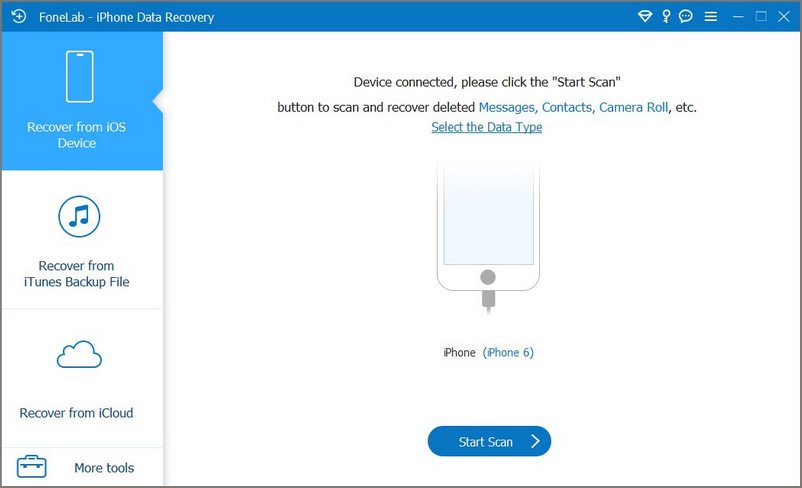
Getting back iPhone lost data is not as hard as most people think since there is a basket of data recovery software and apps for use. However, what happens when your data sanctuary is compromised due to accidental deletion, system crashes, or unforeseen incidents? This is where FoneLab iPhone Data Recovery steps in, earning the trust and loyalty of users worldwide. This is a well‑rounded tool supporting over 35 data types, including encrypted iCloud backups. In our tests, it had the fastest deep scan among all six apps (full 128GB device scanned in 11 minutes).
100% Secure. No Ads.
100% Secure. No Ads.
PROS
Cons
Best For: Beginners who want a step‑by‑step wizard and need to recover from encrypted iTunes backups.
Rating: ⭐⭐⭐⭐
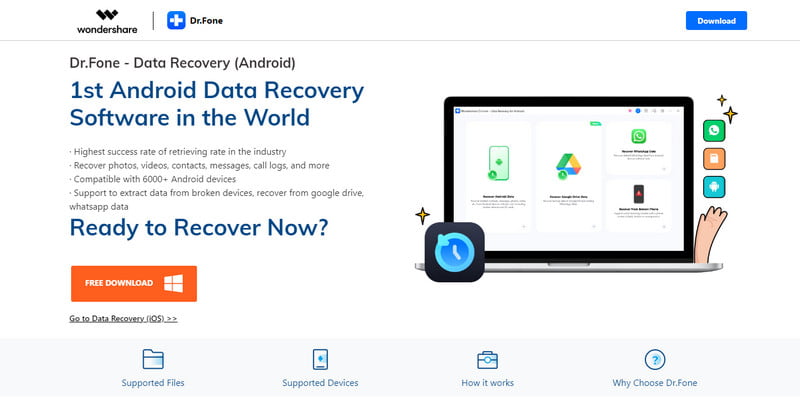
Dr.Fone - Data Recovery (iOS) is a reputable and versatile data recovery tool developed by Wondershare. It stands out as one of the best iPhone message recovery apps, offering a user‑friendly interface and comprehensive recovery capabilities. We found its selective recovery feature genuinely useful—you can tick individual messages instead of restoring entire backups.
PROS
Cons
Best For: Users with physically damaged iPhones (shattered screen, unresponsive touch) who still need to extract messages.
Rating: ⭐⭐⭐⭐
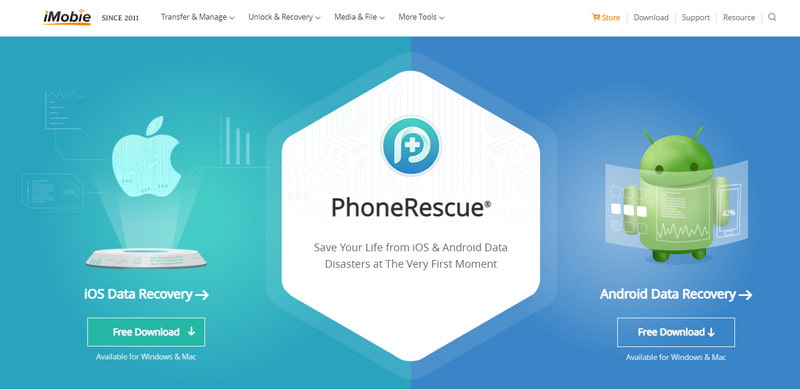
iMobie PhoneRescue is another popular iPhone message recovery app with an intuitive interface and great data recovery features. It offers a "deep scan" mode that claims to retrieve fragments. In our no‑backup, 14‑day‑old deletion scenario, it recovered 83% of SMS—second best after FoneLab iPhone Data Recovery.
PROS
Cons
Best For: Users who want to test real recovery before paying—the only app that allows free export of recovered messages.
Rating: ⭐⭐⭐⭐
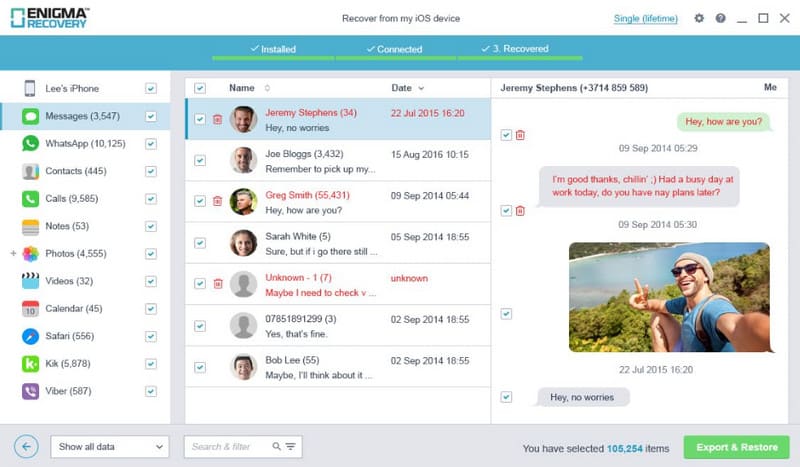
Enigma Recovery is a comprehensive data recovery alternative to iMobie PhoneRescue that specializes in iPhone message recovery. This is the only app in our test that allows free export of recovered messages (10 items). This alone makes it the best for users who want to verify before paying.
PROS
Cons
Best For: Users who need to recover from a device stuck in recovery mode (Apple logo loop) or require broad third‑app support (WhatsApp, Line, Viber, WeChat, Kik).
Rating: ⭐⭐⭐⭐
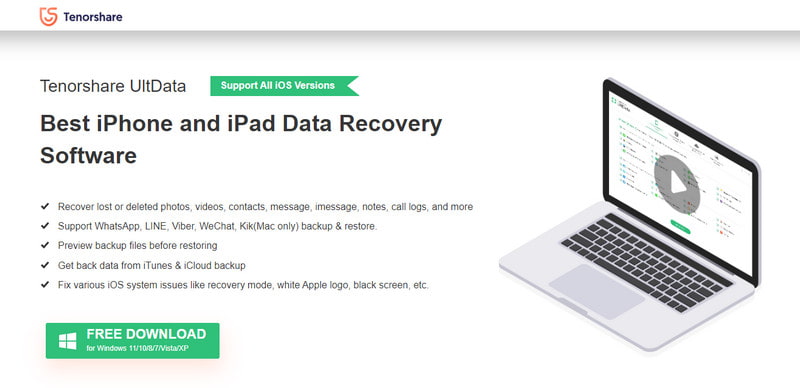
Tenorshare UltData – iPhone Data Recovery is a feature‑rich data recovery app that includes iPhone message recovery capabilities. Some users reports that in their system crash (recovery mode) scenario, it extracted messages directly from a device stuck on the Apple logo.
PROS
Cons
Best For: Users who need a simple, lightweight, no‑frills tool for same‑day SMS/iMessage recovery with no interest in third‑party apps like WhatsApp.
Rating: ⭐⭐⭐
EaseUS MobiSaver is a reliable iPhone message recovery app that focuses on data retrieval from iOS devices. It is a reliable, no‑frills option. In a simple accidental deletion test, it performed adequately. But in complex scenarios (overwritten data, water damage), it lagged behind.
PROS
Cons
100% Secure. No Ads.
100% Secure. No Ads.
Follow the instructions and enter Recover from iOS Device.
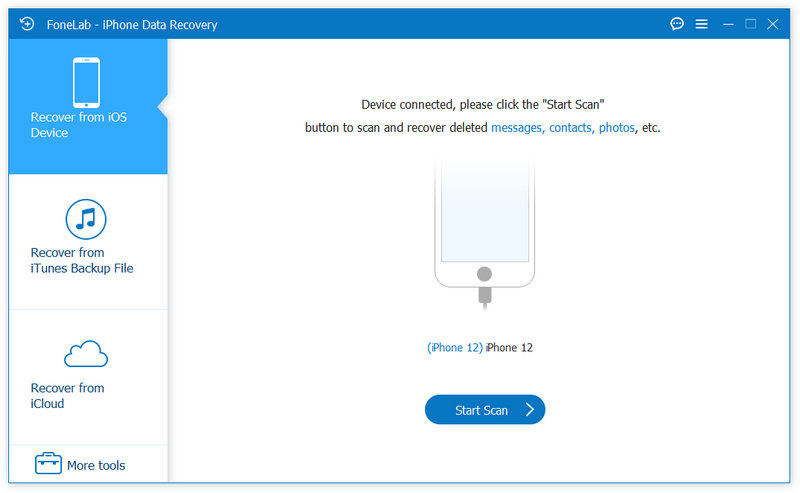
You can also go with Recover from iTunes Backup File or Recover from iCloud if you have made backups before.
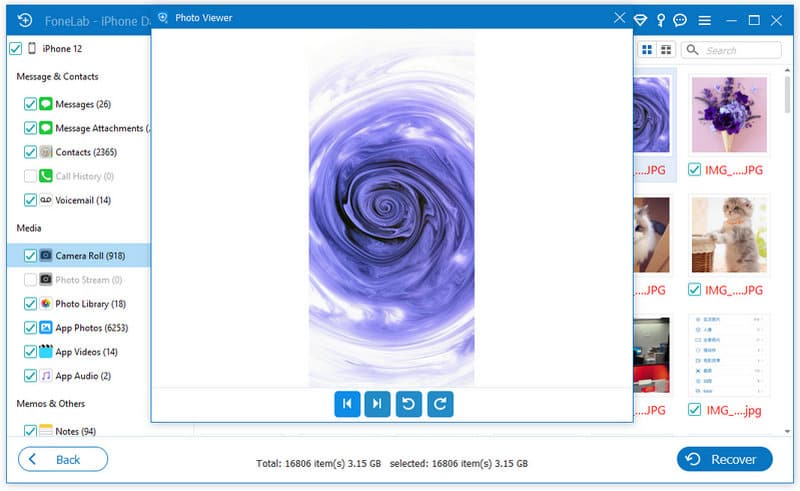
Then go through the data list on the left and double-click your wanted data. Tap the Recover button to save your file.
In case of any accidental loss, we sincerely suggest you manage and back up all important data with SMS schedule apps in your daily life.
Can you recover deleted iPhone messages without backup?
Certainly. All you need is to free download FoneLab iPhone Data Recovery as your professional helper and choose the Recover from iOS Device mode. Then follow the instructions and you will get back your deleted messages as expected.
Are deleted iPhone messages permanently deleted?
Actually not. You can get back the deleted messages from Messages > Recently Deleted within 30 days to get them back.
Does Apple save text messages?
You can enable iCloud or iTunes feature on your Apple devices for file saving so you can restore text messages and other important data once needed.
Conclusion
iPhone message loss is great pain but the availability of reliable message recovery apps offers a glimmer of hope. Dr.Fone - Data Recovery (iOS), iMobie PhoneRescue, Enigma Recovery, Tenorshare UltData - iPhone Data Recovery, and EaseUS MobiSaver are among the best iPhone message recovery apps, each with its unique features and strengths. Before attempting any message recovery, it is crucial to create a backup in case of further data loss. As these apps often offer free trial versions, please take advantage of this option to evaluate their capabilities before committing to a purchase. With the right iPhone message recovery app at your disposal, you can recover your lost messages and regain peace of mind.
 How to See and Retrieve Deleted Messages on Your iPhone
How can I see deleted text messages on my iPhone? How do you recover permanently deleted text messages on your iPhone? Learn to restore your iPhone messages.
 Two Tricks to Find Deleted Messages on iPhone 15/14/13/12/11/XS/XR/X/8/7
The article gives you two easy ways to find deleted iPhone text messages, including spotlight search and iPhone SMS manager.
 Why My Messages Are Not Sending - Know & Solve the Problem Quickly
Why are my messages not sending? For sure, there is a problem when that is happening. You must have a troubleshooting idea with the info below to solve this issue.
 Leave your comment and join our discussion
The best iPhone data recovery software ever, allowing users to safely recover lost iPhone/iPad/iPod data from iOS device, iTunes/iCloud backup.
100% Secure. No Ads.
100% Secure. No Ads.

*Required field
*Please enter a valid email
