
Aiseesoft Video Converter Ultimate
 100% Secure. No Ads.
100% Secure. No Ads.
When watching videos or choosing a new TV or monitor, video quality is often the top priority. You may have already seen terms like HDR and 4K everywhere, but many people are still confused about what they really mean and how they affect the viewing experience. While both technologies aim to improve picture quality, they do so in very different ways. I aim to compare HDR and 4K in detail. To differentiate between them, I will assess each technology based on resolution, color accuracy, brightness, and overall performance. By then, you will have a much better understanding of which technology produces the best results for your videos and displays.
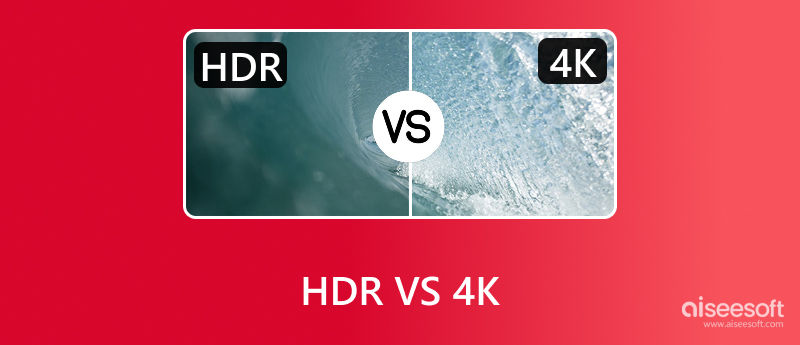
Many people assume HDR and 4K are the same, but they are different, and each affects video quality in its own way. The first step to determining how they change the way you watch TV is to know what they really are.
4K is a video resolution term that determines the image sharpness and detail. With more pixels than standard HD, 4K delivers finer detail, crisper edges, and more realistic images, particularly on larger screens.
HDR differs in that it focuses on color and brightness rather than resolution. HDR makes colors richer, highlights brighter, and shadows deeper, giving videos a more realistic, natural look even when resolution remains the same.
When comparing 4K HDR Vs HDR, the significant difference is that 4K HDR is a fusion of both technologies, which means that it provides a high resolution with the color and contrast being improved. On the other hand, HDR primarily enhances image depth and makes images look more realistic. Understanding how these technologies work individually and together will help you determine which will give you the experience you want.
Although HDR and 4K are often mentioned together, they improve video quality in different ways. To better understand how they compare, let’s break down their key differences simply and practically.
Resolution
The most apparent distinction is resolution. 4K is primarily about making the image sharper by adding more pixels to the screen, which basically means more detailed and more explicit visuals, and this is especially noticeable on large TVs or monitors. HDR doesn’t increase resolution. It is an extension of the range of light-to-dark values that can be shown within the same image. 4K SDR vs. HDR refers to a difference in brightness and vividness rather than sharpness.
Color and Contrast
Color accuracy and contrast are greatly affected by HDR. Displays can now support a wider color gamut and achieve deeper contrast between bright and dark areas. As a result, colors will be more saturated, highlights will be more luminous, and shadows will be even more detailed. A non-HDR 4K image can still be quite sharp, but it may appear flat or less dynamic when compared with HDR content.
Brightness
Scenes that include the sun, reflections, or even nighttime lighting will look natural because HDR content is for higher brightness levels. Since 4K cannot independently adjust brightness, the display device, not the format, determines how 4K looks.
Compatibility and Support
Compatibility is another key difference. To play 4K videos on PC, you need a 4K-capable screen and compatible content, while HDR requires extra support from both the device and the video source. When deciding between these two technologies, compatibility is a factor, as some 4K devices lack HDR support.
Viewing Experience
In real-world scenarios, HDR brings images to life, while 4K makes the video crisper. 4K and HDR together are capable of delivering the best viewing experience. Knowing how they differ, however, helps you determine which aspect is most important to you, given your equipment and viewing preferences.
Both 4K and HDR enhance video quality in different ways, but each also has disadvantages. You can pick the method that best suits your viewing experience by considering its advantages and disadvantages.
Benefits of 4K
The biggest strength of 4K is its sharpness. The increased pixel count produces cleaner, more detailed images, particularly on larger screens, where textures, edges, and fine details are more apparent. This is why 4K is excellent for movies, sports, and gaming. Now, most new TVs, streaming platforms, and gadgets are 4K, so obtaining one is straightforward.
Limitations of 4K
While 4K makes videos sharper, it doesn’t improve color or contrast on its own. Without HDR, 4K content can still look flat, and higher-quality files may require more storage and faster internet.
Benefits of HDR
Visual depth, not necessarily clarity, is the primary focus of HDR. Creating the most lifelike and engrossing scene possible increases the brightness, contrast, and color accuracy. Shadows show more detail and bright areas look natural, making HDR stand out. Many people say that when comparing 4K UHD vs 4K HDR, HDR makes the image more vivid even without higher resolution.
Limitations of HDR
HDR performance largely depends on the display. Even if a screen supports HDR, it does not necessarily deliver the same quality, and lower-end displays may not even show the advantages of HDR content. Additionally, HDR content must be supported by the video source, the device, and the display, which can sometimes cause compatibility issues.
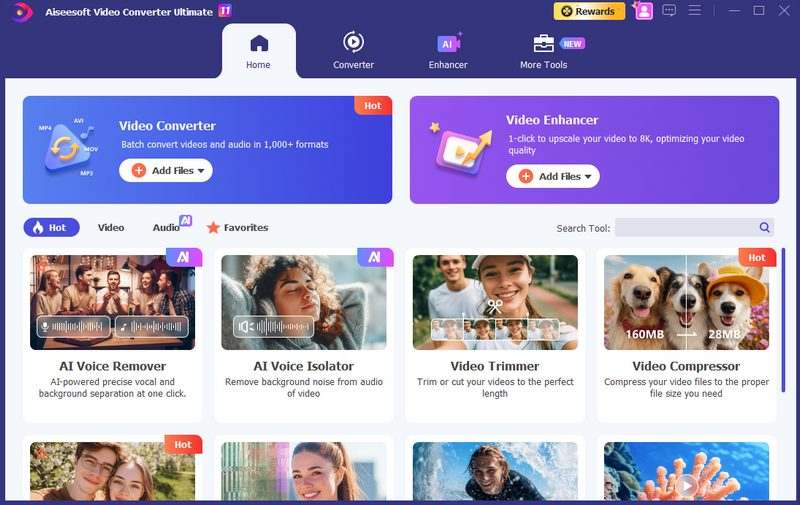
If your goal is to have your videos appear sharper, more vibrant, and almost HDR-like, a proper tool can make a massive difference in the time it takes. Aiseesoft Video Converter Ultimate is a perfect solution for taking your videos to HDR and 4K without requiring extensive editing knowledge.

Downloads
Aiseesoft Video Converter Ultimate
100% Secure. No Ads.
100% Secure. No Ads.
How to Convert Videos to HDR and Upscale to 4K
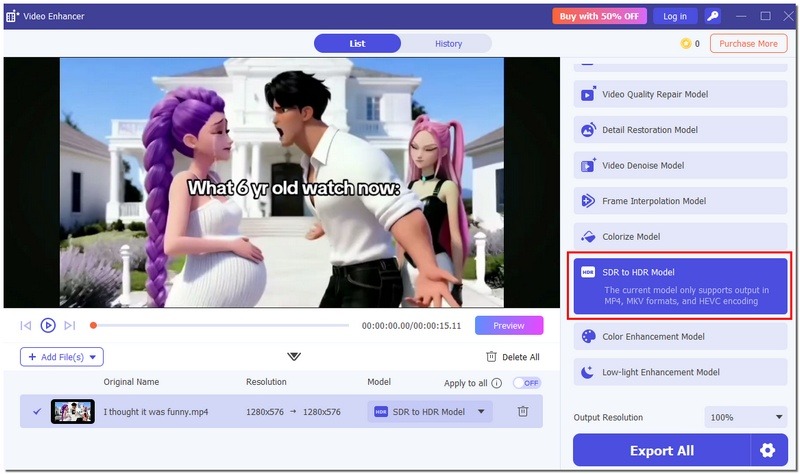
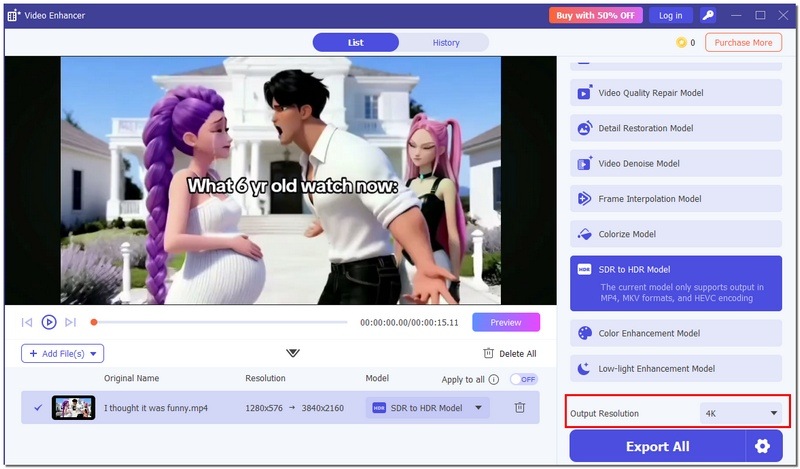
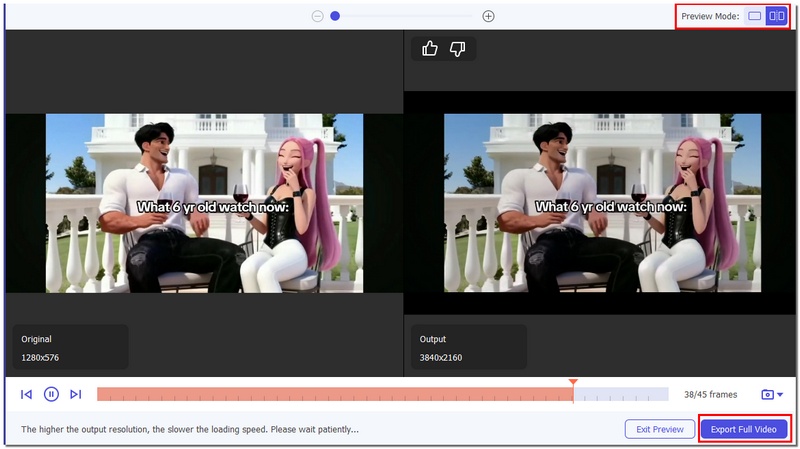
Using this tool makes it easy to compare standard and enhanced videos, letting you experience the best of both HDR and 4K without complex software or editing skills.
Can a 1080p TV display HDR content?
1080p TVs can show HDR, but the effect is limited. HDR looks best on 4K or higher-resolution screens.
Does HDR improve video in low-light scenes?
HDR improves highlights and shadows, making dark or low-light scenes look more realistic and balanced.
Can I add HDR to older Blu-ray films?
Some software can mimic HDR by adjusting brightness and contrast, but true HDR only comes from content created with HDR standards.
Conclusion
HDR and 4K improve video quality in different ways. 4K makes the image look more detailed, whereas HDR adds more colors and better contrast. The comparison of 4K HDR vs. HDR technically means that the combination of both delivers the most visually stunning experience possible, as the images are sharp, colorful, and, most of all, lifelike. Knowing these distinctions lets you decide which aspect matters most to you while still watching videos at their highest quality.
 6 Best 4K Video Players for Windows and Mac
What is the best 4K media player for Windows? Or do you need one for a Mac computer? Check the list of the 6 best 4K players for smooth playback.
 Top 8 AI Video Enhancers to Improve Video Quality in 2025
Where can you find a video editing software to help you remove audio track from video? Fortunately, this article will introduce one reputable video tool.
 Audio Splitter - How to Cut MP3 with Audio Splitter on Windows/Mac
Want to find song cutter or MP3 trimmer? You can learn how to cut your MP3 songs with audio splitter in this post.
 Leave your comment and join our discussion
Video Converter Ultimate is excellent video converter, editor and enhancer to convert, enhance and edit videos and music in 1000 formats and more.
100% Secure. No Ads.
100% Secure. No Ads.

*Required field
*Please enter a valid email

