
Best for: Users seeking a high-speed, versatile video-to-MP3 converter iPhone app that can convert multiple files at the same time.

Video Converter Ultimate
 100% Secure. No Ads.
100% Secure. No Ads.
Have you ever found a video with background music, a podcast, lecture, interview, or other audio content that you wanted to keep without the video? Converting the video or audio file to MP3 can be a convenient solution. As a widely supported and relatively small audio format, MP3 lets you save storage space while making your audio easier to play, transfer, share, and listen to offline across different devices. If you want to convert to MP3 on iOS, an iOS MP3 converter or MP3 converter for iPhone and iPad can help you extract audio from video and convert audio files to MP3 directly on your Apple device. Whether you need to convert video to MP3 on iPhone, turn audio into MP3, or simply save a smaller and more compatible audio file, converting to MP3 on iPhone or iPad provides a practical way to keep only the audio you need.
How We Test and Review iOS MP3 Converters
To determine the best options on the market, we evaluated each mp3 converter on iphone and desktop according to four key standards:
Conversion Speed & File Stability: How quickly the tool handles batch processing or high-resolution source files without crashing.
Input/Output Format Support: Capability to convert MOV, MP4, M4A, WAV, and FLAC into MP3 seamlessly.
User Interface & Ease of Use: Clean navigation, low learning curve, and minimal intrusive ad pop-ups.
Export & Storage Options: How easily the output file can be saved to the native iOS "Files" app or shared to other platforms.
| App/Tool | Supported Inputs | Conversion Speed | Ease of Use | Best For |
| Aiseesoft AllVidConverter | MP4, MOV, MKV, AVI, M4A, WAV, etc. | Ultra-Fast | Excellent | Overall fast mobile video to MP3 extraction, supporting batch conversion |
| MP3 Converter - Audio Extractor | MP4, MOV, AAC, WAV, M4A | Fast | Good | Advanced mobile audio editing and trimming |
| MyMP3 Convert Videos to MP3 | MP4, MOV, M4V | Moderate | Very Easy | Quick one-tap video-to-audio extraction |
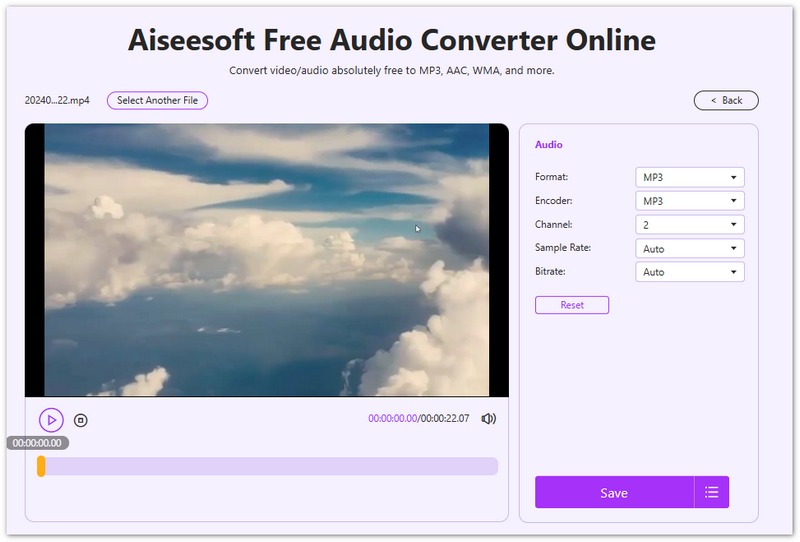
| Aiseesoft Free Audio Converter Online | MP4, MOV, AVI, WEBM, FLV, M4A | Fast (Browser) | Excellent | Free web conversion via Safari or other browesers without app installs |
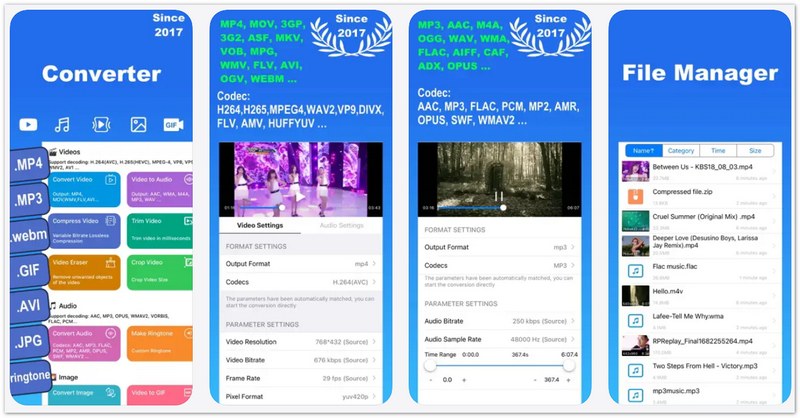
| Media Converter - Video to MP3 | MP4, MOV, MKV, MP3, WAV, PDF, ZIP | Moderate | Fair | Multi-functional media and file format processing |
Best for: Users seeking a high-speed, versatile video-to-MP3 converter iPhone app that can convert multiple files at the same time.
Score:4.9/5
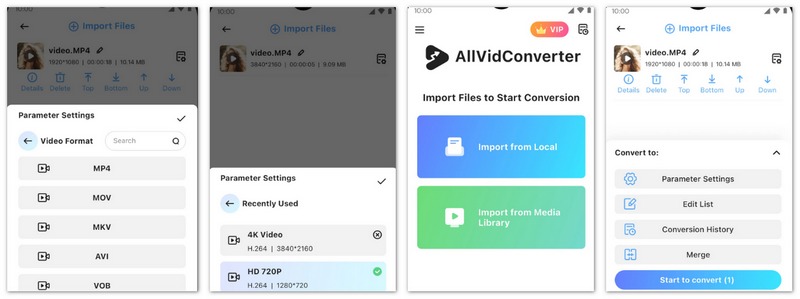
Aiseesoft AllVidConverter is an all-in-one mobile solution designed specifically for smooth media conversion on iOS & Android devices. Whether you need an efficient MP4 to MP3 converter iPhone application or a tool that handles video files with simple cutting, merging, and other editing tools, this utility delivers swift processing and a clean interface. It serves as an excellent MP3 music converter for mobile devices, enabling users to quickly extract audio from video.
Pros
Cons
Best for: Users who need built-in audio trimming and editing before exporting to MP3.
Score:4.6/5
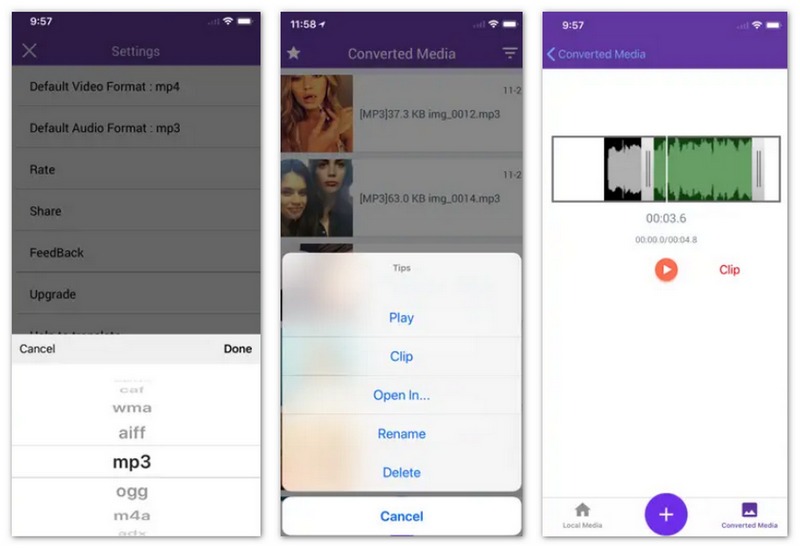
MP3 Converter - Audio Extractor is a popular native iOS application focused on pulling audio tracks directly from camera roll videos. As a capable MP3 iPhone converter tool, it includes built-in editing features such as sound trimming, volume boost, intelligent denoising, vocal removal, bass enhancement, and audio equalization, making it ideal for creating custom ringtones or adjusting speech tracks.
Pros
Cons
Best for: Anyone looking for a straightforward free MP3 converter iPhone tool with minimalist features.
Score:4.3/5
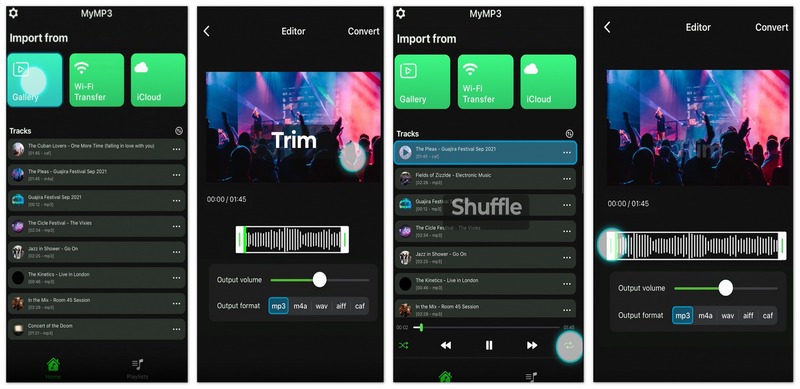
MyMP3 Convert Videos to MP3 focuses on pure simplicity. It allows users to import videos stored in their gallery and convert them into MP3 files within seconds. If you need a hassle-free MP3 iPhone converter to extract song tracks, play your tracks with arragende sequence, create and edit playlists, MyMP3 delivers straightforward functionality.
Pros
Cons
Best for: Converting media via the Safari browser without downloading software, plus cross-platform use as a mp3 converter mac free solution.
Score:4.7/5
For users who prefer not to install additional software on their devices, Aiseesoft Free Audio Converter Online provides a browser-based method to process files. Accessible through Safari on iOS, iPadOS, or macOS, this platform functions as an effective free mp3 converter iphone solution that runs directly on the web. It also serves double duty for desktop users who want a mp3 converter mac free tool to process media files on their computers.
Pros
Cons
Best for: Handling diverse file types, compressed archives, and media conversions in a single app.
Score:4.2/5
Media Converter - Video to MP3 is an expansive utility tool capable of processing both media files and documents. Besides functioning as a solid song MP3 converter, it handles compressed archives like ZIP and RAR, along with PDF conversions. It caters to users who need a general utility app alongside standard audio conversion features.
Pros
Cons
Can I convert video to MP3 on iPhone without third-party apps?
Yes. You can use the built-in iOS Shortcuts app to create an audio extraction workflow, or visit web-based tools like Aiseesoft Free Video Converter Online directly through Safari without installing external software.
Is there a completely free MP3 converter for iOS?
Yes. Several ad-supported applications exist on the App Store that function as a free mp3 converter iphone solution. Additionally, web-based tools offer free online conversion within browser tabs.
Where are converted MP3 files saved on iPhone?
Converted MP3 files are typically saved within the local directory of the converter app you used. You can easily export them to the native Apple Files app under On My iPhone or save them directly into cloud services like iCloud Drive or Google Drive.
Conclusion
Converting video files to lightweight MP3 audio on iOS helps save device storage and makes offline listening simple. iOS MP3 Converters like Aiseesoft AllVidConverter offer high-speed mobile processing, while web options like Aiseesoft Free Video Converter Online provide convenient browser-based conversion without software downloads. Select the tool that best fits your workflow to manage your iOS audio files effortlessly.
 A Concrete Guide to Transfer MP3 to iPhone with and without iTunes
Want to listen to your favorite music on your iPhone? Here we share the easy ways to transfer MP3 audio files to iPhone or iPad from computer without using iTunes.
 6 Best Audiobook Player for iPhone and Android
Want to find the best audiobook player? You can learn how to play audiobooks on iPhone/iPad/iPod and Android device with audiobook player app in this post.
 Top 10 iPhone Music Players to Play Music on iPhone Freely
This article shares top 10 best iPhone music players for iPhone X/8/7 Plus/7/6s Plus/6s/6 Plus/6/5s/5c/5/4S, including free and paid iOS music players.
 Leave your comment and join our discussion
Video Converter Ultimate is excellent video converter, editor and enhancer to convert, enhance and edit videos and music in 1000 formats and more.
100% Secure. No Ads.
100% Secure. No Ads.

*Required field
*Please enter a valid email
