
Video Converter Ultimate
 100% Secure. No Ads.
100% Secure. No Ads.
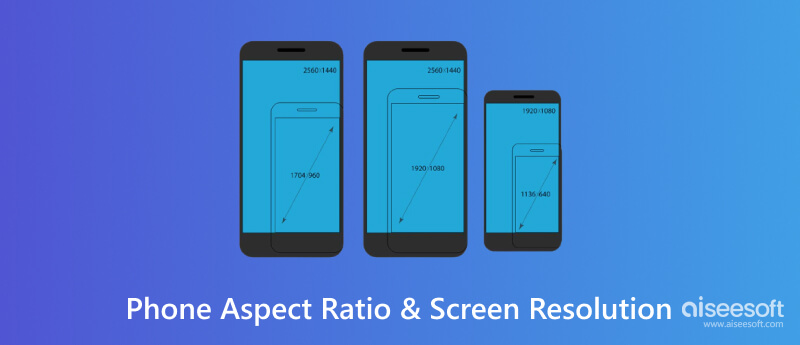
Phone aspect ratio and screen resolution profoundly influence our visual experience. Aspect ratios determine the display's shape and content compatibility, while screen resolution defines image clarity. In this article, we'll explore these crucial elements. First, we'll uncover the common mobile device aspect ratios and their impact on viewing experiences. Next, we'll delve into prevalent screen resolutions, discussing their role in defining visual quality. Additionally, we'll provide practical guidance on adjusting video aspect ratios for your phone using Aiseesoft Video Converter Ultimate. Stay tuned as we navigate these essential smartphone features, ensuring an optimized and seamless content experience on your device.
Quick Answer
Most modern smartphones use a tall display ratio around 19.5:9 to 20:9, while FHD+ resolutions such as 1080 × 2340 are widely used across mainstream Android phones. Flagship phones may use higher resolutions such as QHD+ (1440p). For video, 16:9 works well for traditional widescreen content, while 9:16 is ideal for full-screen vertical platforms.
16:9 is the traditional widescreen aspect ratio used by TVs, monitors, YouTube videos, and many other video platforms. Although modern phone displays are usually taller, 16:9 remains a practical choice for recording or editing horizontal video because it matches a large amount of existing widescreen content.
Example Uses:
18:9 was an early generation of the taller smartphone display design. It provided more vertical screen space than 16:9 while keeping the phone relatively easy to hold. It is now less common on new smartphones but remains relevant when working with older devices.
Example Phones:
19:9 made smartphone screens taller without significantly increasing their width. This design became popular as manufacturers moved toward smaller bezels and introduced display cutouts such as notches and punch-hole cameras.
Example Phones:
19.5:9 is one of the common tall display ratios used by modern smartphones. It provides additional vertical space for apps, websites, and video while maintaining a relatively narrow body. This ratio is also well suited to displays with a notch or Dynamic Island.
Example Phones:
20:9 provides a tall display with additional vertical space for scrolling, apps, and full-screen mobile content. It has become a common format on many Android smartphones and is particularly useful for modern phone designs with narrow bezels.
Example Phones:
21:9 is an unusually tall smartphone aspect ratio designed to provide a more cinematic viewing shape. It gives users extra vertical space while keeping the phone relatively narrow, making it suitable for certain video content and multitasking scenarios.
Example Phones:
Some foldable phones can approach a 22:9 display ratio on their tall inner or cover displays, depending on the model and how the screen is measured. These extra-tall layouts provide more vertical space for multitasking and content browsing.
Example Phones:
Modern phone displays also use design features such as notches and punch-hole cameras, which can affect how content fits on the screen. A notch takes up part of the display area around the front camera and sensors, while a punch-hole display places the camera inside a small cutout in the screen. These designs are one reason why modern phones often use taller aspect ratios such as 19.5:9 and 20:9.
FHD+ (1080 × 2340) is one of the most common smartphone resolutions today, especially across mainstream and mid-range Android phones. Higher-end models may use QHD+ resolutions such as 1440 × 3120, while budget phones may still use HD+ displays. The actual resolution varies by model, screen size, aspect ratio, and price tier.
FHD+ is one of the most common smartphone display resolutions. A 1080 × 2340 panel is typically paired with a tall aspect ratio such as 19.5:9 or a closely related format. It provides a good balance between sharpness, power consumption, and display performance for everyday use.
For example, Samsung's Galaxy S25 uses a 2340 × 1080 FHD+ display, while other modern phones use similar 1080p-class resolutions with slightly different aspect ratios.
QHD+ displays provide substantially more pixels than FHD+, resulting in greater image detail and higher pixel density. Common QHD+ smartphone panels include resolutions around 1440 × 3120 or 1440 × 3168, depending on the phone's aspect ratio. Samsung Galaxy S25 Ultra, for example, uses a 3120 × 1440 Quad HD+ display, while the OnePlus 13 uses a 3168 × 1440 QHD+ display at 510 ppi.
HD+ displays are more common on budget and entry-level smartphones. They use fewer pixels than FHD+ panels, which can reduce power and processing demands, although text and images may appear less detailed on larger screens.
720 × 1280 is an older HD resolution that was widely used on earlier smartphones. It is now less common on new devices but can still be found on some basic or older phones.
| Aspect Ratio | Common Resolution | Typical Use / Example | ||
| 16:9 | 1080 × 1920 (FHD) | Older smartphones, widescreen video | ||
| 18:9 | 1080 × 2160 (FHD+) | Older full‑screen Android phones | ||
| 19:9 | 1080 × 2280 (FHD+) | Phones with notch or punch‑hole displays | ||
| 19.5:9 | 1080 × 2340 (FHD+) | Many modern smartphones with tall displays | ||
| 20:9 | 1080 × 2400 (FHD+) | Common on modern Android phones | ||
| 21:9 | 1080 × 2520 (FHD+) | Sony Xperia and other cinematic‑style displays | ||
| 20:9 | 1440 × 3200 (QHD+) | High‑end Android flagship phones |
Aspect ratio and resolution describe different aspects of a phone display. Aspect ratio defines the screen's shape, while resolution specifies the number of pixels used to display images and video. For example, 1080 × 2340 pixels has an aspect ratio of approximately 19.5:9, while 1080 × 2400 pixels is approximately 20:9. A higher resolution does not necessarily mean a better display experience, as pixel density (ppi), screen size, brightness, and panel quality also affect perceived image quality.
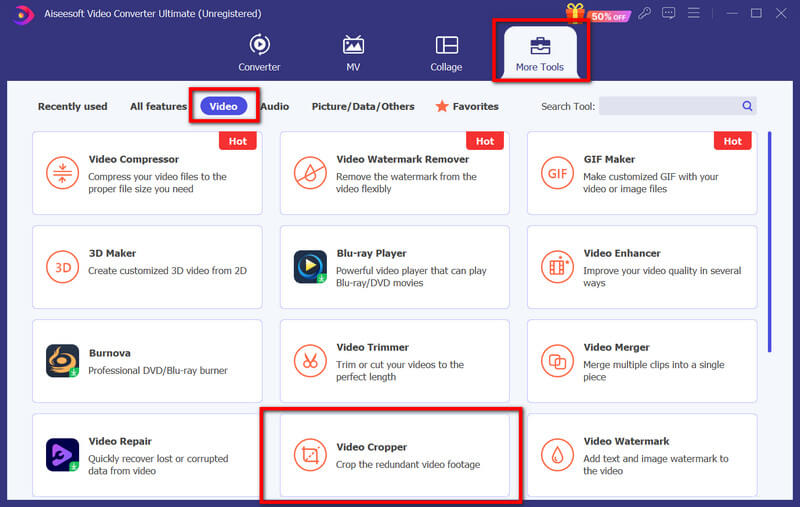
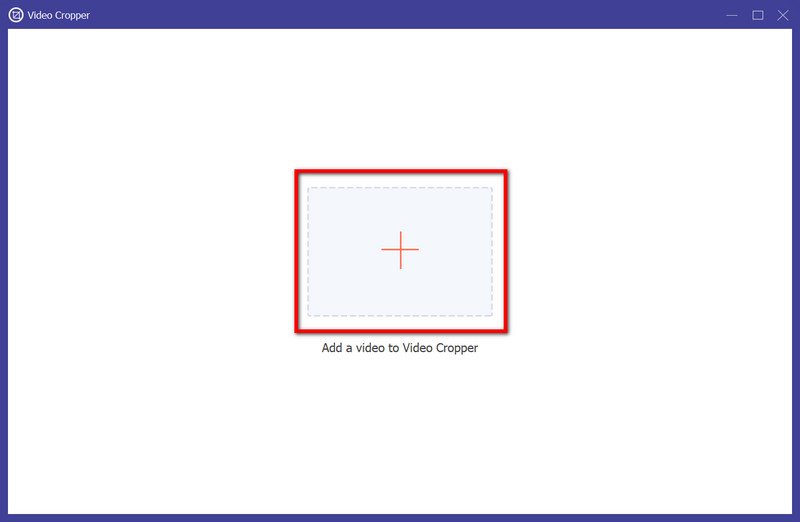
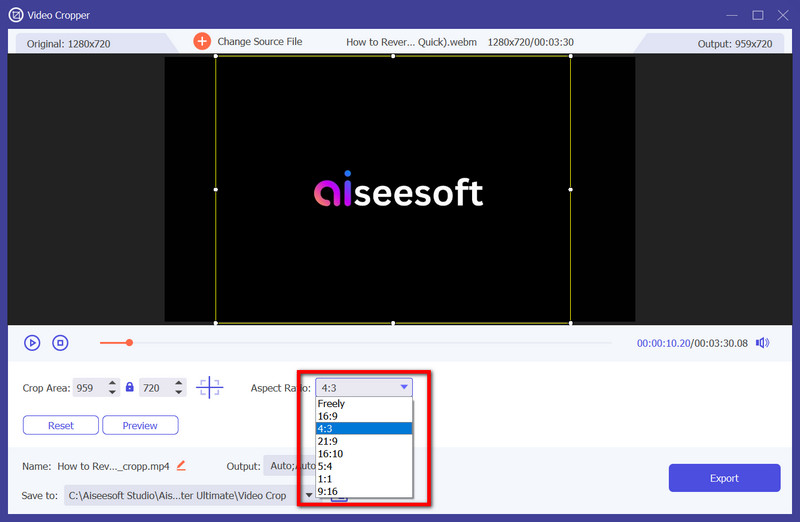
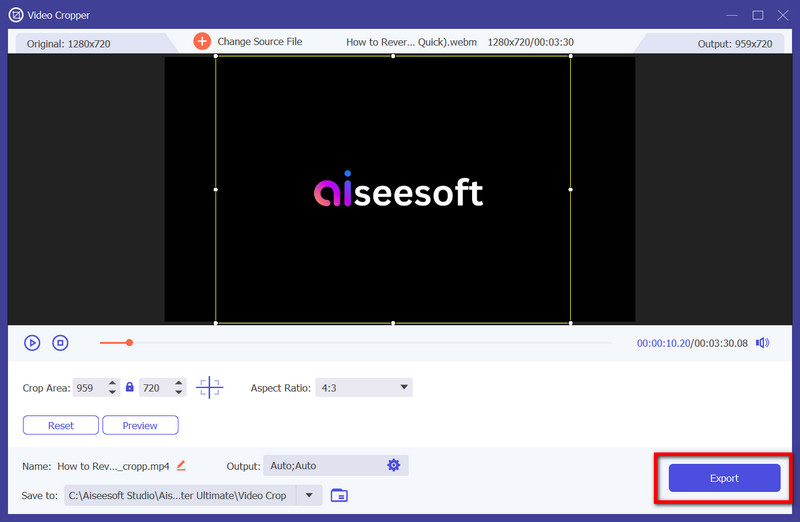
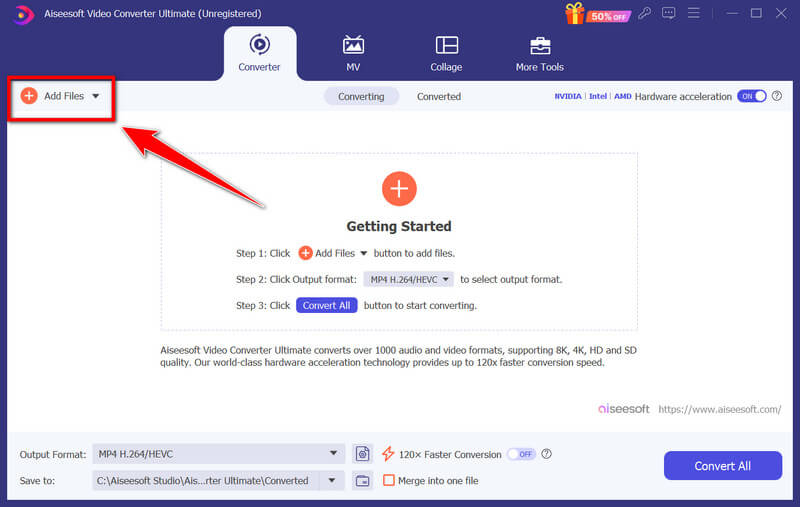
Aiseesoft Video Converter Ultimate offers a user-friendly interface and basic editing tools, including aspect ratio adjustments, which are ideal for resizing videos to fit phone screens easily. Users can typically select common aspect ratios or manually input specific dimensions to achieve the desired screen fit for their phones. Right now, this app has two ways to make a phone aspect ratio vertical that fits your phone; if you are interested, download this and read the succeeding steps.

Downloads
Aiseesoft Video Converter Ultimate
100% Secure. No Ads.
100% Secure. No Ads.
What is the best aspect ratio for a phone camera?
The best aspect ratio for a phone camera depends on personal preference and the type of photography. For versatility and compatibility across various platforms, the 4:3 aspect ratio is commonly preferred. However, 16:9 or even wider ratios can be suitable for certain shots, such as landscapes or widescreen video recordings.
What is the best phone wallpaper aspect ratio?
The optimal aspect ratio for a phone wallpaper largely depends on the specific phone model. However, many phones use a vertical orientation, making a 9:16 aspect ratio or 1080 × 1920 pixels for Full HD a popular wallpaper choice.
How do I know the resolution of my phone screen?
On Android, you can go to Settings, select Display, and tap on Resolution or Screen Resolution to view the screen resolution details. While on iOS, navigate to Settings, choose Display & Brightness, and tap View to see the current screen resolution.
Can I change the aspect ratio of photos or videos on my phone?
Yes, various phone photo and video editing apps allow you to change the aspect ratio of images or videos. However, altering the aspect ratio might involve resizing or cropping the video, potentially affecting the composition or quality of the content.
Does altering the aspect ratio and resolution lower video quality?
Changing a video's aspect ratio or resolution may affect its quality by causing distortion, loss of detail, or pixelation due to cropping, stretching, or resizing; that is why you might need a dedicated video enhancer to enhance video quality.
Conclusion
Choosing the right phone aspect ratio and screen resolution depends on how you use your device and the type of content you create. For photos, 4:3 is generally a good choice because it captures more of the camera sensor, while 16:9 is better suited for widescreen videos. For vertical content such as TikTok, Instagram Reels, and phone wallpapers, 9:16 is a practical format. When editing videos for modern smartphones, 19.5:9 or 20:9 can better match many current phone displays.
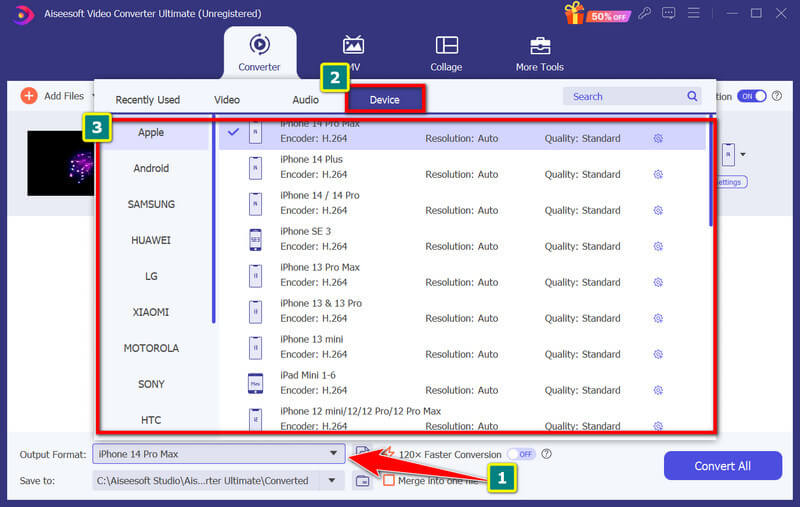
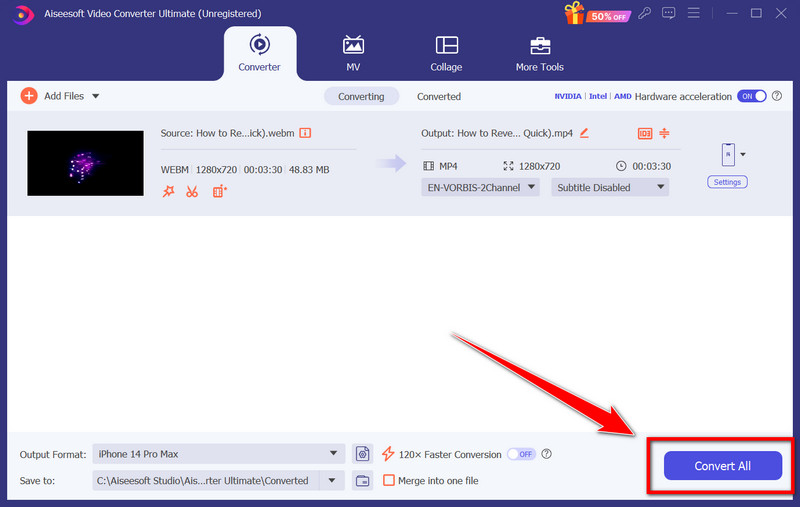
If you need to prepare a video for a specific phone screen, Aiseesoft Video Converter Ultimate lets you crop videos to different aspect ratios and convert them to suitable resolutions. Its device presets can also help you quickly adapt videos for different mobile devices.
100% Secure. No Ads.
100% Secure. No Ads.
 How to Change Aspect Ratio
Want to maintain the widescreen aspect ratio of your videos or change it to 4:3? This tutorial shows you how to change aspect ratio of videos and images.
 Everything You Need to Know about the Best TikTok Video Resolution
Having trouble with video quality when uploading or recording videos on TikTok? This guide tells you the best TikTok video resolution.
 Video Enhancer: How to Improve Video Resolution Losslessly
What is video resolution? How to upscale video resolution with high quality? Read this article to learn how to enhance the video resolution using the best video enhancer software.
 Leave your comment and join our discussion
Video Converter Ultimate is excellent video converter, editor and enhancer to convert, enhance and edit videos and music in 1000 formats and more.
100% Secure. No Ads.
100% Secure. No Ads.

*Required field
*Please enter a valid email

