
Aiseesoft Video Converter Ultimate
 100% Secure. No Ads.
100% Secure. No Ads.
If you have attempted to separate vocals from a song, you are likely aware of how annoying it can be. Some tools advertise the production of crystal, clear instrumentals, but end up giving distorted versions of the whole thing. Also, some of them seem to be free on the surface until you find out you have to pay for credits just to download your file. I experienced the same things. This is the main reason why I started to write this PhonicMind review. I was determined to find out whether this AI-powered vocal remover really is a good investment or whether it is just another tool that has been hyped too much. In this article, I will tell you about my genuine experience with its features and performance, to pricing and actual sound quality, so you can make up your mind whether PhonicMind is the right pick for you. Let’s go through the details and find out whether it really provides the clean, professional results it promises.
How We Test & Review
Before jumping into the main parts, here are the actual results I got from testing PhonicMind.
1. Audio Testing
I uploaded multiple types of tracks to the PhonicMind vocal remover, including pop, acoustic, layered vocals, and compressed MP3 files. PhonicMind performs best with high-quality audio files and simpler arrangements. Complex mixes may produce minor imperfections.
2. Audio Quality Evaluation
I assessed balance, noise, distortion, and clarity. Although the result is superior to the majority of free AI programs, it needs a little tidying before it can be used in a professional studio.
3. Interface & User Experience
It’s extremely easy to use, even for beginners. However, advanced users may find it lacking in customization options.
4. Value for Money
Since Phonicmind operates on a paid credit system, I evaluated whether the results justify the cost.
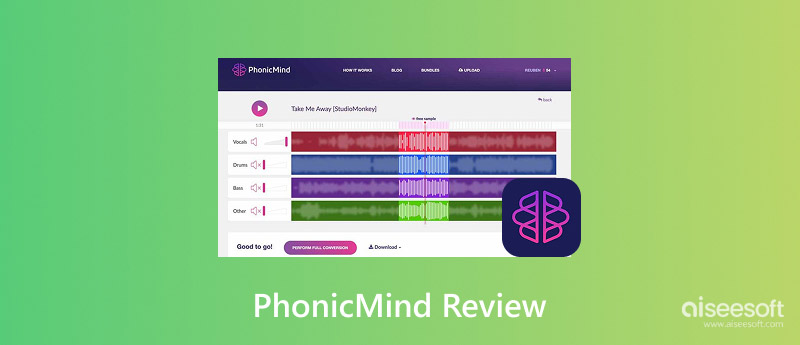
PhonicMind is a vocal remover that operates online and can isolate vocals, drums, bass, and other instruments automatically from a song. It applies deep learning techniques, which were developed by training on a vast number of audio samples, to figure out and separate different sound elements in a music track. Unlike traditional vocal-removal tools that rely on phase cancellation, PhonicMind uses artificial intelligence to analyze a song’s structure and generate cleaner, more accurate stems.
PhonicMind was launched as one of the early AI-based vocal separation tools on the market. It gained popularity among DJs, remixers, karaoke creators, and content creators because it offered:
Over time, the platform improved its AI engine to support multi-stem separation, allowing users to extract not just vocals, but also drums, bass, and other instruments individually.
The PhonicMind app operates entirely online, which means users don’t need powerful hardware. Everything is processed on its servers.
In my opinion, it's very helpful for artists who wish to quickly separate voices without using sophisticated audio programs like DAWs.
PhonicMind works using AI-powered stem separation technology. Instead of simply muting the center channel, it analyzes frequencies, patterns, and vocal characteristics within a track. The AI then rebuilds separate audio stems such as vocals, drums, bass, and instrumentals.
Here’s exactly how I processed audio using PhonicMind.com:
For best results, I recommend using:
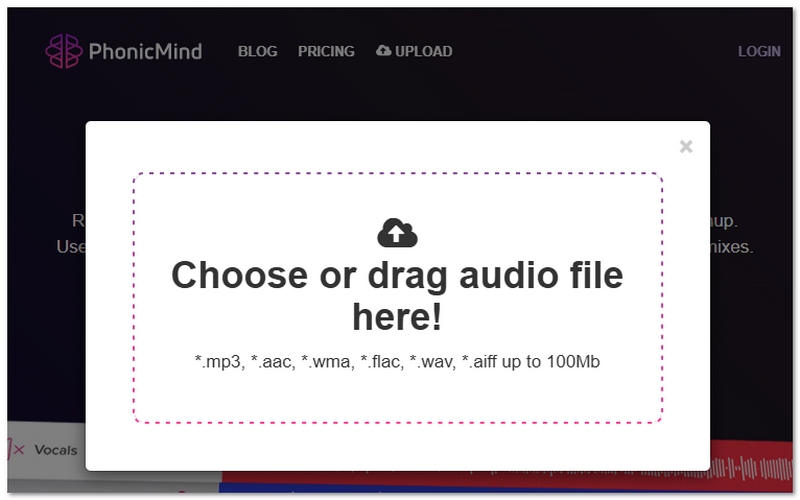
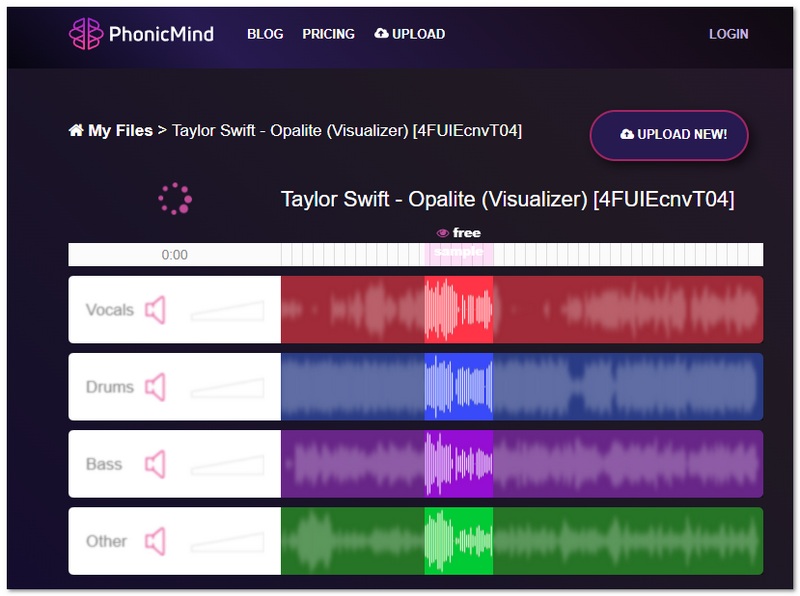
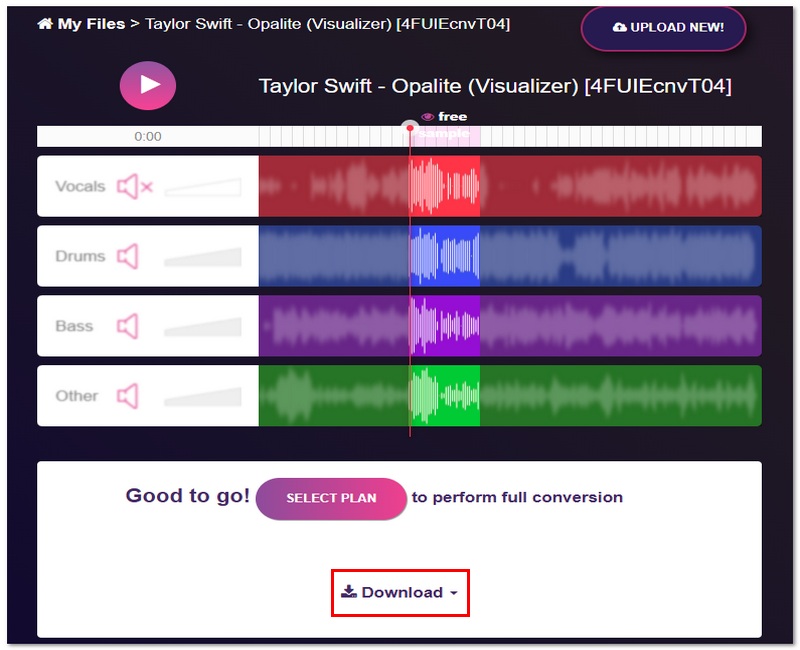
PhonicMind offers a clean and beginner-friendly interface. Uploading a file is simple, and the AI automatically processes the track within about 30–90 seconds.
The platform is straightforward and doesn’t require technical skills.
When removing a phonicmind acapella, the vocal clarity was pretty much excellent in most cases, I would say, especially with pop and acoustic songs.
Overall, the quality is more than good enough for karaoke, remixing, and content creation, though professionals may still need minor post-editing.
When it comes to cost, PhonicMind doesn’t offer a PhonicMind free unlimited option, but you can preview tracks before you pay.
Here’s the current pricing structure:
Subscription Plans
Free Preview
You are able to upload your song and listen to sample stems before making a purchase. However, only paid plans allow full downloads.
Quick Take
PhonicMinds’ pricing model is very simple. By subscribing, you are allowed unlimited STEM downloads and faster processing. In addition, there is no completely free version apart from previewing results.
If you’re looking for an alternative to PhonicMind, I recommend that you check out Aiseesoft Video Converter Ultimate’s AI Vocal Remover tool. It is a powerful choice for creators who want to obtain high-quality vocal separation without the trouble of a credit system.
Downloads
100% Secure. No Ads.
100% Secure. No Ads.
Steps to Use AI Vocal Remover in Aisee VCU
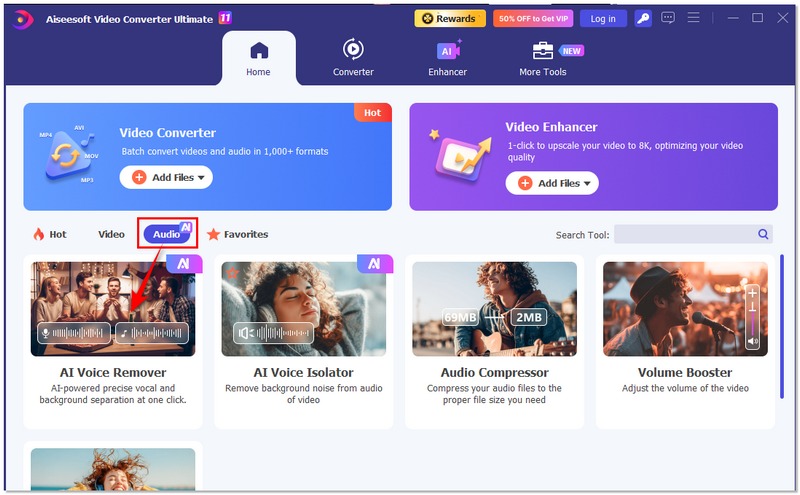
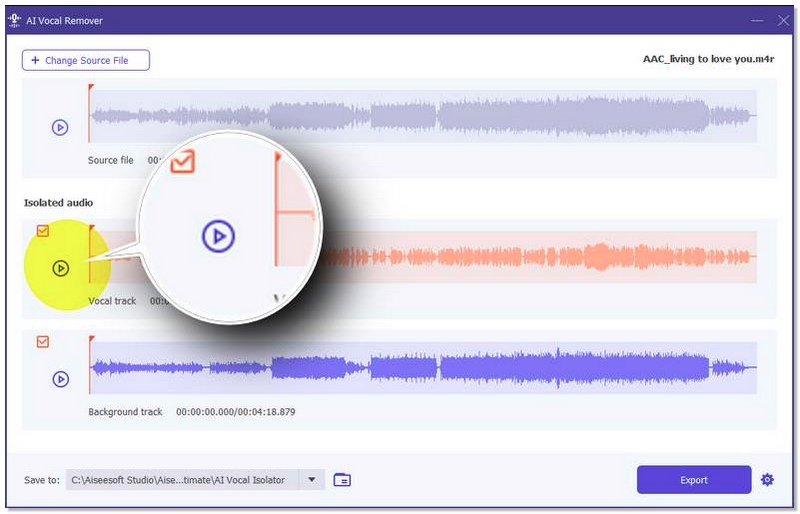
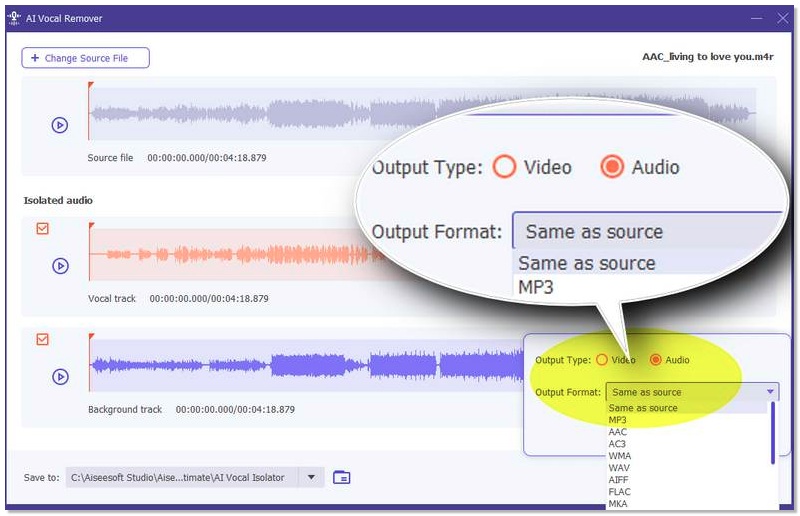
Aisee VCUs AI Vocal Remover is one of the best alternatives to PhonicMind. It is capable of delivering vocal and instrumental separations of top-notch quality, notch quality, and you only need to purchase a one-time software license, which means you will not have to buy any credits.
Can I adjust separation settings?
Currently, you can’t manually adjust separation settings on PhonicMind. Its AI automatically generates the separation based on the model it uses.
Can I reprocess a track multiple times?
Sure, you can run the same track through the process again. Each time you download, however, it will ask for credits, unless you're only previewing.
Can I integrate PhonicMind with other software?
Currently, PhonicMind works as a standalone online platform. No direct plugin integration is available for DAWs like FL Studio or Ableton Live.
Conclusion
I judged PhonicMind to be rapid, simple to operate, and to produce very clear vocals and well-balanced instrumentals after testing it. PhonicMind vocal remover is ideal for karaoke, remixes, and content creation. There is no completely phonics-centric free option, except for a preview; however, the paid credits are a good investment for most users. Very complicated songs may present residual sounds, but as far as the casual creators and DJs are concerned, it is a dependable and handy AI tool. PhonicMind is a very efficient tool for vocal separation, and if you are looking for quick, effective acapellas or instrumentals, it is a good option to consider.
100% Secure. No Ads.
100% Secure. No Ads.
 A Full Voicemod Review to Know More About the Voice Changer
Is Voicemod AI voice changer safe? How do you use Voicemod on Discord? Does Voicemode work on Chromebook? Check the Voicemod review to know everything about it.
 Top 10 Voice Recorders for Windows 11/10 in 2026 [Free & Paid]
Does Windows has built-in voice recorders? Which voice recording software can record both system and microphone sound? This article shows top 10 Windows voice recorders for you.
 5 Best Text to Speech Tools for Empowering Communication
Is NaturalReader text-to-speech free? Is there a free AI app for Android that turns text into speech? Check the review of the five best text-to-speech tools.
 Leave your comment and join our discussion
Video Converter Ultimate is excellent video converter, editor and enhancer to convert, enhance and edit videos and music in 1000 formats and more.
100% Secure. No Ads.
100% Secure. No Ads.

*Required field
*Please enter a valid email

