
Best For: Solo audio or video podcasters, tutorial creators, gaming podcasters, and general users who need high-resolution screen captures with clear audio.
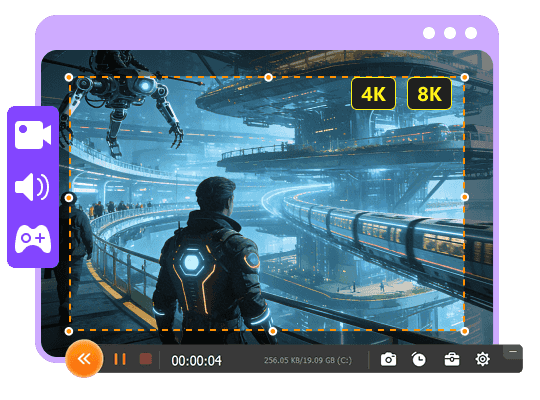
Aiseesoft Screen Recorder
 100% Secure. No Ads.
100% Secure. No Ads.
The landscape of podcasting in 2026 has shifted dramatically. Nowadays, more than half of listeners prefer video podcasts. This audio has become the biggest hit.
If you are a podcast creator, recording a simple MP3 RSS feed is not enough. Creating a standout podcast is no longer just about what you say. In 2026, audiences prefer high-quality, multi-track audio and video.
This full review of the best podcast recording software recommends 9 top contenders for you to choose from. Whether you need a reliable, high-quality recorder capable of capturing multi-track audio and video, or a free tool for quick captures, you can easily find what you need.
How We Test and Review Podcast Recorders
We have tested over 30 podcast recording tools and selected the 9 best ones from them as our recommendations. To ensure they are reliable and can fit your recording needs, we run them through real-world stress tests. Below is our testing methodology:
Captured Audio & Video Quality: We test each recorder’s ability to capture clean, uncompressed audio. Does it support lossless WAV audio at 48kHz/24-bit? For video recordings, we support up to 4K resolution.
Multi-track Recording: Multi-track isolation is essential for post-production control, such as individual volume adjustments, noise removal, and editing. Generally, a good podcast should not mix host and guest audio on the same track. We evaluate how the podcast recording software isolates each speaker.
Advanced (AI-powered) Functions: We test integrated AI tools/features like noise reduction, microphone enhancement, echo cancellation, and more to see if they can intelligently clean up unwanted background noises and save time.
Reliability & Ease of Use: A podcast recording software may be useless if it is too complex or often causes errors. We test these recorders with long recording sessions, multiple guests, and other tasks on different devices to ensure stability. We select these without a complex setup or a learning curve.
| Software | Platform | Key Features | Best For | Audio Quality | Bitrate Support | Noise Reduction |
| Aiseesoft Screen Recorder | Windows, Mac | Screen/Webcam/Audio/Phone Recording (Up to 4K/8K) AI Noise Reduction, Microphone Enhancement Basic Editor |
Solo creators and podcasters who need to capture screen-based content | High-quality system & microphone audio capture | Up to 320kbps | AI-powered noise cancellation and microphone enhancement |
| Riverside | Web | Local WAV/4K Recording AI Clips Text-Based Editing Show Notes |
Remote interviews & video podcasts | Studio-grade 48kHz WAV | Lossless WAV | No |
| SquadCast | Web | Progressive Uploads WAV/4K Magic Audio AI |
Professional remote podcast interviews | Broadcast-quality WAV | Uncompressed WAV | AI “Magic Audio” |
| Adobe Audition | Windows, Mac | Unlimited Multitrack AI Auto-Ducking Advanced Noise Reduction |
Professional audio post-production and editing | Industry-standard professional | Up to 32-bit / 192kHz | Advanced noise reduction |
| GarageBand | Mac, iOS | Free DAW Multitrack Recording Built-in Loops & Effects Multiple Voice Presets |
Beginners and casual users who have Apple devices | Good, up to 44.1kHz | 16-bit / 44.1kHz | Basic noise gate |
| StreamYard | Web | Live Streaming Local Recording (Paid) Branded Layouts Guest Links |
Live video podcast streaming Simple remote recording |
Good HD local recording on paid plans |
Not specified | No |
| Descript | Web, Desktop | Text-Based AI Editing AI Co-Editor “Underlord” Voice Cloning |
Creators who are comfortable with AI-focused, script-like editing workflows | High “Studio Sound” AI enhancement |
Variable | AI “Studio Sound” |
| Zencastr | Web | Local WAV/4K Recording AI Editing Unlimited Hosting (Paid) Soundboard |
Browser-based all-in-one podcasting platform | High-quality lossless WAV | Uncompressed WAV | No, relies on local recording |
| Cleanfeed | Web | Uncompressed Audio Recording Multi-Track Broadcast Routing |
Broadcasters who need real-time, high-fidelity audio connections | Studio-quality, up to 320kbps | Up to 320kbps (Pro) | No |
Selecting the right software is your first critical step for capturing studio-quality podcasts. The question is, what is the best program to record a podcast? This section introduces you to our podcast recording software recommendations.
Best For: Solo audio or video podcasters, tutorial creators, gaming podcasters, and general users who need high-resolution screen captures with clear audio.
Score:4.5/5
Aiseesoft Screen Recorder is known as a powerful recording and editing tool. It has become a secret weapon for many video podcasters. If you want to capture your computer screen with the webcam and your voice, this podcasting recording software can be your best choice, especially if your podcast involves reacting to creating tutorials, reviewing software, or demonstrating gameplay.
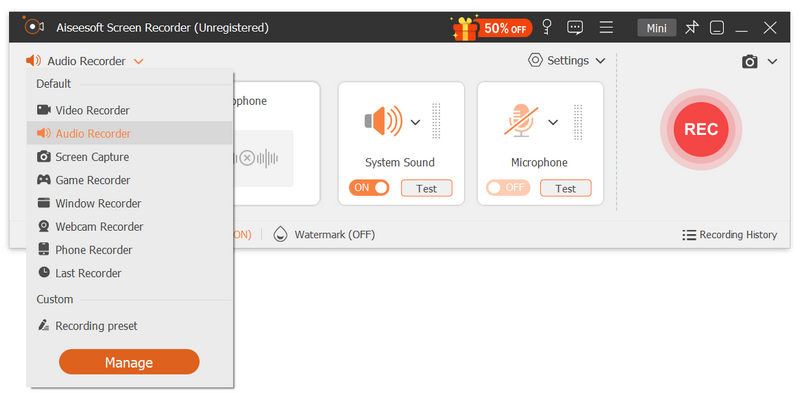
This desktop podcast recording software can capture your screen, webcam, system audio, and microphone simultaneously or separately. It supports up to 8K video recordings at 120/144 frames per second. What’s more, the software includes various real-time annotation tools.
100% Secure. No Ads.
100% Secure. No Ads.
Pros
Cons
Best For: Professional video podcasters who want to quickly capture studio-quality content for YouTube, Spotify, and social media distribution.
Score:4.6/5
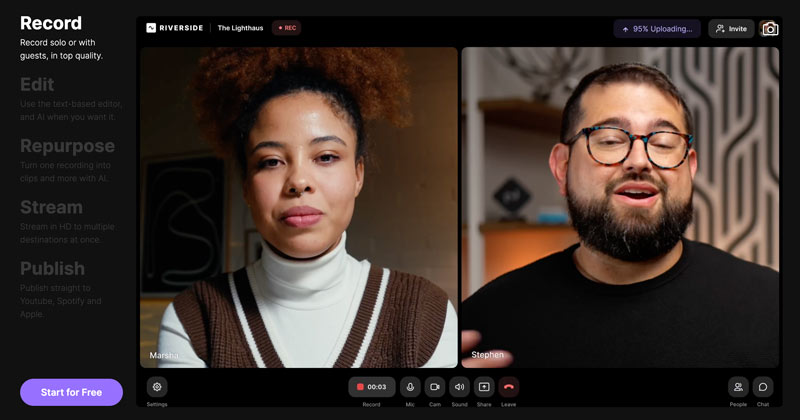
Riverside or Riverside.fm can be the industry standard for high-end video podcasting. It is a popular AI-powered platform that lets you handily record, edit, repurpose, and distribute high-quality podcasts. They pioneered a “double-ender” recording method to handle various modern workflows. One big advantage of this podcast recording software is that Riverside can capture 4K video and uncompressed WAV audio directly on your local device.
Pros
Cons
Best For: Audio-first podcasters/creators and collaborative teams who want a browser-based software for recordings auto-saved with cloud storage.
Score:4.3/5
SquadCast is a cloud recording studio that prioritizes reliability and audio quality over flashy visual features. SquadCast supports local remote recordings with high stability. It works entirely in your browser.
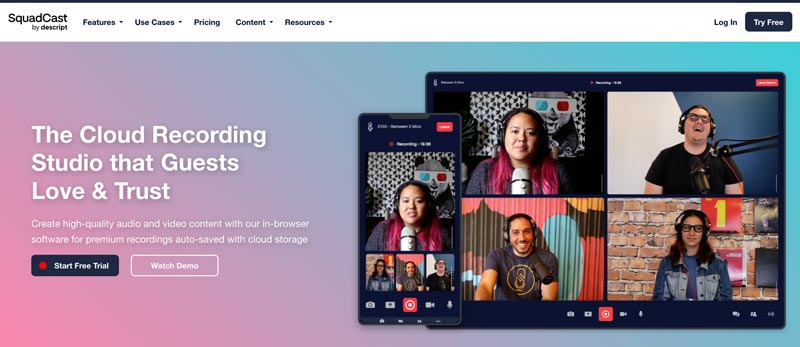
One signature feature is “Progressive Uploads, ” which uses auto-save to create progressive cloud backups, ensuring you never lose a recording. This podcast recording tool is now deeply integrated with the Descript ecosystem.
Pros
Cons
Best For: Professional post-production editors, audio engineers, and serious creators who require a professional recorder for intricate sound design.
Score:4.3/5
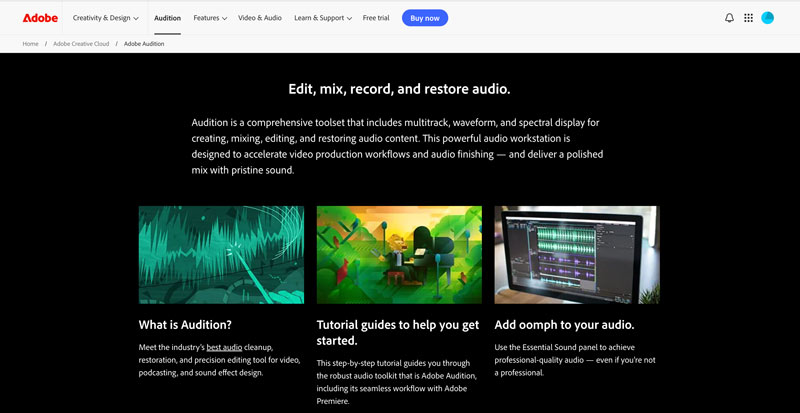
Adobe Audition is not just a podcast recorder; it is the industry-standard DAW for audio post-production. It supports multi-track audio recording, mixing, and editing, and provides various AI-powered tools. It gives you full control over your podcast recording and creation. The new 2026 versions include a dedicated Adobe Podcast Studio for multi-track remote recording.
Pros
Cons
You may also like:
Best For: Solo podcasters, beginners, students, and casual users who want to start recording high-quality audio on a Mac.
Score:4/5
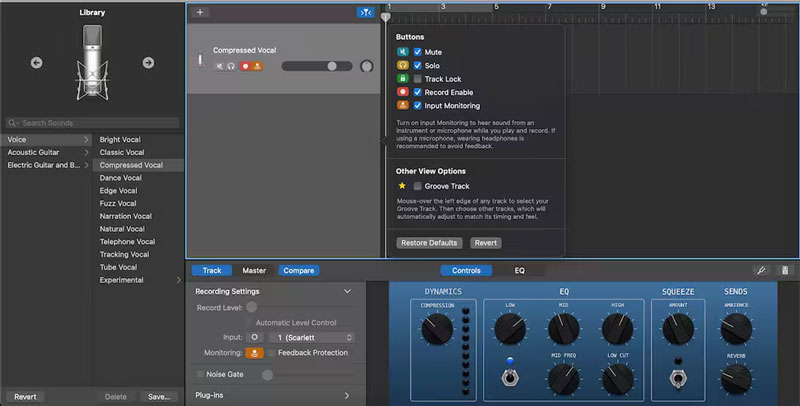
GarageBand is Apple’s free music creation software that is preinstalled on Macs. If you are a Mac user and would like to start a podcast, you can directly open the software. Its multi-track interface is ideal for plugging in a USB mic and making a podcast episode.
Pros
Cons
Best For: Podcasters, webinars, creators, and users who want to capture live video conversations with guests and broadcast to a live audience.
Score:4/5
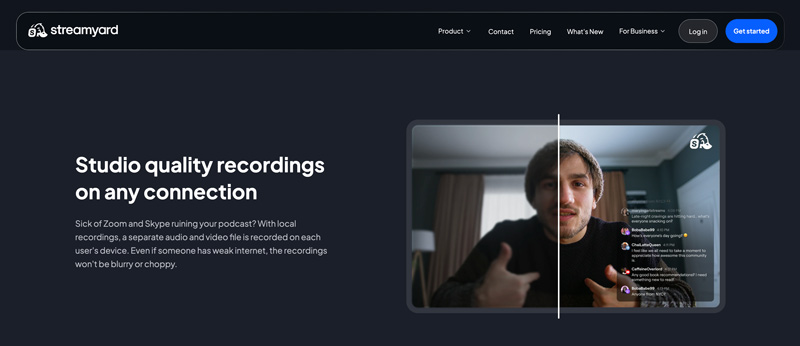
StreamYard claims to be the easiest live streaming and recording software. It provides a convenient way to directly capture high-quality content or stream live to multiple platforms like YouTube, Facebook, and more. This podcast recording software can be a solid choice for creating video podcasts. Moreover, StreamYard is a great tool for engaging with an audience in real time while capturing your conversation.
Pros
Cons
Best For: Podcasters and content creators who prefer efficient and AI-assisted editing functions and want to edit their recordings quickly.
Score:4.1/5
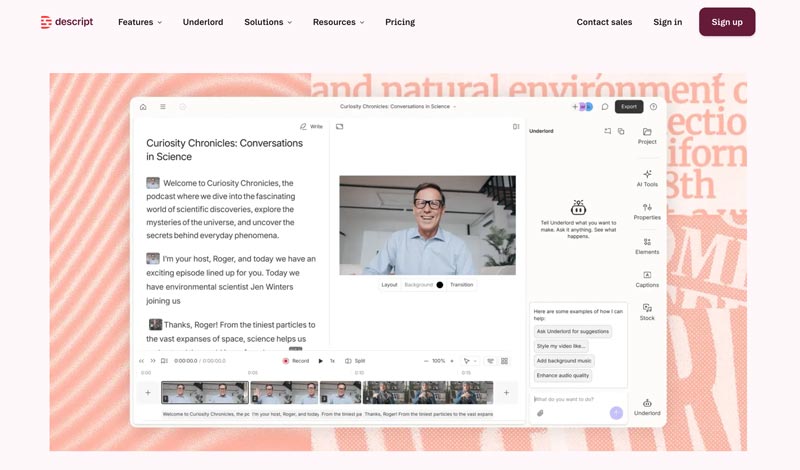
Descript is a reputable AI-powered video and podcast editing platform. This online podcast recording software treats audio and video like a text document. Its AI co-editor can transcribe your recording for editing with text, saving hours of manual work. Descript is mainly used for users who are comfortable with text and want AI to handle the podcast editing and creation.
Pros
Cons
Best For: Podcasters, creators, and beginners who look for a single, integrated platform to record and edit remote guests.
Score:4.1/5
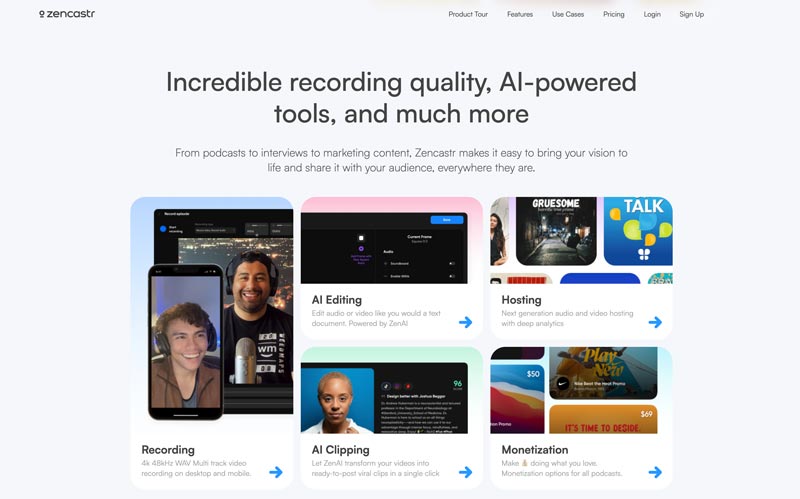
Zencastr offers an all-in-one platform for podcasters and beginners to capture high-quality video and audio. It allows you to make high-fidelity local recordings directly in the browser. Zencastr can be a great remote recorder to capture each participant’s audio as a lossless WAV file. Besides, it has a built-in editing suite for quick podcast edits.
Pros
Cons
Best For: Professionals, radio broadcasters and users who want to capture real-time, high-fidelity audio with a separate recorder.
Score:4.2/5
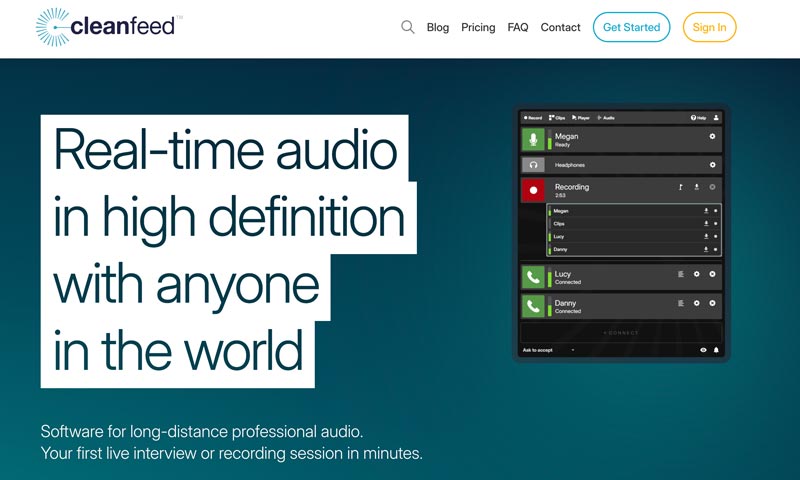
Cleanfeed is widely used by radio broadcasters and audio purists to capture high-quality audio on their browser. It uses advanced codecs to achieve studio-quality connections. Cleanfeed lets you record long-distance professional audio seamlessly. Its free tier can record stereo mixes.
Pros
Cons
What is the best Podcast recording software?
There is no single “best” podcast recording program for all podcasters. You should select the ideal choice depending on your specific needs, budget, technical skills, and even hardware devices. You can compare these podcast recorders above and select the desired ones. Generally, you are advised to start with a free or trial version of your preferred tools and then test if they can help you easily create great content.
Is Riverside podcast recording software free?
Riverside offers a free plan (not a time-limited trial) for users to access its basic podcast recording, editing, and repurposing features. You can start with the plan to test the software and handle smaller projects. However, it comes with certain limits and conditions. For instance, it only allows you to capture a single, combined audio and video track. All your video recordings will have a Riverside watermark. Moreover, high-quality video/audio exports and advanced AI tools are not included in Riverside’s free plan.
Can Audacity work as a free podcast recording software?
Yes, Audacity is a completely free audio recording and editing tool that can absolutely be used for podcasting. The software is ideal for in-person and solo recording. You are allowed to capture your microphone directly into the software. Moreover, Audacity is equipped with the necessary editing functions to edit your recording file. However, it does not support video recording and lacks advanced AI features.
What is a video podcast?
A video podcast is a podcast that captures video, not just audio. As mentioned above, more than half of listeners now prefer video podcasts. Unlike traditional audio-only podcasts that are distributed via RSS feeds, video podcasts add a visual layer. You can easily find them on platforms like YouTube and Spotify.
What platform has the best podcasts?
You can pick the best podcast platform according to your specific goal. For instance, you can select YouTube if you want to discover new shows or watch video podcasts. Spotify can intelligently suggest podcasts based on your taste. If you prefer high-quality and topical shows, Apple Podcasts is an ideal choice. Pocket Casts excels at cross-platform organization. It can help you easily create custom filters and folders. You should not limit yourself to one platform. Go to different platforms for your podcast listening or watching.
Conclusion
This guide gives you a full review of the 9 podcast recorders. The “best” podcast recording software is often not a single product. It should be the tool that best fits your specific needs, technical skills, and budget. As suggested, you can start a free trial of some desired tools to test their podcast recording and editing capabilities.
 How to Upload a Podcast on Social Media [Complete Guide for Amateurs]
How to upload a podcast? You must first choose the podcast directory you want to use, then follow the tutorial that helps you to publish the podcast you create.
 Best AI Audio Fixers in 2026: Restore Clarity Instantly
Here are the most efficient AI audio fixing tools to repair poor audio, remove background noise, and enhance vocal clarity for professional or personal projects.
 Mediasite Recorder Review and Best Mediasite Alternative
What is Mediasite? How do I download videos from Mediasite? How do I use Mediasite Desktop Recorder? This post gives you a detailed review of Mediasite Recorder and shares a great Mediasite alternative to record any activities on computer.
 Leave your comment and join our discussion
Aiseesoft Screen Recorder is the best screen recording software to capture any activity like online videos, webcam calls, game on Windows/Mac.
100% Secure. No Ads.
100% Secure. No Ads.

*Required field
*Please enter a valid email
