
Video Converter Ultimate
 100% Secure. No Ads.
100% Secure. No Ads.
Nowadays, watching videos is becoming more and more popular among people as a way to relax in their spare time. But a blur or noised video quality often causes your annoyance. A number of tools have been developed to improve image quality and resolution; Remini Video Enhancer is one of these tools. This article will explore the features of Remini and provide you with several alternatives that can improve video quality and size.
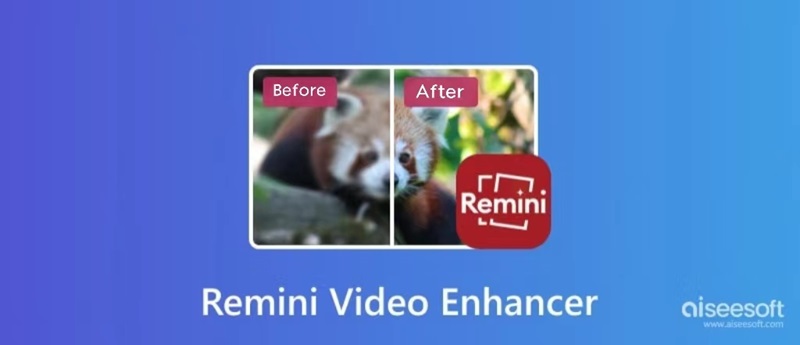
Remini Video Enhancer is a product that can greatly improve image quality by blurring and turning noisy photos and videos into clarity. It's a good choice for video lovers to transform their videos into stunning HD masterpieces, and it's an appropriate software for handling video footage, both for watching and making videos.
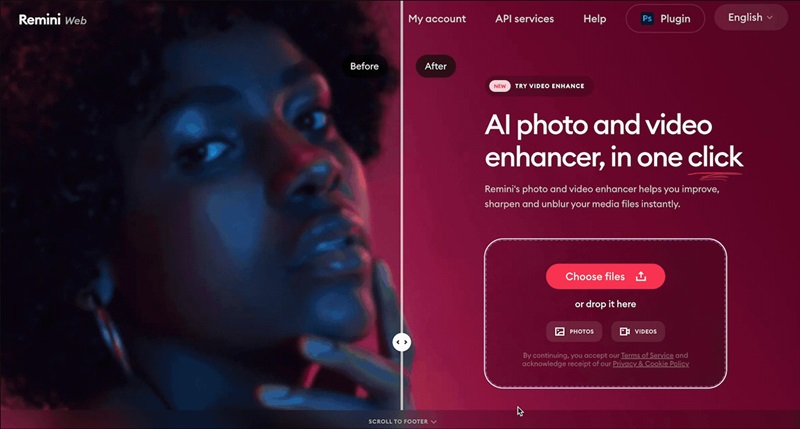
• Improve video resolution up to 4K
• Reduce visual noise in videos
• Enhance the quality of every detail in photos or video
• Real-Time preview before exporting the final video
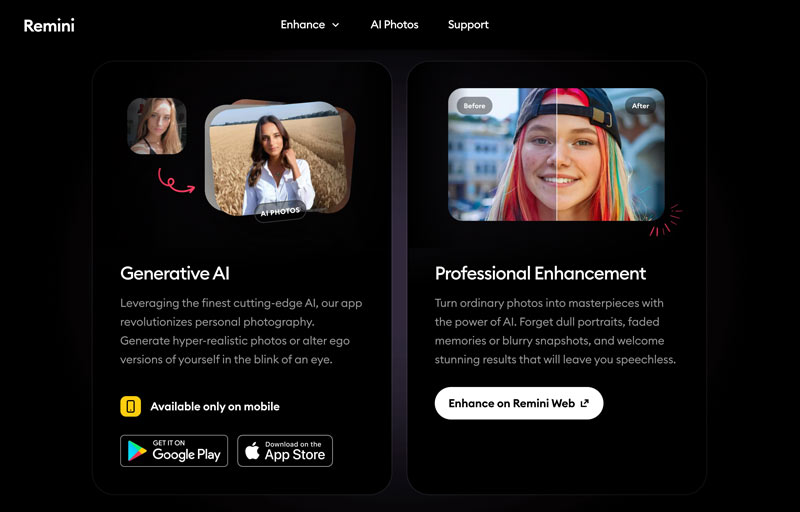
There are nine main functionalities on the Remini website’s interface: Video Enhancer, Background Enhancer, Low-Quality Enhancer, Unblur and Sharpener, Denoiser, Old Photos Restorer, Image Enlarger, Color Fixer and Face Enhancer. Remini provides provides you with specific videos to compare details and effects, so, you can preview each effect on its website directly. It also allows users to have a general grasp of the product and decide if they need it before they actually use it to enhance their videos.
Remini AI Pricing:
• Weekly Subscription:
Personal approximately $6.99/week
Business approximately $9.99/week
• Monthly Subscription:
Personal approximately $17.99/month
Business approximately $24.99/month
• Yearly Subscription:
Personal approximately $179.99/year
Business approximately $249.99/year
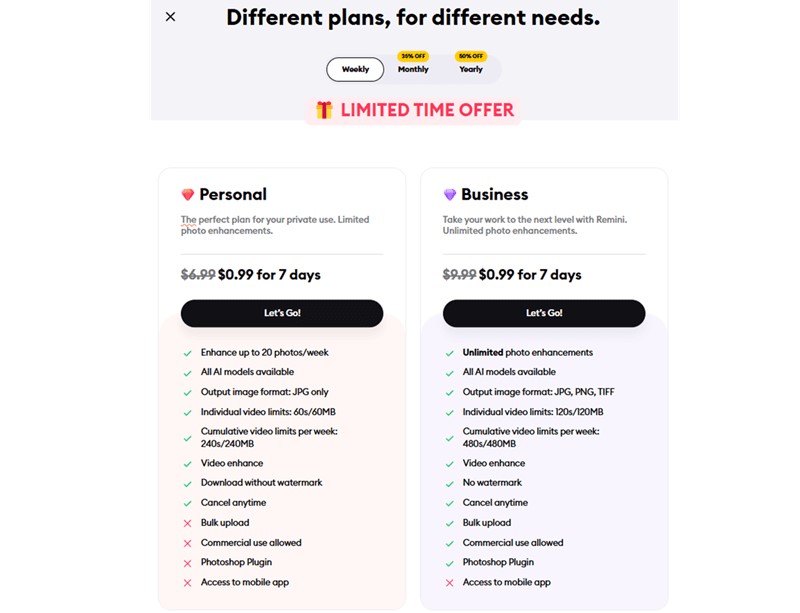
Important Note for New Users: While the weekly plan appears very affordable in the short term, it can become significantly more expensive in the long run if you forget to cancel. A $7 weekly subscription adds up to nearly $180 per year. You should always review the renewal terms carefully before subscribing.
The answer to this is definitely yes. Remini Video Enhancer can actually improve video quality to a great degree. The operation is easy, and the enhancement process is quick. For example; we use a video contains a bird with 1GB and 640P, and we can see that the feather details of the bird have improved a lot. And we can notice the eyes from blur to clear and bright. However, it really takes time to finish this process, nearly forty minutes. The enhancement results can be concluded as follows:
Enhancement Quality: The overall sharpness and texture of the video have been greatly improved.
Blur Reduction: Effectively reduces blurriness.
Detail Enhancement: Sharpens details and textures with more information like feathers and color.
While Remini Video Enhancer is relatively good in enhancing video quality —sharpening details, upgrading resolution, and denoise, it also has limitations. It mainly lies on the subscription requirement and processing time:
All in all, Remini Video Enhancer offers a good video upgrading experience. The main advantages are its operation interface and its enhancement function. You can start with a simple interface that you can use as soon as you enter this website for the first time. It comprehensively covers a series of processing modes, such as portrait, background, noise, and blur, which can basically meet the universal needs of users.
Although it has outstanding advantages, the existing shortcomings also bring users a negative impact. The subscription price is on the high side for most people, and if you don’t use the product regularly, it is usually not worth it. What’s more, for large video files, Remini Video Enhancer’s processing speed is relatively slow.
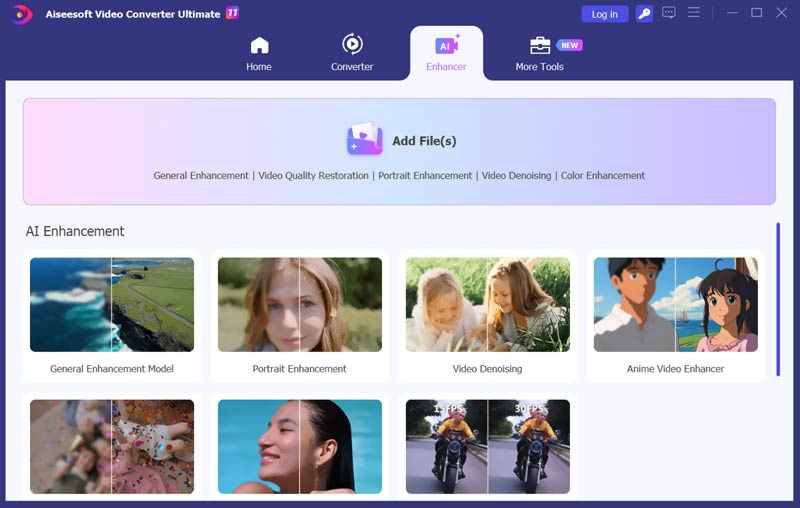
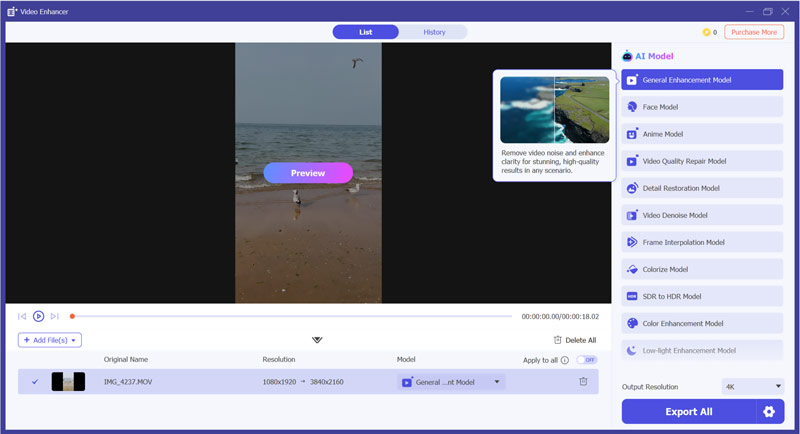
If you find Remini’s lack of a free trial frustrating, or if you are concerned about the privacy of uploading your personal footage to a web server, Aiseesoft Video Converter Ultimate is the superior choice.
Unlike Remini, which operates primarily in the cloud and requires a subscription to see your results, Aiseesoft is a dedicated desktop software. This provides two major advantages: privacy and stability. All processing happens locally on your computer, meaning your private videos never leave your hard drive. Moreover, its high performance won’t be affected by a bad network, large file size, or other factors. The software allows users to test its powerful AI features for free before committing to a purchase.
100% Secure. No Ads.
100% Secure. No Ads.
Why is Remini Video Enhancer not working?
This may be caused by network and product versions. If you can’t run your Remini smoothly, try to change your network and refresh it. If you still can’t use it, try another device and open it again. What’s more, please pay attention to its version.
Can you use Remini Video Enhancer for free?
No, you can’t. Remini Video Enhancer requires a subscription for video enhancing functions. You can choose the different subscription models weekly, monthly, and yearly.
Does Remini Video Enhancer work for fragmented videos?
Yes. It can enhance video quality for fragmented videos. You need to choose the right fragmented video and upload it to the enhancer.
Conclusion
This article has brought you the introduction of video enhancers, and their main features have been shown. You can choose the best video enhancer according to your own needs and open your own video extreme experience. Remini Video Enhancer will give you a better overall experience, and you will not regret this choice.
 Top 5 AI Tools to Colorize Your Black and White Videos
Can AI colorize videos? Is there a free AI video colorizer to turn a black and white video into color? Check the five best AI tools to colorize your videos.
 Top 8 AI Video Enhancers to Improve Video Quality in 2025
Here are 8 AI video enhancers with unique features, pros and cons. See how to choose the best video enhancer for you and enhance your video to a higher quality.
 Learn to Reduce Noise and Denoise Videos in Premiere Pro
Does Premiere Pro have a DeNoise function? How do you remove noise from a grainy video in Premiere? Check the guide on how to denoise videos in Premiere Pro.
 Leave your comment and join our discussion
Video Converter Ultimate is excellent video converter, editor and enhancer to convert, enhance and edit videos and music in 1000 formats and more.
100% Secure. No Ads.
100% Secure. No Ads.

*Required field
*Please enter a valid email

