
Video Converter Ultimate
 100% Secure. No Ads.
100% Secure. No Ads.
In this article, I tried to be clear and direct, providing a practical guide that would help you figure out what TensorPix truly has in store aside from the typical marketing fluff. This TensorPix review explains to you the main features of the app, how it works in practice, and its price to assist you in making the right choice. Besides, I also put it head-to-head with other tools on the market so that you can see how TensorPix compares in quality, speed, and user-friendliness. Simply put, this article is meant to be your guide to making a wise choice, whether you’re thinking about giving TensorPix a shot or need a trustworthy alternative that better aligns with your work style and expectations.
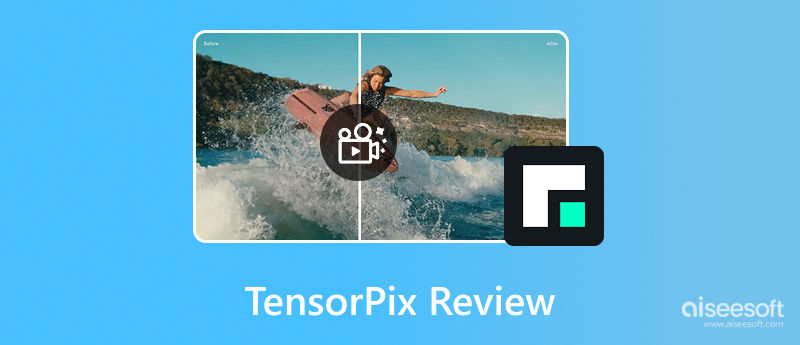
The first time I checked out TensorPix, I was curious to see what it really can do and how it differentiates itself. TensorPix is an AI-powered video and image enhancement tool that automatically improves quality, thus upscaling resolution, reducing noise, and restoring details in low-quality videos, among other things. As a TensorPix AI video enhancer, it makes combining visuals and enhancements relatively easy, even for a non-editing specialist.

Here are the core features I found most useful:
With these features, I found TensorPix to be a simple and efficient tool for rapidly improving photos and videos without requiring sophisticated software.
At first, I was in two minds whether TensorPix really lives up to its promises. This TensorPix review goes into the details of the main features of the software, such as output quality, processing speed, user friendliness, and the total experience.
Output Quality
I immediately saw a major difference in sharpness and clarity. Video and still images had a cleaner look, and details that were previously out of focus could be distinguished visually to a greater extent. AI upscaling effectively raises the resolution level without causing the film to have an artificial appearance, which is frequently the case with some other tools.
Processing Speed
Who knew a desktop AI enhancer could be that quick? TensorPix is clearly an exception. I was amazed that small videos were almost immediately processed, whereas longer and higher resolution files took me a bit longer, but still much faster than I had anticipated, considering the quality of enhancement. I also saved a ton of time by batch processing the multiple files I had to work with.
Ease of Use
One of the things I liked best was that the tool is very intuitive. The interface is simple and neat, and you don’t have to be a video editing pro to produce nice results. Basically, even beginners can find their way around the features, make changes, and save top-notch results without too much trouble.
Other Observations
Besides, I also noticed that TensorPix is quite good at dealing with low-light footage and old videos, so it can be very useful for restoring old clips or upgrading casual recordings. Yet, there might still be some limitations with extremely low-quality videos. After all, no AI video enhancer can fully restore details that have been lost.
Upon checking TensorPix pricing, I learnt that the tool has a variety of flexible plans, starting from a free tier and going up to higher capacity subscriptions for regular users. Below is a brief outline of the present pricing options:
In my experience, TensorPix's cost is competitive when compared to other AI enhancers, and the tool's free plan makes it simple to test it out before committing to a subscription.
When I made a comparison of TensorPix vs Topaz, I saw that they serve mutually exclusive needs to some extent. TensorPix is online, quick, and simple for newbies, thus facilitating video up, scaling directly from the browser without stressing over the computer’s specifications. However, Topaz Video AI, a desktop tool with sophisticated AI models that provide experts more control and accuracy, requires a high-performance machine.
In my experience:
If you want a quick and easy fix, TensorPix is an excellent option. If you need professional-level control, Topaz might be a better choice.
You may be questioning whether TensorPix is worthwhile after utilizing it and evaluating its features, outcomes, and cost. Here’s what I really think:
Pros
Cons
My Verdict
However, if you require professional-level control and want to extract the absolute best from the footage, which is quite challenging, then maybe you should check out some more advanced software. TensorPix is definitely on the top of the list for an uncomplicated and reliable video enhancer tool that can get your work done in no time without the need for any complex controls or super, powerful hardware. It totally fits the bill for casual creators, social media users, and pretty much anyone who desires to have their video quality improved with the least amount of hassle.
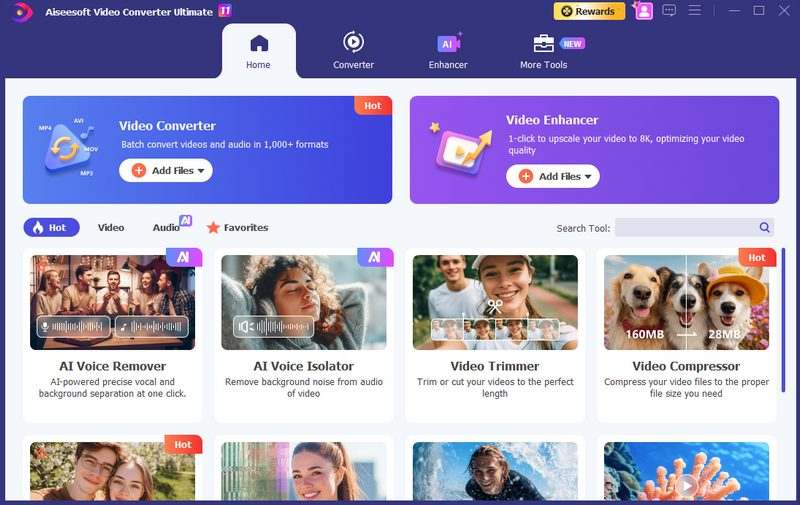
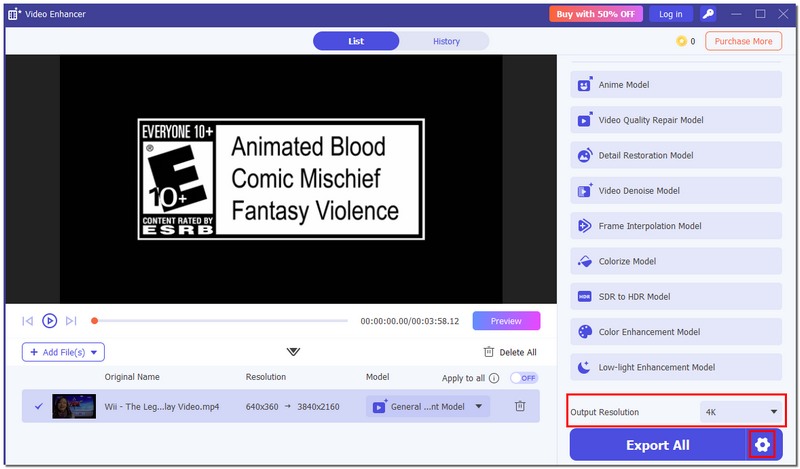
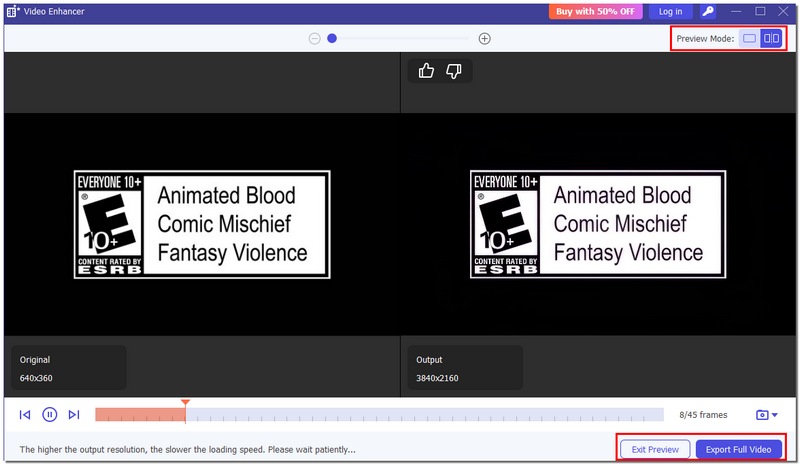
I realized that certain users may want more control, quality, or capability, which browser-based enhancers cannot offer. To be frank, whenever someone wants a powerful desktop solution that radically surpasses simple AI enhancement, I have always regarded Aiseesoft Video Converter Ultimate as my personal go-to choice and also the best alternative to TensorPix.
Downloads
Aiseesoft Video Converter Ultimate
100% Secure. No Ads.
100% Secure. No Ads.
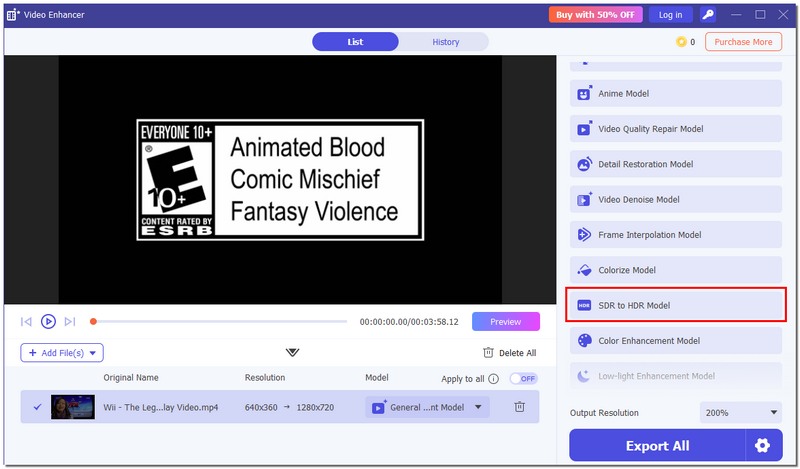
How to Use Aiseesoft Video Converter Ultimate
Conclusion
After I have tried out the TensorPix, I think it is a dependable and simple-to-use TensorPix AI video enhancer that can enhance the sharpness, upscale the resolution, and lower the noise to a great extent. It is ideal for fast processing, non-profit, and social media stuff. However, the experts might want a more sophisticated tool for full control.
 4 Free Open Source Video Upscalers [Windows, Mac & Linux]
Seeking the top free open-source video upscalers? Explore the four best tools, their pros & cons, and a bonus, an easier solution.
 A Guide to Fix Old Videos and Reviving Precious Memories
How can I fix damaged audio on old videos? Can you restore an old video and improve its quality? This post shares three different methods to fix old videos.
 Upload 4K Video to YouTube from Windows/macOS/iOS/Android
If you have problems uploading 4K videos to YouTube, you can’t miss this post, for it will tell you all about uploading and upscaling 4K to YouTube.
 Leave your comment and join our discussion
Video Converter Ultimate is excellent video converter, editor and enhancer to convert, enhance and edit videos and music in 1000 formats and more.
100% Secure. No Ads.
100% Secure. No Ads.

*Required field
*Please enter a valid email

