
Aiseesoft Video Converter Ultimate
 100% Secure. No Ads.
100% Secure. No Ads.
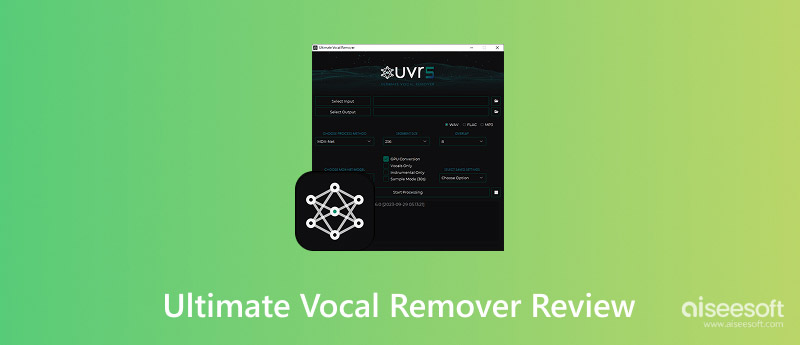
I have tried a good number of AI-based vocal separation tools, from browser-based ones to high-end desktop software. However, one name kept appearing over and over again in forums, Reddit threads, and music production communities: Ultimate Vocal Remover. Quite a few creators even refer to it as the Gold Standard for local vocal processing, in particular for those who want full control over their audio files, rather than uploading them to cloud-based tools. As it is totally free and open source, I was wondering: Is it really at the same level as paid AI vocal remover software? Can it provide professional, quality acapella and instrumental separation, or is it just that people are excited about the fact that it is free? I will be sharing a detailed account of my experience with UVR5, and the aspects I have tested include its vocal extraction accuracy, instrumental separation, clearness, processing speed, and overall usability. Other than these, I am also doing a comparison of UVR5 with the paid options to find out if it really can compete with them.
How I Tested & Reviewed Ultimate Vocal Remover
I tested UVR5 vocal remover on different types of tracks: Pop, acoustic, hip-hop, and live recordings to see how well it separates vocals and instrumentals.
UVR5 is fast, reliable, and delivers professional-quality vocal separation, making it one of the best free AI vocal removers available.
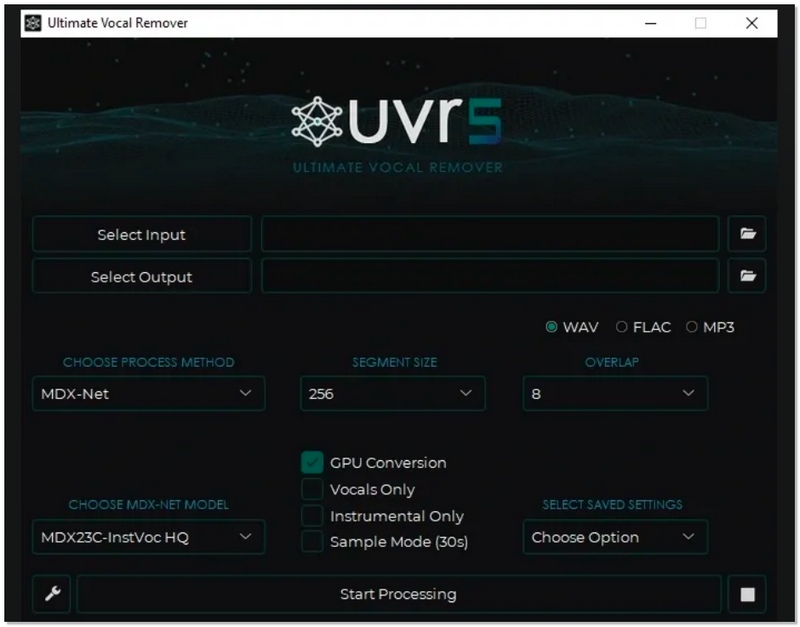
The first time I came across Ultimate Vocal Remover, I was amazed by the extent of control it provides for vocal isolation from a song. UVR is completely free and open-source software that can separate vocals from instrumentals right on your PC, without the need for any cloud service. The most recent stable release, UVR5, has a number of upgrades in sound quality and the speed of the operations. It also supports multiple AI models, including MDX-Net and VR Architecture, which can be selected depending on the type of track you’re working with. These ultimate vocal-removal models deliver cleaner acapellas, precise instrumental separation, and customizable results across different genres.
Features
Use Cases
I found UVR5 especially useful for:
For anyone exploring audio production, these ultimate vocal remover models provide flexibility and quality comparable to some paid alternatives.
When I tested UVR5, it was stable, and I could really feel the processing speed, especially with GPU acceleration enabled. I hardly ever had to wait for a song to be processed, even though they were all done in no time, and batch processing went perfectly with no issues. The audio quality was surprisingly good for a free tool.
The vocals were very clean and nicely isolated on the studio tracks, and the instrumentals were left in a good place. Minor artifacts appeared on complex or live recordings, but results were still usable for remixing, covers, and karaoke. For those wondering, is Ultimate Vocal Remover safe? It processes everything locally and is open-source, so your files stay on your computer. As long as you download it from the official source, it is generally safe to use.
Overall, UVR5 delivers strong performance and high-quality separation, competing well with paid alternatives.
After using UVR Ultimate Vocal Remover extensively, here’s a balanced look at its strengths and limitations based on real-world testing:
Pros
Cons
For those offering an ultimate vocal remover alternative, one good piece I tested was the AI Vocal Remover feature that comes as a part of Aiseesoft Video Converter Ultimate. The AI Vocal Remover employs sophisticated AI to separate vocals from tracks or films, and at the same time, it retains the instrumentals. It is intended for creators who wish to obtain clean backing tracks without a lot of technical software installation. The tool can handle both audio and video files, thus it is very versatile for different types of projects.
Downloads
100% Secure. No Ads.
100% Secure. No Ads.
Here’s a simple workflow I followed:
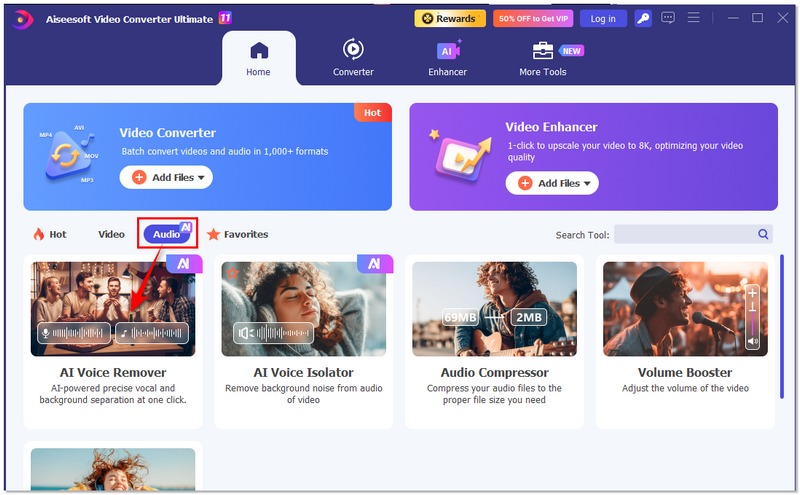
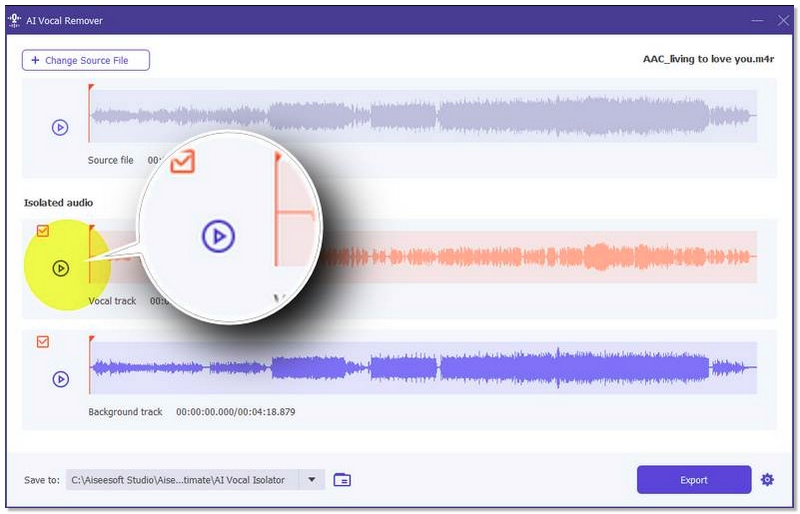
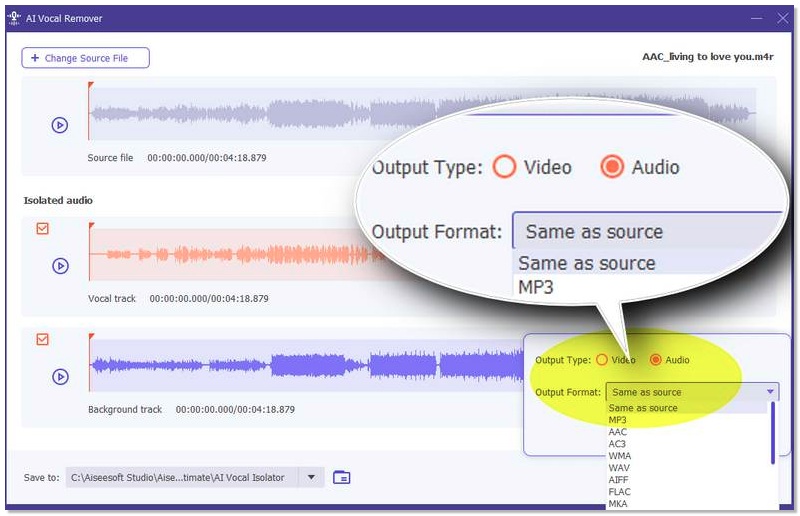
As an ultimate alternative to vocal removal, this built-in AI tool is especially useful if you want a broader set of media editing features (like video processing and format conversion) alongside vocal removal, all in one place.
Can Ultimate Vocal Remover remove background noise as well?
UVR is mainly designed for vocal and instrumental separation, not full background noise removal. While it may reduce some background elements during separation, it is not a dedicated noise-cleaning tool.
Why do I still hear faint vocals after separation?
AI separation is not 100% perfect. Faint vocal traces (also called “vocal bleed”) can remain, especially in tracks with heavy reverb, layered harmonies, or stereo effects.
What’s the difference between 2-stem and 4-stem separation?
2-stem: Separates vocals and instrumental. 4-stem (or more): Separates vocals, drums, bass, and other instruments individually. More stems mean more flexibility but may require stronger hardware.
Conclusion
Ultimate Vocal Remover quite simply shows that even a free, open-source program can go head-to-head with paid software. It achieves powerful vocal isolations, offers various AI models, and dependable local processing. However, the performance depends on your machine’s specs. If you want to do remix, karaoke, sampling, or cover, the UVR5 vocal remover is definitely one of the best free stem separation tools that exists today.
100% Secure. No Ads.
100% Secure. No Ads.
 Full Adobe Voice
Enhancer Review and How to Enhance Vocals
Full Adobe Voice
Enhancer Review and How to Enhance Vocals
Does Adobe have a voice enhancer program? How do you enhance voice in Adobe Audition? This post gives an Adobe voice enhancer review and tells how to use it.
 Best AI Audio Fixers
in 2026: Restore Clarity Instantly
Best AI Audio Fixers
in 2026: Restore Clarity Instantly
Here are the most efficient AI audio fixing tools to repair poor audio, remove background noise, and enhance vocal clarity for professional or personal projects.
 Improve Audio
Creativity with AVS Audio Editor - Review & Tutorial
Improve Audio
Creativity with AVS Audio Editor - Review & Tutorial
Knowing more about AVS Audio Editor will give everyone a hint of what makes this software app a better choice for audio editing and the best alternative.
 Leave your comment and join our discussion
Video Converter Ultimate is excellent video converter, editor and enhancer to convert, enhance and edit videos and music in 1000 formats and more.
100% Secure. No Ads.
100% Secure. No Ads.

*Required field
*Please enter a valid email

