
Best AI Video Converter Ultimate
 100% Secure. No Ads.
100% Secure. No Ads.
Whether you are a gamer, a video editor, or a movie enthusiast, the term "2K" is confusing. You might see a gaming monitor listed as "2K QHD" but then hear cinema experts say "2K is 1080p." Who is right?
In short: For most consumers and gamers, 2K video resolution refers to 1440p (2560 x 1440). However, in the professional film industry, it refers to something else entirely.
This guide will clear up the confusion, compare 2K against 1080p and 4K, and show you how to upscale your low-res videos to stunning 2K quality.
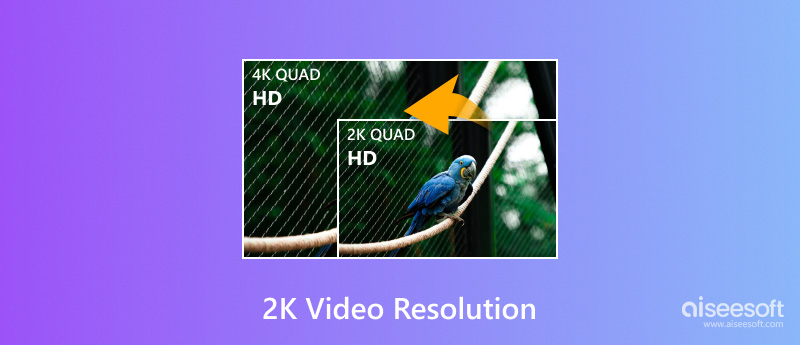
Technically, "2K resolution" refers to a display resolution that has a horizontal resolution of about 2,000 pixels. However, the definition changes depending on where you use it:
1. The "True" Cinema Standard (DCI 2K)
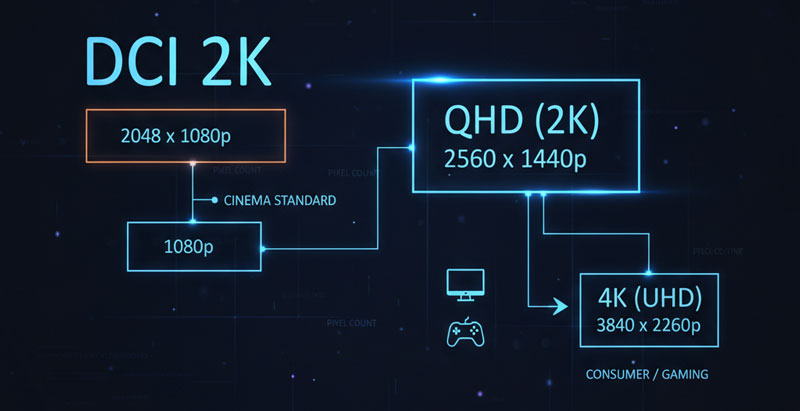
The Digital Cinema Initiatives (DCI) defines 2K resolution as 2048 × 1080 pixels. This is the standard used in movie theater projectors. It is only slightly wider than standard 1080p.
2. The Consumer Standard (QHD / 1440p)
When you buy a PC monitor or a high-end smartphone, "2K" almost always refers to Quad HD (QHD), which is 2560 × 1440 pixels.
2K vs 1440p
Marketing teams started calling 1440p "2K" because it sits right between HD (1080p) and 4K (2160p), even though the pixel count is much higher than the technical DCI definition.
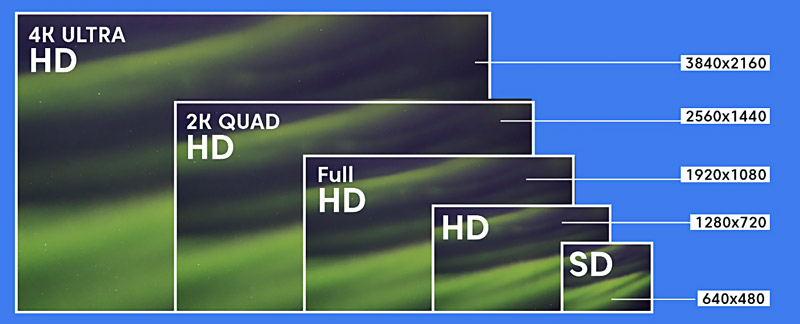
To help you visualize the difference of video resolution, here is how the most common resolutions stack up:
| Resolution Name | Technical Term | Pixels (W x H) | Total Pixels | Best For |
| Full HD (FHD) | 1080p | 1920 x 1080 | ~2 Million | Streaming, Budget Gaming |
| Cinema 2K | DCI 2K | 2048 x 1080 | ~2.2 Million | Movie Theaters |
| Quad HD (2K) | 1440p | 2560 x 1440 | ~3.7 Million | PC Gaming (Sweet Spot) |
| Ultra HD (UHD) | 4K | 3840 x 2160 | ~8.3 Million | Console Gaming (PS5), Editing |
2K video resolution carries nearly 3.7 million pixels. It offers sharper images than the 1080p (1920×1080 pixels) Full HD. Compared to lower resolutions like 720p (1280×720 pixels), 2K resolution can offer a big visual improvement.
1080p has long been the main resolution standard for TVs and monitors. It is still widely used for displaying high image quality. 720p (HD) is mainly used for streaming videos and older devices. Compared to 2K and 1080p, it lacks detail and sharpness.
4K (3840×2160 pixels) is currently the standard for high-resolution displays. It contains over 8.3 million pixels. That is four times the pixel count of 2K. So, compared to 2K video resolution, 4K UHD can offer higher quality and clearer images. You can simply see the difference, particularly on large screens.
You can access many 4K monitors and smart TVs. As technology advances, you can easily capture 4K videos with your phone or digital camera. 4K resolution is definitely the king of high-definition videos in the next decade. Like 2K resolution, the future of 4K relies on the 4K content, 4K devices, and the potential rise of even higher resolutions like 5K or 8K.
2K video resolution keeps a good balance between visual improvement and processing power. It offers a significant improvement over 1080p and demands less processing power than 4K. Moreover, there is a growing library of movies, TV shows, and games created in 2K resolution. For the hardware devices, 2K monitors and TVs are generally more affordable compared to 4K displays. Additionally, 2K content requires less processing power and bandwidth to play smoothly. That makes 2K resolution a more accessible option for most devices, especially for older ones.
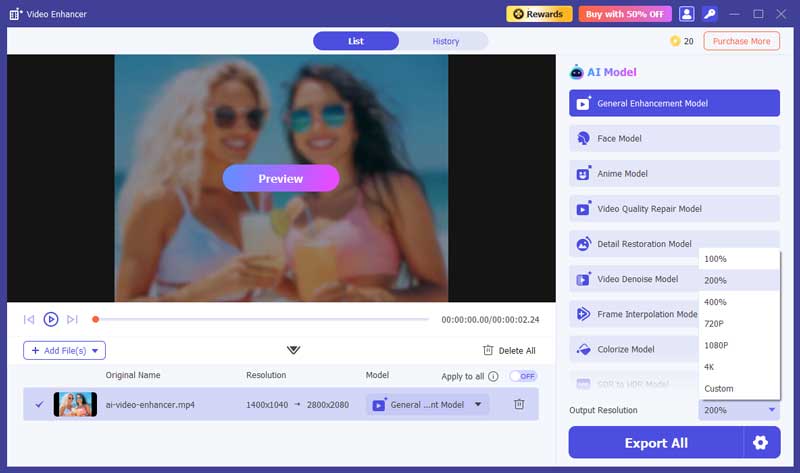
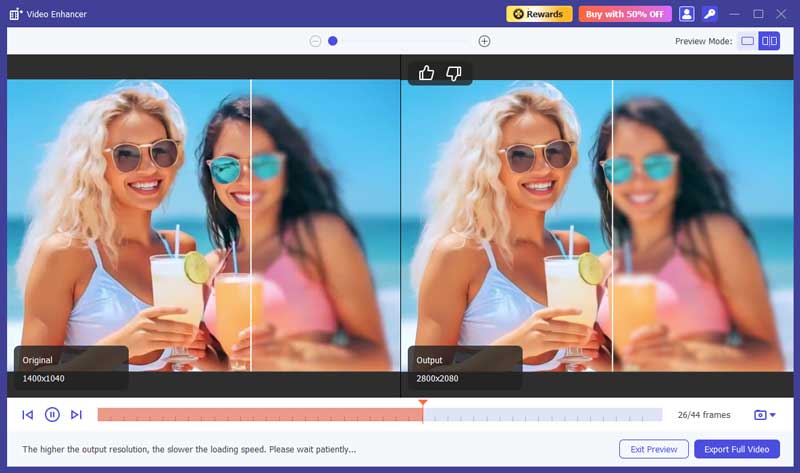
If you have old 1080p or 720p videos, watching them on a modern 2K screen can look blurry. Traditional upscaling just stretches the pixels.
To get true high-definition quality, you need an AI Video Upscaler. This technology uses artificial intelligence to "guess" and generate the missing pixels, adding real detail to the footage.
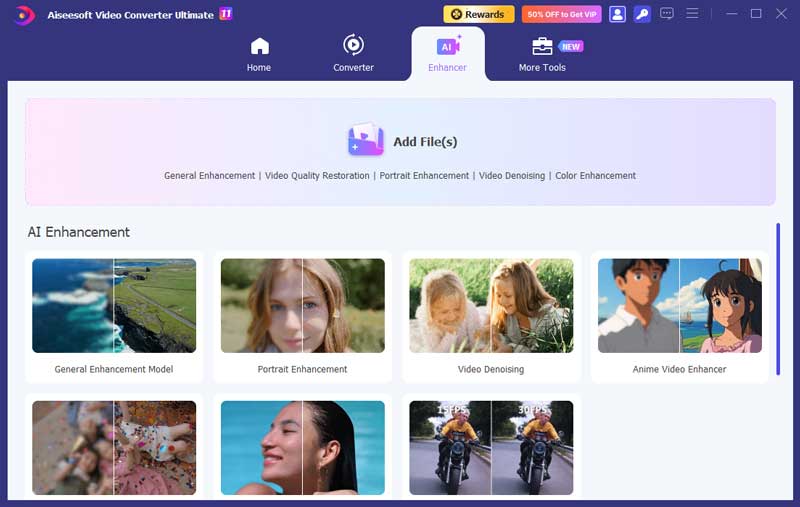
We recommend using Aiseesoft Video Converter Ultimate. Its "Video Enhancer" tool is specifically designed to convert SD/HD footage into 2K or 4K.
100% Secure. No Ads.
100% Secure. No Ads.
Is WQHD the same as 2K resolution?
No. WQHD and 2K are not the same resolution. WQHD (Wide Quad High Definition) has a resolution of 2560×1440 pixels. However, 2K refers to a resolution duration of around 2,000 pixels. It can be 2560×1440 pixels or 2048×1080 pixels.
Why is 1440p not called 2K?
As I mentioned above, 1440p (WQHD) has a resolution of 2560×1440 pixels. In contrast, a true 2K resolution refers to a horizontal resolution of around 2,000 pixels. The common standard is 2048×1080 pixels. You should know that 1440p is not technically 2K, but it's a common marketing term used for its position relative to 4K.
What is the highest resolution of 2K?
You can take 1440p (2560×1440) or QHD as the highest 2K resolution. It is four times the number of pixels as 720p. 1440p is widely used for consumer devices like monitors.
Can I watch 2K video on a 1080p monitor?
Yes. This is called "downsampling." The 2K video will be scaled down to fit your screen. It will look slightly sharper and have fewer compression artifacts than a native 1080p video, but you won't see the full resolution.
Does YouTube support 2K resolution?
Yes. YouTube supports 1440p resolution. If you upload a video rendered at 2560x1440, YouTube will display the "1440p60 HD" option in the quality gear icon.
Is 2K resolution good for video editing?
Yes. A 2K monitor gives you more screen real estate than 1080p, allowing you to see your timeline and preview window clearly without cramping the interface.
Conclusion
This post gives you a detailed guide to knowing more about 2K video resolution. I also compare it with other common resolutions like 1080p, 720p, and 4K. Moreover, you can learn two methods to easily upscale video resolution to 4K. You can leave me a message if you still have related questions about video resolutions.
 4K vs 1080p – Easily Get Differences between 4K and 1080p
What are 4K UHD and 1080p HD? Do you know the difference between 4K and 1080p? From analysis of 4K vs 1080p, you can better know 4K resolution.
 Change Video Resolution to Increase/Lower Video Resolution
How do I increase or reduce the resolution of a video? Can you change the video to a higher resolution? Learn five ways to resize and change video resolution.
 Top 5 Video Resolution Converter Applications
Need to change video resolution on computer or smartphone? Here are top 5 best video resolution converter apps for Windows, Mac and Android devices.
 Leave your comment and join our discussion
Video Converter Ultimate is excellent video converter, editor and enhancer to convert, enhance and edit videos and music in 1000 formats and more.
100% Secure. No Ads.
100% Secure. No Ads.

*Required field
*Please enter a valid email

