Contents
How to delete Snapchat messages and conversation? This post is going to show you several useful ways. Let's check out.

Snapchat is one of the most popular chatting apps on the market. Maybe like many other users, you want to get instant responses from your friends. Snapchat works in such a way that it sends photos, texts to people but automatically vanish after a few seconds of viewing. This makes Snapchat a perfect choice to keep in touch with your friends and quickly sending pictures back and forth without junking up your phone memory and keep your privacy safe.
Now Snapchat lets you delete a sent message even before it's viewed by others, which become much more useful if you sent one by mistake or have regrets about what you sent and even with the knowledge that it isn't permanent. With the latest Snapchat features, you are allowed to delete any unopened and unread Snapchat messages you sent to others.
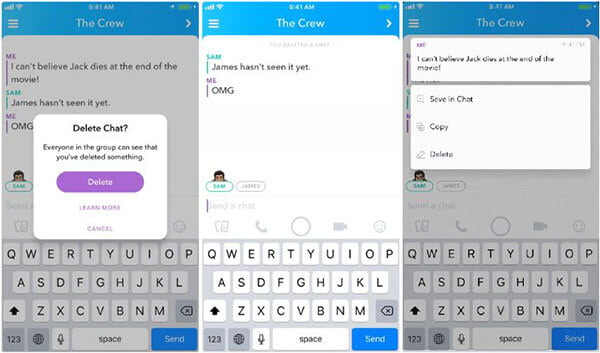
How to delete a sent and unopened Snapchat message
After deleting, the person you sent the message will get a notification that something was sent to them and deleted. Happily, the message you deleted was never opened and read by others.
Besides deleting sent and unopened messages, the newest version of Snapchat also allows you to delete saved messages by others. As the latest Snapchat can help you save messages: on the chat, long press the message you want to save, the text will become bold and highlighted and the background will turn gray, which means that the message is saved on both your device and the device of your sender/receiver. This means that Snapchat can be used like a traditional messaging app where are the messages are saved in one single long thread. So the below steps are tell you how to delete the saved messages on Snapchat.
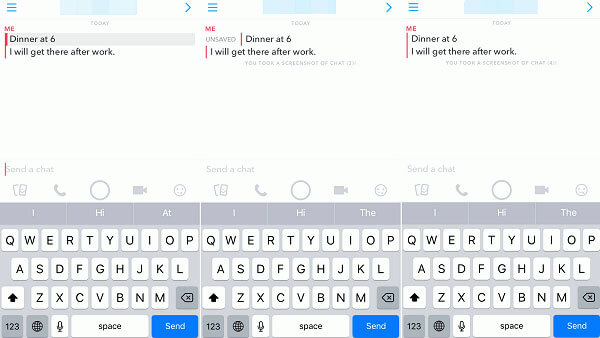
How to delete saved messages on Snapchat
If the Snapchat message won't disappear, it may be saved by the other contact. And the message will stay in your Snapchat until the other contact unsave it.
Deleting messages one by one will be a long process, if you want to delete the entire conversation at once, you can use this method. We will show you how to clear all conversations on Snapchat in the following guide, whether they're ones you've sent or received.
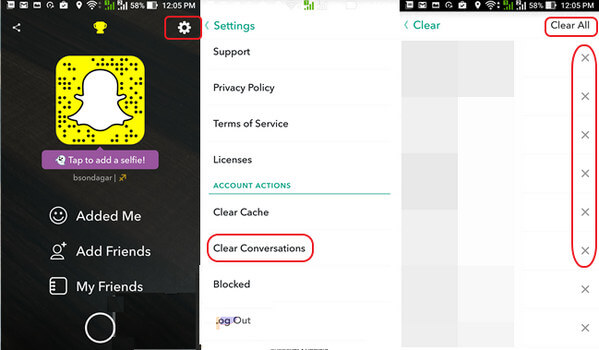
How to Delete Snapchat Messages - Clear Conversations from Snapchat Settings
With just a few taps, you can handily delete Snapchat messages and conversation history on your iPhone or Android phone.
Since the integration of My AI, Snapchat stores every interaction you have with the chatbot, including photos you’ve sent and locations you've discussed. To maintain total privacy today you must clear this specific database separately from your regular chats. Here’re the detailed steps:
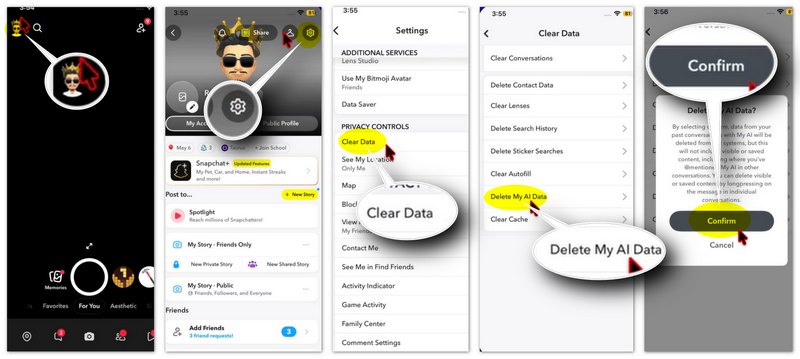
With the method above, you can easily delete Snapchat messages on iPhone/Android. However, it is necessary to mention that you can't remove Snapchat conversation history clearly with that way. You can still find many traces of Snapchat like saved files, videos, pictures and more on your device. Here we sincerely recommend the professional Snapchat Eraser to help you clear up the messages on Snapchat. You can free download it and have a try.
 100% Secure. No Ads.
100% Secure. No Ads.
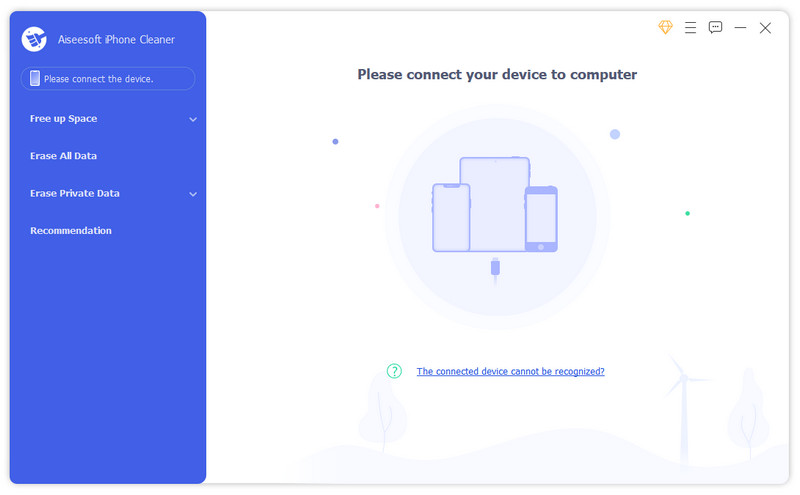
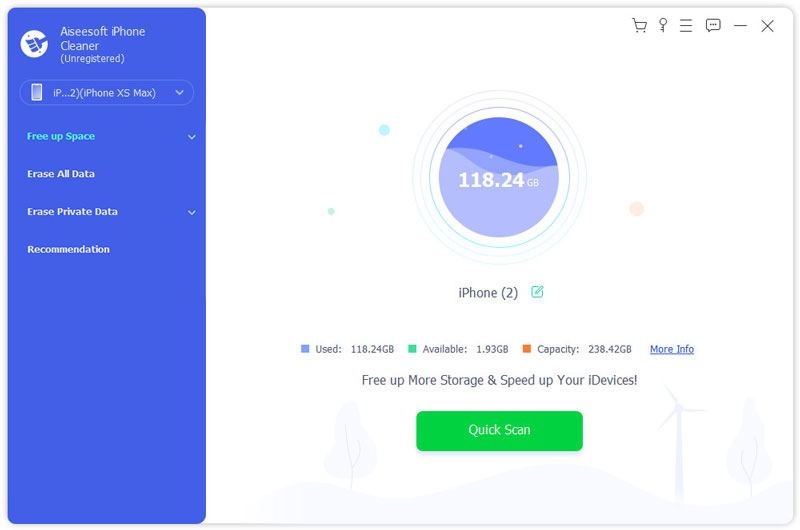
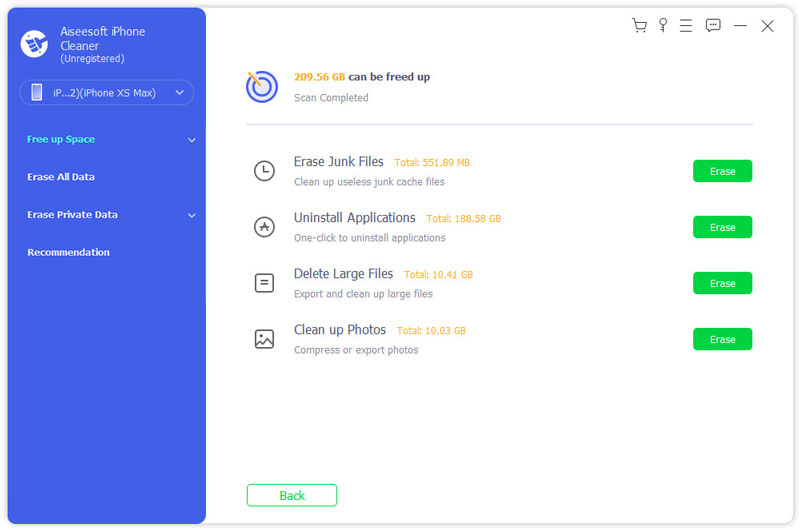
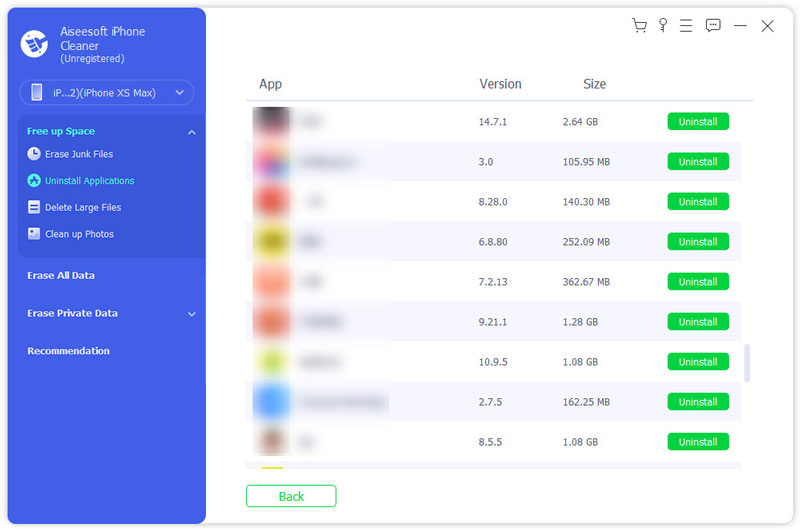
After a while, all the Snapchat messages will also be removed clearly. If you want to clear other data on your iPhone clearly, you can use "Erase All Data" feature in iPhone Cleaner.
How long do saved messages stay on Snapchat?
What happens to saved messages when you delete Snapchat?
How can I find deleted Snapcaht accounts?
No. You can't find a deleted Snapchat account back. Once you delete your Snapchat, all data will be deleted as well.
Conclusion
"Disappearing" doesn't always mean "gone." Whether you are unsending a Snap, wiping your Memories, or clearing My AI data, staying private requires a proactive approach. By regularly clearing your Snapchat Cache and using the Long-press > Delete function, you can effectively minimize your digital footprint. For a "nuclear option" before selling a device, a professional tool like Aiseesoft iPhone Cleaner ensures no hidden data fragments remain. Start with these steps today to keep your Snapchat experience truly ephemeral.
100% Secure. No Ads.
100% Secure. No Ads.
 How to Recover Snapchat Photos on iPhone and Android
How to recover Snapchat pictures on iPhone or Android phone? This post will share the way to let you view old Snapchat photos or pictures freely.
 How to Recover Deleted Messages on Snapchat
How to recover deleted or lost Snapchat Messages? Read this article and find how to retrieve Snapchat messages on iPhone or Android.
 How to Monitor Snapchat on iPhone Easily
This article introduces 3 useful Snapchat monitoring apps for iPhone, in order to support their needs to keep an eye on kids' Snapchat, in case they are influenced by bad information on the social media.
 Leave your comment and join our discussion
Snapchat
Snapchat Keeps Crashing on Phone Recover Snapchat Photos Recover Snapchat Messages Delete Snapchat Account How to Delete Snapchat Messages Delete Snapchat History How to Screenshot on Snapchat
iPhone Cleaner can clean up useless data on your device selectively. You can also use it to wipe your private data and keep your iPhone/iPad/iPod Touch fast and safe.
100% Secure. No Ads.
100% Secure. No Ads.

*Required field
*Please enter a valid email

