Is there any way to transfer music from my old iPod touch 4 to Mac? I have and want to iPod songs to my Mac Pro. - Michael
Without words or pictures, music always has its magic to fascinate us in the way that it communicates. Many music lovers would like to listen to music from iPod when they are running in the morning, or use fantastic songs to smooth their bad moods.
However, many Michael-like people may run into such situation when they want to transfer favorite songs from iPod to MacBook Pro or MacBook Air.
In this article, we will sincerely introduce you two methods to help you move iPod music to Mac Pro/Air/mini.
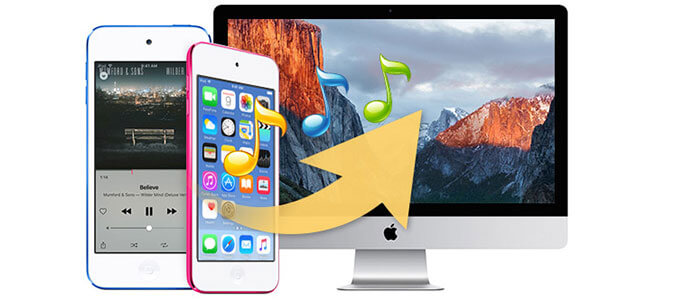
FoneTrans is one of the most frequently-used iOS data transfer tool to move songs from iPod, iPad, and iPhone to computer.
Besides, this full-featured iPod Files Transfer app can also helps users transfer contacts, text messages, photos, videos, and so on to another iOS device. For example, you can easily transfer iPod music to another iPod.
Additionally, you can add local Mac photos, videos and other files to iPod (Learn here to transfer photos to iPod.), iPad and iPhone, also, transferring videos from windows computer to iPad is supported.
1Install Mac iPod Music Transfer
Download, install, and launch Mac iPod Music Transfer on your Mac.
2Connect your iPod
Plug your iPod into Mac with a USB cable. This full-featured software will automatically detect your device, and show the main device information of type, capacity, version and so on in the interface.
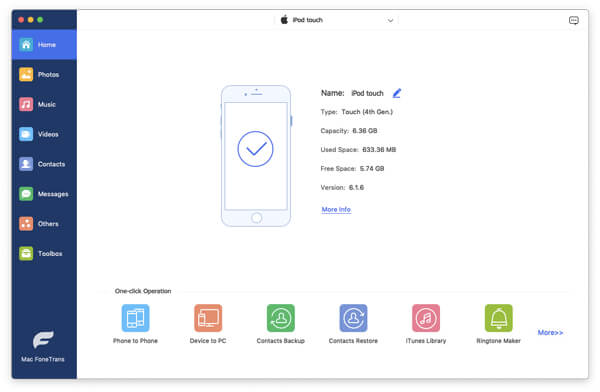
3Select the target iPod music
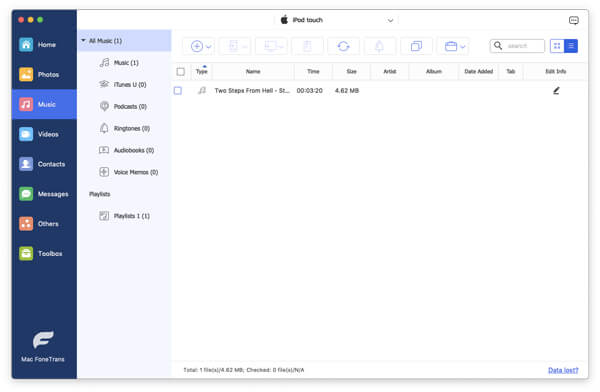
Click "Media" from the left column, and find "Music" on the top of the main window. Then all songs of iPod will be listed. Choose the target songs you want to transfer to Mac, and highlight them. In addition, you can use the search bar on the top-right side to fast find what you want.
4Export selected iPod songs to Mac
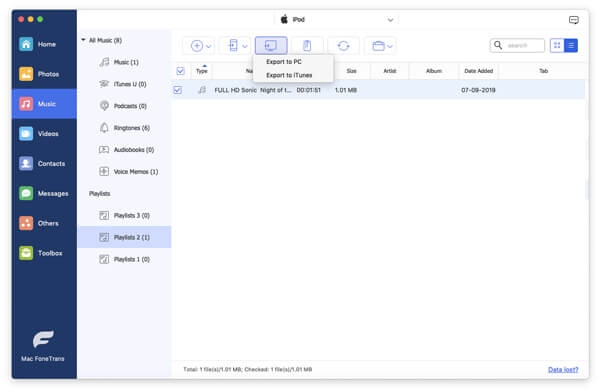
When you finish songs selecting, just click "Export to" > "Export to Mac". Then your iPod music files will be successfully transferred to the customized destination folder on your Mac. You can choose to transfer iPod music to iTunes on Mac by clicking "Export to" > "Export to iTunes library".
From this method, you can simply and safely transfer iPod music to Mac without any music quality loss.
What is Senuti? You may find it interesting when you spell it backward. iTunes enables users to sync music from iTunes to iPod, iPhone and iPad, and Senuti has the capability to transfer songs from iOS devices to Mac. Highly support Mac OS X 10.4 and later version, Senuti is a commercial music app developed by FadingRed, which has acquired love of various iOS users.
However, its free version only allows no more than 1000 songs from iOS devices to Mac within 30 days. If you want to move more, its full version costs nearly 20 dollars. And here, a step-by-step tutorial will guide you to know how to transfer iPod music files to Mac.
1Download and install the latest version of Senuti on Mac.
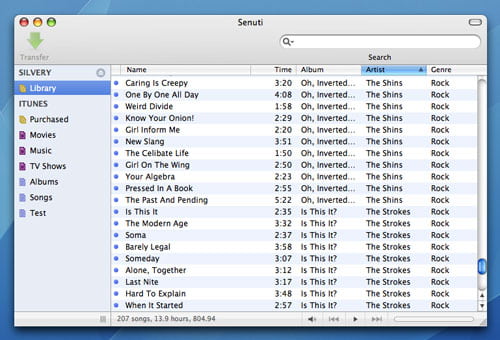
2To better transfer music files, Senuti needs iTunes to be running on Mac, so make sure you have the newest version of iTunes.
3Launch iTunes, and plug your iPod into Mac via USB cable.
4After iPod is automatically detected, tab the little iPod device icon on the top-left side. Click "Summary" > "Options" > choose "Manually manage music and videos".
5Keep iTunes running and launch Senuti at the same time. Click Senuti "Preference" > "Copying", and then choose "iTunes Music Folder".
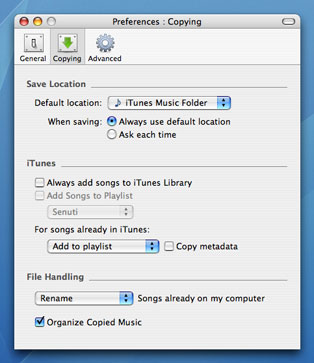
6Select songs you want to transfer to Mac, and highlight them.
7Click the button of "Transfer" on the top-left side of Senuti.
With the brilliant Senuti, many people can free transfer songs or videos from iPod and other iOS devices to Mac. Besides, it enables you to recreate new iTunes library when the former iTunes encounter some unexpected situation.
By the way, Senuti is only has its Mac version, if you need Senuti for Windows, just come to Senuti for Windows.
In this article, we main talk about how to transfer iPod music to Mac with Senuti and a popular Mac iPod Music Transfer. Hope you can find the suitable tool to transfer iPod music to Mac.

June 15, 2018 14:21 / Updated by Louisa White to Transfer iOS Data
 Recover Music from iPod and Copy to Computer
The article shows how to recover music from iPod to computer and transfer recovered music to iTunes on the computer.
 How Do I Transfer Music from iPod to iTunes
This article tells an easy way to transfer music from iPod to iTunes.
 How to Transfer Music from iPod to iPhone
How do you transfer iPod music to iPhone? With iTunes? Yes. But you will become skilled of moving music from iPod to iPhone without iTunes in this post.
 Leave your comment and join our discussion
