Videos are the ubiquitous medium for capturing and sharing moments that matter the most. Whether preserving cherished moments or crafting professional content, the quality of the video is important since it impacts the overall. Instances may occur that your video is compromised with pixelation and graininess. The good news is that you no longer have to settle for subpar video quality like that. With the best video solution apps, you can now effortlessly enhance and restore the video to a better life form. Get ready to embark on a transformative journey on how to fix pixelated videos like what professional editors usually do.

A pixelated video is one where you can see visible square blocks or broken edges instead of smooth details. This gives the footage a blurry, blocky, and low-resolution look. On the other hand, a grainy video often shows tiny specks or visual noise, especially in dark scenes or low-light conditions. Both pixelation and grain make your footage appear unclear and unprofessional.
To fix pixelated or grainy videos, you can use an AI video enhancer to upscale video resolution, restore lost details, and reduce noise automatically, making the video sharper, cleaner, and more realistic.
Pixelation and graininess usually occur due to low resolution, excessive compression, or poor recording settings. When a video is heavily compressed, many image details are lost, and each pixel becomes more noticeable. Low lighting, high ISO levels, or old camera sensors can also introduce digital noise, leading to a grainy video effect.
To prevent these issues, always record in high resolution, avoid over-compressing during export, and enhance your footage later using AI-powered video restoration tools to maintain professional-quality visuals.
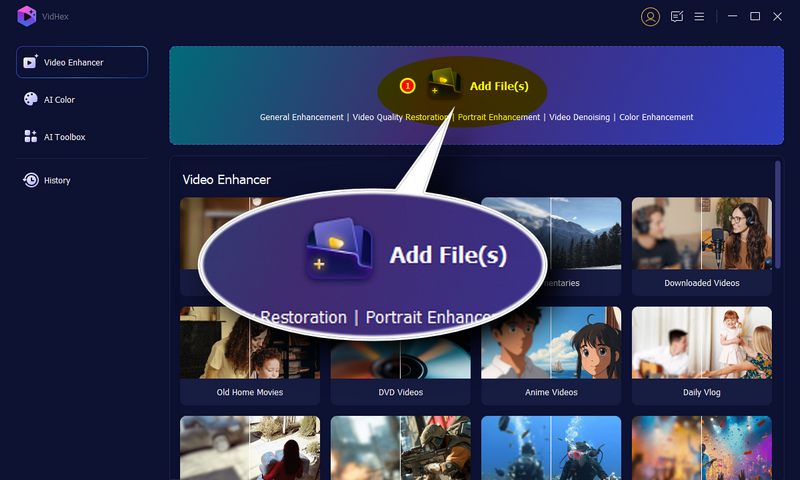
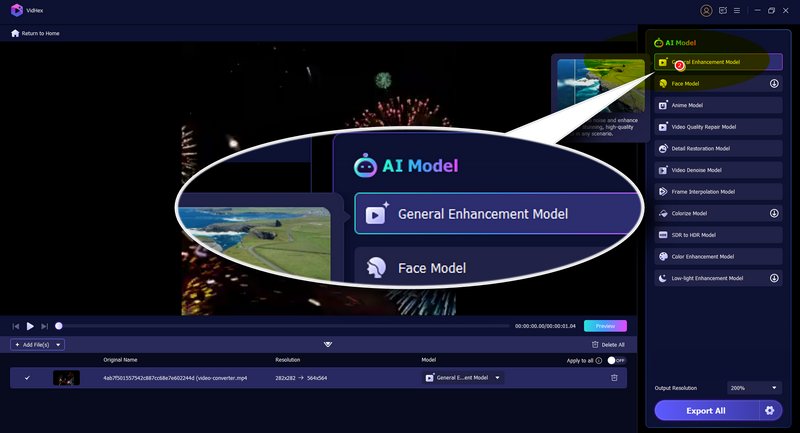
VidHex is the fix-pixelated video app you will ever need. It has the best video enhancer that you can use to improve the overall quality of the pixelated video. With the support of the most advanced AI technology, you can fix the pixelated and grainy video intelligently with no effort. In terms of video pixelation and unblurring, it offers various AI models, including “General Enhancement Model”, “Video Quality Repair Model”, “Detail Restoration Model”, “Video Denoise Model”, etc., to meet your detailed requirements. In addition to these, it also enables you to do the following things:

117,882Downloads
 100% Secure. No Ads.
100% Secure. No Ads.
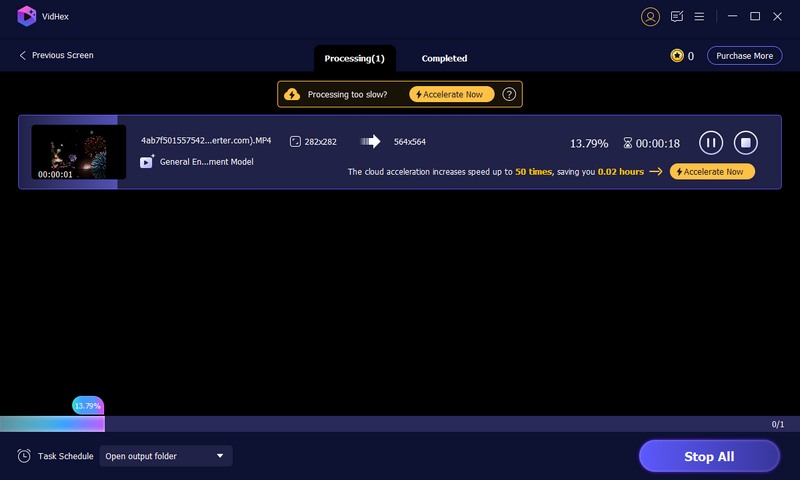
How to unblur and unpixelate video with VidHex?
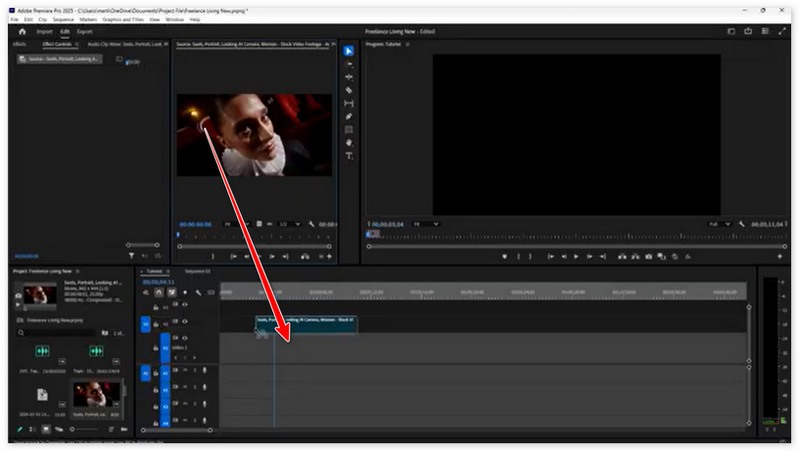
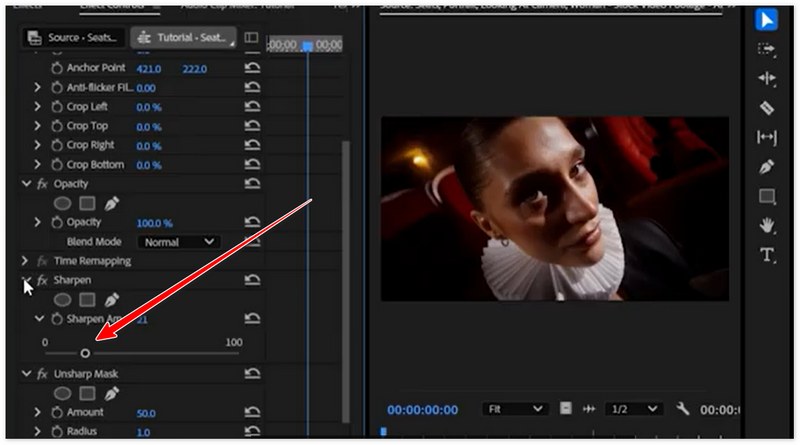
How to fix pixelated video in Premiere Pro? Are your videos looking pixelated or blurry in Premiere Pro? Don’t worry - this is a common issue that can happen when working with low-resolution footage or heavy compression. Luckily, fixing pixelated video in Premiere Pro is straightforward if you follow the right steps. Whether you are editing for YouTube, social media, or personal projects, these steps will help you get crystal-clear results every time.
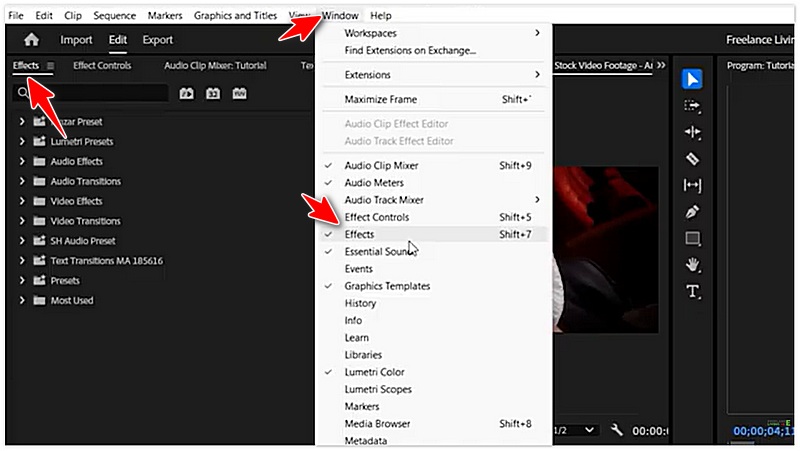
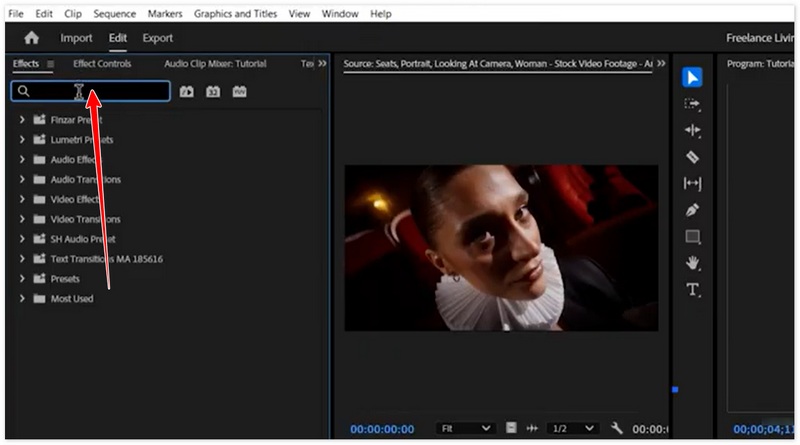
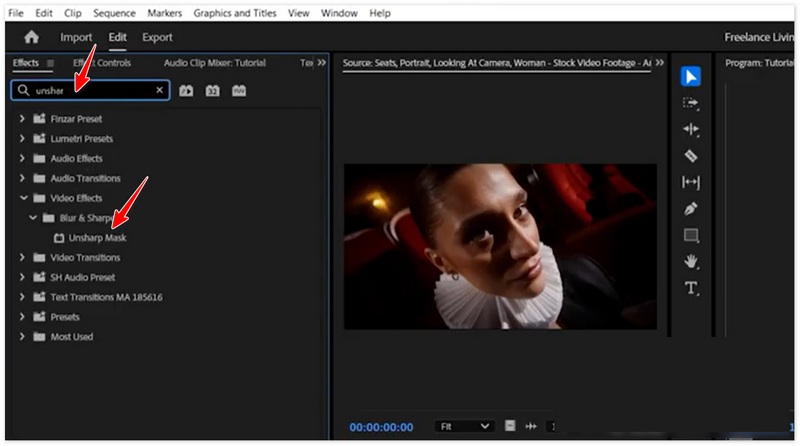
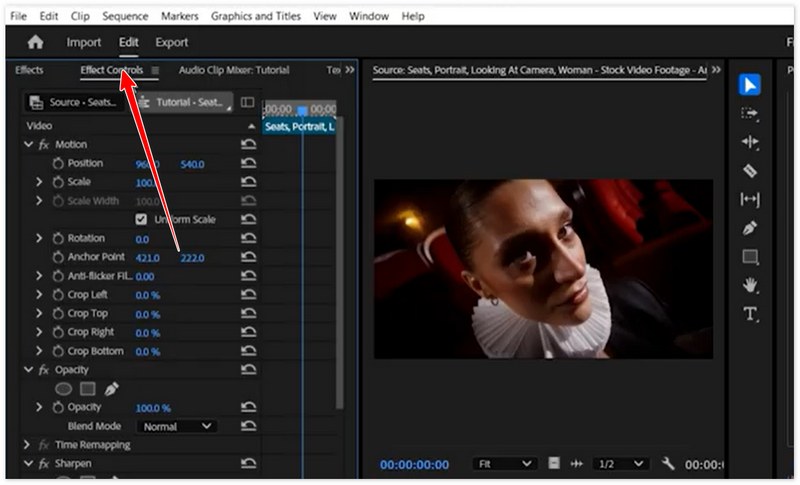

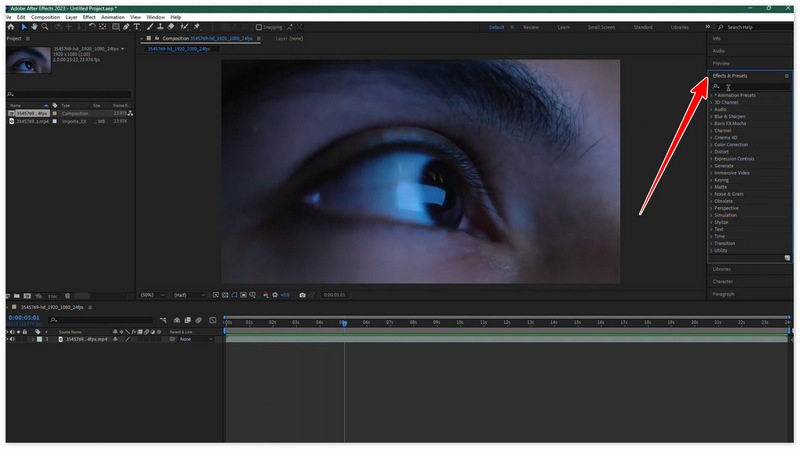
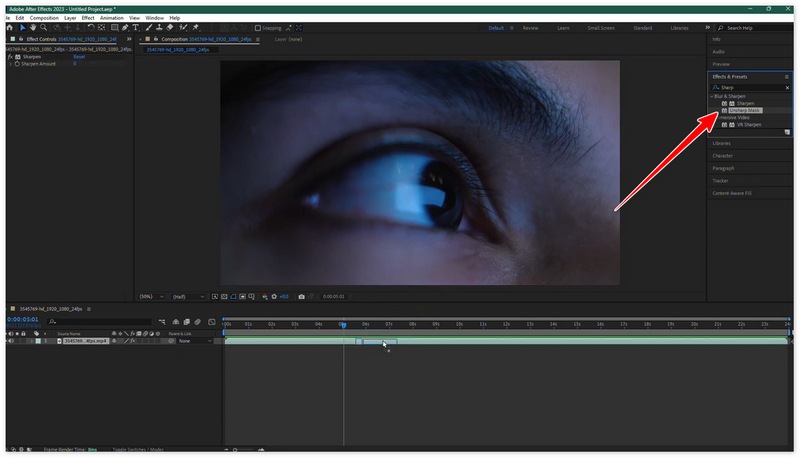
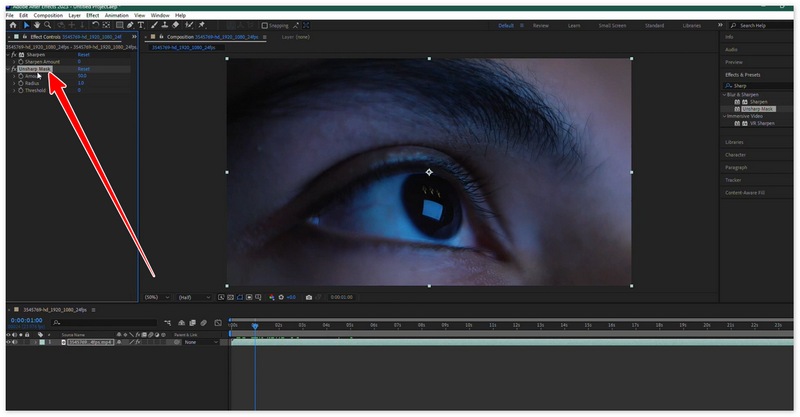
Fixing pixelated videos in After Effects has become a trending topic among video editors and content creators. Adobe After Effects provides advanced tools and effects to remove pixelation, sharpen details, and enhance overall video quality. Whether your footage looks blocky due to low resolution, compression, or scaling issues, After Effects offers multiple ways to restore clarity and smoothness.
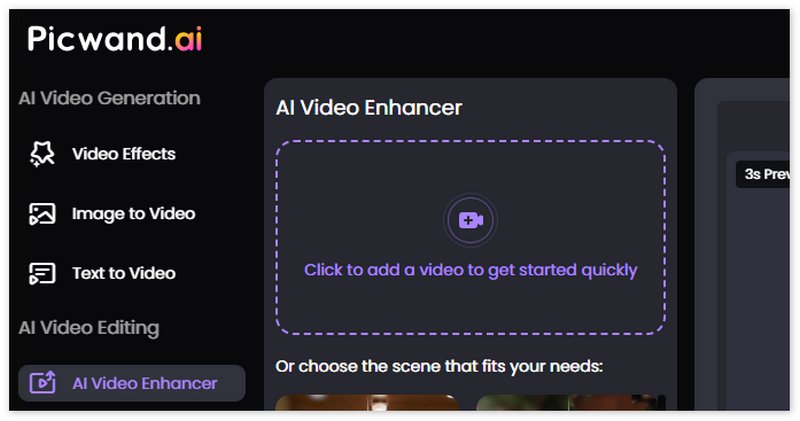
Are you tired of watching pixelated or blurry videos? With Picwand, you can easily repair pixelated video and make every frame look clear and detailed. Powered by advanced AI video enhancement technology, Picwand automatically detects low-quality areas, removes compression artifacts, and restores textures and colors for a smooth, high-resolution look.


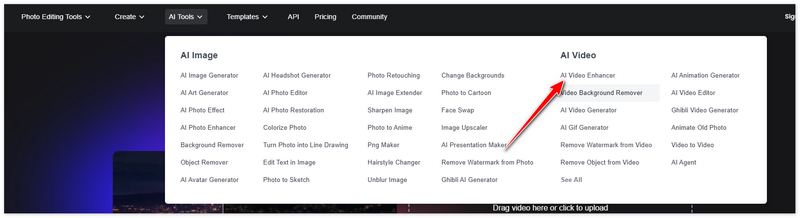
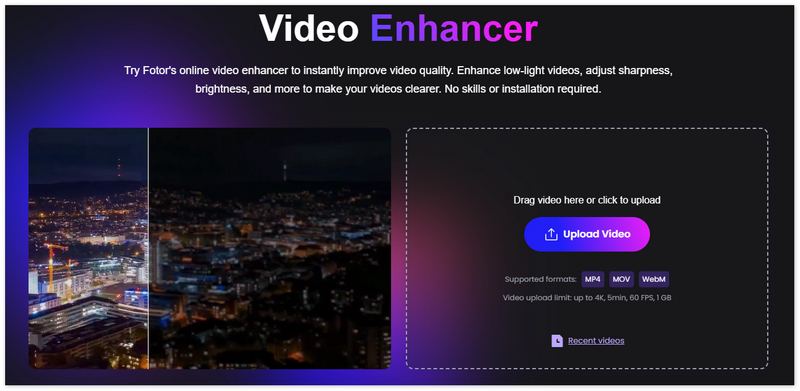
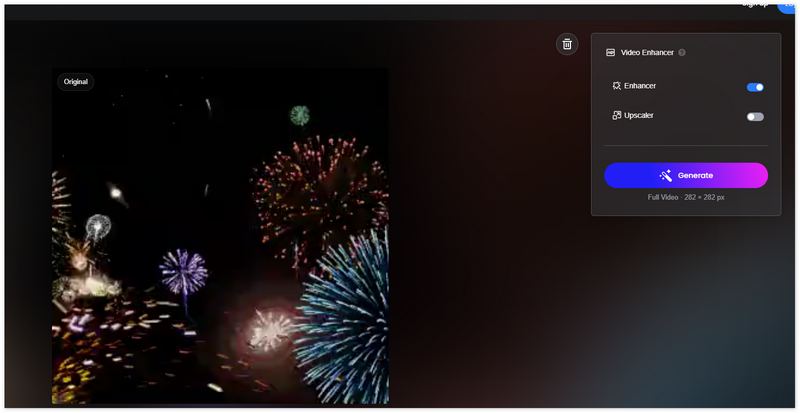
With Fotor, you can easily fix pixelated video and bring back stunning clarity in seconds. Powered by advanced AI video enhancement technology, Fotor intelligently detects low-quality areas, reduces pixelation, and sharpens every frame automatically.
How to fix pixelated videos on Android?
When pixelation happens on the video you have on your Android, then try to re-download the video file from the source. If you are playing videos online, connect to a better network to avoid pixelation, or use a free video enhancer to bring out the details of the video.
How to fix pixelated videos in VLC?
Open the VLC, and upload the pixelated video to it. Afterward, go to Tools, Effects, and Filters, or press Ctrl + E. Click Video Effects and apply the sharpen filter to reduce video pixelation inside that window.
How to fix pixelated videos in iMovie?
Upload the pixelated video on iMovie, then drag the video from the media library to the Timeline. Click the clip, and select Adjust to increase the resolution and sharpness and reduce noise to achieve the desired result. After that, export the final output by clicking the Save button.
How to fix pixelated videos online for free?
There are already millions of free apps that you can use to fix pixelated videos online, such as Clideo, Flixier, Veed.io, Media.io, and more.
Does optimizing brightness and contrast for video makes it better?
Indeed, video with better brightness and contrast has a better output. It is a post-process that you will need to do if you want to achieve the best result. Optimizing brightness and contrast for video can be done easily with the help of simple tools.
Conclusion
Now you have taken a quick glimpse at fixing pixelated and grainy videos thru the tutorial added here. We introduced the four best choices you can use depending on the level of editing you can do. The Aiseesoft products prove there is no need for you to do technicalities to improve the video. Hence, if you are a beginner or want to improve grainy and pixelation video quality, use them quickly.
 How to Fix Blurry Videos Sent to You Like a Professional Video Editor
How to fix blurry videos sent to me? Do you have the same question to yourself? Read this as we teach you how to fix the problem like a pro.
 Fix a Blurry Picture – Here is the Ultimate Guide You Should KnowFix a Blurry Picture – Here is the Ultimate Guide You Should Know
Why you get a blurry picture? Just learn more about the reasons, the best tips to make a photo less blurry, and the simple method to fix blurry photos online.
 [Full Fix] How to Fix a Scratched DVD Effectively and Easily
Want to know how to fix scratched DVD? You can learn how to fix scratched DVD with Vaseline/toothpaste in this post
 Leave your comment and join our discussion
VidHex is an AI-powered video enhancer that upscales, denoises, colorizes stabilizes, and improves video quality in 1 click.
100% Secure. No Ads.
100% Secure. No Ads.

*Required field
*Please enter a valid email

