
Best For: Professionals and casual users who often capture screens and sound and prioritize high-quality results. It is the best choice for recording audio from Facebook videos or live streams where URL-based downloaders fail.
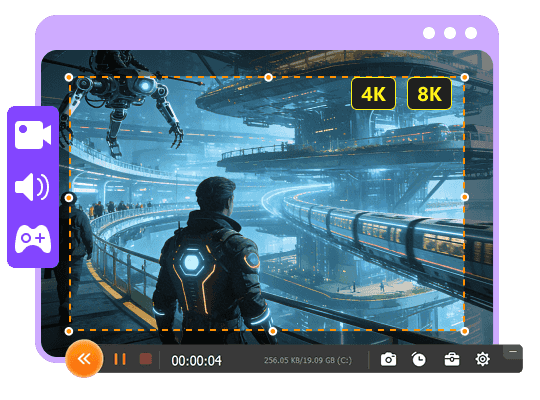
Aiseesoft Screen Recorder
 100% Secure. No Ads.
100% Secure. No Ads.
While scrolling through your Facebook feed, you may often stumble upon a video with a beautiful background track, an important lecture, or a funny soundbite you want to use on your video. There is a good reason you would want to capture just the audio from a Facebook video for later offline listening. The question is, listening. The question is, and save it as an MP3 file?
This guide shares three effective ways to extract or record the sound from a Facebook video. Whether you are looking for a free online downloader/converter, a browser extension, or professional software, there is a suitable method for you to get this done.
There are several reliable ways to record audio from Facebook videos, ranging from browser extensions, free online options, and professional desktop software. You can select a preferred method depending on how frequently you need to save Facebook audio and your specific technical expertise.
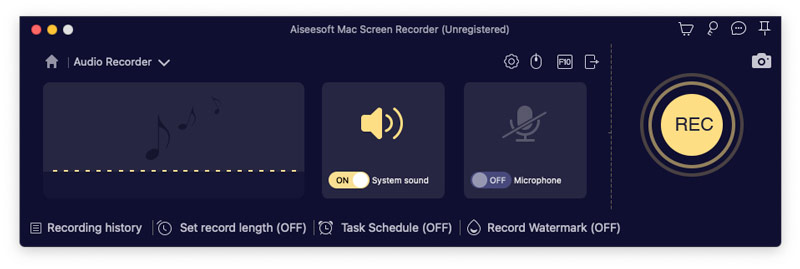
If you often have the need to save Facebook audio, a dedicated desktop application like Aiseesoft Screen Recorder is often the best choice. The software is capable of capturing all activities happening on your device’s screen, including image and sound. It features an advanced Audio Recorder tool for recording the internal system sound of your computer or phone.
Downloads
100% Secure. No Ads.
100% Secure. No Ads.
Best For: Professionals and casual users who often capture screens and sound and prioritize high-quality results. It is the best choice for recording audio from Facebook videos or live streams where URL-based downloaders fail.
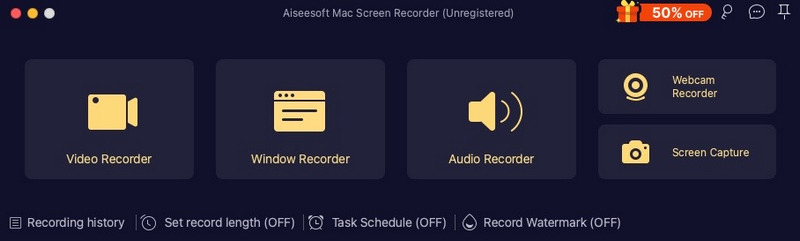
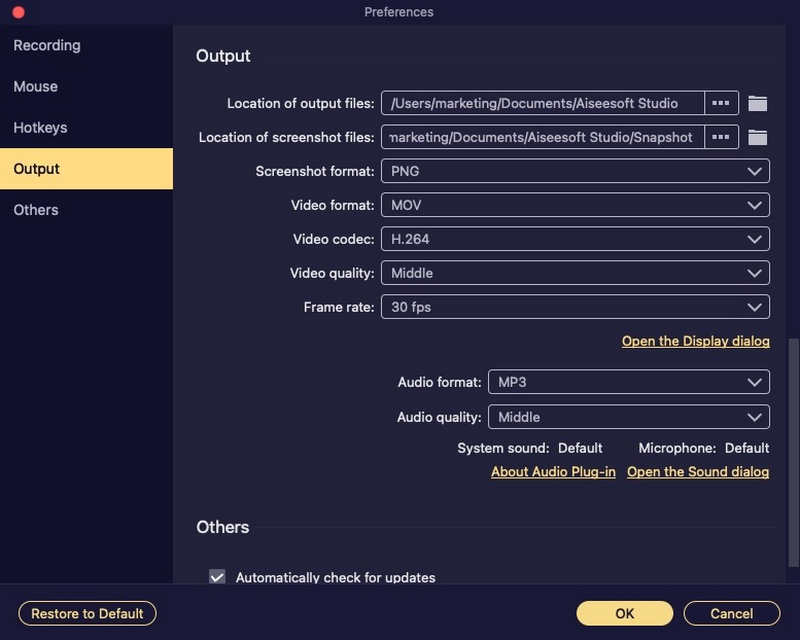
Steps to Record Audio from Facebook Video for Mac:
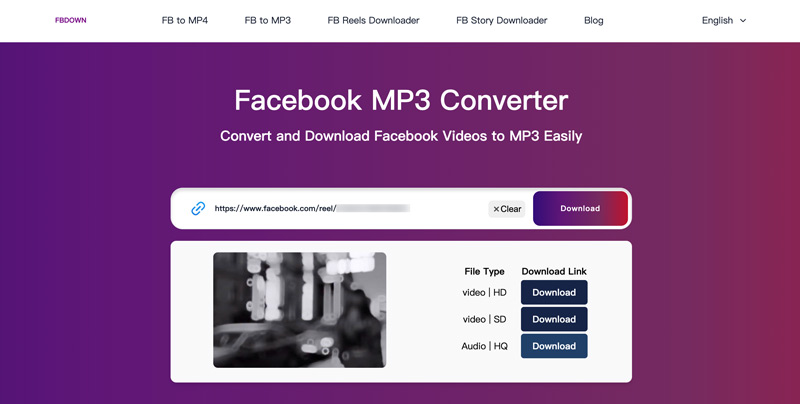
If you don’t want to install any third-party software to record audio from Facebook video, online converters (web-based Facebook video/audio downloaders) can be an ideal choice. Popular ones include FDownload, Getfvid, FBDown, FDown Facebook Video Downloader, and Descript, which are specifically designed to extract the underlying media files through their URLs.
Best For: General users who prefer quick one-off downloads and anyone who looks for a fast solution without downloading applications.
Like the web-based Facebook to MP3 converters, there are related browser extensions that can help you extract audio from Facebook videos. Extensions like Video Downloader Professional integrate directly into commonly used browsers like Google Chrome, Mozilla Firefox, and Microsoft Edge.
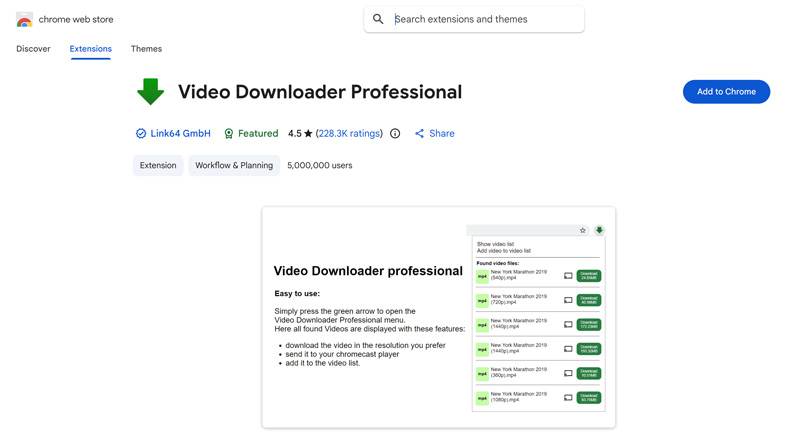
Best For: Social media users who want a seamless, easy extraction method integrated directly into their browser.
Note: If the Video Downloader Professional extension only shows video downloads, you can download the MP4 file and then convert it to MP3. You should know that not all Facebook videos can be processed by the extension.
Question 1. Can you record Facebook audio calls using Audacity?
Audacity is a popular audio editing tool that carries basic recording capabilities. It can record various activities that happen on your desktop, such as Facebook Messenger audio calls. However, that requires a bit of technical maneuvering. Audacity typically captures only one audio source at a time. That means you cannot use it to record both sides of the conversation. To achieve this, you need virtual mixing tools like VoiceMeeter. Or, you can turn on Stereo Mix on Windows to merge your microphone and system audio.
Question 2. Is it legal to record or download audio from Facebook videos?
Generally, downloading content you don’t own the rights to is against Facebook’s terms of service. However, recording or extracting audio from Facebook for personal, offline use is considered fine. You should not re-upload, distribute, or use the downloaded Facebook audio for commercial purposes.
Question 3. Why might my browser extension not work?
You should know that Facebook often updates its code. This will break browser extensions that are associated with certain functions. This is a common issue. When your browser extension is not working, you can try using a different extension or updating the current one.
Conclusion
Considering that Facebook does not offer a native “download audio” button, finding the right tool to separate the sound from the visual can be frustrating. Are you searching for a reliable way to extract or record audio from a Facebook video? You can learn three efficient methods to save your desired Facebook audio as MP3 or another format for offline listening.
 4 Best Ways to Record Audio from Browser (Online/Desktop/Extension)
How do I record audio from browsers, Chrome, IE, or Safari? What is the best browser audio recorder? Here are 4 great audio recorders to help you capture audio from a website.
 8 Best Free Online Mic Recorders for Unlimited Voice Recordings
CRead and get the top 8 online mic recorders. You can record your voice through a microphone on Windows and Mac for free with simple steps quickly.
 How to Clear Facebook Cache on iPhone, Android, PC, and Mac
Is your Facebook app lagging? Learn how to clear Facebook cache on iOS, Android, Windows, and Mac following our step-by-step tutorial.
 Leave your comment and join our discussion
Aiseesoft Screen Recorder is the best screen recording software to capture any activity like online videos, webcam calls, game on Windows/Mac.
100% Secure. No Ads.
100% Secure. No Ads.

*Required field
*Please enter a valid email
