Best Video Enhancer: Upscale Video to 4K/8K
 100% Secure. No Ads.
100% Secure. No Ads.
Animation is not just the movement, but it is all about the quality of that movement. A smooth animation will instantly elevate your work to a more professional level and make it more enticing. If your animation appears rigid or jerky, you don’t need to worry! There are simple ways to correct that. This article will discuss what makes an animation smooth, how you can achieve smoothness with After Effects, and how the program can help you gain even more polish. You will also get to know Aiseesoft VidHex, a smart AI tool that increases frame rates to create a more fluid motion effect that improves the quality of your animation. Let's start creating smooth, natural animations that will amaze your viewers!
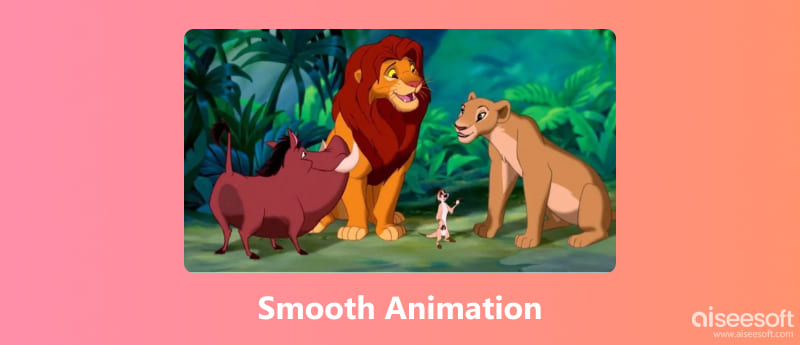
The essence of smooth animation includes achieving natural and fluid motion as opposed to stiff and choppy motions. When creating animations that appear smoother, animators strive to maintain a consistent frame rate, carefully ease transitions, and strategically place keyframes to sustain movement. Timing and spacing are critical concepts to consider when it comes to cleanliness, and sometimes making a simple adjustment can elevate the sense of realism or believability in an animation.
When animation makers think about these techniques together, every movement becomes intentional and noticeably more polished. Even if the product is a simple motion graphic or an elaborate scene, understanding how to make an animation smoother is the way to create graphics that stand out.
Now that you understand what makes an animation look fluid, let’s move on to the practical part, which is the animation smoothing. This process focuses on refining motion and improving frame transitions to make your animation look more natural and polished. Regardless of whether you are using After Effects or an AI-powered software tool like Aiseesoft VidHex, many options are available to smooth frame flow and reduce choppy moments. This section reviews methods for easily smoothing your animations manually and utilizing AI assistance to achieve a final result that looks clean, dynamic, and professional.
Adobe After Effects is one of the most commonly used platforms for creating professional motion graphics and animations. It provides a high level of control over keyframes, timing, and easing, allowing for refined movements and a polished outcome. However, if your animation looks stiff or jerky, several features in After Effects are available to make every motion feel more fluid. Here is a comprehensive overview of how to make animation smoother in After Effects!
Steps to Make Animation Smoother in After Effects
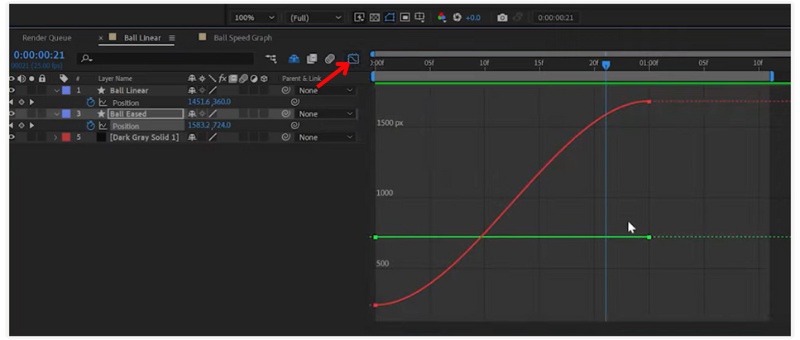
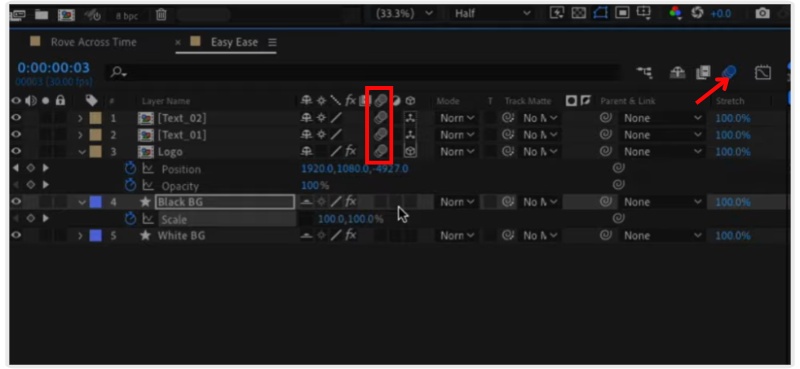
These instructions will teach you how to perform frame interpolation in After Effects without using additional plugins, giving your motion graphics a polished, expert appearance.
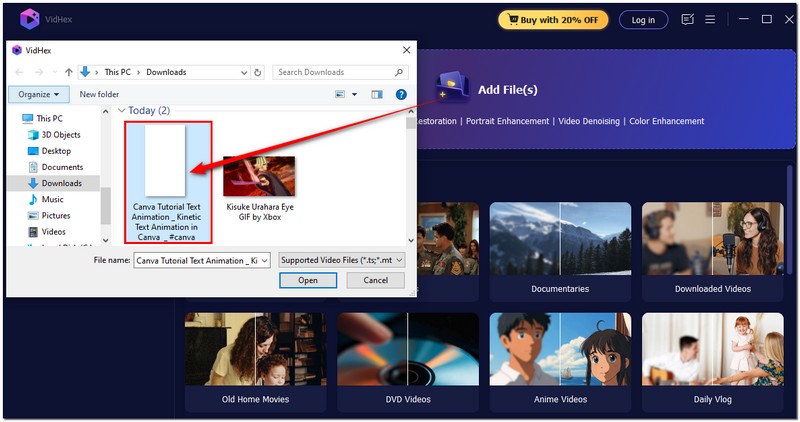
If you're looking for a simple way to create smoothing animation, Aiseesoft VidHex can help you a lot. It provides an opportunity to utilize advanced AI frame interpolation technology and automatically increase your animation frame rate, eliminating the need for manual edits in After Effects. It means it fills in the missing frames between the existing frames in your animation to create a seamless and flowing motion, all of which is encapsulated in a professional animation effect perfect for animators, editors, and content creators seeking results without spending hours on settings.

117,882Downloads
100% Secure. No Ads.
100% Secure. No Ads.
How to Increase FPS Using Frame Interpolation to Make Animation Fluent with AI
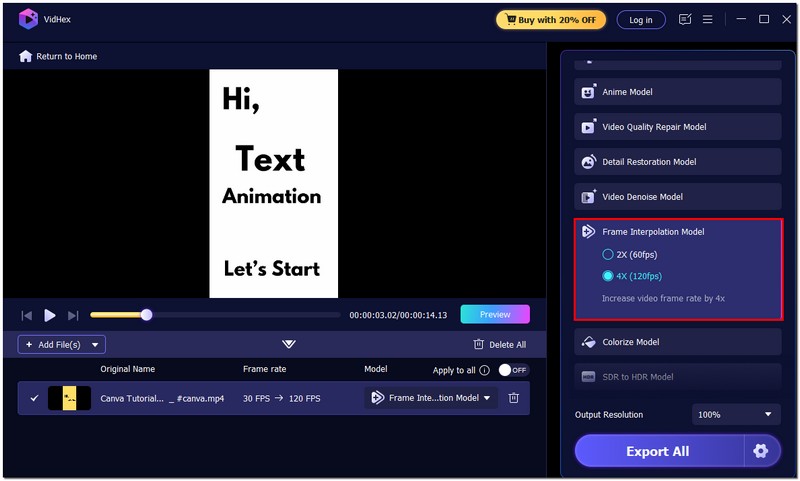
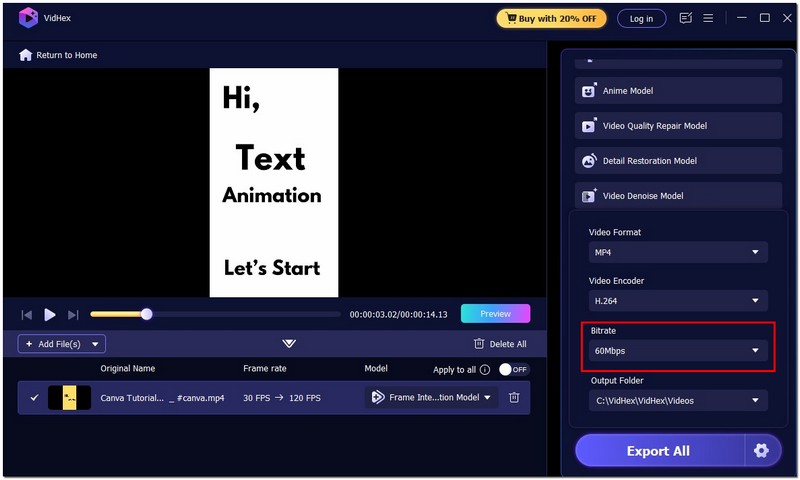
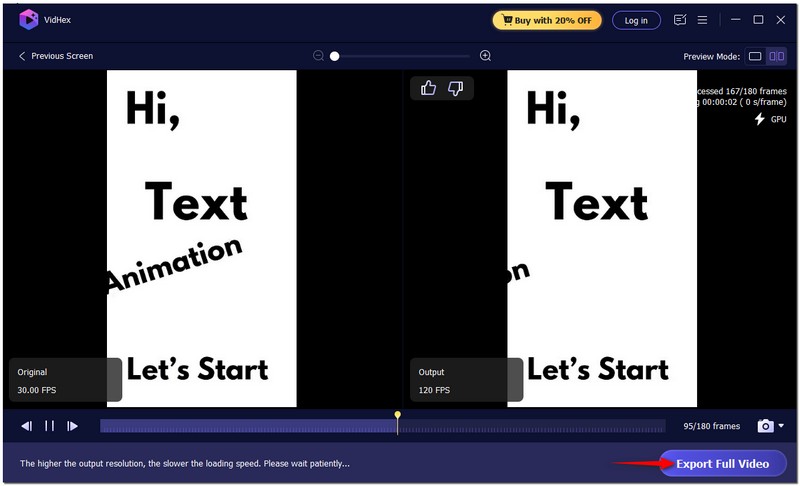
Your animation will look smoother the higher your output frames per second are. Finding the ideal balance for your project is important, as very high frame rates can result in larger file sizes.
Why is my animation not smooth?
There are several reasons your animation might not look smooth. Low frame rate, missing keyframes, poor easing, or inconsistent timing. Sometimes, it’s also due to hardware performance or incorrect export settings.
How many FPS do I need for smooth animation?
Typically, 24 FPS is the standard for cinematic motion, but for ultra-smooth motion, 30 FPS or 60 FPS is preferred. Animators often use 60 FPS to create movements that look fluid and realistic, especially in action scenes or high-quality animations. Low frames per second can cause a choppy video and you might need to use a video FPS converter to fix it.
Can I smooth old animations or videos?
Yes, definitely. Even older animations or low-FPS videos can be enhanced using modern AI tools. VidHex and similar programs can upscale the frame rate, giving your old footage a new, fluid look.
Conclusion
The process of creating smooth animation doesn't just boil down to your ability to master all the required technical skills. It is all about making motion feel alive and organic. When you delve deeper into exploring the qualities of fluid motion and how to enhance them with the aid of tools like After Effects or applications featuring AI-programmed software, such as Aiseesoft VidHex, you can fine-tune awkward clips into smooth and more seamless imagery. Each adjustment towards more fluid motion brings you closer to an animation smoother, even enhancing the sensational qualities of your work. Continue to play, and you'll eventually develop the capacity to create fluid motion that truly engages the viewer on a new level of attention.
 Best Video Frame Capture for Windows and Mac in 2025
In this article, you can learn how to record frames in a video step-by-step. Both Windows and Mac users can run this video frame capture software to solve the problem.
 2025 Full Review on Animation Makers for Creating Animation like Pro
Animation makers are now accessible on your device. This article covers all the applications you can download to start and create animation videos.
 A Guide to Fix Old Videos and Reviving Precious Memories
How can I fix damaged audio on old videos? Can you restore an old video and improve its quality? This post shares three different methods to fix old videos.
 Leave your comment and join our discussion
VidHex is an AI-powered video enhancer that upscales, denoises, colorizes stabilizes, and improves video quality in 1 click.
100% Secure. No Ads.
100% Secure. No Ads.

*Required field
*Please enter a valid email

