Aiseesoft iKnockin - iPhone Unlocker
 100% Secure. No Ads.
100% Secure. No Ads.
Are you facing the situation where your phone does not work with a local SIM card while traveling abroad?
Before you start an international trip, one of the first things you should check is whether your iPhone or Android phone is SIM-locked. You should know that a locked phone may often prevent you from using affordable local carriers. You must rely on expensive roaming services. Or worse - you get a message saying SIM Not Supported. What to do if your phone is SIM-locked?
This guide will tell you how to unlock a phone to use internationally. You can learn how to check whether your device is locked and unlock it if needed.
The short answer is yes, you can use a SIM-locked phone in another country, but with limitations.
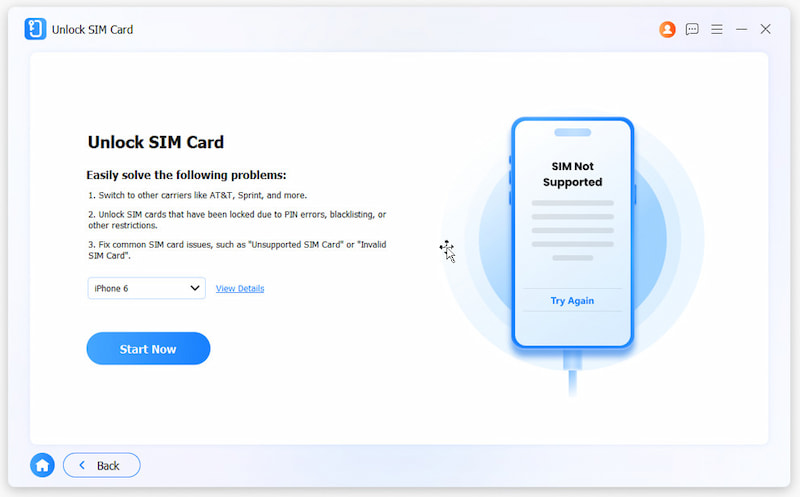
A SIM-locked phone is tied to your current carrier’s network. You cannot directly use it with a foreign carrier’s SIM card. When you insert a card from another carrier, your phone will reject it. You will see an error like “SIM Not Supported” or “Invalid SIM” on the screen.
You can use the phone with your original carrier’s international roaming plan or Wi-Fi. However, if you want to switch to a cheaper prepaid SIM in another country, your phone must be unlocked.
Before unlocking your phone for international travel, you should first determine whether the lock actually exists. There are several ways to check. You can select a preferred way based on your phone’s operating system and carrier.
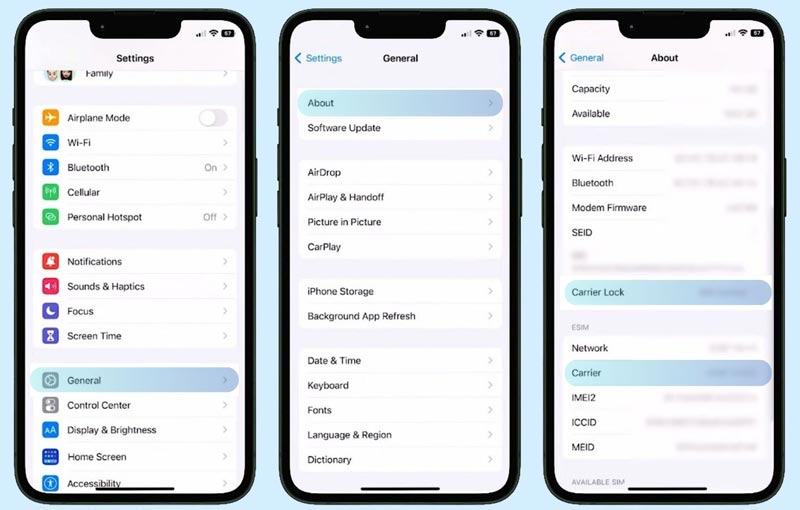
Go to your phone’s Settings and check whether there is a line labeled Carrier Lock.
For instance, on an iPhone, go to Settings > General > About to see if it says “No SIM restrictions”. If there is a carrier name, that means your device is locked.
On an Android phone, try checking the carrier lock through Settings > Connections > Mobile Networks > Network Operators.
On some Samsung Galaxy phones, you may go to About Phone to find a dedicated “SIM card status” option.
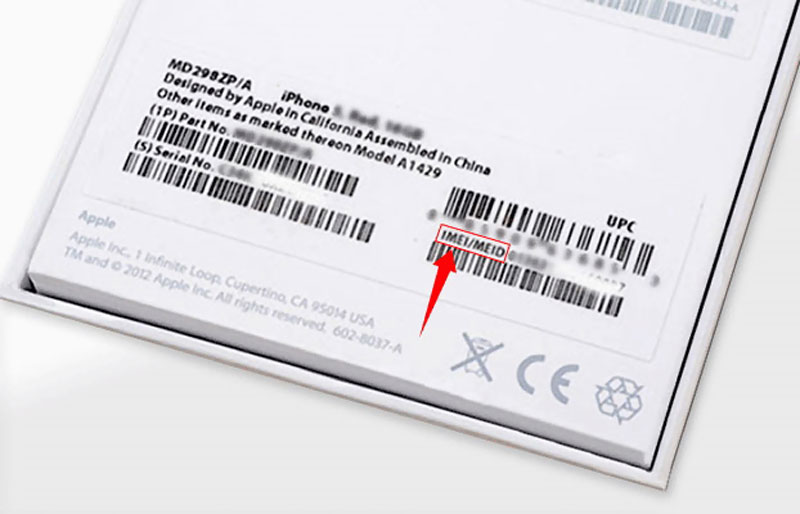
You can also call or chat with your carrier’s customer service. You often need to provide the IMEI to check your phone’s lock status.
If you have a SIM card from a different carrier at hand, you can directly insert it into your phone and check if your device connects to the new network. If it works immediately, your phone is not locked. However, if you see a prompt for an unlock code, that means the phone is locked.
Once you have confirmed your phone is locked, you have two main ways to unlock it. According to your current situation, such as whether you are still under contract or have paid off the device, select a desired solution to unlock a phone for international use.
If your phone has been fully paid off and your account is in good standing, you can reach out directly to your carrier’s customer service and ask them to unlock your phone.
You can visit the official customer support page or call them to request an unlock. You are often required to provide your phone’s IMEI number to proceed. Once approved, you will receive a permanent unlock code to unlock your device, or a remote unlock will be pushed over the air.
If your phone is still under contract or has been reported stolen, your carrier may refuse to unlock the SIM. In that case, you can turn to some third-party services to bypass the lock.
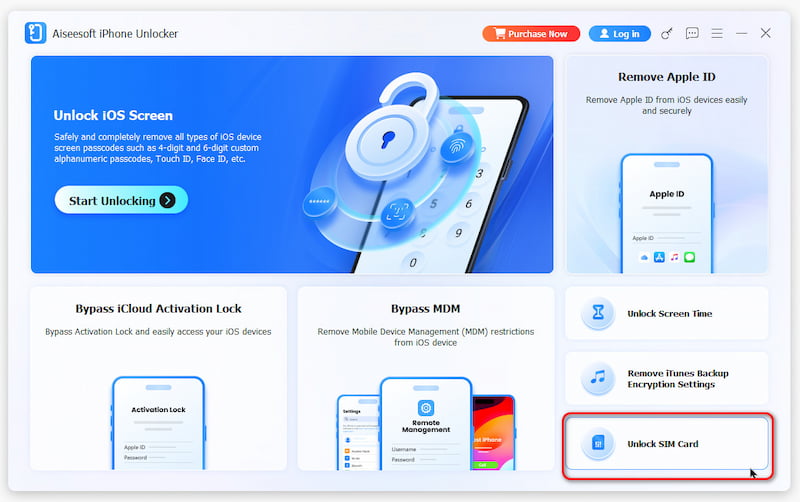
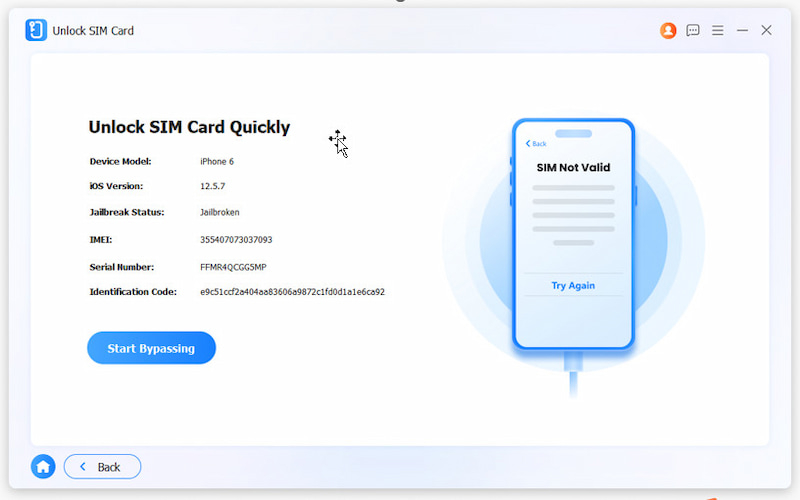
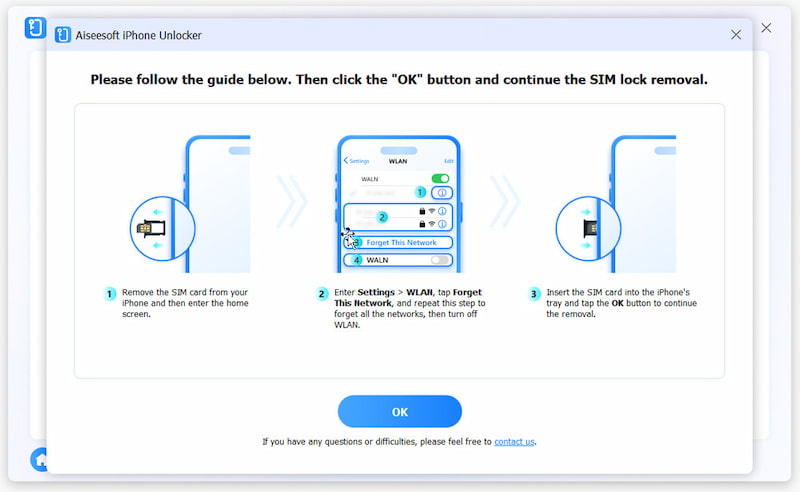
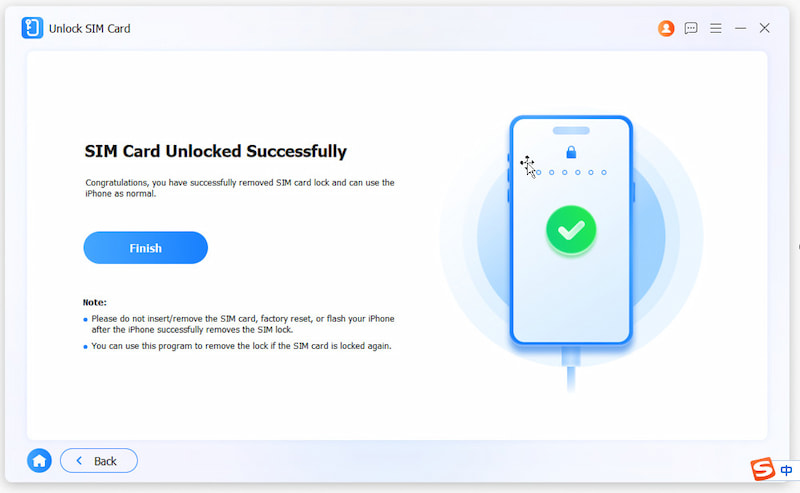
Besides, you can turn to reliable unlocking software like Aiseesoft iPhone Unlocker to handle the SIM or carrier lock. It offers a software-based solution to remove carrier locks from iPhones safely. The software supports all carriers worldwide, with no jailbreak required.
100% Secure. No Ads.
100% Secure. No Ads.
Does your phone need to be unlocked to use eSIM?
If your phone is not carrier-locked, you can directly use or activate an eSIM from almost any compatible carrier. However, if your phone is SIM-locked, you must use the eSIM service offered by the same carrier it is locked to. For example, if your iPhone is locked to a specific carrier, you should add and use that carrier’s eSIM. You cannot directly activate an eSIM from another network until the lock is removed.
Can I unlock my phone for international travel without the carrier?
Yes. As mentioned above, you can unlock your phone through third-party services or tools like Aiseesoft iPhone Unlocker. Before traveling overseas, you should check your phone’s lock status and unlock it first.
Will unlocking my phone affect its warranty?
No, unlocking a phone through its official carrier does not void the manufacturer’s warranty. Some third-party unlocks may void carrier support. However, they often do not affect Apple or Samsung warranty coverage.
Conclusion
This post shares two standard ways to unlock a phone to use internationally. You can follow the guide to confirm your phone’s lock status and select a preferred way to unlock it. In most cases, the carrier unlock request takes less than two days to finish. However, if the official route does not work for you, SIM removal tools like Aiseesoft provide a reliable software alternative.
 Comprehensive Tutorial to Restore an iPhone without Data Loss
If you are looking for a way to restore your iPhone, you are lucky since this guide tells you the easiest ways to complete the job and do troubleshooting.
 How to Recover Deleted Data from iPhone? Let This Post Tell You
This article tells you how to restore deleted data from iPhone 16/15/14/13/12/11/XS/XR/X/8/7/SE/6/5/4, iPad Pro/Air/mini, etc. with iPhone Data Recovery.
 [Solved] How to Recover iPhone/iPad Data without iTunes Backup
How to restore data after computer crashed and iTunes backup files are gone? Here you can know how to recover iPhone/iPad data without iTunes backup.
 Leave your comment and join our discussion
To fix iPhone screen locked, wiping password function can help you a lot. And you also can clear Apple ID or Screen Time password easily.
100% Secure. No Ads.
100% Secure. No Ads.

*Required field
*Please enter a valid email

