Aiseesoft iKnockin - iPhone Unlocker
 100% Secure. No Ads.
100% Secure. No Ads.
Are you looking for a way to unlock a SIM card without a PUK code?
When your SIM card is locked, you often need a unique PUK code to unlock it. In that case, your iPhone or Android phone will display a dreaded message: “SIM card locked — enter PUK code” or “Your SIM cannot be accessed”. What if you forgot the PUK number? You will be locked out of your phone after entering the wrong PIN too many times.
The good news is that you do not necessarily need that PUK code to unlock. This guide outlines two tested methods to unlock your SIM card without a PUK code, using carrier tools and professional SIM unlocker software.
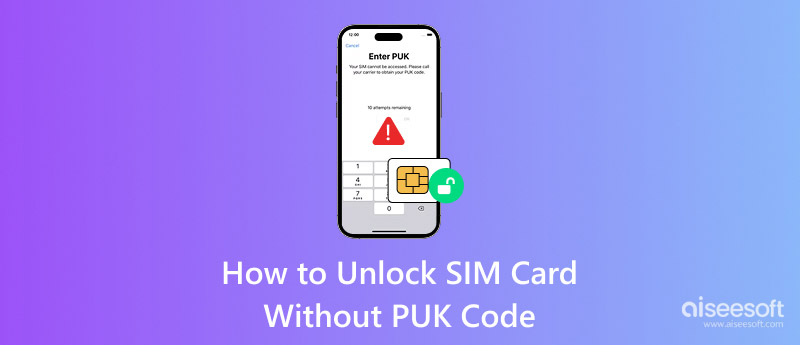
The PUK (Personal Unlocking Key) code is an 8-digit unique code tied to your specific SIM card. This carrier-issued security code is also known as PUC (Personal Unblocking Code). If you enter the wrong PIN three times in a row, the SIM card will automatically lock. You are required to enter the PUK code to unlock. It is the only code that can reverse that lock. After entering the wrong PUK code 10 times, your SIM card will become permanently unusable.
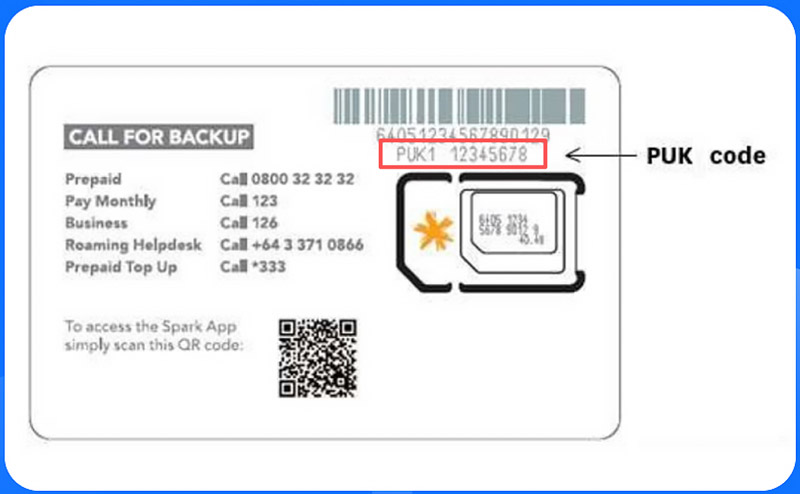
You can often find the PUK code on the plastic card that originally held your SIM. If you cannot find the source card, you can find the code in your carrier’s online account portal. Try looking for it under the phone settings or SIM management. Besides, you can contact your carrier to get the PUK code. This way requires you to verify your identity.
What happens when you forget the code and cannot reach your carrier? This section will guide you to unlocking the SIM card without a PUK code.
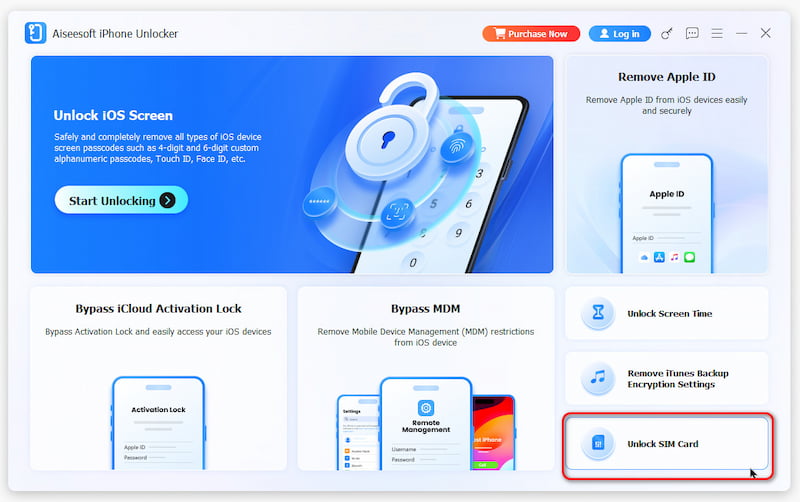
If you use an iPhone and your SIM card is locked, turn to the reliable Aiseesoft iPhone Unlocker. The software offers a safe solution to bypass the SIM lock entirely. It can handle various carrier-locked and SIM-locked issues. This SIM unlocker does not require the source PUK code to function. Instead, it communicates with the device’s baseband firmware to remove the SIM lock.
Key Features of iPhone Unlocker:
100% Secure. No Ads.
100% Secure. No Ads.
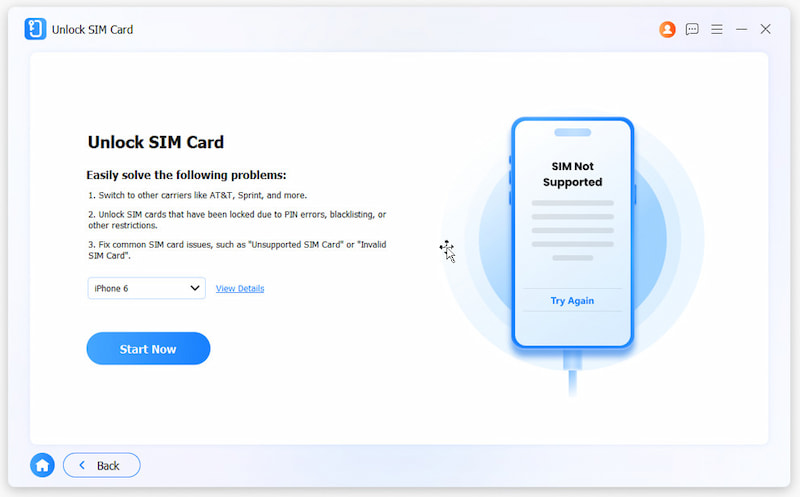
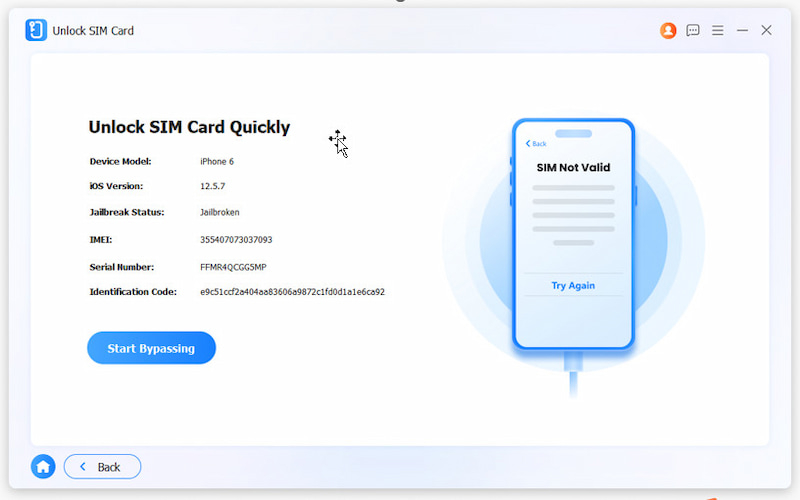
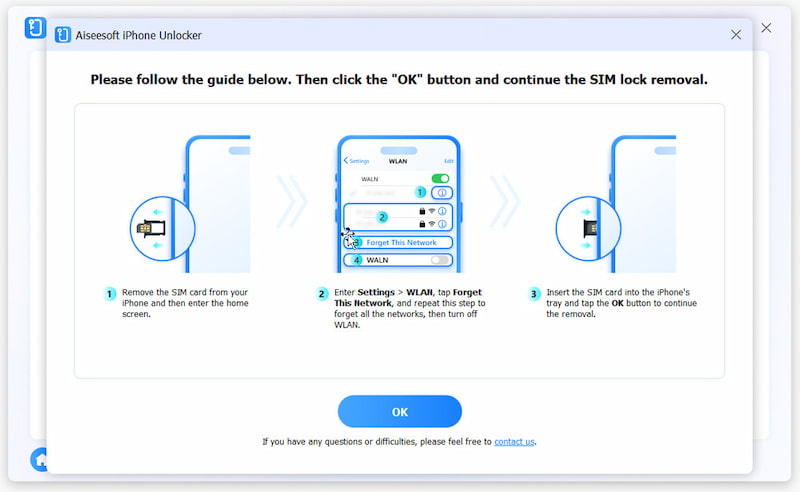
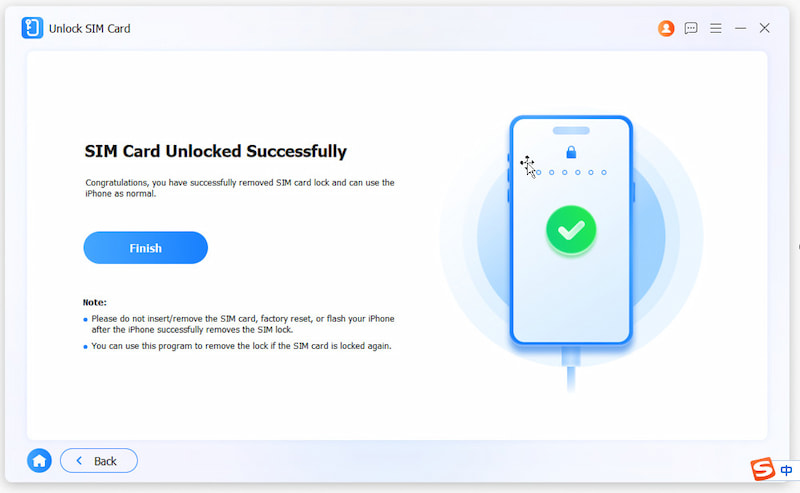
In addition to the method above, you can contact your carrier directly for unlocking. Most major carriers have an online tool to unlock your SIM without needing the PUK code.
Go to your carrier’s official website. Sign in to your account and go to “My Device” to search for a dedicated “Unlock Device” option. You need to enter your IMEI number, then follow the prompts to unlock your SIM card.
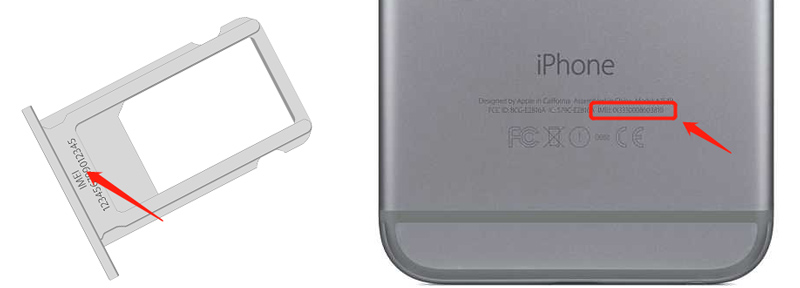
If you don’t find an option to remove your SIM card lock, contact official support, verify your identity, and request a temporary unlock code. You can then use it to unlock your SIM card with ease.
The unlocking process will be pretty straightforward if you know your PUK code or can find it.
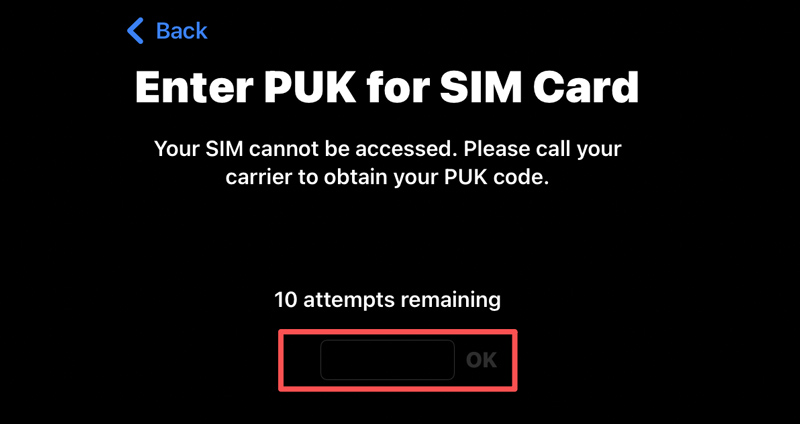
To unlock your SIM card as an iPhone user, enter the code in the dedicated PUK entry field. If correct, the lock will be removed immediately. Your iPhone will prompt you to set a new PIN. Similarly, the lock screen shows a PUK input box on your Android device. You can enter the right code to unlock your SIM card.
Can I unlock my SIM card without a PUK code for free?
Yes. The carrier’s official method is free for most users. However, if you don’t want to contact your carrier for some reason, the introduced Aiseesoft tool is a reliable software-based option for iPhones.
Will unlocking my SIM card erase my data?
No. Unlocking the SIM card will not delete your phone data, including photos, videos, contacts, app files, and personal settings.
How long does the SIM card unlocking process take?
If you choose to contact your carrier and use the official way to unlock your SIM card, they may take anywhere from 5 minutes to 48 hours. If you use Aiseesoft iPhone Unlocker, the lock removal often takes about 10 minutes.
Conclusion
Knowing how to unlock a SIM card without a PUK code can be a lifesaver. In most cases, you can use Aiseesoft iPhone Unlocker to handle most SIM card locks, iPhone locks, device disable, and password forgotten issues. If you cannot find that plastic card from years ago, the software is often an ideal choice.
 Just One Click Can You Unlock Phone Free with IMEI Number
Easy and powerful. Find your IMEI number and unlock your phone in one click. This passage will tell you different methods to achieve this and release your hand.
 How to Unlock iPhone from Verizon/AT&T/Sprint/T-Mobile
How to unlock SIM on iPhone from carrier? This page will share you two ways to unlock iPhone 16/15/14/13/12/11/XS/XR/X/8/7 from Verizon, AT&T, Sprint, T-Mobile, and more freely.
 How to Unlock a Blacklisted iPhone with 4 Ways [Free & Paid]
This post offers details about blacklisted iPhones and four practical method of unlocking your blacklisted iPhone, including free and paid ways. Let us dive in!
 Leave your comment and join our discussion
To fix iPhone screen locked, wiping password function can help you a lot. And you also can clear Apple ID or Screen Time password easily.
100% Secure. No Ads.
100% Secure. No Ads.

*Required field
*Please enter a valid email

