
Video Converter Ultimate
 100% Secure. No Ads.
100% Secure. No Ads.
4K has become the gold standard for modern TVs, PC monitors, and streaming websites. If you have shopped for a new smart TV or gaming console in recent years, you definitely heard about the term 4K. However, not all 4K is created equal. There are native 4K and upscaled 4K.
Is the “Fake 4K” (Upscaled) as good as “Real 4K” (native)?
This Native 4K vs. Upscaled 4K guide will explain what they are and the main difference between them. By understanding the necessary information, you can get the most out of your hardware.
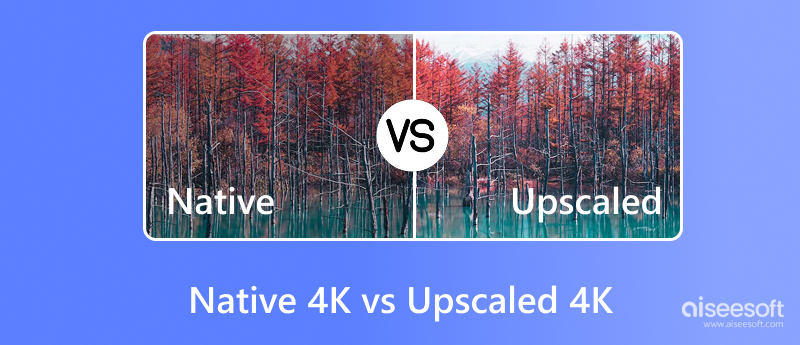
Native 4K refers to an image that is originally captured, rendered, or produced at a resolution of 3840 x 2160 pixels. In this scenario, the image contains the maximum amount of information a 4K screen can display. Every single pixel on the screen can receive specific color and brightness information from the source. It can deliver fine details, sharp and clear vision, and true colors.
Apart from these display advantages, 4K comes with rendering and bandwidth disadvantages. Rendering native 4K often requires more GPU power and internet bandwidth.
Upscaled 4K (Fake 4K) is a lower-resolution image, like 1440p, 1080p, or even 720p, stretched to fit a 4K screen. The upscaling tool or the display/device must “guess” what the missing pixels should look like using advanced AI algorithms.
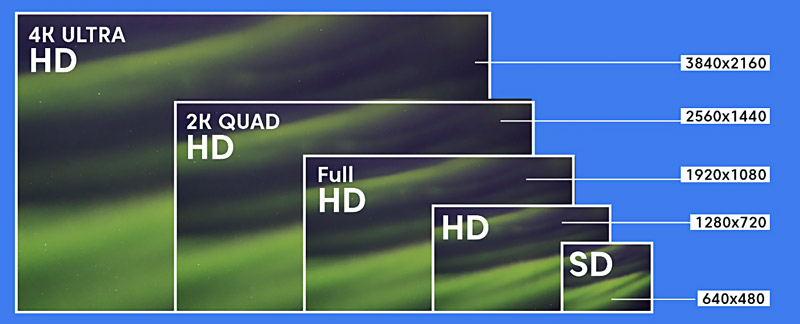
The upscaled 4K often allows for much higher frame rates. That will improve the whole performance efficiency in gaming. With a similar viewing experience, an image rendered at 1080p and upscaled to 4K will run smoother than the native 4K. This allows older PCs and consoles to display 4K without the hardware strain.
However, basic 4K upscaling will easily cause a soft image. Many details will be lost. Moreover, the upscaling may produce unnatural detail that was not originally there.
We must admit that the gap between native 4K and upscaled 4K can be noticeable, mainly for enthusiasts. However, for casual users, the difference may be subtle to the untrained eye.
1. Detail and Sharpness: Native 4K generally delivers a sharper and clearer image, especially in static scenes. Whether in a game or a movie, when you pause on a scene, native 4K resolution usually wins. However, the latest, advanced AI upscaling technologies have closed this gap significantly.
2. Color Accuracy and Dynamic Range: Both native 4K and upscaled signals can contain HDR metadata. In fact, resolution has little to do with color. An upscaled image can often have the same vibrant colors and contrast as the source. Sometimes, it can deliver a better, more stunning viewing.
3. Motion Handling: For fast action scenes, upscaled 4K often falls short. Most basic upscalers will introduce blur. Modern AI upscalers can handle motion better than native rendering. They use frame interpolation technology to smooth and clean up the image.
AI upscaling uses neural networks trained on millions of images to predict the missing detail. Unlike traditional upscaling (simply stretching pixels), this AI upscaling method often delivers high-quality results with fine details.
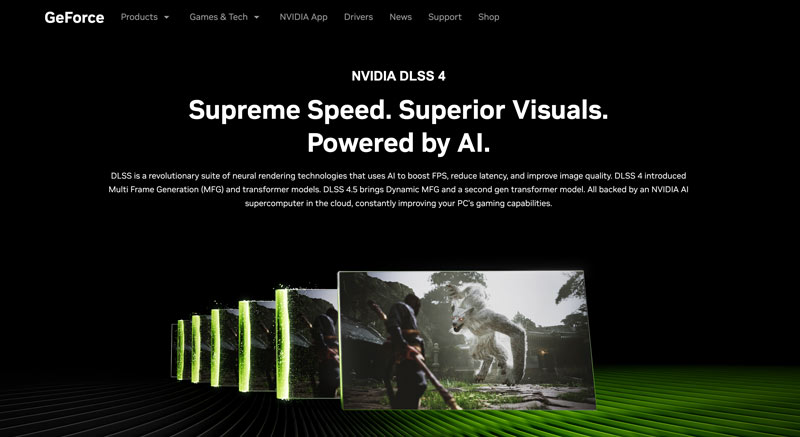
For real-time AI upscaling, NVIDIA’s DLSS (Deep Learning Super Sampling) and AMD’s FSR (FidelityFX Super Resolution) are the prime examples. They rely on their powerful graphics cards to reconstruct a 4K image from a lower-resolution source, such as 1080p. They can produce image quality close to or even exceed the native 4K.
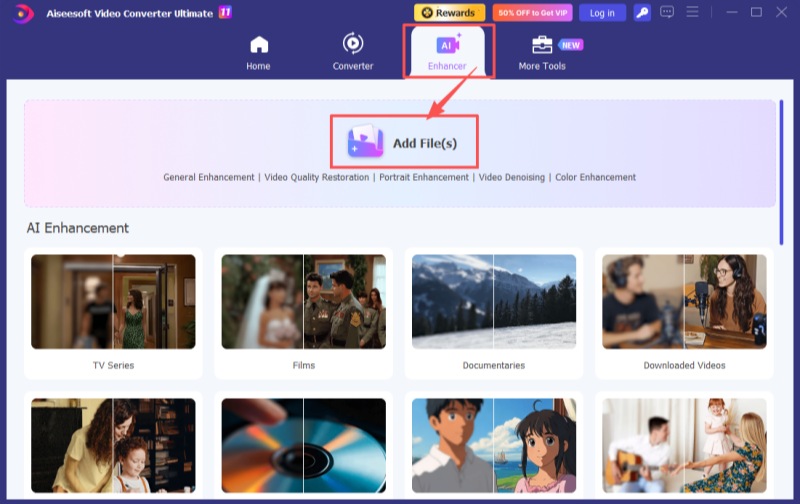
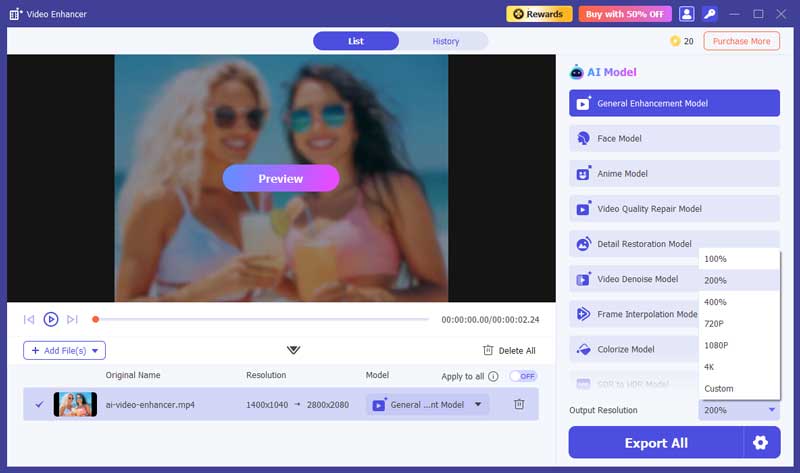
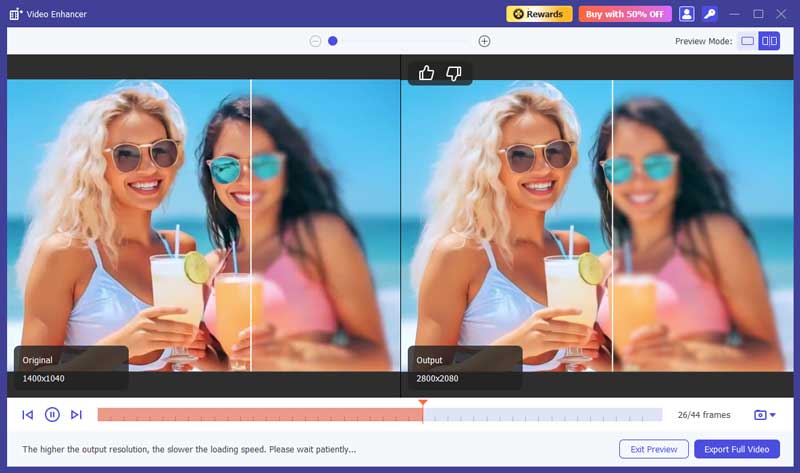
For content creators and home theater enthusiasts who often handle various video files, AI-powered upscaling software can be a necessity. Aiseesoft Video Converter Ultimate is a notable tool that can upscale low-resolution videos to 4K using AI. Multiple AI models are offered to increase resolution, restore details, optimize colors, sharpen edges, reduce noise, and perform other suitable enhancements.
100% Secure. No Ads.
100% Secure. No Ads.
Question 1. Is native 4K always better than upscaled 4K?
No, native 4K is not always better than upscaled 4K. Modern AI-driven upscaling technologies have become so advanced that they may produce content that is sharper and more stable than native rendering, especially in real-time gaming.
What’s more, powerful AI upscaling tools use repeatedly updated deep learning algorithms to reconstruct the missing pixels and generate fine details. They won’t simply stretch the image. These AI models are trained on millions of high-resolution (4K or 8K) images to guarantee the best possible quality.
Question 2. Is the upscaled 4K as good as native 4K?
The final quality of the upscaled 4K depends heavily on the tool you choose and the technology it adopts. Most basic upscaling technologies simply increase the resolution. The upscaling process won’t add new details or sharpen edges. So, the upscaled 4K won’t be as good as native 4K. Some advanced AI upscaling tools can upscale videos with enhanced quality. They can generate an updated 4K that looks like native 4K.
Question 3. Will you notice the difference between native 4K and upscaled 4K on a small screen?
Generally, the smaller the screen, the harder it is to tell the difference. When you watch them on a 27-inch monitor at a normal viewing distance, you may not notice any difference. However, on a large TV screen like a 65-inch, 75-inch, or bigger, native 4K and upscaled 4K are easy to spot.
Conclusion
You can learn all the necessary information about the native 4K and upscaled 4K through the guide. If you have powerful hardware and prefer visual fidelity, you should choose native 4K. It remains the gold standard for technical purity. However, the performance cost is often too high to justify, especially in gaming. If your PC or TV cannot handle the real-time upscaling, turn to some AI upscalers to enhance your lower-resolution videos first.
 HDR vs 4K: What’s the Difference and Which Should You Choose
HDR vs 4K explains how these technologies differ in color, resolution, and performance to help you decide which delivers a better viewing experience.
 How to Play 4K Videos & Blu-ray Movies on Windows 11/10/8/7 & Mac
Experiencing choppy 4K playback? Discover the best 4K media players for Windows 11/10 and Mac. Learn how to play 4K UHD videos and Blu-ray movies smoothly.
 Upload 4K Video to YouTube from Windows/macOS/iOS/Android
If you have problems uploading 4K videos to YouTube, you can’t miss this post, for it will tell you all about uploading and upscaling 4K to YouTube.
 Leave your comment and join our discussion
Video Converter Ultimate is excellent video converter, editor and enhancer to convert, enhance and edit videos and music in 1000 formats and more.
100% Secure. No Ads.
100% Secure. No Ads.

*Required field
*Please enter a valid email

