
Video Converter Ultimate
 100% Secure. No Ads.
100% Secure. No Ads.
Pixel noise, grain, or flicker can significantly degrade your video quality. In video editing, you definitely need an effective tool to remove noise and these kind of imperfections. When you search for a noise reduction solution in some online communities and forums related to video editing, you may get the Neat Video recommendation. This article tells what the Neat Video plugin is, its price, features, and other associated information. Moreover, I will show you how to reduce noise using it.
Quick Verdict: Neat Video
Neat Video is a powerful video filter plug-in that mainly used to remove noise, grain, flicker, and other imperfections. It can work as an add-on to support popular video editing software for noise reduction, such as Adobe Premiere Pro, DaVinci Resolve, Final Cut Pro, and many others. Neat Video can analyze the noise patterns in your video and intelligently remove them. More importantly, the noise removal process won’t sacrifice the source video quality and essential image details.
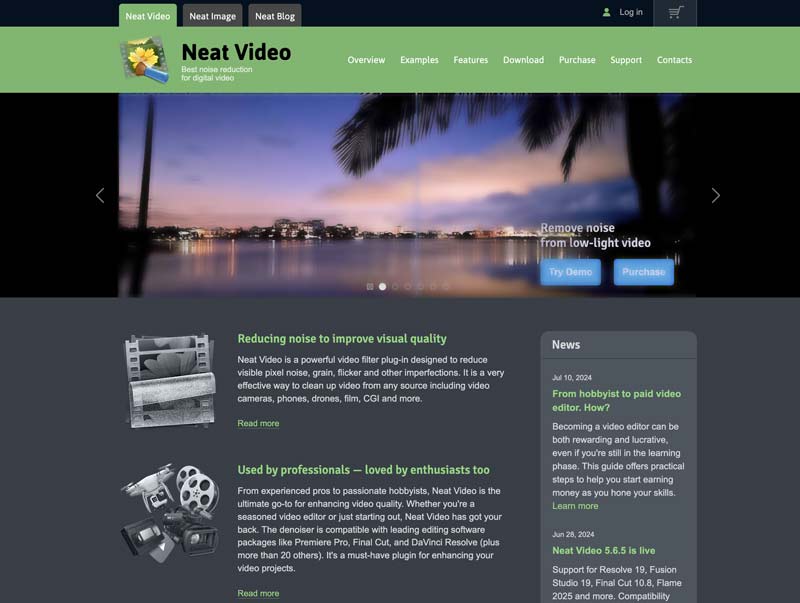
Neat Video can enhance videos from any source, including your phone’s camera, digital cameras, DSLRs, TV tuners, VHS footage, and even CGI materials. It claims to have the industry's most advanced noise reduction algorithms. That ensures you can accurately clean up noisy clips using it.
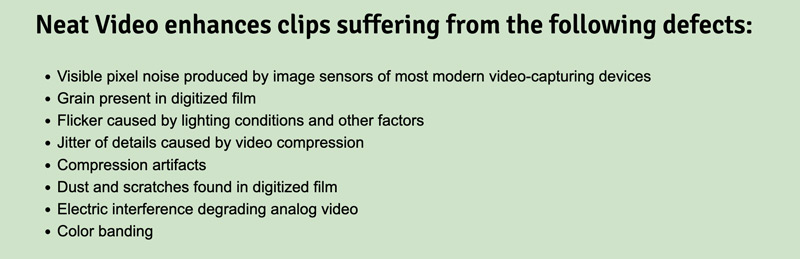
As I mentioned above, Neat Video is specially designed for noise reduction. It can effectively eliminate video noise while maintaining the original image detail. This plug-in can deal with noises caused by various factors. Its official website lists several main issues, including the visible pixel noise created by image sensors, flicker caused by low-light conditions, pixelated areas shrank by video compression, grain, dust, and scratches found in digitized film, and more.
Neat Video can remove noise from your video and get a smoother playback. It adopts advanced algorithms to perform the noise reduction operation while minimizing the quality loss. Moreover, it has a professional-grade color correction function to help keep accurate colors. This plugin can also use your computer’s GPU power for faster processing.
Pros
Cons
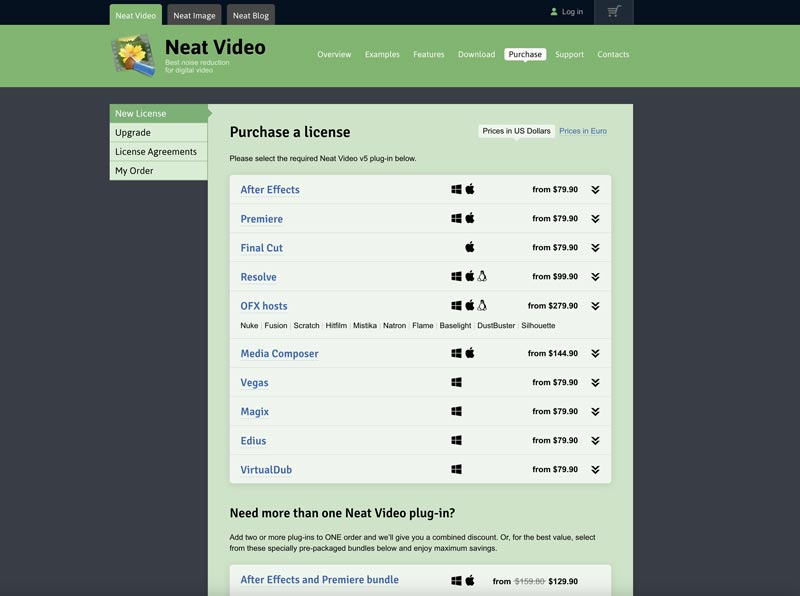
Neat Video is not free. You can purchase and download the commercial product from its official website. It offers several versions to cater to different user needs. For instance, you can buy the required Neat Video plug-in for After Effects, Premiere, Resolve, Final Cut, Vegas, and other editors at varied prices. Moreover, Neat Video allows you to get two or more plug-ins in a bundle.
You can go to the Neat Video website and click the top Purchase tab to get the most accurate and up-to-date pricing information.
Neat Video provides demo versions for you to try out for free. You can click the Download tab to access related versions. Besides the Neat Video plugin for Premiere Pro, it also offers versions for After Effects, Resolve, Final Cut, Vegas, Magix, Edius, VirtualDub, and more. You are only allowed to use its demo edition for non-commercial purposes.
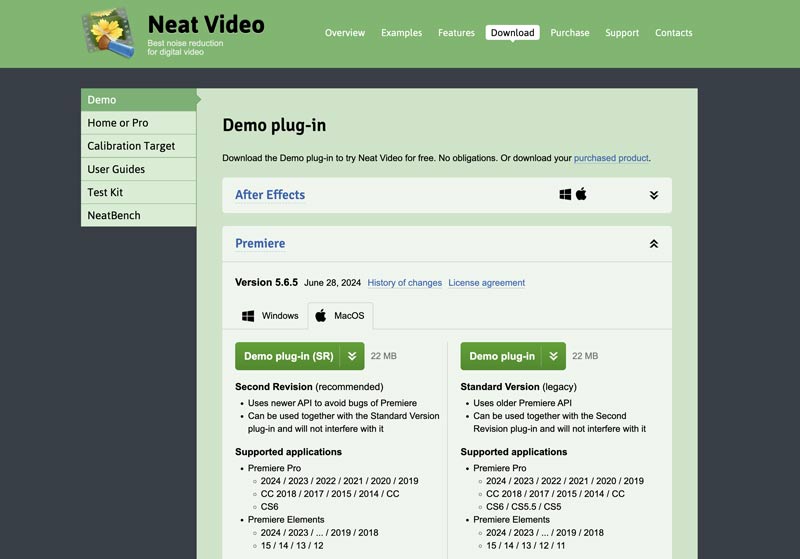
When you want to reduce noise using Neat Video, you should first install the correct version based on your editor and system. Ensure the Neat Video plugin is installed and activated in your video editing software. Then, you can add the noisy video clip and take the following guide to achieve noise reduction.
Select your video and add the Neat Video plugin. You need to use different solutions to apply Neat Video, depending on the specific editor you are using. For instance, you need to right-click the video clip, choose Effects, and then locate Neat Video. In Final Cut Pro, you should go to the Effects tab to find Neat Video. If you use DaVinci Resolve, select the video on the Color page, and then add the Neat Video effect from the effects library.
Create a noise profile in the Neat Video plugin window, and then use a selection tool to choose the specific noisy area for noise profile analysis. Neat Video will intelligently analyze the selected part and generate a profile. You can customize Strength to control the amount of noise reduction. Also, you can adjust the Radius, Color Correction, Flicker Reduction, and others based on your needs.
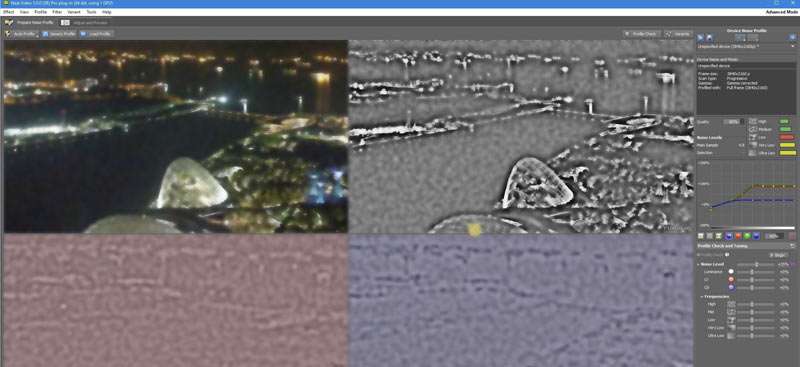
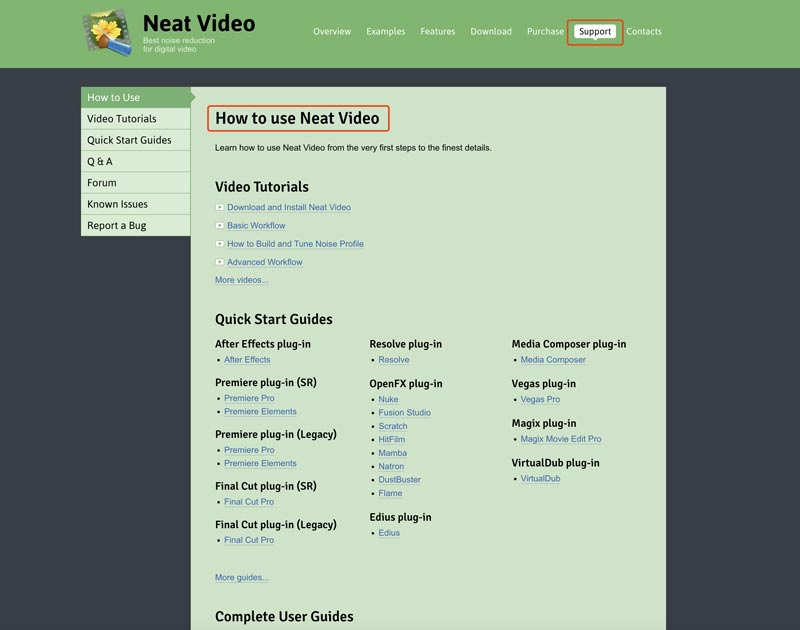
Check the noise reduction results constantly by turning the Neat Video effect on and off. When you are happy with the final result and quality, render your video with Neat Video. For more detailed steps and support information, go to Support from its official website.
While Neat Video is a good option for noise reduction, there are many other video noise removal tools available, both free and paid. You can start with the built-in functions in your editing software. They can create decent results for basic noise reduction.
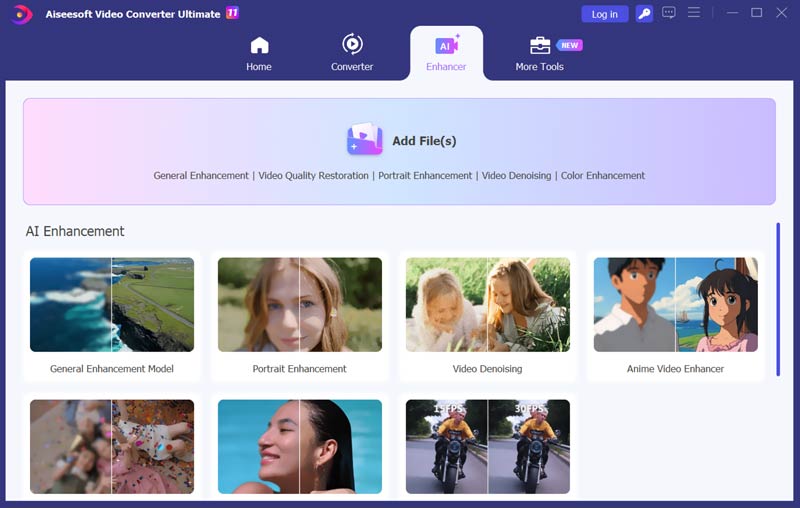
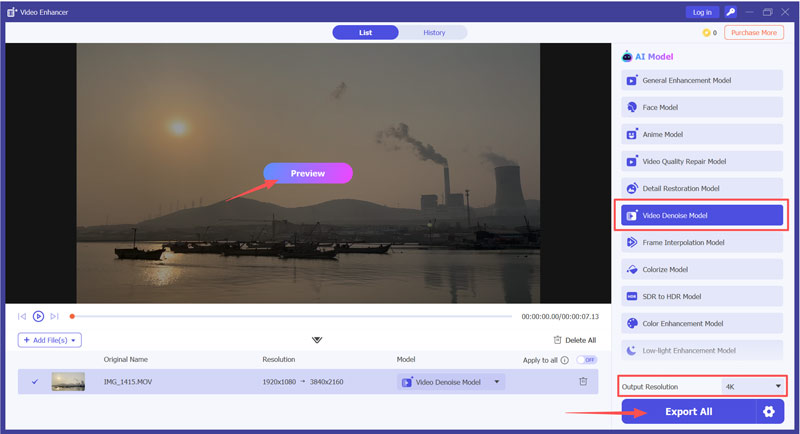
If Neat Video feels too complex or expensive, and you prefer a simple way to quickly remove background noises from your video, try using the AI-powered Aiseesoft Video Converter Ultimate. It is specially designed to reduce noise, upscale resolution, and enhance quality with a single click.
100% Secure. No Ads.
100% Secure. No Ads.
As mentioned, Neat Video is a video filter plugin that needs to work with other editing programs for noise reduction. It is not a standalone software. You don’t need expensive editors like Final Cut Pro or Premiere Pro.
Even though Neat Video is a plugin, it requires a license to access its features. What’s more, the video denoising plugin is more expensive than the recommended Aiseesoft software.
Aiseesoft offers multiple AI models, editing functions, and conversion options for different tasks. Most editing and enhancement operations can be done within several clicks. You don’t need to sample noise or adjust complex frequency sliders manually.
Aiseesoft is specially optimized for hardware acceleration (NVIDIA, AMD, and Intel). Compared to Neat Video, it can deliver a much faster rendering speed, mainly for long videos.
How do I install Neat Video in After Effects?
To install the Neat Video plug-in for After Effects, you should first download the correct Neat Video installer that is compatible with your After Effects version. Once downloaded, double-click the installer file and complete the installation. After that, you need to restart After Effects to activate it. Then, you can find the Neat Video effect under the Effects menu.
How to free download the Neat Video plugin for Adobe Premiere Pro?
Even though you may find some Neat Video plugins offered on the internet for free download, they are not legal. Neat Video is a commercial plugin that requires a purchase to use it. This plugin is mainly used to remove background noises and grain from videos. So, you can choose to look for some free noise reduction alternatives. If you are using the Premiere Pro, you can directly use the built-in noise reduction functions.
How to use Neat Video in Premiere Pro?
After installing the Neat Video plugin to Premiere Pro, you can access it under the Effects menu. Go to Video Effects, choose Neat Video, and then select Reduce Noise. You need to drag the Reduce Noise effect onto your video clip in the timeline to apply it. Locate the Effect Controls panel and click the Setup button next to the Reduce Noise effect to open the Neat Video plugin window. Now, you can select the noisy parts and then use a suitable preset to remove noise.
Conclusion
After reading this article, I hope you can get a deeper understanding of the Neat Video plug-in. You can start with the demo version of Neat Video and have a free trial. Try several options to find the one that delivers the best noise reduction results. Also, you can choose the recommended VidHex to reduce noise with ease.
 7 Popular Video Denoiser to Use to Remove Video Noises [Newly]
Video denoiser is a popular feature that you can use on most video editors. But not all have the most effective way to denoise video. That is why we created this article.
 8K Resolution - How It Differs From 4K & Is It Worth it or Not
What benefits and drawbacks does 8K resolution offer? Would it be worthwhile for you to purchase an 8K TV? Learn more by reading this!
 Top 3D Video Maker: Create 3D Video with High-Quality
Give the best promotional video ads by creating 3D short clips. Before doing that, here are some recommended 3D Video Creators to get on Windows, Mac, etc.
 Leave your comment and join our discussion
Video Converter Ultimate is excellent video converter, editor and enhancer to convert, enhance and edit videos and music in 1000 formats and more.
100% Secure. No Ads.
100% Secure. No Ads.

*Required field
*Please enter a valid email

