
Best Video Enhancer: Upscale Video to 4K/8K
 100% Secure. No Ads.
100% Secure. No Ads.
Unlike other cloud-based video enhancement platforms and tools, you must sign up for an account and enter your payment information to use Pixop.
Most users will directly turn to similar AI enhancers. However, if you are interested in this AI-powered video enhancement platform and want to know whether it is worth trying, check the Pixop review below. This review covers its key features, potential pros and cons, current pricing information, and a great alternative.
Pixop is a cloud-based video enhancement platform that uses AI and machine learning to upscale, restore, and enhance video content. It is specifically designed to help video professionals quickly improve the quality of their footage. The platform is widely used for independent creators, TV broadcasters, and production companies to transform standard videos into modern standards without requiring powerful, expensive hardware.
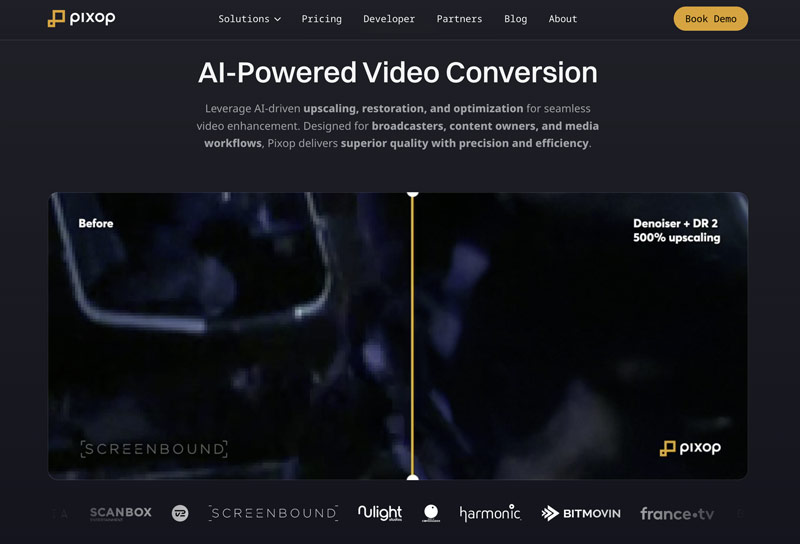
Pixop’s workflow is designed to be straightforward. It operates on a Software-as-a-Service model. All processing only happens on its servers.
This cloud-native approach defines its workflow. You need to upload your video to the Pixop platform, select a suitable AI model or filter that is designed to address specific video quality issues, and then confirm the action. Its AI will analyze the footage and perform related enhancement operations. Once processing is complete, you can download the enhanced version.
This section gives you a breakdown of Pixop’s stated features, pros, and cons to help you evaluate the cloud-based video enhancement platform.
Pros
Cons
Pixop is worth the cost for its target audience of professionals and businesses. However, for individual creators, students, or those with a limited budget, the usage-based cost might be a barrier.
As mentioned above, you must add your payment information for uploading and processing. Most users prefer not to do that before a full test and absolute satisfaction. In that case, exploring a Pixop alternative below might be a better option.
While Pixop is an excellent video enhancement platform, Aiseesoft VidHex stands out as a powerful desktop alternative, especially for individual creators and anyone who prefers a more stable user experience. This Pixop alternative is a dedicated AI video enhancer that requires no network connection, uploads, online processing, or downloads. What’s more, you don’t need to buy credits for enhancement from time to time.
VidHex provides a one-click way to enhance videos quickly. Various AI models are trained and designed for different tasks. It can transform a blurry, low-quality video into a clearer, sharper, high-quality version without requiring a sign-up, an internet connection, or deep technical knowledge. Download it for free and follow the steps below to improve your video quality.
100% Secure. No Ads.
100% Secure. No Ads.
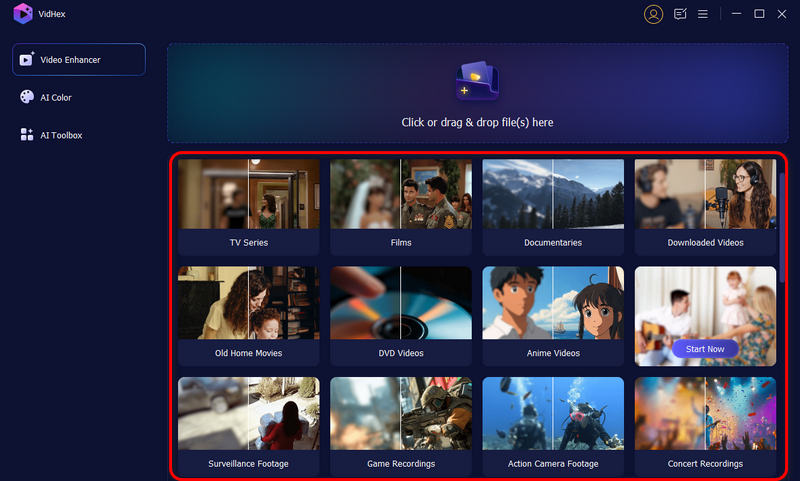
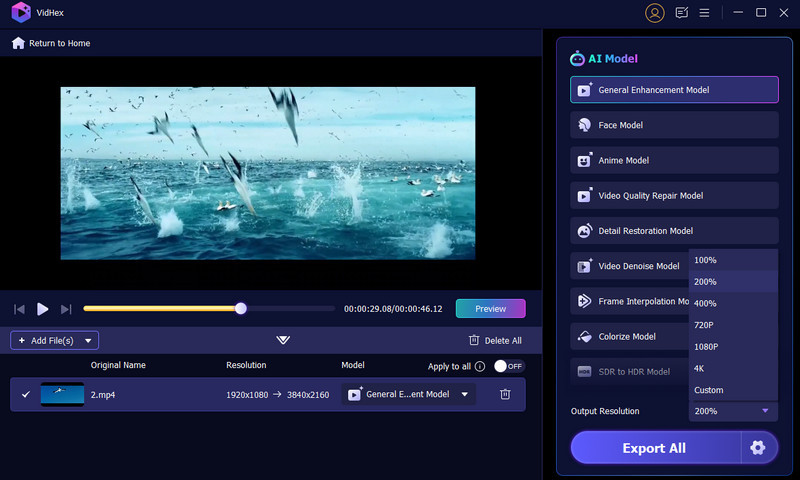
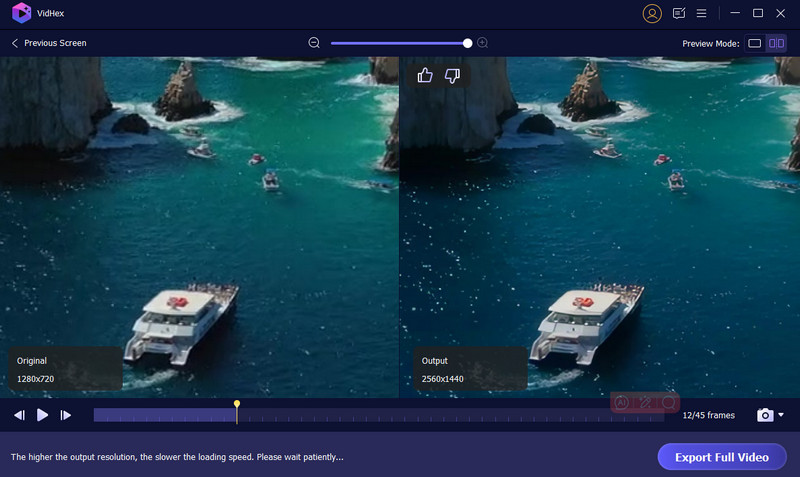
Since all processing happens locally on your device, your videos never leave your hard drive. This Pixop alternative is ideal for working with sensitive, confidential, or proprietary footage. What’s more, the process won’t be affected by your internet upload and download speeds. More than just an AI enhancer, VidHex offers basic conversion, editing, and compression tools. Download it and start a free trial.
Question 1. Is Pixop legit?
Yes, Pixop is often considered legit. It is a reputable cloud-based platform for video enhancement. The platform provides easy-to-use AI upscaling and enhancement solutions that efficiently improve video quality. For more details, visit the official Pixop website and review the terms of service and privacy policy.
Question 2. What are the benefits of using Pixop?
Pixop is cloud-based, so you can access and use it on any device for quick video enhancement. You don’t need a powerful computer to deal with complex tasks. Pixop Studio can generate high-quality results using AI, even for these serious video enhancements.
Question 3. Do AI video enhancers really work?
Yes, AI video enhancers can be effective and helpful for specific enhancement tasks, such as upscaling, sharpening, noise removal, color correction, frame interpolation, and stabilization. They often generate high-quality results when you enhance standard SD videos. Surely, these AI-powered enhancer tools are not magic. They may output unnatural or improper results for specific tasks.
Conclusion
Through the Pixop review, you can learn basic information about the cloud-based video enhancement platform. It is ideal for professionals and businesses that need scalable, high-quality enhancement without hardware investments. However, if you don’t want to enter your payment information first, turn to the recommended alternative, VidHex.
 3 AI Video Upscalers to Improve Video Quality (2025)
This is a comprehensive review of 3 best AI video upscaler tools. Use them to optimize your videos effortlessly.
 7 Best AI Video Denoiser Tools for Grain and Noise Reduction
What is the best noise and flicker reduction tool? How to reduce noise with Topaz Video AI? This post shares 7 AI video denoiser tools for you to reduce noise.
 Topaz Video AI Review: Features, Pros & Cons, and Best Alternative
Complete Topaz Video Enhance AI review: features, pros/cons, and usage guide. Discover a powerful alternative for perfect video upscaling.
 Leave your comment and join our discussion
VidHex is an AI-powered video enhancer that upscales, denoises, colorizes stabilizes, and improves video quality in 1 click.
100% Secure. No Ads.
100% Secure. No Ads.

*Required field
*Please enter a valid email

