
Video Converter Ultimate
 100% Secure. No Ads.
100% Secure. No Ads.
You may already have the latest PS5 Pro console. But from time to time, you will think about the old, funny time you spent playing on the classic PlayStation 2.
The Sony PS2 is the best-selling console of all time. If you are an old player or a retro gamer, you definitely own one. For different reasons, the old friend may suddenly come to your mind. You want to play it and awaken distant, cherished memories.
Then, the problem happens, this old console cannot be well supported by your TV or monitor. Your modern digital display requires more than just an adapter; it needs a PS2 upscaler to deliver a better gaming experience.
If you want to play PlayStation 2 games on a modern HDMI TV without the image looking muddy or blurry, you need a dedicated PS2 HDMI upscaler. The table below gives a quick comparison of the 6 top devices available today.
| PS2 HDMI Upscaler | Max Output Resolution | Lag (ms) | Price Tier | Skill Level Required | Type |
| RetroTINK 5X-Pro | Up to 1080p | <0.5 ms | High ($325.00) | Moderate | Line Multiplier Built-in Sampling with Automatic Phase Detection |
| OSSC | 1080p (2x/5x) | <0.5 ms | High (Around $170) | Advanced | Line Multiplier VGA to HDMI for Retro Gaming |
| Mcbazel GBS-C | 1080p (HDMI 720p/960p/1080p) | ~0.5 ms | Moderate ($27.41 - $89.90) | Advanced | Upscaler/Deinterlacer VGA to HDMI |
| RetroTINK 2X-Pro | 480p (480i -> 480p) | <0.5 ms | High ($139.99) | Low | Line Multiplier Scanline Mode |
| Marseille mClassic | 1440p/60hz | Variable | Moderate ($99) | Low | Post-Processing Dongle Anti-Aliasing Algorithm |
| Generic Dongles | 1080p | 10-30 ms | Low ($10 - $20) | Low | Direct Converter |
For some classic PS2 games, you may still have an interest in capturing wonderful gaming moments. With your selected PS2 upscaler, you can easily get a better real-time gaming experience. However, for the captured gameplay footage, you may still want to upscale or enhance it. This is where software-based AI upscalers come into play.
Aiseesoft Video Converter Ultimate is a reputable editing, enhancement, and conversion tool that has a dedicated AI Enhancer to polish your recorded PS2 videos. The AI can intelligently analyze the source image and fill in missing details.
100% Secure. No Ads.
100% Secure. No Ads.
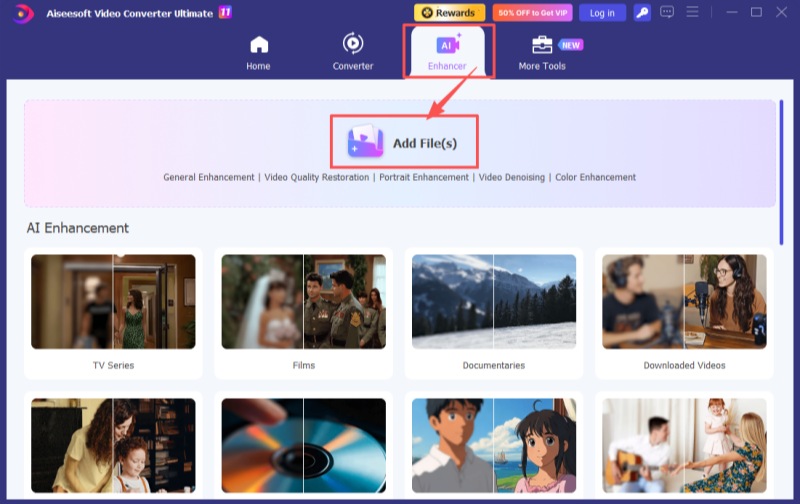
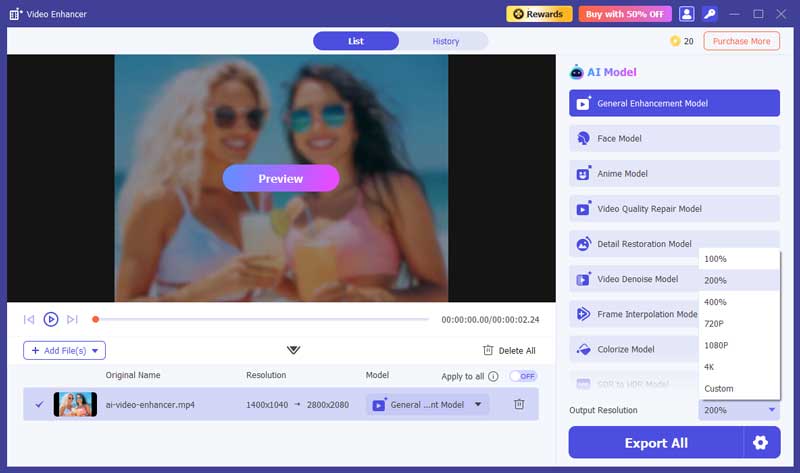
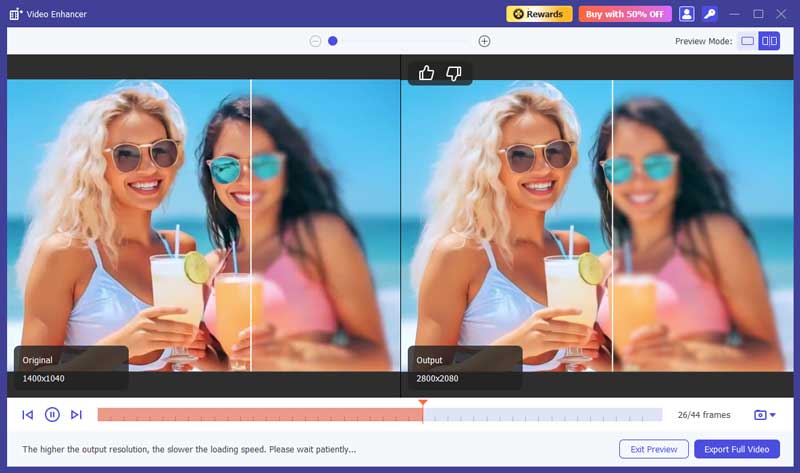
This AI upscaler will sharpen edges, reduce noise, restore missing details, and do other adjustments to improve the overall clarity and quality of the PS2 footage. Aiseesoft will perform related enhancements based on the specific AI model you applied. All the models are trained on millions of files to ensure efficiency and accuracy.
Question 1. Why does PS2 look bad on a modern 4K TV or monitor?
Most PS2 games output or display at 480i (interlaced) resolution. The PlayStation 2 is mainly designed for old CRT TVs that can “draw” interlaced signals. The console will send half the lines of an image, and then the other half, 60 times a second. These interlaced signals display as a solid image.
However, modern displays can directly handle the whole image at once. They are terrible at handling 480i. A raw 480i signal cannot be combined correctly. That will lead to artifacts, input lag, blur, and other issues.
Question 2. Can the PS2 do 1080i?
Technically, yes. The PlayStation 2 can output a 1080i signal with the right hardware and game. First, you should select and play a PS2 game that officially supports a 1080i display mode. Only four games are available: Gran Turismo 4, Jackass: The Game, Valkyrie Profile 2: Silmeria, and Tourist Trophy. Then, a PS2 HDMI upscaler is required, such as the introduced RetroTINK 5X-Pro or OSSC above.
Question 3. Is it worth getting a PS3 in 2026?
Whether purchasing a PS3 in 2026 is worth it or not depends entirely on your goal. If you want to play some specific PS3 games that haven’t been ported to modern consoles like PS4 or PS5, you need a PS3 console to play them natively. For collection or other personal reasons, you may also make your decision to get a PS3. However, these consoles are 20 years old. If you don’t have certain reasons, you are not advised to buy it.
Conclusion
This guide recommends six great PS2 upscalers for you to enjoy classic games on a modern 4K TV without blur. For the best quality and best experience, the reliable RetroTINK 5X-Pro is the gold standard. However, if you are a casual user and on a tighter budget, select generic PS2-to-HDMI dongles.
 Ways to Retrieve Deleted Voice Memos from iPhone
iOS Voice Memo Recovery will recover the deleted voice memos and save the existing ones to your computer for backup.
 How to Connect and Mirror iPhone to Sony PS4 Game Console
Can you make screen mirroring from iPhone to Sony PS4? How can I use an iPhone to control my PS4? This post tells how to connect and mirror your iPhone to a PS4.
 Tips to Format a Hard Drive for PS4 Directly or Using Desktop
To format a hard drive for PS4, you will need to follow the steps we included here. Find out how to do it quickly.
 Leave your comment and join our discussion
Video Converter Ultimate is excellent video converter, editor and enhancer to convert, enhance and edit videos and music in 1000 formats and more.
100% Secure. No Ads.
100% Secure. No Ads.

*Required field
*Please enter a valid email

