
Best For: Users who want high-quality WhatsApp call recordings on Windows or Mac with advanced recording controls.
Aiseesoft Screen Recorder
 100% Secure. No Ads.
100% Secure. No Ads.
Want to capture a WhatsApp video call with the sound and picture for both parties? You are definitely not the only one. In fact, I tried a number of screen recording programs for PC, Mac, Android, and iPhone to see which ones are the most suitable for WhatsApp calls. Although some recorders provide high-quality video and internal audio recording, others have some restrictions that can spoil the final recording. Here, I shall review the top WhatsApp screen recorders, share their advantages and disadvantages, and guide you in selecting the best one for your device. And, I will touch on the topic of whether a third-party screen recorder for WhatsApp self-destruct videos for Mac users is actually a trustworthy option or not.
How We Test and Review
For writing this review, I decided to try out every screen recorder on the platforms they were created for, like Windows PCs, Macs, Android phones, and iPhones. First of all, I found out which software can offer the most dependable method to record video calls on WhatsApp from both sides - video and audio.
At first, I considered various critical points like picture quality, capturing voice, hipping the process, the effect on system performance, editing capabilities, and the price-performance ratio. On top of that, I got ways to solve how each best screen recorder for WhatsApp chat that users are typically going for, deals with several recording scenes like one-to-one calls, group calls, and long recording times.
Finally, I ordered the programs by the features, technical performance of recording, user experience, and compatibility of each. This way of working is a guarantee that the suggestions in this review are results of doing the actual experiments and not solely relying on the advertising talk.
| Recorder | Supported Device | Audio Capture | Max Video Quality | Built-in Editor | Ease of Use | Rating |
| Aiseesoft Screen Recorder | Windows, Mac | Internal Audio + Microphone | Up to 4K | Yes | Easy | 5/5 |
| AZ Screen Recorder | Android | Internal Audio* + Microphone | Up to 1080p | Yes | Easy | 4.5/5 |
| iOS Built-in Recorder | iPhone, iPad | Microphone Audio | Up to 1080p | No | Very Easy | 4/5 |
Audio Capture Notes:
Definitely, you can capture WhatsApp calls - both audio and video - recording screen with a built-in feature or third-party app. Recording audio can still be different given your hardware and software. Some recorders will get both sides of the conversation, while others might be limited to only recording sound from the microphone.
To get great results, choose a dependable WhatsApp screen recorder that will let you record WhatsApp video call and audio simultaneously.
There are so many screen recording tools that picking the best one for WhatsApp can be really confusing. Some recorders give high-quality video with internal audio recording, while some others just concentrate on being simple and easy to use. To better help you locate the most suitable one, I tried numerous solutions on various devices and came up with the best picks for PC, Android, and iPhone users. What comes next are not only the most potent desktop recorders but also the third-party screen recorder for WhatsApp Mac users can trust when it comes to striking the perfect balance of recording quality, features, and user experience.
Best For: Users who want high-quality WhatsApp call recordings on Windows or Mac with advanced recording controls.
Score:5/5
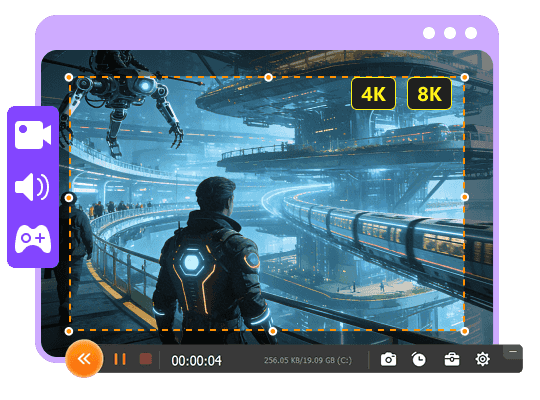
Aiseesoft Screen Recorder is definitely the number one choice I suggest for PC users looking for a dependable means of capturing WhatsApp video call sessions. It was always able to provide fluid recordings with distinct sound and high video clarity during experiments. Besides, it features adjustable recording options, a recording schedule, and editing tools. This way, it can be an excellent WhatsApp screen recorder for both personal and professional use, unlike many typical recorders.

100% Secure. No Ads.
100% Secure. No Ads.
Pros
Cons
Best For: Android users looking for an easy-to-use, free way to record WhatsApp calls and on-screen actions.
Score:4.5/5
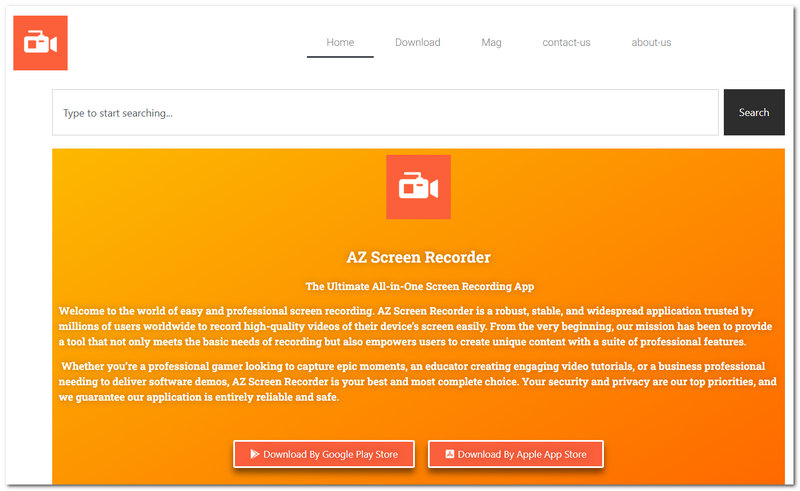
AZ Screen Recorder is a top choice when it comes to screen recording apps for Android, and rightly so. It features an easy setup process, performance is very smooth, and many handy recording options are available even if you do not root your device. While testing, I was able to make a WhatsApp video call - the app recorded it nicely, and I hardly noticed any slowdown of my device. If you're an Android user wanting to capture WhatsApp video chats or any other phone screen activity yet desire simplicity, then AZ Screen Recorder is a solid option.
Pros
Cons
Best For: iPhone users who wish to avoid downloading third-party apps in favor of a free, integrated recording solution.
Score:4/5
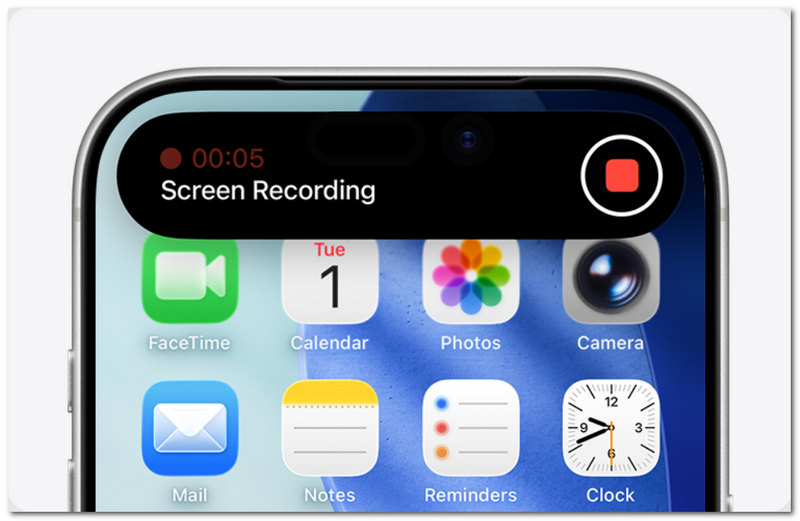
If you are a user of iPhone, then the iOS Screen Recorder that comes pre-installed is the simplest method to record your WhatsApp video calls without the need to buy extra applications. Being a part of iOS, you can commence your recording within a few taps only. We found it to give us very stable videos of very good quality, and also it was quite comfortable to use with the iPhone environment. Though it does not offer very sophisticated options, it acts as a handy WhatsApp screen recorder for those users who only want to capture their calls and screen movements, so that it is quick and simple.
Pros
Cons
Does WhatsApp Notify Screen Recording?
Not at all. WhatsApp does not yet alert a user when another person is making a screen recording of the chat session, voice, or video call.
Why is my WhatsApp call recording missing the other person's voice?
Most of the time, this is the result of the limitations of the operating system when it comes to privacy. Some devices will limit screen recorders to only capture the microphone audio and not the app audio. A recorder that is capable of recording internal audio could be a good solution to this problem.
Can I Record WhatsApp Calls in the Background?
No. Screen recording will, in general, mandate the WhatsApp call screen to be present during the recording.
Conclusion
If you want to record the WhatsApp screen accurately and clearly, just picking any WhatsApp screen recorder may not be correct. A lot depends on your device and what features you need. For the highest recording quality and most advanced features, Aiseesoft Screen Recorder is number one in the market, but for Android and iPhone users, AZ Screen Recorder and iOS Built-in Recorder, respectively, are great choices. In case you are looking merely for a basic one, or in fact third party screen recorder for WhatsApp Mac you can rely on, that is it. These WhatsApp recording solutions featured here are more than enough to help you record WhatsApp calls in no time.
 [2025 Visual Guide] How to Backup and Restore WhatsApp Chats
Backing up WhatsApp chats allows you to restore messages easily. Check the detailed guide to see how to backup and restore WhatsApp data on iOS and Android.
 Learn to Import and Sync WhatsApp Contacts Between Devices
Wondering why your WhatsApp contacts aren’t syncing? Learn how to fix sync issues, merge contact data, and import contacts on Android and iPhone.
 WhatsApp Alternatives: 10 Best Free Messaging Apps like WhatsApp
Looking for free messaging apps like WhatsApp Messenger? This post introduces to you the best messaging app for Android/iPhone. Read this article and learn 10 best free WhatsApp alternatives here.
 Leave your comment and join our discussion
Aiseesoft Screen Recorder is the best screen recording software to capture any activity like online videos, webcam calls, game on Windows/Mac.
100% Secure. No Ads.
100% Secure. No Ads.

*Required field
*Please enter a valid email
