
Aiseesoft Video Converter Ultimate
 100% Secure. No Ads.
100% Secure. No Ads.
Decision-making about a proper AI video enhancer tool might be difficult when two widely used tools give you almost identical results. In fact, this is the reason for this comparison. We compare Topaz vs HitPaw in this article to help you decide which one is actually worth your money. We chose not to perform a simple feature comparison. Rather, we discuss the performance of each tool through real-world demonstrations, covering quality, speed, ease of use, pricing, and who each option best suits. If you are a casual creator who wants to make some old clips better, or you are a person who works with videos regularly, then this guide is for you to be able to decide in a confident and informed manner before investing in an AI video enhancer.
Before deciding which tool fits your needs, it helps to understand what each video enhancer offers and where they differ. Below is a clear breakdown of HitPaw Video Enhancer vs Topaz, focusing on their core features, strengths, and limitations.
What Is Topaz Video AI?
Topaz Video AI is a potent, high-end AI video improvement solution renowned for its cutting-edge restoration and upscaling. The product is highly popular among video editors, filmmakers, and creators who want absolute control over the quality of their videos.
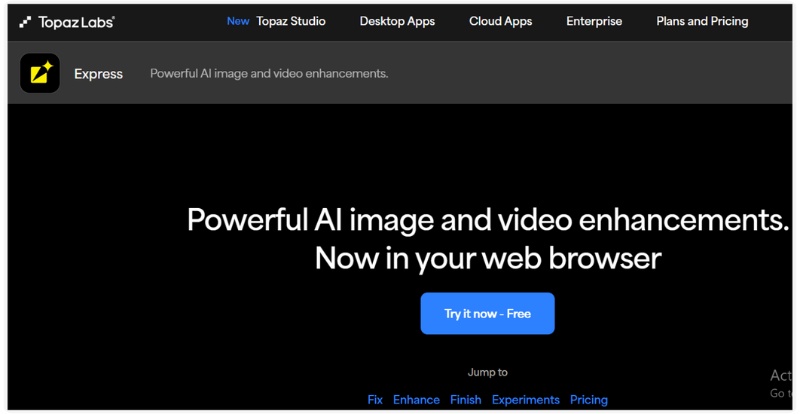
Main Features
Pros
Cons
What Is HitPaw Video Enhancer?
HitPaw Video Enhancer is a user-friendly AI video enhancement tool that delivers quick, simple quality improvements. It delivers robust AI-powered results while prioritizing usability.
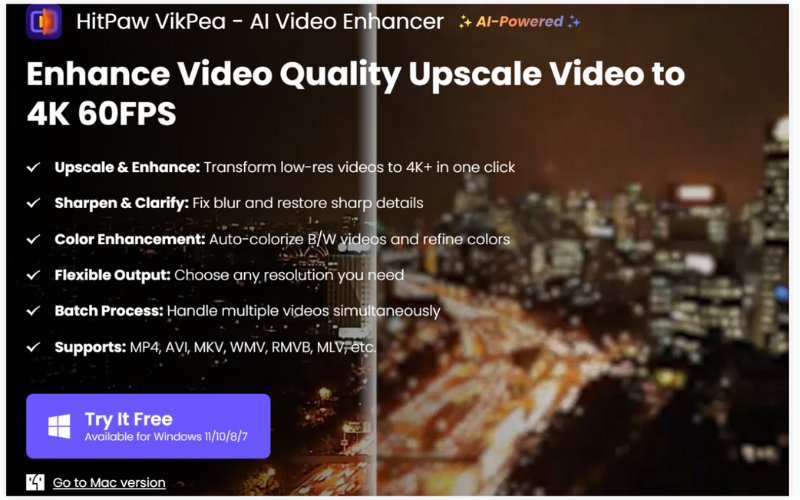
Main Features:
Pros
Cons
When comparing HitPaw vs Topaz Video AI, one of the biggest differences is how much you’ll pay and how those costs are structured. Both tools offer powerful AI video enhancement, but their pricing models are very different and suited to various user types.
| Pricing Aspect | Topaz Video AI | HitPaw Video Enhancer |
| Pricing Model | One-time purchase | Subscription & lifetime plans |
| Starting Price | ~$299 (perpetual license) | ~$85.99/month |
| Annual Plan | Not required | ~$199.99/year |
| Lifetime Option | Included in a one-time purchase | ~$349.99 lifetime |
| Free Trial | Yes (limited features/output) | Yes (watermark on export) |
| Best Value For | Long-term & professional users | Flexible budgets & casual users |
Quick takeaway
In the HitPaw vs Topaz Video AI pricing comparison, Topaz is more cost-effective for long-term use. At the same time, HitPaw offers more flexible payment options for short-term or occasional users.
Performance is heavily influenced by system requirements, particularly in AI video improvement. The hardware requirements and general accessibility of Topaz vs HitPaw are compared here.
Topaz Video AI – System Requirements
Topaz Video AI is more demanding and works best on powerful machines, as it relies heavily on GPU acceleration for high-quality results.
Best for: Advanced users with high-performance desktops or workstations.
HitPaw Video Enhancer – System Requirements
A wider range of users and mid-range systems can use HitPaw, as it is lighter and more forgiving.
Ideal for: Beginners, casual users, and laptops with average specifications.
Here is a comparison of the two tools after side-by-side testing. It communicates actual performance on typical improvement tasks.
1. Speed
Verdict: In general, HitPaw can complete a job in less time on an average hardware setup, whereas Topaz seems to get more out of a high-end machine. When comparing HitPaw Video Enhancer to Topaz Video AI, it is important to consider how the two apps behave differently across different hardware.
2. Ease of Use
Verdict: If you want fine control over adjustments, Topaz is better. However, for simple processing of typical low-resolution, motion-blur, or noisy clips, HitPaw is a better choice. You have the option to select the one that suits best your task from the multiple AI models.
3. Stability and Reliability
4. Value for Money
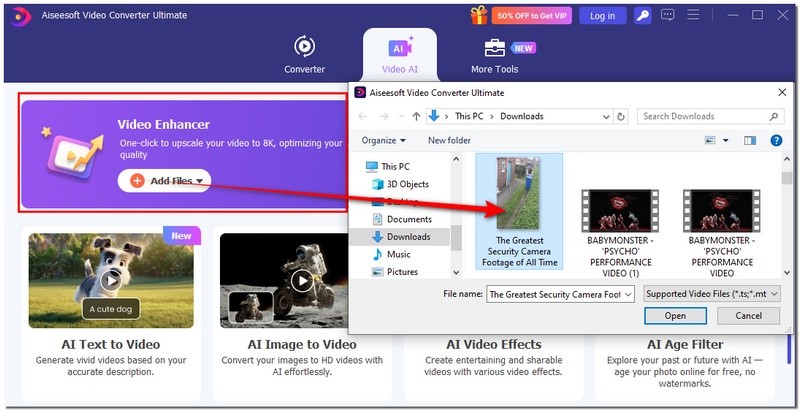
If you are still not sure which tool is best for you, or if you want more power and flexibility at a reasonable price, then Aiseesoft Video Converter Ultimate is a great second option. It basically offloads high-tech AI operations with a strong set of editing and conversion features, and the end result is just one nicely-designed easy-to-use desktop app. Whether you found HitPaw Video Enhancer too basic or Topaz Video AI a bit too complex or resource-intensive, this tool strikes a great balance between power, usability, and price.

Downloads
Aiseesoft Video Converter Ultimate
100% Secure. No Ads.
100% Secure. No Ads.
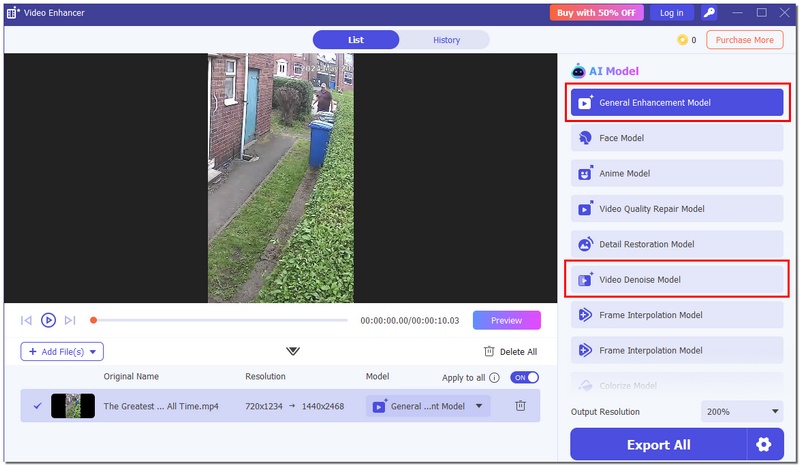
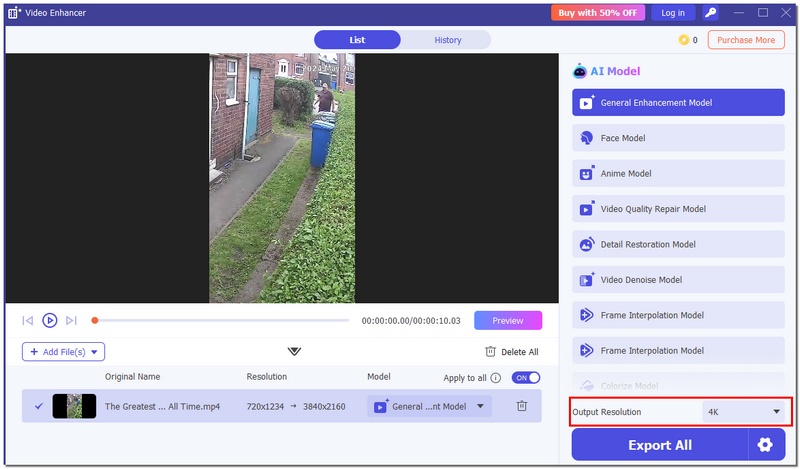
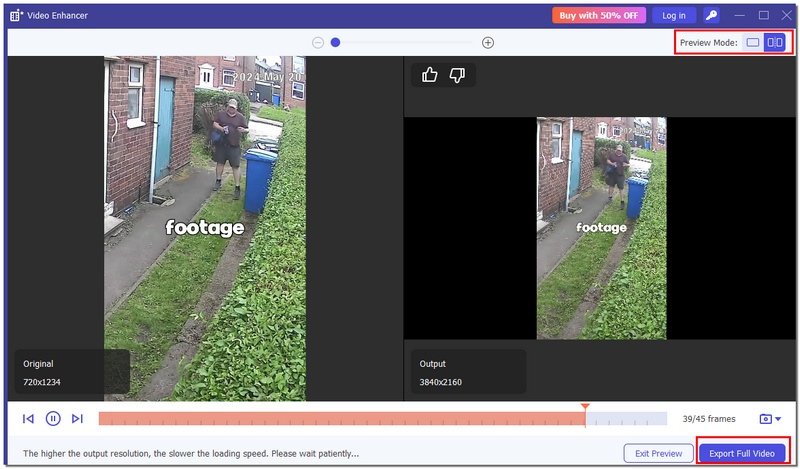
Here’s a simple step-by-step:
Conclusion
This blog allows users to distinguish whether Topaz or HitPaw is a better option for them by straightforwardly comparing their features, costs, and performance. It suggests that HitPaw would be the perfect choice for a novice user, and, conversely, an expert user would find Topaz more helpful. Hence, the decision between HitPaw Video Enhancer vs Topaz is simplified and clarified.
 3 AI Video Upscalers to Improve Video Quality (2025)
This is a comprehensive review of 3 best AI video upscaler tools. Use them to optimize your videos effortlessly.
 Why Is Topaz Photo AI Constantly Crashing and How to Fix It
How much RAM do you need for Topaz Photo AI? Why does Topaz Photo AI keep crashing on my PC? Learn to resolve the Topaz Photo AI constantly crashing issue.
 Topaz DeNoise AI Review and Alternatives for Noise Reduction
Is Topaz DeNoise AI free? Is Topaz DeNoise discontinued? Which is better, Topaz DeNoise or Adobe Lightroom? Check the detailed review of the Topaz DeNoise AI.
 Leave your comment and join our discussion
Video Converter Ultimate is excellent video converter, editor and enhancer to convert, enhance and edit videos and music in 1000 formats and more.
100% Secure. No Ads.
100% Secure. No Ads.

*Required field
*Please enter a valid email

