
Video Converter Ultimate
 100% Secure. No Ads.
100% Secure. No Ads.
Contents
On hearing of Wink- video AI enhancement for the first time, I’m curious whether it is as good as the advertising says. There are so many AI video enhancers available that it’s almost impossible to figure out which ones are truly deserving of your time and money. Therefore, I chose to take a seat, try Wink on my own, and find out what it can achieve. In this post, I will take you through everything I found out and whether it is a good idea to put your money into it. I’ll also explain the pricing structure and pit it against some alternatives so you can pick the best option. I intend to provide you with a clear, candid, and practical review so that if you go through the whole article, you will be sure if Wink- video AI enhancement is the right tool for your video-making needs.
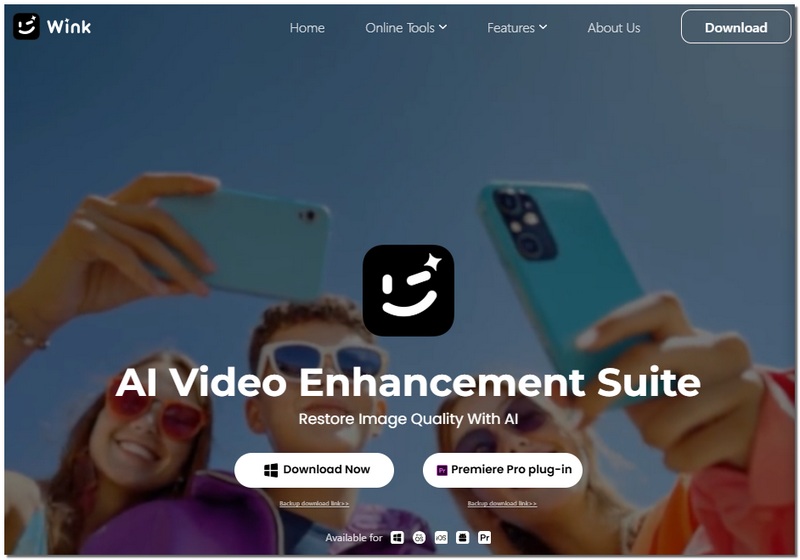
My first interaction with Wink AI was mainly centered on understanding what it really was and who it was actually intended for. Wink is an AI-powered video beautifier that enhances your videos by making them clearer, brighter, and visually more attractive with very little effort. Those who desire flawless professional quality at their fingertips without spending a lot of time learning complex editing tools are the target audience for this.
Key Features
Pros
Cons
Best For
Overall, Wink is a solid tool if you want quick, reliable video enhancements without a complicated setup.
I wanted to see what Wink AI could do beyond simply “making videos better” when I first started using it. After trying it on several clips, I found that it can assist you with the following:
Wink AI is essentially aimed at helping users save time and effort while still achieving visible results. There is no need for you to be an expert in video editing to make your videos appear neat and professional with this tool. This makes it a very useful and convenient device for anyone who wants to post on social networks, share private videos, or simply enhance their old stuff.
I put Wink AI Video Enhancer to the test to find out whether it could really give me the quality results it promises. In fact, I would say it is quite capable, especially considering it is just a straightforward tool for everyday users.
Processing Speed
I noticed that small to medium-sized videos are processed quickly, so you don’t spend long waiting. Larger files take a bit more time, but that’s normal for AI-powered enhancement.
Output Quality
You can see the changes without even having to look for them. Videos get sharper, colours become more natural, and pieces of film that are grainy or dark get smoother. Of course, it's not possible to bring very old film back to life, but the difference is really great for the majority of the videos that one shoots in everyday life.
Ease of Use
What I appreciated most was that I didn’t need advanced editing skills. The interface is intuitive, and the AI does most of the heavy lifting automatically.
The Wink AI video Enhancer offers a decent trade-off between speed and quality. Anyone who wants crisp, professional videos without spending hours learning complex software would find it ideal.
When I checked out Wink AI online, I wanted to know exactly how much it would cost me to unlock the full video enhancement features, and here’s the latest pricing you should know before deciding whether to subscribe or use credits.
Free Version
Subscription Plans
Wink provides free basic video editing and enhancement capabilities, but its features, output resolution, and watermark potential are limited.
Credit‑Based Plans
If you don’t want a recurring subscription, Wink also offers pay‑as‑you‑go credits:
This option can be useful if you only sometimes need video upgrades because credits are used for certain enhanced features.
In my opinion, the credit packs are preferable for infrequent use or one-time tasks, but the subscription plans are ideal if you’re frequently improving videos.
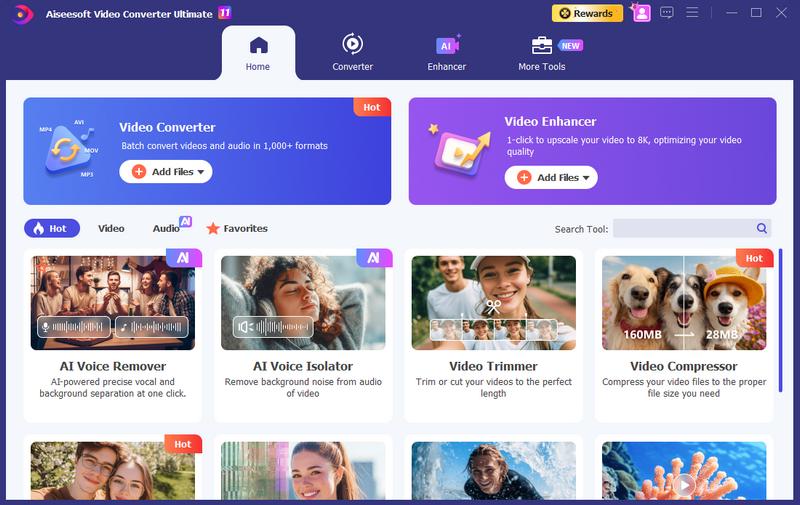
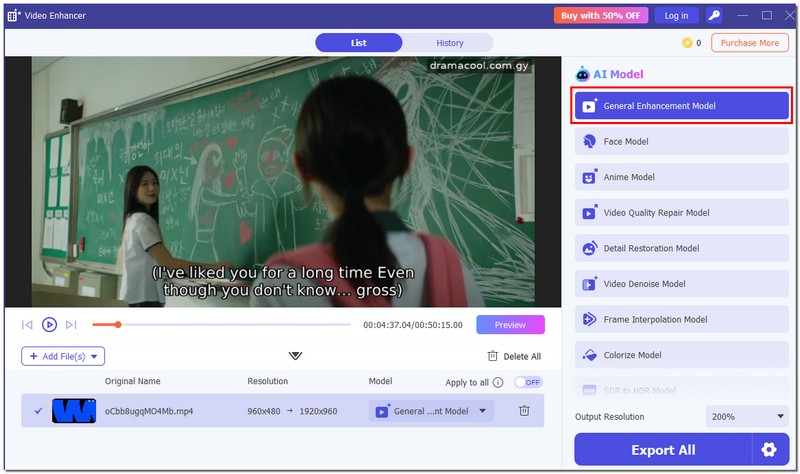
If you want a stronger alternative to Wink AI Video Enhancer, I really suggest Aiseesoft Video Converter Ultimate. In fact, it not only enhances video quality like other software but also offers several AI models, powerful editing features, and faster rendering, making it an excellent all-in-one package for those looking to upgrade their video quality. The tool supports 11 AI models, so you can choose the best one based on the type of video you’re working on.
Downloads
Aiseesoft Video Converter Ultimate
100% Secure. No Ads.
100% Secure. No Ads.
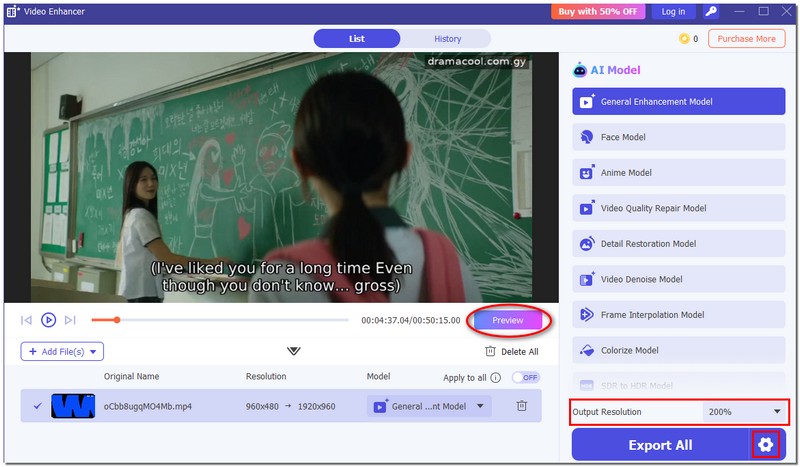
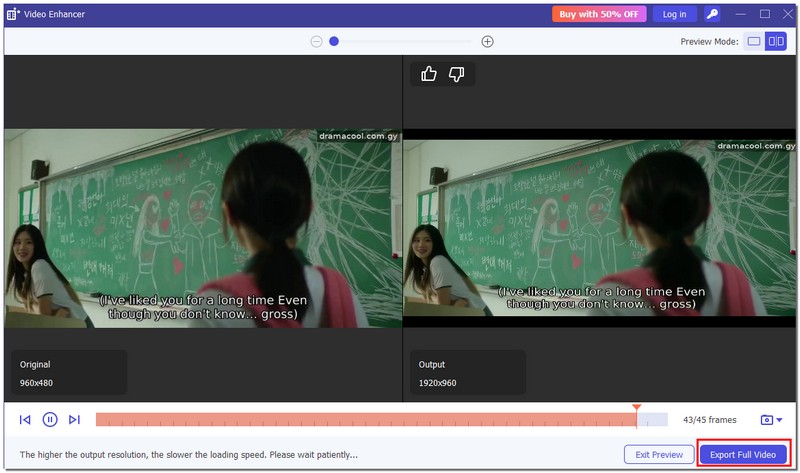
How I Use It
Can I use Wink on my smartphone?
Yes, Wink is available online, so you can use iOS or Android mobile browsers to access it. However, longer films could run more smoothly on a PC.
Can Wink improve videos with shaky footage?
Really shaky videos may require additional stabilization software to achieve professional-quality playback, but Wink or a professional video smoother can help somewhat.
Does Wink support subtitles or captions?
Currently, Wink focuses on video quality enhancement and doesn’t directly add or edit subtitles. You would need separate software for that.
Conclusion
Wink is a straightforward software that makes upgrading video sharpness, colors, and overall quality quite easy. It is an excellent pick for laypeople and video content creators who desire fast outputs without intricate editing. In general, you can consider Wink Video AI Enhancement as a convenient way of enhancing the video's appearance quickly.
 Comprehensive Guide on How to Enhance Videos in Premiere Pro
Can you enhance video quality in Adobe Premiere Pro? Does it have an AI video enhancer? Learn how to improve your video quality using Premiere Pro here.
 A Full Guide to Fix iPhone to Android Video Quality with Easy Methods
iPhone videos can sometimes be blurry on Android. Check our post to discover the best way to restore video quality when transferring from iPhone to Android.
 4 Easiest Ways to Create a Video Loop in Android Endlessly
There are different ways to create a video loop in Android. You can use the default or online app or download a third-party app.
 Leave your comment and join our discussion
Video Converter Ultimate is excellent video converter, editor and enhancer to convert, enhance and edit videos and music in 1000 formats and more.
100% Secure. No Ads.
100% Secure. No Ads.

*Required field
*Please enter a valid email

