
Video Converter Ultimate
 100% Secure. No Ads.
100% Secure. No Ads.
If your PC comes with an AMD Radeon graphics card, when you hear of NVIDIA’s groundbreaking technologies like RTX VSR for enhancing streaming content and DLSS for gaming, you definitely feel a bit of envy. You may wonder if AMD brought the equivalent features? Does AMD video upscaling exist?
The truth is, AMD has developed specialized driver-level features like FidelityFX Super Resolution. Compared to its competitor, AMD provides more flexibility in some cases. It can help you upscale videos and make them look decent on a high-resolution monitor. Check the guide below if you want to optimize your AMD experience.
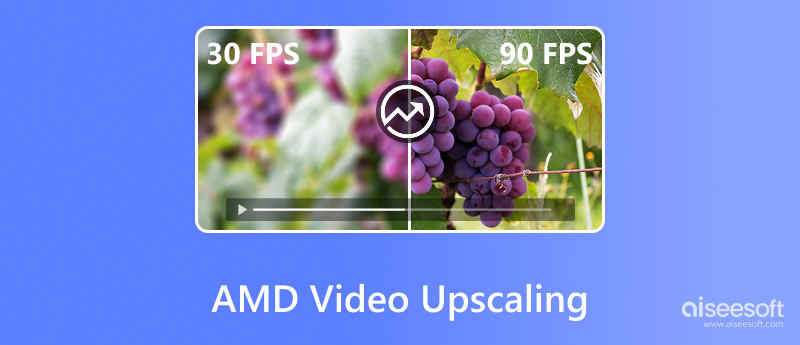
To compete with NVIDIA’s RTX Video Super Resolution and DLSS technologies, AMD brought its video and game upscaling strategy: FidelityFX Super Resolution (FSR) and Radeon Super Resolution (RSR). This section will explain these two upscaling technologies.
FSR is AMD’s game-integrated upscaler that uses temporal upscaling to deliver a higher-resolution image. It is the premier upscaling technology of AMD. FSR is built into the game’s engine. This ensures it can analyze previous frames and motion vectors to reconstruct details.
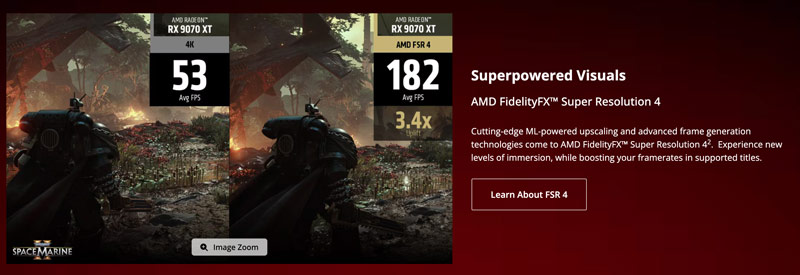
RSR is the in-driver upscaling version of FSR. This upscaling is powered by the same algorithm as FSR 1.0. Unlike FSR, it operates within the AMD Adrenalin Edition software (the driver) rather than the game.
RSR can be enabled for thousands of games that do not natively support FSR. The drawback is that it lacks the temporal data of newer FSR versions like FSR 2 or 3. So, its upscaled image quality is often not as sharp as FSR.
Considering that, you are suggested to enable in-game FSR if it supports. If not, use RSR to upscale at the driver level.
To compete with NVIDIA’s Frame Generation, AMD Fluid Motion Frames (AFMF) has been developed. AFMF is designed to make frames look smoother.
The current AFMF 2 version adopts optical flow and AI-optimized enhancements to generate new frames. These extra frames will be added between the ones your GPU actually renders. The frame generation technology is mainly used to increase FPS. For instance, it can boost your game’s FPS from 60 FPS to 120 FPS for a smoother viewing.
The ecosystem supporting AMD’s technologies has expanded significantly. The support list for their FSR 3.1 is massive for both upscaling and frame generation. However, not all games, browsers, players, and tools are included. Check the main members below:
Games: Major AAA or blockbuster games support FSR, including Starfield, Cyberpunk 2077, Warhammer 40K: Space Marine II, Hell Is Us, Baldur’s Gate 3, F1 24, Forza Horizon 5, Grand Theft Auto V, and Black Myth: Wukong.
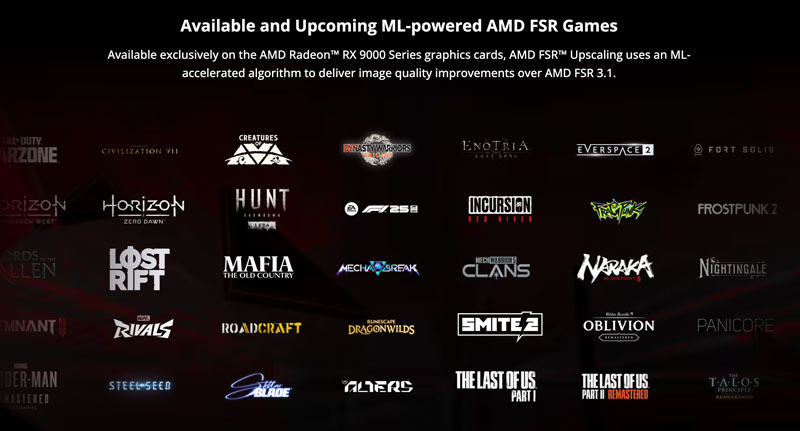
Tools: AMD provides support for developer and community tools, such as the FSR Upscaling plugin for Unreal Engine 5, Optiscaler, Google Chrome, Microsoft Edge, and VLC.
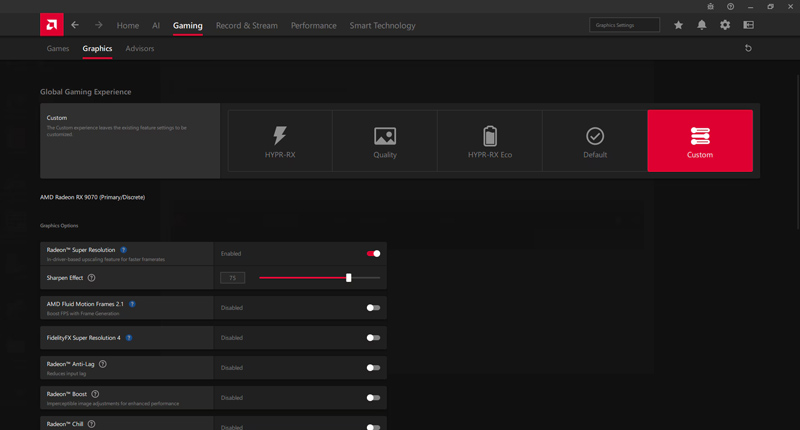
If the game you are playing does not support AMD FSR, you can choose to enable RSR for upscaling. As mentioned, you can turn on Radeon Super Resolution in AMD Software: Adrenalin Edition.

In many cases, you don’t need the driver-level game upscaling. Instead, you want to enhance these “offline” videos. How to upscale them and get the highest possible quality? You may need a dedicated AI upscaler like Aiseesoft Video Converter Ultimate. Its AI Enhancer uses multiple deep-learning AI models to process your videos.
100% Secure. No Ads.
100% Secure. No Ads.
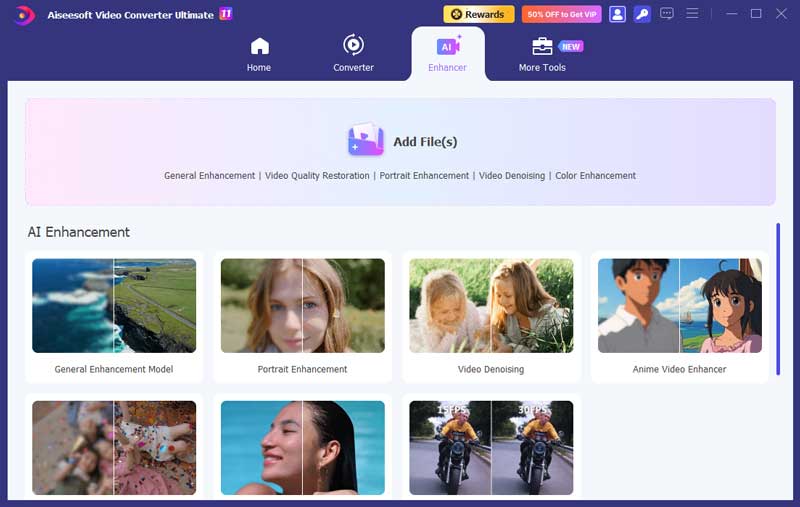
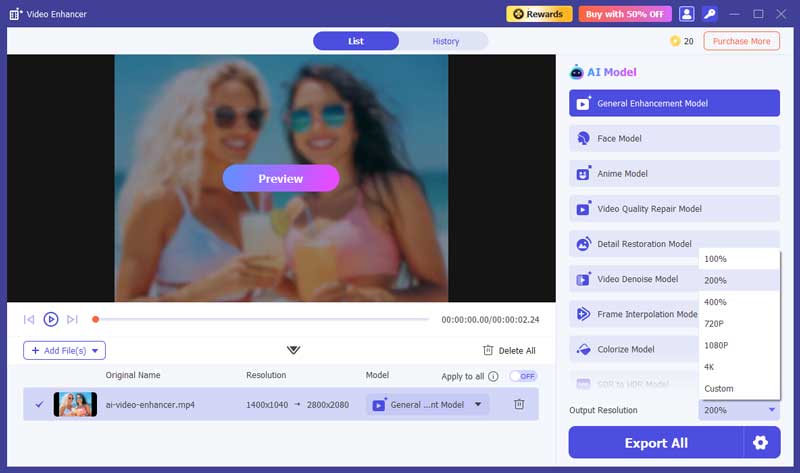
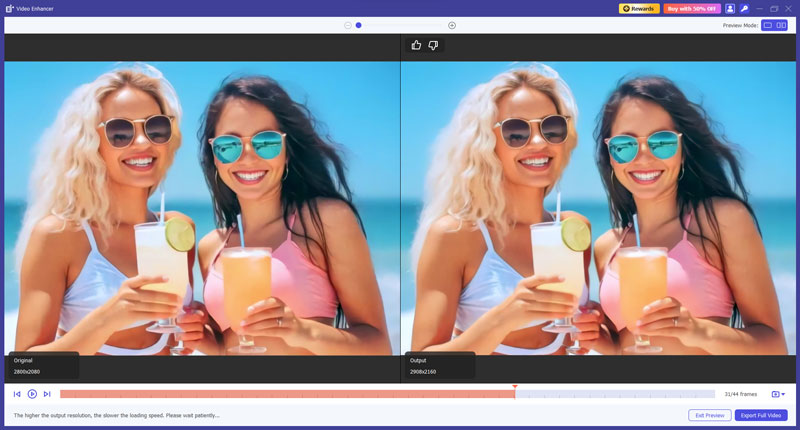
Compared with AMD’s real-time video upscaling, it uses advanced AI to analyze the footage, fill in missing details, and often deliver a higher-quality result.
Aiseesoft provides various AI models for different upscaling and enhancement situations. It can improve the overall quality through noise removal, color correction, motion stabilization, detail reconstruction, and other optimizations.
Question 1. Is AMD RSR or FSR better?
In most cases, FSR is better than RSR. As mentioned above, it often offers higher image quality. However, RSR is more versatile and can work in almost every game. For these games that don’t officially support FSR upscaling, you must turn to RSR.
Question 2. Can AMD Fluid Motion Frames boost frame rate from 40 FPS to 120 FPS?
No. AMD AFMF is only designed as a 2x multiplier. Technically, it can only boost 40 FPS to 80 FPS. What’s more, for an ideal result, it is recommended to have a base frame rate of at least 60 FPS. That will boost the frame rate to 120 FPS and make your game look smoother.
Question 3. Can AMD upscale 1080p to 4K?
Yes, AMD can upscale 1080p to 4K, either for gaming or video playback. The FSR 3.1 and AI-powered FSR 4 allow you to upscale 1080p and reconstruct it into 4K. AMD video upscaling technologies can often generate a viewing that looks close to native 4K quality.
Conclusion
For AMD users who seek NVIDIA’s RTX Video Super Resolution features, learn the necessary information about FSR and RSR in this post. With advanced AMD video upscaling technologies, you can get the best possible quality in supported games. If you only want to upscale and enhance your local videos, powerful third-party software like Aiseesoft Video Converter Ultimatew-to/make-a-dark-video-brighter.html offers an AI-driven solution.
 5 Top 4K AI Video Upscaler: Features, Pros, Cons, and More
There are 5 most frequently used 4K AI Video Upscalers. Does it fit everyone? We have everything you want to know about that. Let's check it out!
 Best SVP Alternatives to Smooth Video Playback Easily
Looking for reliable alternatives to SVP for frame interpolation and smooth video playback? Here are top picks for all platforms.
 Complete Guide to RIFE AI Video Frame Interpolation
Want to make video playback ultra smooth with AI frame interpolation? Learn full usage and tips about RIFE interpolation technology.

Video Converter Ultimate is excellent video converter, editor and enhancer to convert, enhance and edit videos and music in 1000 formats and more.
100% Secure. No Ads.
100% Secure. No Ads.

*Required field
*Please enter a valid email

