
Video Converter Ultimate
 100% Secure. No Ads.
100% Secure. No Ads.
Want to convert an MKV file to an MP4? FFmpeg MKV to MP4 is just one of a few different conversion methods you can try. It has many benefits, mainly for those of you who really care about every detail and would like to be able to adjust settings of your video during conversion. However, can you imagine a situation where you wouldn't have to mess with different flags? Our article covers both topics. First, we show you a step-by-step FFmpeg conversion from MKV to MP4. After that, we offer an alternative solution and explain why it might be simpler for many.
How We Test
Having made the choice to work on a similar MKV file, we tested FFmpeg and Aaseesoft with the same output settings. The parameters we decided to evaluate were conversion speed, output quality, file size, and user-friendliness to find out which of these two programs does a better job of converting files.
FFmpeg vs. Aiseesoft Video Converter Ultimate
| Feature | FFmpeg | Aiseesoft Video Converter Ultimate |
| Ease of use | Command-line based | Simple graphical interface |
| MKV to MP4 | Yes | Yes |
| Format support | Extensive | 1,000+ formats |
| Batch conversion | Yes, through commands | Yes |
| Output settings | Highly customizable | Easy-to-adjust presets and parameters |
| Hardware acceleration | Supported through available encoders | GPU acceleration supported |
| Video editing | Requires commands/tools | Built-in editing tools |
| Best for | Advanced users | Beginners and regular users |
While Aiseesoft Video Converter Ultimate is the more practical option for regular MKV to MP4 conversion, FFmpeg is superior for users who desire command-level control.
FFmpeg is a video conversion app, but unlike most others, you only get it when you run it from the command interface (CMD prompt), so you don't really have a regular GUI program or a video-converting interface to work with. That said, you don't have to be afraid of it. It is easy for any regular user, and you can just run FFmpeg to convert MKV to MP4 with one line only when the program is ready and installed. Even the main source of information on FFmpeg recommends using such a command for converting the video from MKV format to MP4.
cd C:\Videos
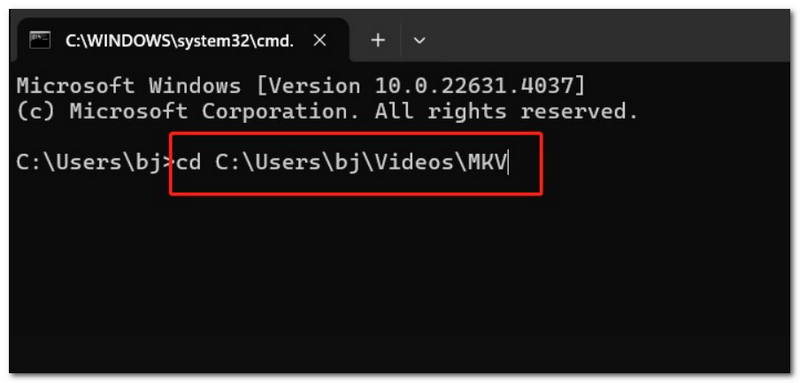
ffmpeg -i input.mkv output.mp4
Of course, substitute input.mkv with your file name. FFmpeg will handle the file as input automatically and create an MP4 output file.
ffmpeg -i input.mkv -c:v libx264 -c:a aac output.mp4
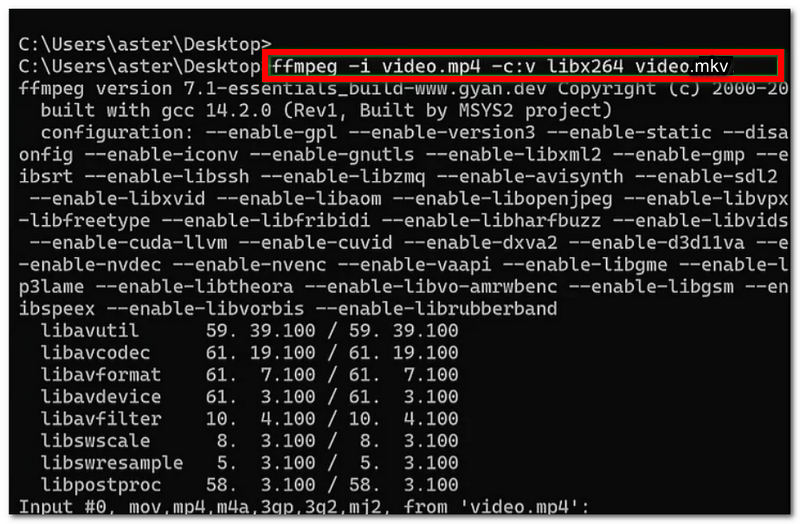
And for more fine control over the video and audio codecs, you could run something like: your version of FFmpeg will work with native AAC and libx264 encoders when they are present in the build.
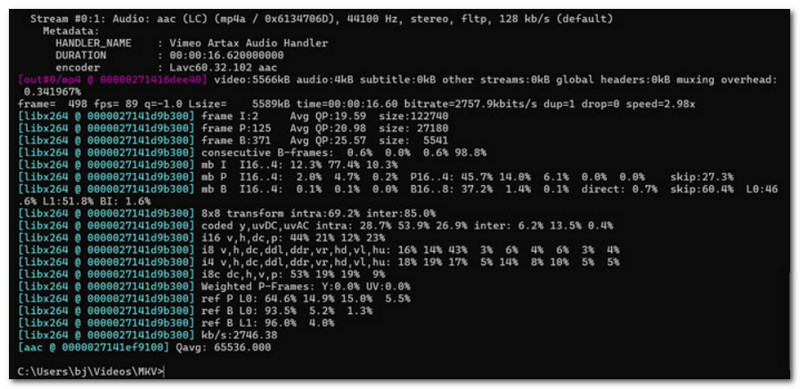
FFmpeg has a great reputation as a means of converting files FFMPEG MKV to MP4, and brings the advantage that users may select what codecs, quality level, and other output settings are used in the conversion process. But not everyone, mainly those who are new to it, may appreciate the command-line aspect of it.
Pros
Cons
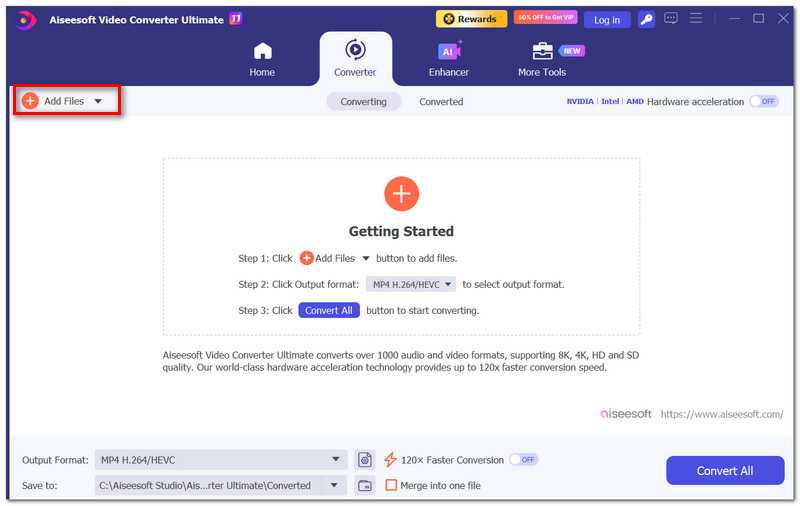
FFmpeg gives you more than enough control, but not everyone may feel comfortable working with commands. Aiseesoft Video Converter Ultimate offers a more user-friendly way to convert MKV Files to MP4 via a graphical interface. It can handle 1,000+ video formats, and it has batch conversion capability, editing tools, as well as hardware acceleration.

Downloads
Aiseesoft Video Converter Ultimate
100% Secure. No Ads.
100% Secure. No Ads.
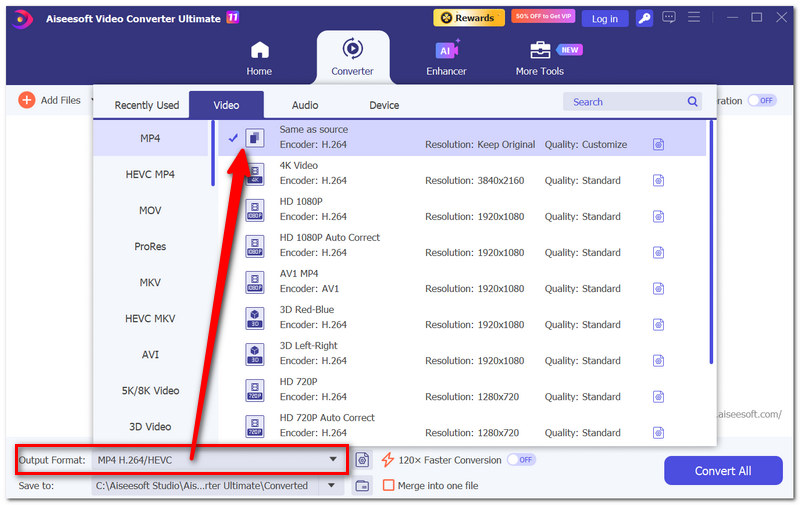
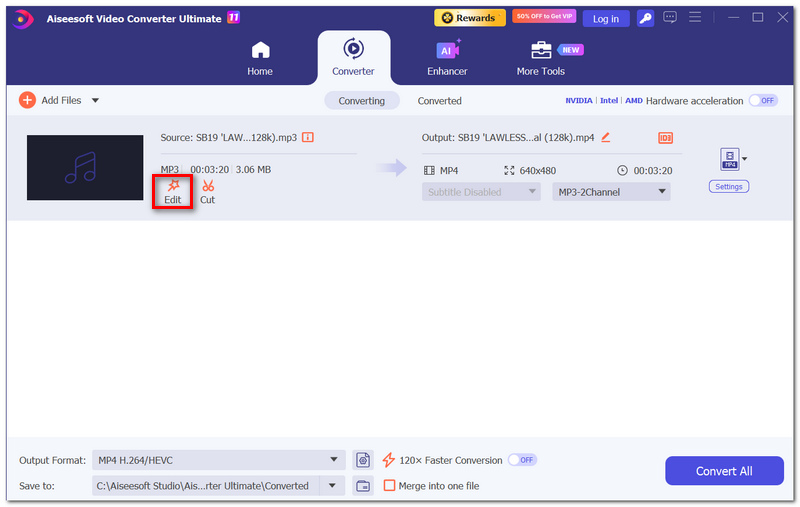
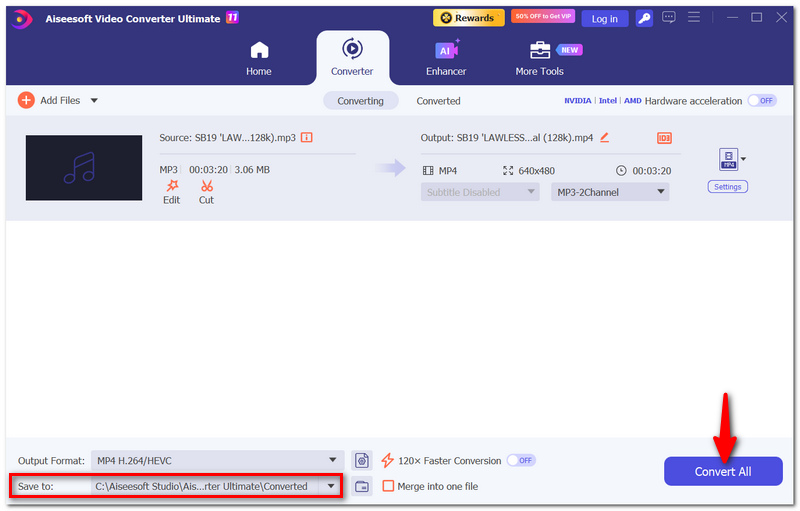
How to Convert MKV to MP4 with Aiseesoft Video Converter Ultimate
How to keep multiple audio in my converted MP4?
FFmpeg, the powerful media processor, can be told to pick multiple audio tracks with the option. It is really helpful if the MKV has some language or audio version options.
Will MKV attachments be included when converting to MP4?
Attachments won't be selected automatically during normal stream selection. For example, if your MKV has embedded files or fonts, they might not be transferred over to the MP4 until you take care of that separately.
Is an internet connection required while performing a video conversion with FFmpeg?
No. After the installation, you can do the conversion on your computer as an offline operation, and your video will not leave your computer.
Conclusion
FFmpeg can be a reliable tool that gives you a bit more control over your MKV- MP4 conversion, yet getting familiar with the command-line environment might slow you down. However, Aiseesoft Video Converter Ultimate simplifies the same process and makes it more accessible to the common user, mostly those who want to work with the minimum of obstacles. In the end, FFmpeg to convert MKV to MP4 should be the way to go for someone who is not afraid of the terminal, and Aiseesoft will surely do better for the everyday user.
 How to Use FFmpeg to Extract Audio from Videos with Commands
Can FFmpeg work for audio extraction? How to extract audio from videos using FFmpeg? Learn specific FFmpeg commands and a great alternative for extracting audio.
 Learn How to Compress a File on a Mac and Make It Smaller
How do you compress a video to reduce the file size on your Mac? Why can't I compress a photo on my Mac? Learn how to compress a file to reduce MB on a Mac.
 Top 10 Open-Source Screen Recorder for Windows 11/10/8 & Mac
Is there open-source screen recorder? This post shares 10 best open-source tools to free record your Windows or Mac computer screen with high quality.
 Leave your comment and join our discussion
Video Converter Ultimate is excellent video converter, editor and enhancer to convert, enhance and edit videos and music in 1000 formats and more.
100% Secure. No Ads.
100% Secure. No Ads.

*Required field
*Please enter a valid email

