Best 8K Screen Recorder for PC
 100% Secure. No Ads.
100% Secure. No Ads.
While using your computer daily, you may frequently need to capture your screen. Do you know how to free capture video or audio files on Windows 11/10/8/7 PC or Mac?
You should know that there are many open-source screen recorders offered on the internet that can help you record all types of activities happening on your computer. The question is, what is the best open source screen recorder, and which one should you use?
Most open source video capture tools are free and full-featured. But some poorly designed screen recorders may produce video/audio in quite low quality. Considering this, we would like to share 10 great open-source screen recorders for you to choose from.
How We Test & Review
We tested all the open-source screen recorders on multiple Windows devices to evaluate performance.
Each tool was used for screen capture, webcam overlay, and audio input to reflect real scenarios. We explored editing and export features, including trimming, annotations, and format options, for a complete review.
Finally, recordings were assessed for resolution clarity, playback smoothness, and audio quality to ensure fair comparison.
| License Type | Primary Platform(s) | Primary Output Format | Live Streaming Support | Built-in Video Editing | Notes | |
| CamStudio Recorder | Open-Source (GPL) | Windows | AVI (Classic), MP4 (New) | No | No (Basic Annotation) | Classic, lightweight option; newer versions (v3.0+) include modern codecs and GPU acceleration. |
| OBS Studio | Open-Source (GPL-2.0) | Windows, macOS, Linux | MP4, MOV, FLV | Yes (Excellent) | No (Requires External) | Professional-grade tool with complex scene management; steep learning curve. |
| ShareX | Open-Source (GPL-3.0) | Windows | GIF, MP4 (FFmpeg), Image | No | Yes (Basic Image/GIF Editor) | Focuses on screenshots and post-capture automation (uploading/sharing). |
| Captura | Open-Source (MIT) | Windows (Primary) | MP4, AVI, GIF | No | No (Basic Trimming) | Lightweight, portable, good for tutorials with keystroke visualization. |
| FlashBack Express | Proprietary (Freeware) | Windows | MP4, AVI, WMV | No | Yes (Basic Trimming Only) | Not open-source, but a popular free option that offers no watermarks or time limits. |
| VirtualDub | Open-Source (GPL-2.0) | Windows | AVI (Primary) | No | Yes (Advanced Non-Linear) | Primarily an advanced video editor/processor with screen capture as an input source; technical interface. |
| VokoscreenNG | Open-Source (GPL-3.0) | Linux, Windows | MP4, MKV, WebM, AVI | No | No (Basic Playback) | User-friendly, cross-platform solution with a simple interface and zoom/magnifier. |
| Peek | Open-Source (GPL-3.0) | Linux (X11/Wayland) | GIF, WebM, MP4 | No | No (Basic Frame Selection) | Highly specialized tool for creating small, silent animated GIFs easily. |
| Kazam ScreenCaster | Open-Source (GPL-3.0) | Linux (X11/Wayland) | MP4, WebM, AVI | No | No | Simple, dedicated Linux screencaster known for reliability and ease of use. |
| XVidCap | Open-Source (GPL-2.0) | Linux (X11) | AVI, MPEG | No | No | Legacy X11 recorder; very simple and minimalist but largely superseded by newer tools. |
Downloads
Professional Screen Recorder for Winodws/Mac
Different open-source screen recorders will provide a range of differing recording and editing features. You can pick your preferred one based on your specific needs. In the following parts, we will introduce you with top 10 screen capture tools.
CamStudio is a popular open source screen recorder which enables you to capture any video and audio on your computer with high quality. It It provides different download versions for Windows 11/10/8/7 PC and Mac. This open source video capture software has the capability to capture computer screen with entire screen or any selected portion.
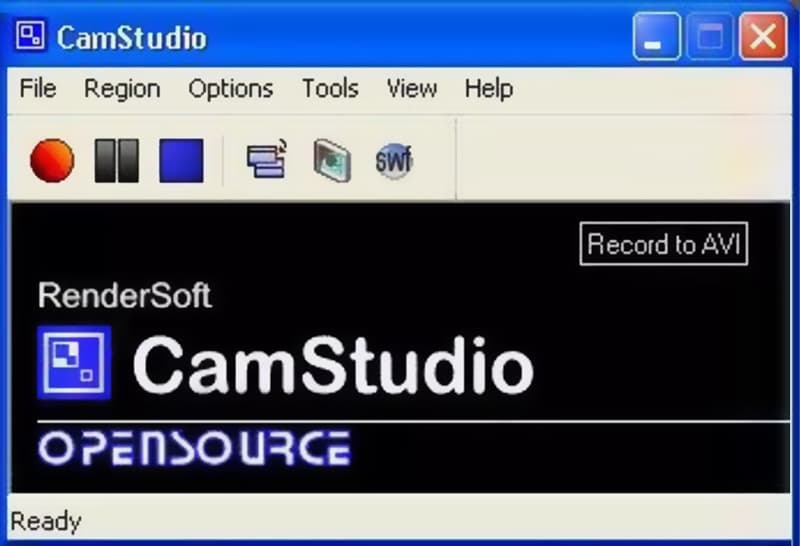
CamStudio recorder allows you to place screen captions and overlay your webcam video on top of the content you are recording. With its built-in SWF Producer, it can record AVI videos and turn those recordings into lean, mean, bandwidth-friendly Streaming Flash videos. One thing you should concern is that, this open source screen recorder doesn't carry any editing features.
PROS
PROS
OBS Studio is one of most popular open source screen capture tools. Besides the screen recording feature, it also offers a great live streaming service. This open source screen recorder enables you to capture any activities on Windows 11/10/8/7 PC, Mac and Linux. There is no time limit of the video recording.
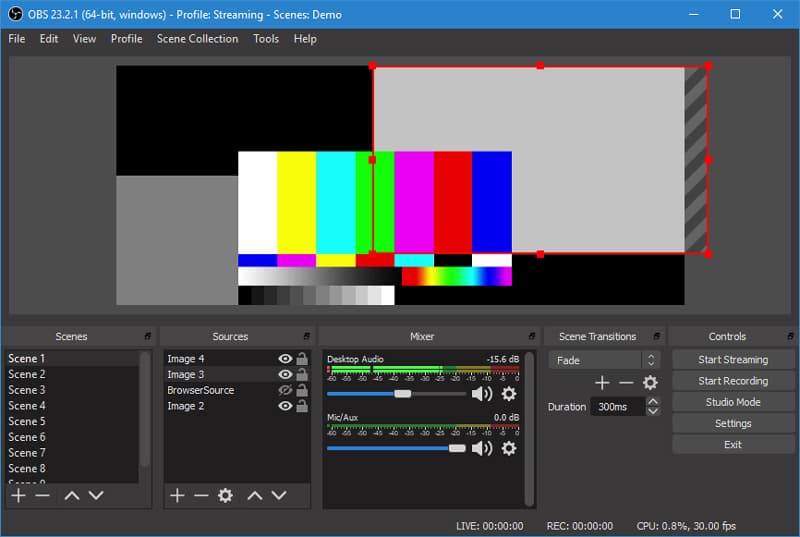
OBS Studio is able to record computer screen with full screen or custom region. It allows you to record any video or audio from computer screen, webcam and microphone. This open source screen capture is specially designed for content creators and live streamers. It offers an intuitive audio mixer with per-source filters like noise gate, noise suppression and gain. This free video recorder won't add any watermark to the recordings. Fix OBS black screen issue here.
PROS
PROS
ShareX is an open source screen recorder which provides you with a fast screen recording with unlimited features. This free video capture allows you to record any video with full screen, active window or customized area. ShareX is designed with an "Automated Capture" feature to guarantee you can have a great screen recording experience.
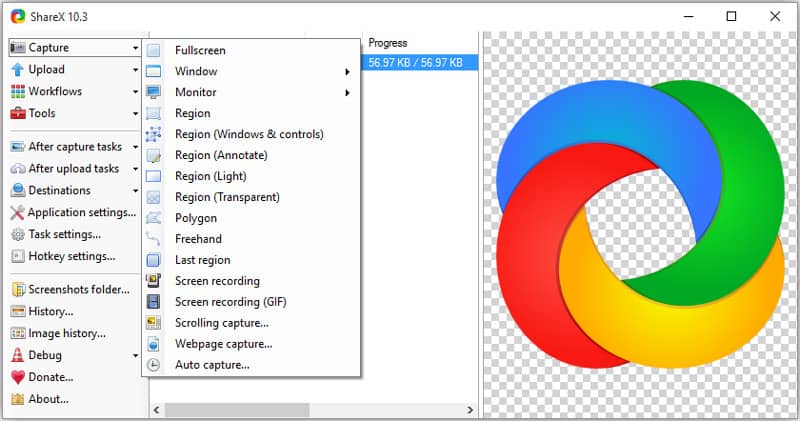
ShareX has many useful settings to help you custom your recordings. It allows you to freely adjust effects, drawings and region based on your need. This open source screen recorder won't set any watermark or duration limits on your recordings. It will output your recorded video in MP4 or GIF format. You can also directly upload recordings to YouTube or other video sharing platforms.
PROS
PROS
Captura is another popular open source screen recording software which allows you to capture any activities from computer monitor and webcam. It can record capture screen from custom regions, windows, or screens. While the screen recording, you won't see any annoying ads.
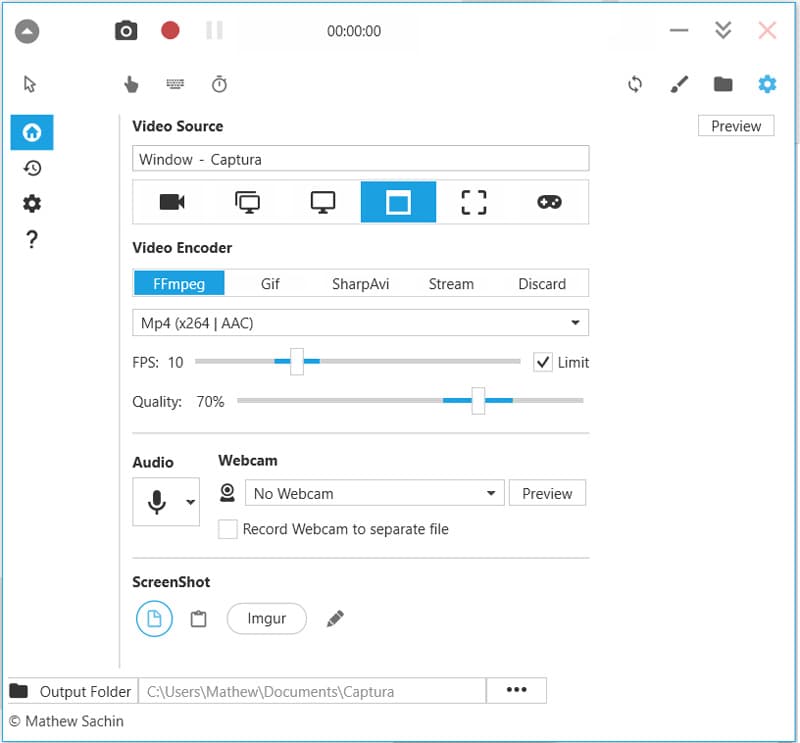
This open source screen recorder is equipped with some hotkeys to help you get the full control of the screen recording. It has the capability to mix microphone input audio and output speaker audio with ease. Captura also allows you to capture DirectX Fullscreen games with the Desktop Duplication API. It will output your recording as an MP4, AVI or GIF file.
PROS
PROS
FlashBack Express is our last recommendation in the list of open source screen recorders. This all-featured video recording software enables you to record any region of your computer screen. It also allows you to capture your own face from the webcam. Similar to other screen recorders like Camtasia Screen Recorder we recommended above, FlashBack Express won't put any watermark and recording time/length limits.
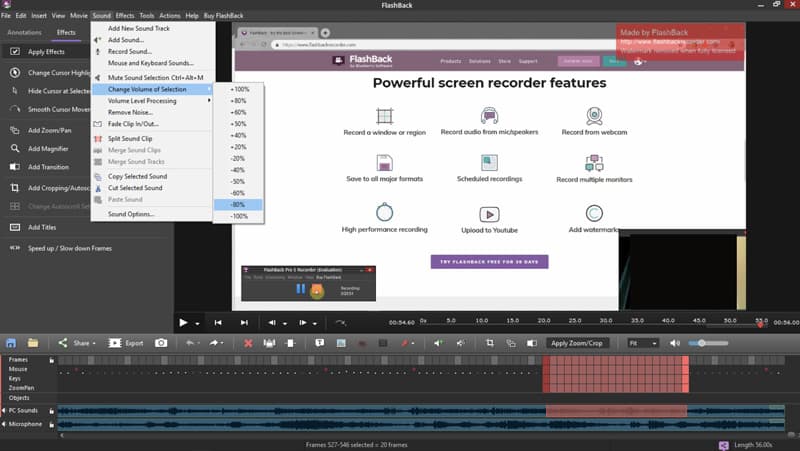
Flashback Express can save your recording in MP4, AVI, or WMV format according to your need. This open source screen recorder carries some editing features for you to edit the captured video. You can trim recording or crop video to output a video you really like.
PROS
PROS
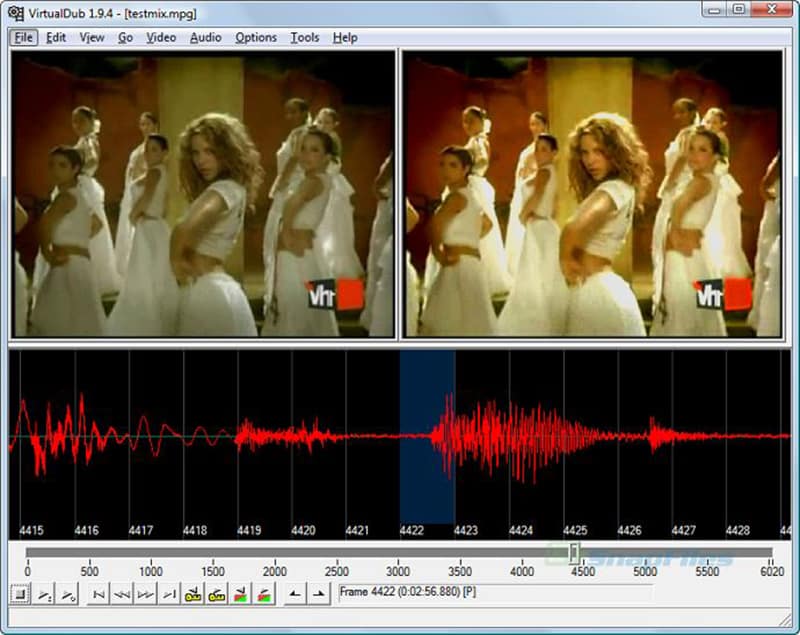
VirtualDub is a venerable, open-source Windows utility primarily designed for video capture, linear editing, and processing, particularly known for its fast, non-destructive trimming, filtering, and recompression capabilities on AVI files. Although it is not a dedicated screencaster, it includes a powerful, built-in screen capture driver that treats the screen as a video source, making it a viable, albeit advanced, option for capturing desktop activity. Its core strength lies in its extensibility through hundreds of third-party plugins and its efficiency in processing large video batches, though its user interface and methods for screen capture are antiquated and more technical than modern alternatives.
PROS
PROS
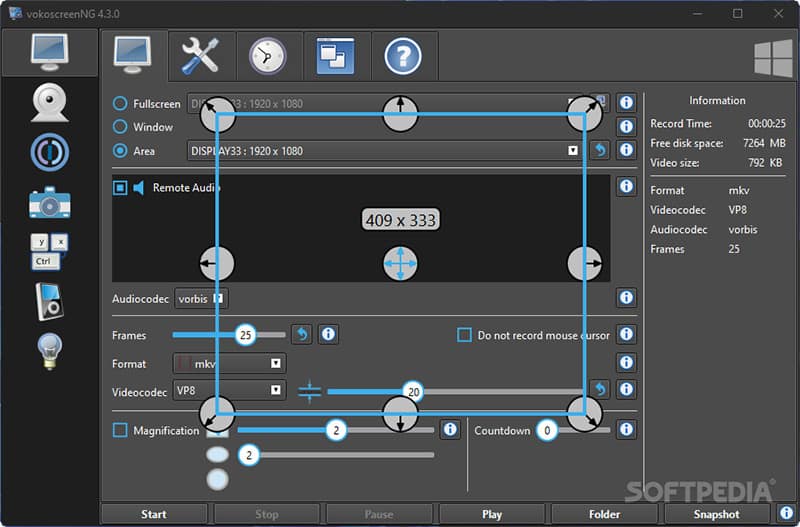
VokoscreenNG is a user-friendly, actively maintained, and cross-platform screen recorder (Windows and Linux) that emphasizes simplicity and quick setup for general recording tasks, making it perfect for educators and general users. It offers flexible capture options: full screen, a specific area, or an application window, and includes helpful features like a magnifier/zoom function for focusing on screen details during the recording process. Crucially, it provides simultaneous recording from the screen, webcam, and microphone with a clean, modern interface, positioning it as a powerful, yet non-intimidating, alternative to more complex suites.
PROS
PROS
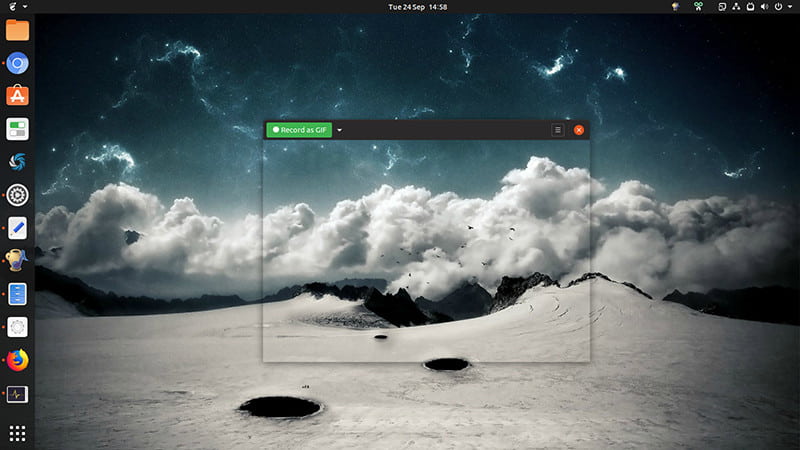
Peek is a minimalist and highly specialized open-source application designed for Linux that excels at one task: creating high-quality, short screencasts, particularly for export as animated GIFs. It functions by providing a simple, frame-like window that the user places over the desired screen area; upon recording, it captures the activity and optimizes it for the GIF format, though it also supports WebM and MP4. Peek is invaluable for developers and communicators needing to quickly create visual bug reports, short demonstrations, or reaction GIFs without dealing with complex video file sizes or encoding settings.
PROS
PROS
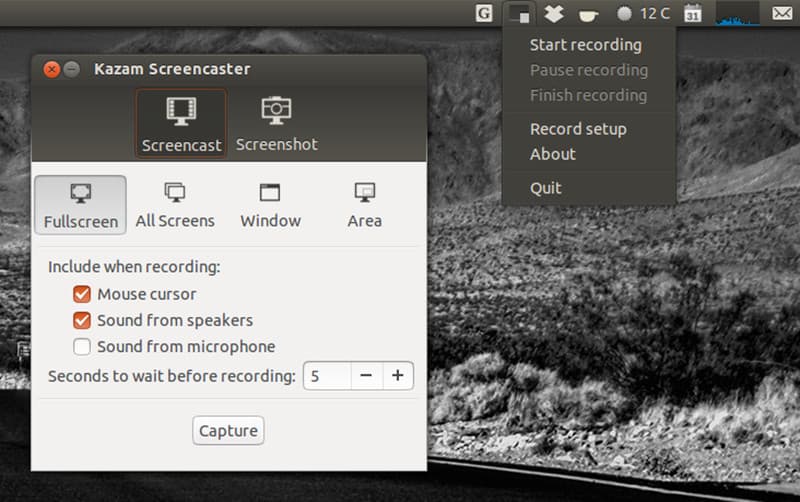
Kazam ScreenCaster is a simple, modern, and reliable screen recorder designed specifically for the Linux desktop environment, focusing on providing a clean, unintrusive graphical user interface for easy screen capture. It is a preferred choice for Linux users who want to record a selected area, a specific window, or the entire screen with minimal fuss, making it ideal for creating basic how-to videos and desktop session recordings. While it includes necessary features like audio and webcam recording, its strength is its stability and commitment to being a dedicated screencasting utility rather than an all-in-one streaming suite, providing a focused, beginner-friendly experience.
PROS
PROS
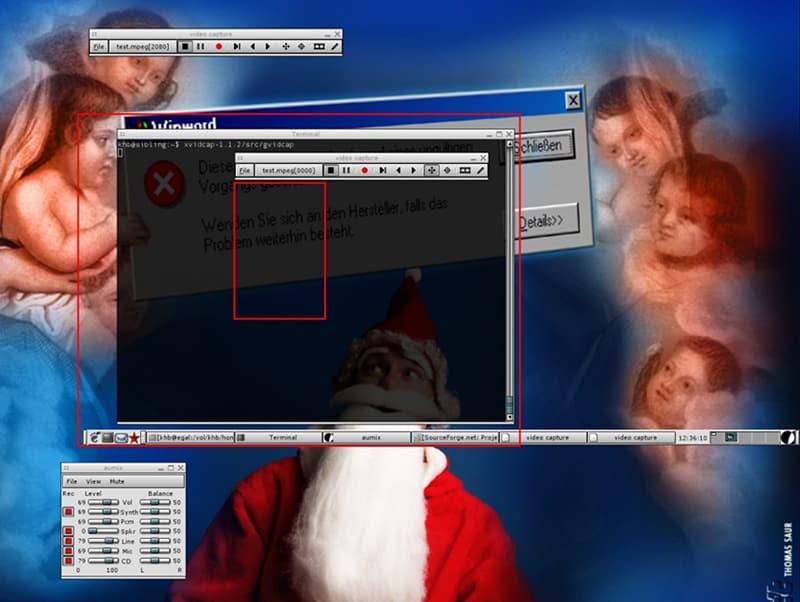
XVidCap is an open-source screencasting program designed for the X Window System (X11), making it a legacy but still functional option for Linux and Unix-like operating systems. It is intended for recording screencasts with audio narration, capturing any movement on an X11 display by encoding captured frames into a video file using the FFmpeg library. Its core function is to capture a selected area on the screen and save the output efficiently. While it provides basic, standards-based functionality, its development is not highly active, and it has been largely superseded by newer, more feature-rich Linux tools like Kazam or SimpleScreenRecorder.
PROS
PROS
Conclusion
We have primarily discussed 10 open-source screen recorders in this post. When you need to capture your computer screen, you can select your preferred one from the options you like. I hope you can easily find a free video recorder that meets your requirements.
 Review &Tutorial of Bandicam Screen Recorder to Capture Screen on Windows
Want to record games with full screen? Bandicam Screen Recorder can do you a great favor. In this post, we will have a thorough review of Bandicam Screen Recorder.
 Screen Recorder No Root Apk to Record Android Screen
Want to record Skype calls on Android? We recommend top 5 screen recorder no root apks to help you capture Android screen activity in this post.
 Top 10 GIF Screen Capture Software for Windows and Mac Users
You can make GIF animations by yourself from the beginning. It is super easy to create GIF from screen capture. All you need is a good GIF screen capture program. Here're the latest recommendations for you.
 Leave your comment and join our discussion
Screen Recorder Software
Camtasia Screen Recorder Ispring Screen Recorder Any Video Recorder OBS Screen Recording IceCream Screen Recorder HD Screen Recorder Screen Recorder no Lag Windows Steps Recorder Action Screen Recorder Screen Recorder with Facecam Adobe Screen Recorder Mouse and Keyboard Recorders Open Source Screen Recorder MP4 Screen Recorder Mediasite Desktop Recorder Free AVI Recorder WMV Recorder FLV Recorder MKV Recorder MOV Recorder WEBM Recorder MXF Recorder XviD Recorder MPEG Recorder
Aiseesoft Screen Recorder is the best screen recording software to capture any activity like online videos, webcam calls, game on Windows/Mac.
100% Secure. No Ads.
100% Secure. No Ads.

*Required field
*Please enter a valid email

