
Summary
Want to know how to convert Videos to MP4? Check the best Video Converter Ultimate in this post, and learn how to convert Videos to MP4 with ease.
Summary
Want to know how to convert Videos to MP4? Check the best Video Converter Ultimate in this post, and learn how to convert Videos to MP4 with ease.
Nowadays, people have so many kinds of portable music/video players, and they play different video formats, so how to convert video from one popular video format to another is a question. Now I will give you an excellent total video converter: Aiseesoft Video Converter Ultimate that can do the conversion in few clicks.
Step 1 Download, install and run Aiseesoft Video Converter Ultimate. You can load your video by clicking "Add Files" button to add your video files.
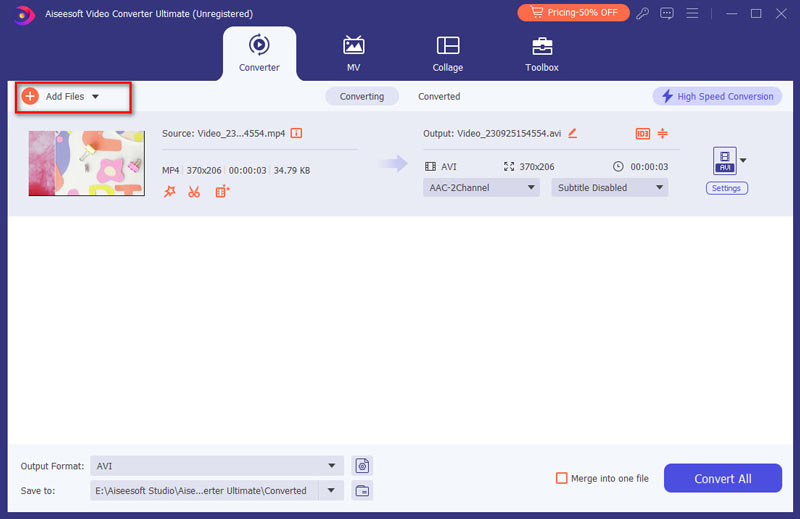
Step 2 Output formats and Settings
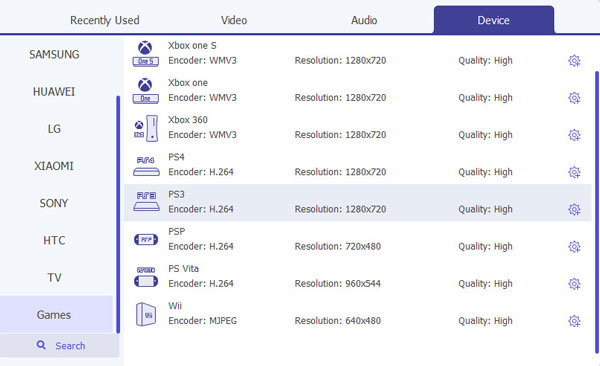
From the "Convert All to" drop-down list you can find one format that meets your requirement.
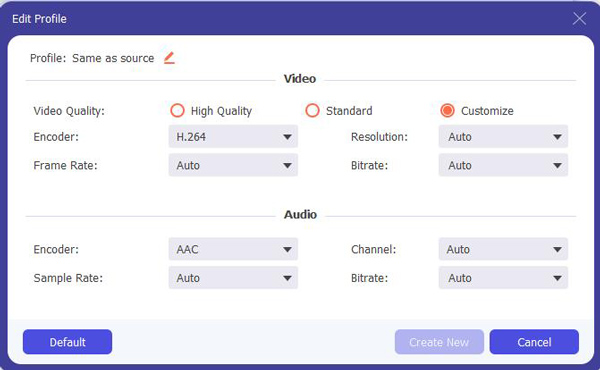
To have your own video settings you can click "Custom profile" button.
After doing the 3 steps above, you can click "Convert All" button to start conversion.
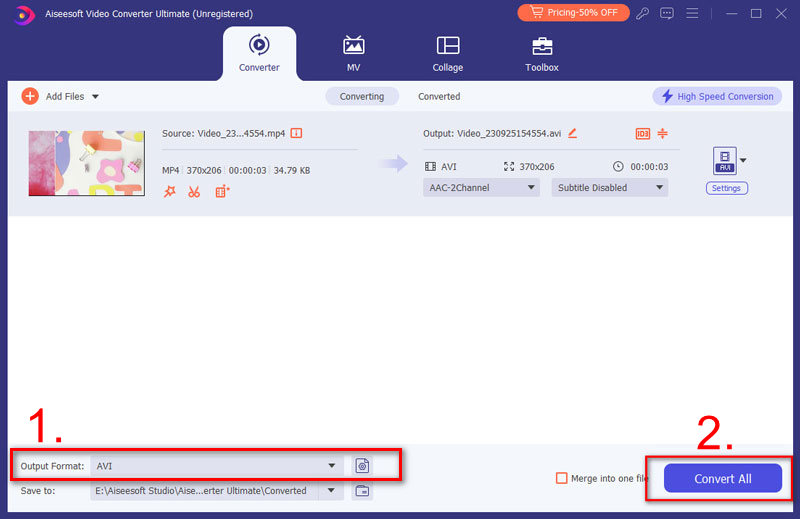
Tips:
1. Clip
There are 3 ways that you can clip your video.
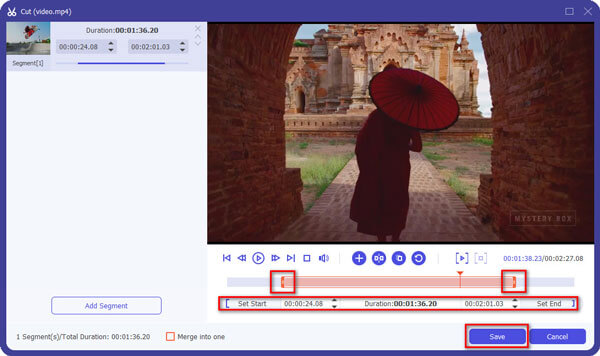
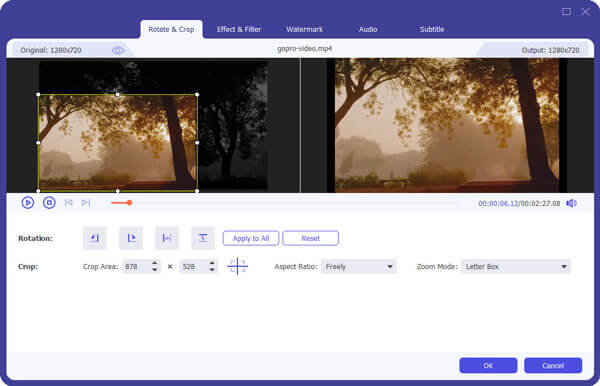
2. Crop
There are 3 ways that you can crop your video.
3. Merge into one file
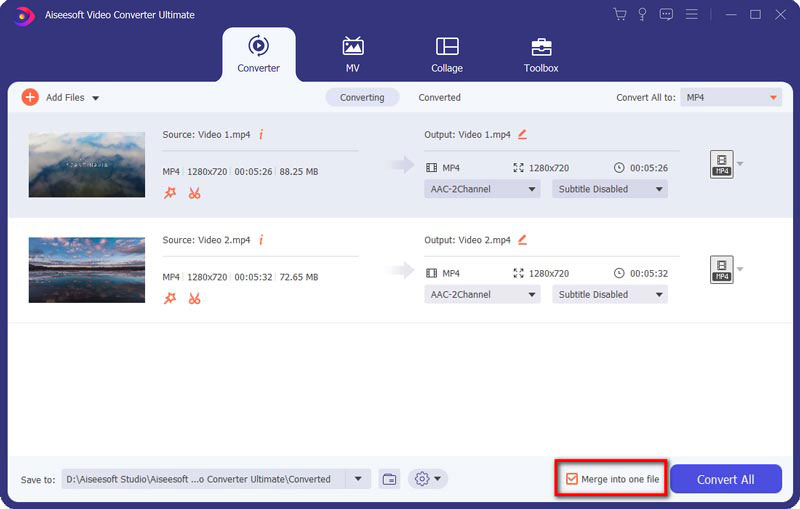
You can check the video tutorial as below:


December 11, 2020 14:52 / Updated by Jenny Ryan to Convert Video
 Free Burn Movies to DVD on Mac and Windows
Here we introduce five free DVD burning software: DVD Flick, DVD Styler, DivXtoDVD Perl Script, ImgBurn and Q DVD-Author. All of them can burn m4v, wmv, flv, etc. video to dvd free.
 How to Free Convert MP4 to SWF for Special Use
SWF file is widely used flash video format. When you need to convert MP4 to SWF, you can find a reliable MP4 to SWF converter here to convert high quality MP4 to SWF.
 How to Convert MP4 to MPEG on Mac/Windows
As there are different options of MPEG files, you might be confused for converting MP4 to MPEG. You can compare MP4 with different formats of MPEG. It will be help you find the best option when you convert MP4 to MPEG.
 Leave your comment and join our discussion