MPEG-2 format is the main supported format of DVD, TV and some other programs. DVD Player, TV receiver, TV stations and other devices often design MPEG-2 as standard format. When you want to play MPEG-4 video on TV or DVD player, you may need to convert MPEG-4 to MPEG-2.
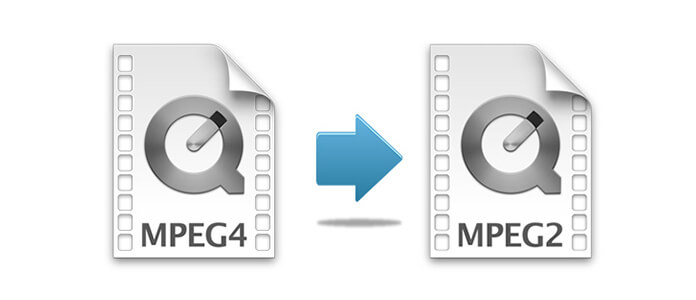
Read this article, you will find a useful MPEG-4 to MPEG-2 Converter. It can help you to finish the conversion from MPEG-4 to MPEG-2. With MPEG-4 to MPEG-2 Converter, you are also able to use other functions like "Clip", "3D" and "Edit". You can edit the video before converting. By using editing function, you can rotate video, adjust video effect, crop video and add watermark to video according to your own needs.
Moreover, MPEG-4 to MPEG-2 Converter can not only convert MPEG-4 to MPEG-2, but also convert MPEG-4 and many other formats files to nearly 300 formats, such as MP3, OGG, M4A, AAC, AC3, AIFF, AMR, AU, MP2, DTS, M4R, M4B, MKA, etc.
Step 1 Install MPEG-4 to MPEG-2 Converter
Download MPEG-4 to MPEG-2 Converter on your computer, install and launch it for use later. MPEG-4 to MPEG-2 Converter can support both Windows and Mac platforms.
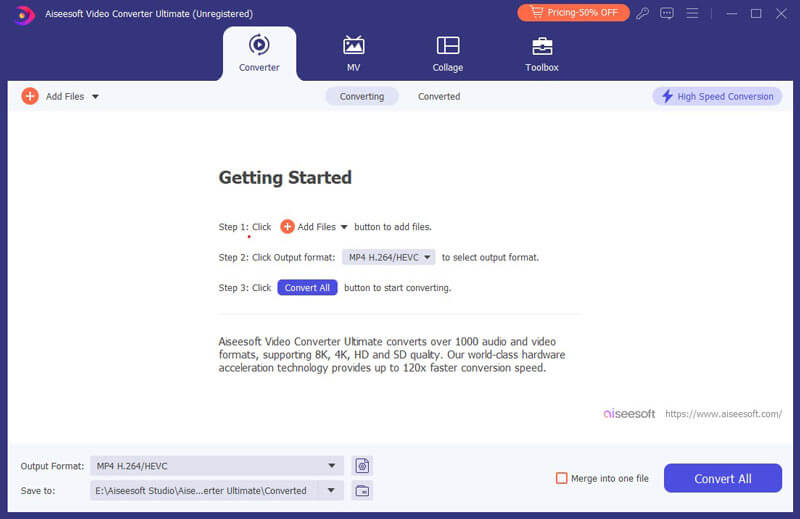
Step 2 Add MPEG-4 files
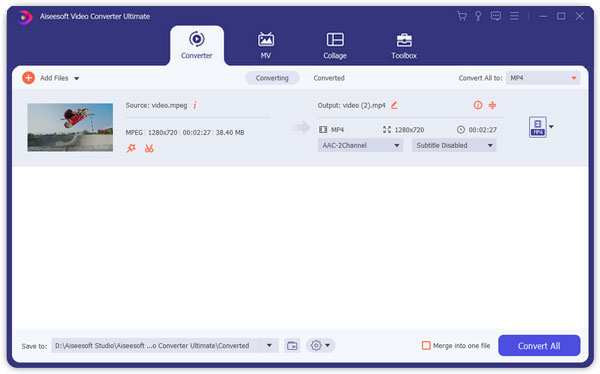
Click "Add File" to upload the MPEG-4 files on the converter. Besides, after adding MPEG-4 files, you can also use other functions to edit the files before converting.
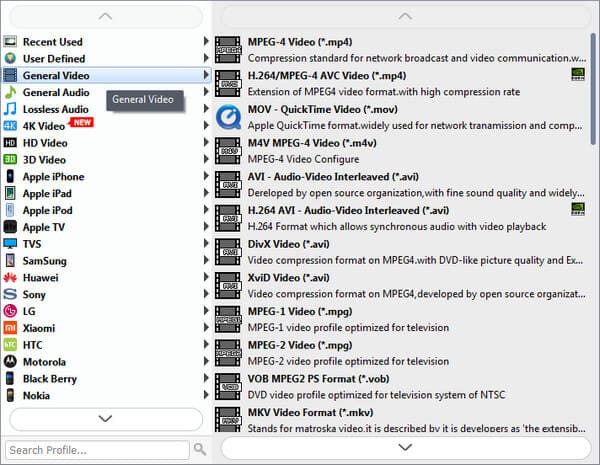
Step 3 Select output format
After adding files, click "Profile" to select the suitable output format. Click "Profile" to open the format drop down list. And you can see all the formats are classified in category. Click "Browse" to choose destination folder.
Step 4 Convert MPEG-4 to MPEG-2
Click "Convert" to convert MPEG-4 to MPEG-2. After a few seconds, you will finish the conversion from MPEG-4 to MPEG-2.
MPEG-4 is the newest format of MPEG. MPEG is the abbreviation of Moving Pictures Experts Group. You can compress files in MPEG-4 format for watching online. It can be supported by many devices, such as iOS devices, Samsung, Canon, JVC, etc. However, there are still some devices cannot support MPEG-4, such as DVD player and TV.
MPEG-2 is the second generation of MPEG format which is created in 1994. MPEG-2 can offer a wider range to change compression ratio, so that MPEG-2 files can accommodate the request of different image quality, storage capacity and broadband. MPEG-2 can also be used to offer digital video to broadcast, CATV network and DBS. When you want to play video in MPEG-4 format on DVD player or TV, MPEG-2 maybe the suitable format for you.
This article shows you how to convert MPEG-4 to MPGE-2, and it also help you to realize the differences between MPEG-4 and MPEG-2. Hope it is helpful for you.

June 26, 2018 10:23 / Updated by Jenny Ryan to Convert Video
 How to Convert MPEG/MPG to MP4
Learn how to convert MPG to MP4 and the best MPG to MP4 converter from the article.
 How to Convert MP4 to MP3 on Windows/Mac for Free
Want to convert MP4 to MP3 in order to extract the background music from a movie? Or want to extract the audio file from a music video to save your favorite song? Read on to get the comprehensive ways to convert MP4 to MP3 on Windows & Mac for free.
 How to Convert MP4 File to GIF for Free
Learn how to turn MP4 video file to gif with free gif converter or online mp4 to gif converter in this article.
 Leave your comment and join our discussion
