Remove Vocals from a Song/Video

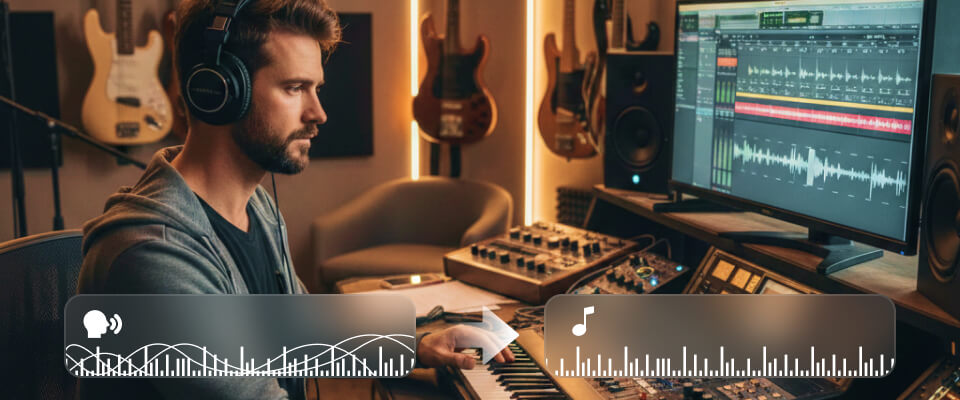
Need a clean backing track for karaoke or practice? This AI Vocal Remover can remove lyrics from song tracks while keeping the musicality intact. As an advanced AI vocal remover and isolation tool for video/audio, it cuts vocals from a song/video and preserves the full dynamic range of the instruments, making it the song's vocal remover for high-quality audio production.

  • A high-fidelity audio splitter effectively removes lyrics to get a pure melody.
  • Works as a versatile BGM & beat splitter for both video and audio with smart AI.
  • Remove voice from instrumental with faster speed.

Buy Now50% OFF

30-Day Money Back Guarantee

Free Download

Windows 11, 10, 8, 7 Supported

Our AI Vocal Remover Is Crafted for You

For Karaoke Enthusiasts

AI Vocal Remover is the perfect tool for Karaoke lovers to remove vocals from songs/videos and extract the instrumental background to enjoy a seamless singing experience with high-quality karaoke tracks.

For Music Enthusiasts & Students

Music students and enthusiasts can use AI Vocal Remover to isolate instrumentals by removing vocals, helping them focus on learning and practicing their instrument by offering clear backing tracks.

For Professional Music Creators

Professional musicians can leverage AI Vocal Remover to remove vocals and create their own backing tracks for remixing, editing, or new compositions. This tool can give creators clean, editable tracks.

For Content Creators

Content creators, including short video makers and game developers, can use AI Vocal Remover to extract clear tracks by removing vocals from original soundtracks, leaving room for custom voiceovers.

For Voiceover Workers

AI Vocal Remover helps voiceover artists remove vocals from songs or videos and provides clear, editable audio material for adding unique voiceovers for films, advertisements, or animated content.

Buy Now50% OFF

30-Day Money Back Guarantee

Free Download

Windows 11, 10, 8, 7 Supported

Why Choose Our AI Vocal Remover

Smart Noise & Hum Removal

Achieve perfect instrumental isolation by stripping away unwanted vocal tracks.

Advanced AI Technology

Leverage the power of a sophisticated AI technology to automate the entire vocal removal process.

Video-to-Music Isolation

Its direct video imports and exports allow isolating back sound from song clips embedded in videos.

Dual-Track Preview

This vocal and instrumental splitter allows you to hear the vocal removal effect in real-time before you save.

High-Speed Processing

Our high-speed song splitter engine utilizes GPU acceleration to act as a lightning-fast vocal removal.

100% Privacy Protected

Our AI vocal remover performs locally on your computer and ensures your data never leaves your device.

Industry-Leading Vocal Separation Quality

This ultimate vocals remover supports studio-grade algorithms, ensuring that when you separate back tracks from music, the output remains crisp, clear, and free of artifacts.

99.9 %

Accuracy

Faster

Buy Now50% OFF

30-Day Money Back Guarantee

Free Download

Windows 11, 10, 8, 7 Supported

Vocal Remover’s Output Format Freedom

Our AI voice remover isn't limited to a standard MP3. Whether you are working with high-definition video or professional-grade audio, our vocal remover supports a massive range of outputs.

Video Formats

Direct video processing

MP4

MOV

WMV

AVI

MKV

Audio Formats

All major audio codecs

MP3

AAC

AC3

WMA

WAV

AIFF

FLAC

MKA

OGG

AU

How to Remove Vocals from a Song/Video

There are only 4 steps to isolate background music from your music or video, here’s how to:

Step 1

Import

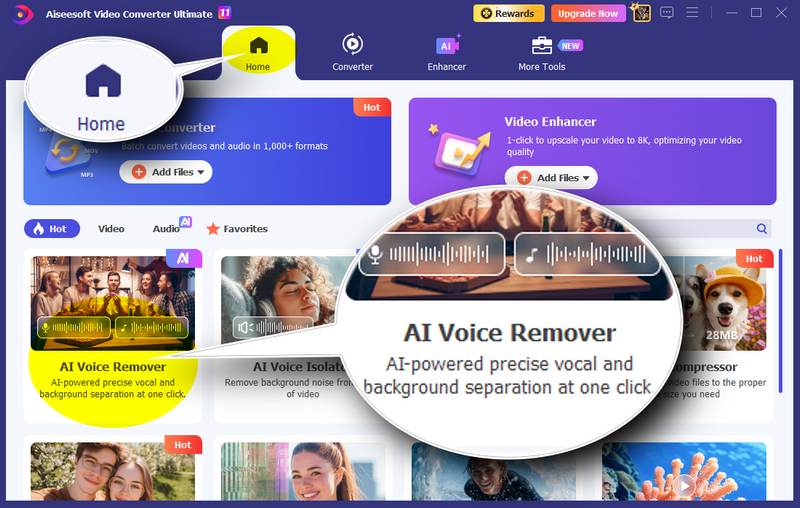
Open Aiseesoft Video Converter Ultimate and click the "AI Vocal Remover" to add a song or video with audio tracks for smart AI processing.

Step 2

AI Analysis

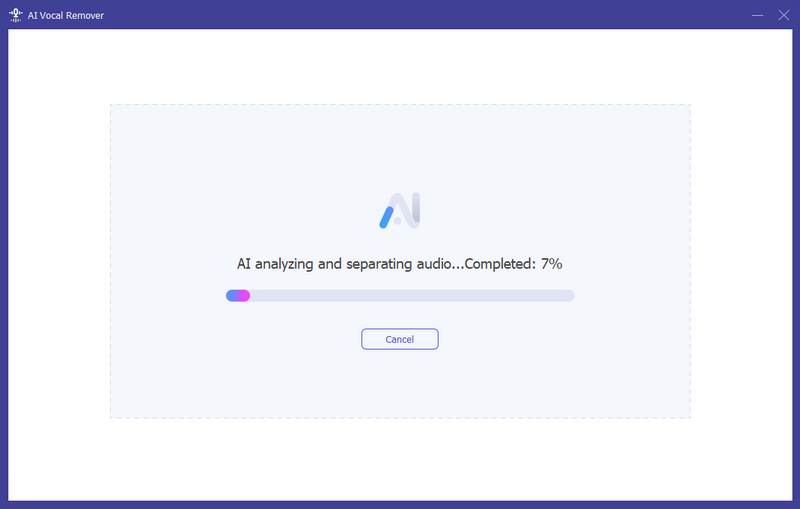
Then, this AI Voice Remover will analyze your music or video automatically, separating the vocals and BGM from the media file without any effort.

Step 3

Preview

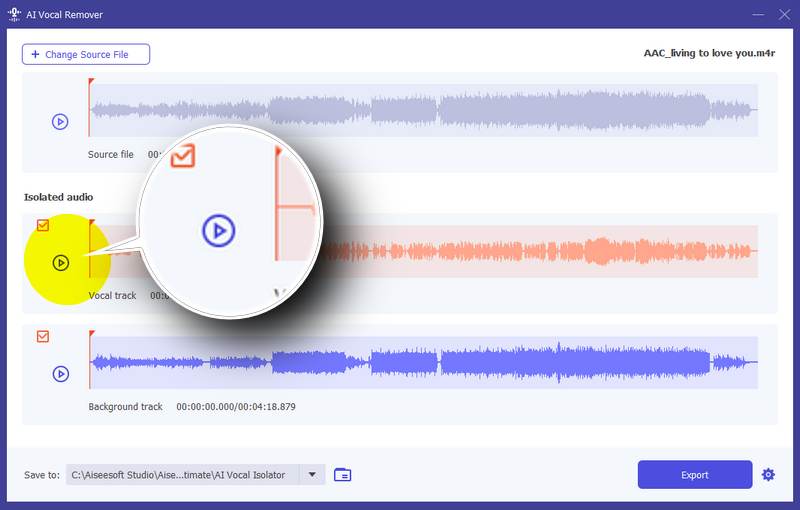
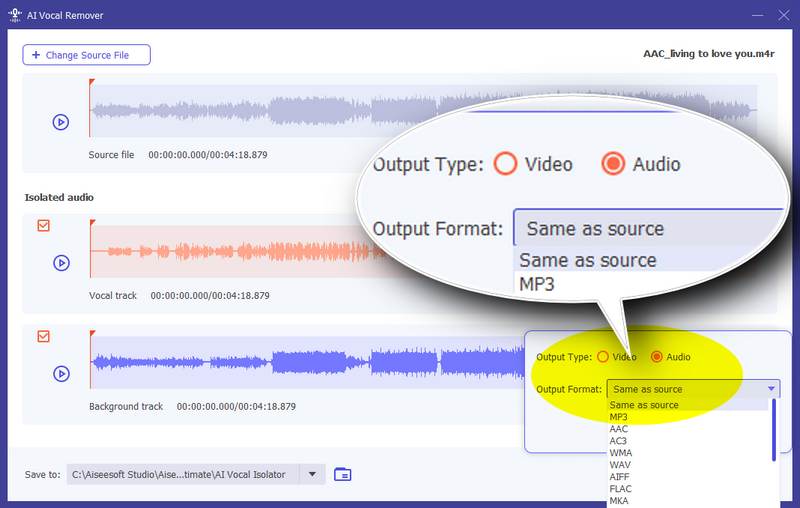
Then, you can see the separated vocal and background track, you can click the “Play” button to preview them and see if they meet your expectations.

Step 4

Export

If you are satisfied with the result, you can click the “Settings” button to choose the output format, check the track you want to save, and click “Export.”

Add Files in AI Voice Isolator
AI Analyze Audio And Bgm From Media File
Preivew Isolated Audio Tracks
Select Output Format And Save

Download Now to Isolate Your Background Music with AI

More features are waiting for your exploration

Buy Now50% OFF

30-Day Money Back Guarantee

Free Download

Windows 11, 10, 8, 7 Supported