
Best for: Users who already have VLC installed and only need occasional conversions.
Video Converter Ultimate
 100% Secure. No Ads.
100% Secure. No Ads.
When watching movies or videos, it's common for us to be attracted by the background music or songs. Usually, we drag the playback bar and rewind the video to listen to it again. You may wonder how great it can be to add the music to your playlist and loop it as many times as you want.
Since many streaming videos are in MP4 format, the most direct way to save their audio is to convert MP4 to MP3. In this way, you can enjoy the music on most devices or platforms. In this article, we have collected the most comprehensive methods for you to extract MP3 from MP4 in high quality.
There are several ways to extract MP3 audio from an MP4 video. The best method depends on whether you prioritize convenience, batch conversion, audio settings, or avoiding software installation.
Best for: Users who already have VLC installed and only need occasional conversions.
VLC Media Player is better known as a media player, but it also includes a conversion feature that can extract audio from an MP4 video and save it as an MP3 file. Unlike Windows Media Player's CD ripping feature, VLC can actually convert video files to audio formats.
How to Convert MP4 to MP3 with VLC:
VLC is convenient for occasional conversions, but its workflow is less straightforward than a dedicated video converter, especially when you need to process many files.
Best for: Users who already manage their media files through Apple Music or iTunes.
On newer versions of macOS, iTunes has been replaced by separate apps, including Apple Music. Windows users can still use iTunes in supported setups. If the MP4 file is already in your music library, you can use the built-in conversion feature to create an MP3 version.
On macOS with Apple Music
The converted MP3 file will be added to your music library.
On Windows with iTunes
This method is convenient if your media is already organized in Apple Music or iTunes, but a dedicated converter is generally easier for standalone MP4 files and batch conversion.
If you search "convert MP4 to MP3" online, you will find various online video converters available that can help you convert MP4 to MP3 for free. This is lightweight and convenient enough to get MP4 converted to MP3, whether you are using a Windows or Mac computer. Here we have collected the top 3 free online MP4 to MP3 Converters for you to choose from.
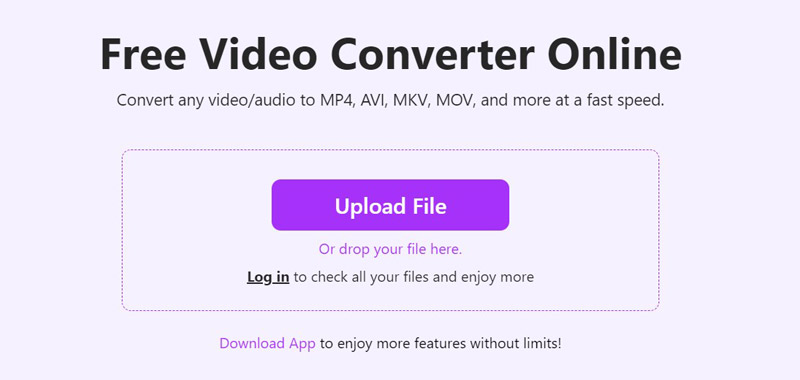
Aiseesoft Free Online Video Converter
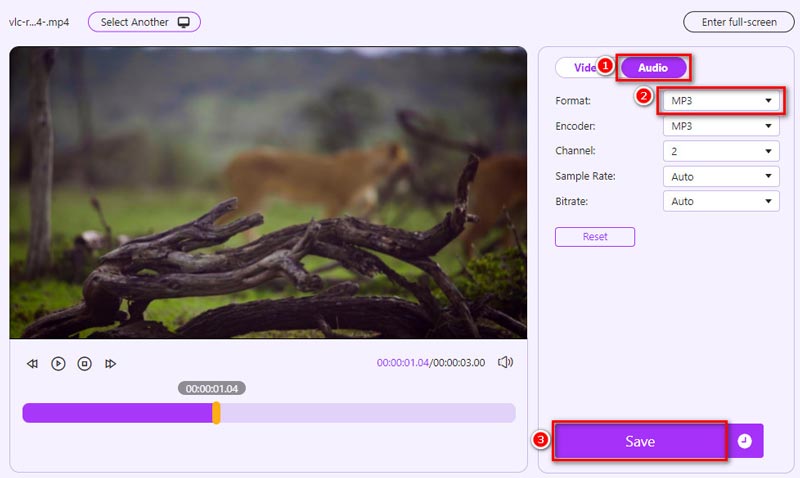
This Free Online Video Converter helps users convert any MP4 video to MP3, AAC, WMA, WAV, M4A, and more easily. Moreover, it gives us many audio output options like encoder, channel, sample rate, and bitrate. Let's learn how to extract MP3 from MP4 video in three steps.
PROS
CONS
ZAMZAR
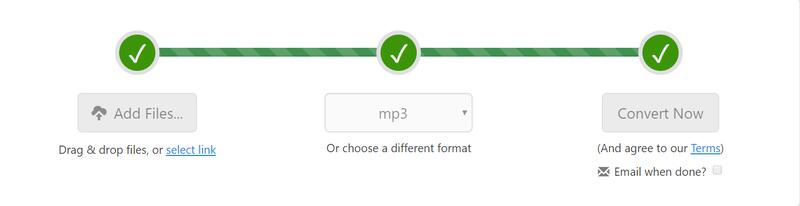
ZAMZAR is a free online file converter that supports over 1,200 file formats, it can work as video converter, image converter and eBook converter to help you convert MP4 to MP3, PDF to Word, PDF to Excel, EPUB to PDF, JPG to Word, MP4 to FLV, MP3 to WAV and more. With this free online MP4 to MP3 Converter, you can convert MP4 to MP3 easily in 3 steps on Windows or Mac computer.
Step 1. Click "Add Files" to add the MP4 file to this free online video converter. You can also click the "select link" button under the "Add Files" to enter the URL of an MP4 video.
Step 2. Choose MP3 as the output format.
Step 3. Click "Convert Now" to start the conversion process. If your MP4 file are in large size, it will take a while to get the converted MP3 file. You can check the "Email when done" option to receive the converted MP3 audio file via email.
PROS
CONS
Convertio
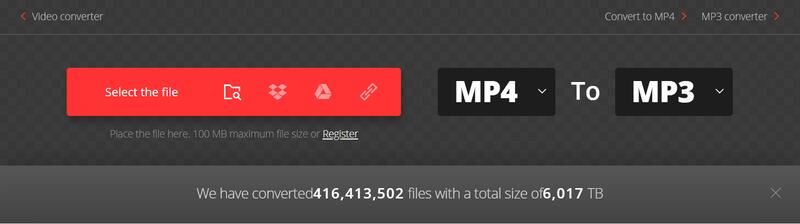
Convertio is also a simple and easy-to-use online MP4 to MP3 converter that can help you convert MP4 videos to MP3 easily. You just need to upload one or more MP4 files to this site and choose MP3 as the output format, then you can start to convert by clicking the Conversion button.
PROS
CONS
After reading the features, pros and cons of both free desktop and online MP4 to MP3 converters recommended above, if you are not satisfied with them because you have higher requirements on the conversion speed, efficiency and quality, we recommend you to try a more powerful and functional video converter – Aiseesoft Video Converter Ultimate.
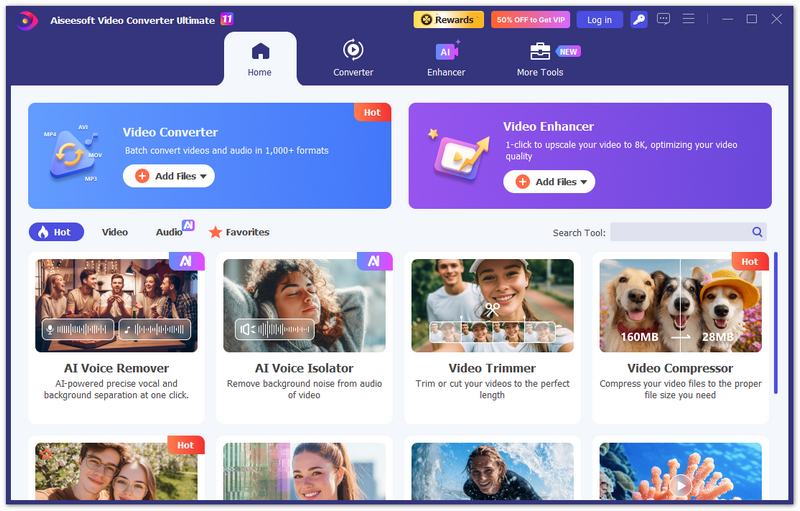
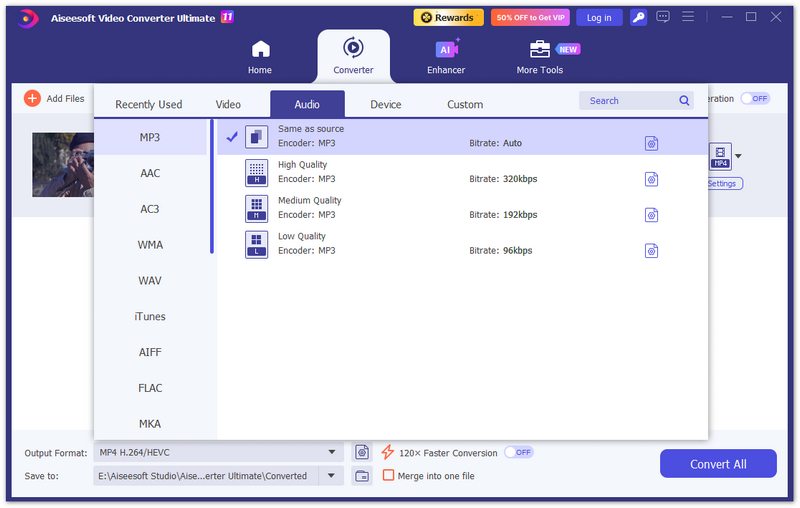
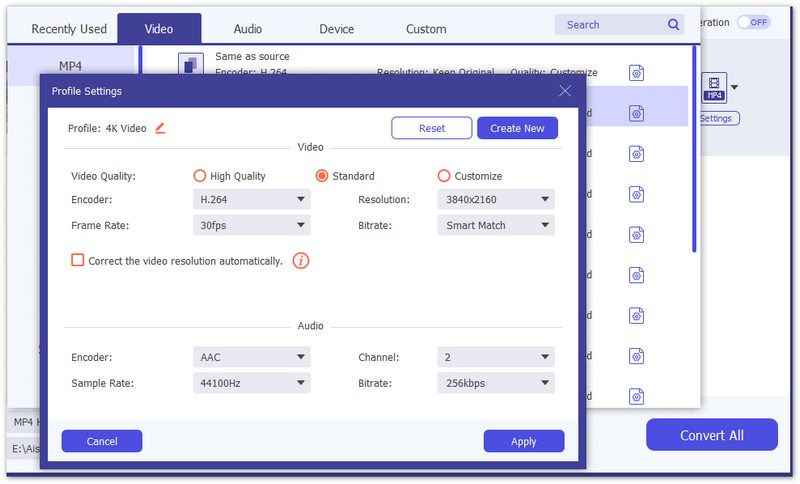
Aiseesoft Video Converter Ultimate is an all-in-one video converter and video enhancer. It offers you great solutions to convert video/audio formats, enhance video quality, edit video and music in 1,000+ formats. What's more, this video converter supports almost all portable devices, you are able to convert video to iPhone/iPad, Apple TV, Samsung phones, Huawei, Sony, PSP, etc. So it's a piece of cake to change MP4 to MP3 with this video converter.
Downloads
Aiseesoft Video Converter Ultimate
100% Secure. No Ads.
100% Secure. No Ads.
Easily convert MP4 to MP3 with the steps below.
Does converting MP4 to MP3 reduce audio quality?
It can. MP3 is a lossy audio format, so converting an MP4 video to MP3 may reduce audio quality compared with the original audio track. A higher MP3 bitrate can help preserve more detail, but it cannot make a lossy source lossless. If you want to preserve the original audio quality, choose a lossless format such as FLAC when supported.
What MP3 bitrate should I use when converting MP4?
For general listening, 192 kbps or 256 kbps is often a good balance between file size and audio quality. If you want higher quality and are less concerned about file size, 320 kbps is a common choice. The best setting also depends on the quality of the original audio in your MP4 file.
Can I convert multiple MP4 files to MP3 at once?
Yes. Some desktop and online converters support batch conversion. Aiseesoft Video Converter Ultimate allows you to add multiple MP4 files and convert them in one batch. Batch conversion is particularly useful when you need to extract audio from multiple videos.
Can I convert MP4 to MP3 on an iPhone or Android phone?
Yes. You can use a browser-based MP4 to MP3 converter on a smartphone without installing desktop software. However, uploading large videos from a phone can take more time and may consume mobile data. You can also download a mobile converter like AllVidConverter to convert with ease. For large files or frequent conversions, transferring the video to a computer and using desktop software is usually more convenient.
Can I extract only one audio track from an MP4 file?
Yes, if the MP4 file contains multiple audio tracks and your converter supports audio-track selection. Aiseesoft Video Converter Ultimate allows you to select an available audio track before conversion, so you can extract the specific track you need.
Conclusion
We have collected five easy ways to convert MP4 to MP3 for free, including tools on desktop or online. You can choose from them according to your detailed demands. If you also have other suitable MP4-to-MP3 converters for recommendation, please feel free to leave us a comment below.
 How to Split Audios with MP3 Splitter
Want to split MP3 audio files? You can learn how to split up MP3 audios with free MP3 splitter online and best MP3 splitter in this post.
 How to Convert MOV Video to Animated GIF
How to Convert MOV to GIF? This article introduces the easiest way to convert MOV video to animated GIF.
 5 Ways to Rotate a Video on Windows 10/8/7 and Mac
How to rotate a video on Windows 10/8/7 and Mac? This post shows 5 best ways to help you easily rotate/flip a video on computer.
 Leave your comment and join our discussion
Video Converter Ultimate is excellent video converter, editor and enhancer to convert, enhance and edit videos and music in 1000 formats and more.
100% Secure. No Ads.
100% Secure. No Ads.

*Required field
*Please enter a valid email
