
Best For: Most users who need to split multiple files quickly or extract high-quality audio from videos.

Video Converter Ultimate
 100% Secure. No Ads.
100% Secure. No Ads.
When you want to split a large MP3 audio file into small segments, a good MP3 splitter is the tool you need. These audio trimming and editing programs allow you to freely cut and divide audio files with precision.
You may want to trim an audio file for different reasons. For instance, to make a custom ringtone, remove useless silence, or isolate a specific part of a song. Whatever the reason, you need an MP3 stem splitter to trim a large audio file into smaller files.
This guide provides a review of the 5 best options available today, whether you need a professional-grade audio editing workstation or a quick online fix.
How to Choose the Best MP3 Splitter
Not all MP3 splitters are created equal, even though your goal is often simple: isolate the audio you need without losing quality. When choosing, consider these seven main factors:
| MP3 Splitter | Platform | Supported Formats | Best For |
| Aiseesoft Video Converter Ultimate | Windows, macOS | 1000+ audio & video formats | Users who need an all-in-one solution for audio/video editing and conversion |
| Audacity | Windows, macOS, Linux | MP3, WAV, AIFF, FLAC, etc. | Professionals and semi-pro users who seek a free and powerful audio editor |
| GarageBand | macOS, iOS | MP3, AAC, AIFF | Music creators within the Apple ecosystem |
| Adobe Audition | Windows, macOS | All popular audio formats | Audio engineers and professional podcasters who need top-tier tools |
| Ocenaudio | Windows, macOS, Linux | MP3, WAV, FLAC, etc. | General users who want a lightweight and free audio editing tool |
This section will dive deep into each MP3 splitter, giving an objective review and verdict based on their features, pros, cons, highlights, and more.
Best For: Most users who need to split multiple files quickly or extract high-quality audio from videos.
Score:4.9/5
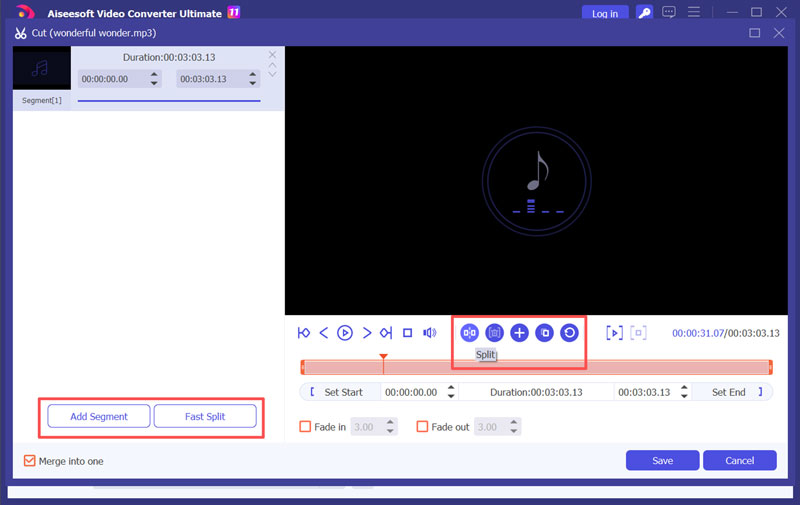
Aiseesoft Video Converter Ultimate is a powerhouse that simplifies the video and audio splitting process without sacrificing quality. Its dedicated Cut feature is among the fastest and most precise in the industry. It functions as a professional-grade MP3 splitter, offering precise control over cutting points. Beyond audio splitting, it lets you convert between 1000+ video/audio formats, adjust audio speed, apply effects, and more.
100% Secure. No Ads.
100% Secure. No Ads.
Editor’s Verdict:
Aiseesoft stands out for its excellent audio splitting capability and ease of use. It can process large, high-bitrate audio and 4K videos. As an MP3 splitter, its advanced “Fast Split” feature allows you to divide a song into several segments by average time or number automatically. More importantly, the precision is top-notch. You can preview cuts directly in the built-in player. Its integration with editing, enhancement, and conversion functions is another massive plus. It is ideal for most users who want a reliable and multi-functional tool.
Best For: Budget-conscious creators who need professional-level features, including detailed waveform editing.
Score:4.7/5
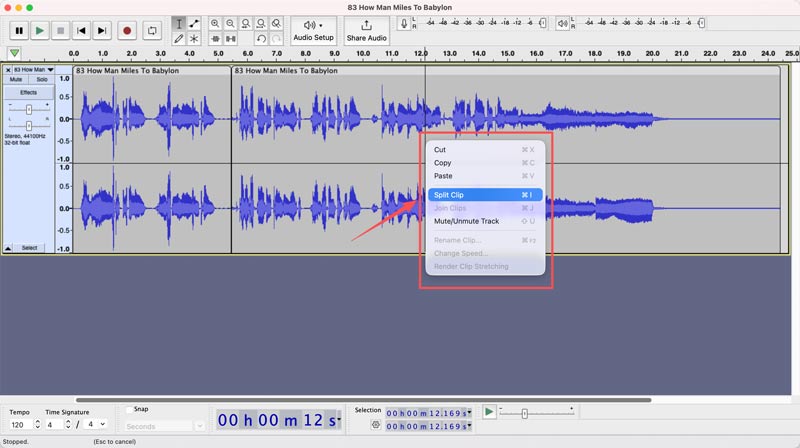
Audacity is a free, open-source audio editor that offers all the necessary editing features. As an MP3 splitter, it supports multi-track editing. It enables you to easily split a song at the cursor position by pressing Ctrl + I or Cmd + I.
Editor’s Verdict:
Audacity is an ideal choice for most general users who want a free MP3 splitter or audio editor. It provides unmatched precision through a waveform. Moreover, Audacity can help you handle multi-track projects. It allows you to apply advanced fade effects and noise reduction to audio. However, it is primarily designed for audio editing. It does not offer video editing and enhancement functions.
Best For: Apple users, mainly beginners who start with music production or podcasting.
Score:4.5/5
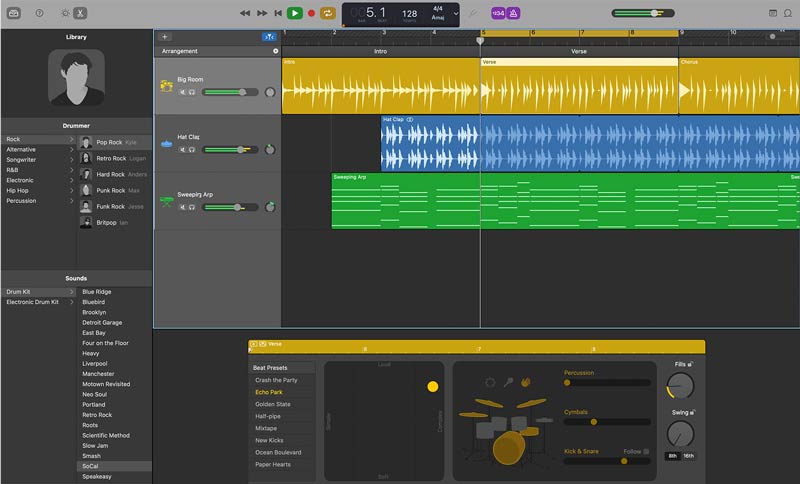
GarageBand is a default music editor and creator app within the Apple ecosystem. You can simply place the playhead where you want to split and then press Command + T to divide it.
Editor’s Verdict:
GarageBand is naturally integrated with the Apple ecosystem. Whether you want to cut audio on a Mac or an iPhone, you can rely on it. Moreover, it allows you to freely add fade effects with automation curves. More than an MP3 splitter, GarageBand is widely used for music production.
Best For: Audio professionals, serious content creators, and professional podcast producers.
Score:4.6/5
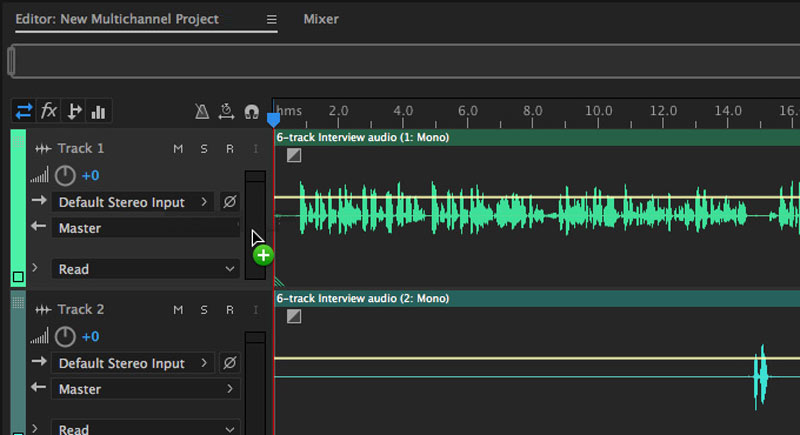
Audition is a powerful audio editor designed for professional audio work. It offers unparalleled precision for audio splitting. Besides, it offers all the commonly used functions to edit and enhance audio. It also supports multi-track mixing, mastering, noise restoration, and more.
Editor’s Verdict:
Adobe Audition is mainly for professionals to edit audio. It offers the highest level of precision and advanced features. It can easily handle both simple MP3 splitting and complex audio creation. However, the Adobe program requires a steep learning curve, an expensive subscription price, and high hardware requirements.
Best For: Casual users who look for a cross-platform audio editor and a free alternative to Audacity.
Score:4.4/5
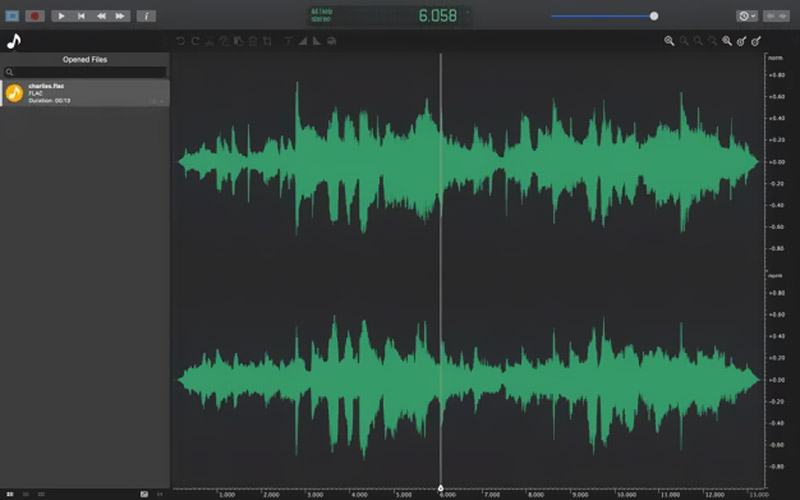
Ocenaudio is a powerful audio editor that offers various editing functions. The most compelling feature of this MP3 splitter is the real-time effect preview. It allows you to freely adjust parameters like EQ or compression. Ocenaudio can process large files smoothly.
Editor’s Verdict:
Ocenaudio is mainly designed for handling large files. Compared to online audio cutters or editors, it offers more advanced options. Moreover, the MP3 splitting precision is excellent.
Question 1. How can I split an MP3 file online for free?
There are many related MP3 splitters that can help you cut music online for free. These web-based tools are perfect for quick audio edits. You can directly access and use them on your device without installing any software. Popular online MP3 splitter choices include VEED.IO, MusicCreator AI, VocalRemover Splitter AI, Clideo Audio Cutter Online, and BandLab Splitter.
Question 2. How do I reduce MP3 file size?
There are several efficient methods to compress an MP3 file. However, during the size reduction, you should balance storage space and audio quality. You’d better rely on a dedicated audio compressor to do that.
Question 3. Can VLC split audio files?
Yes, VLC can split audio files, but it does not offer a specific feature for you to do that. It is primarily a media player that comes with basic audio editing and conversion functions. However, it does not have a “Split” or “Cut” option. If you choose to split audio using VLC, you have to manually record the necessary part you want to keep. So, the precision is rough compared with a dedicated tool like Audacity or Aiseesoft.
Conclusion
A reliable MP3 splitter is an essential tool, whether you want to create a custom ringtone from your favorite song or divide a massive audiobook into suitable chapters. After reading the review, you can easily select the desired audio splitter based on your specific needs.
 Best AI Audio Fixers in 2026: Restore Clarity Instantly
Here are the most efficient AI audio fixing tools to repair poor audio, remove background noise, and enhance vocal clarity for professional or personal projects.
 How to Mute Videos and Remove Audio Tracks from Videos
How can I mute videos on Instagram on my iPhone? How do you silence videos on TikTok? This post shares five apps to remove audio from your videos and mute them.
 How to Compress an Audio File in Audacity into Ideal Size & Quality
Do you want to know how to compress an audio file in Audacity without losing the quality? Read this carefully to know more about it.
About AMV
1.1 Best AMV Maker Apps 1.2 How to Make AMV on Computer 1.3 How to Make AMV on iPhone/iPad 1.4 How to use Windows Movie Maker 1.5 AMV - What Is AMV 1.6 Best AMV Editor Apps 1.7 Top 5 AMV Converters
Video Converter Ultimate is excellent video converter, editor and enhancer to convert, enhance and edit videos and music in 1000 formats and more.
100% Secure. No Ads.
100% Secure. No Ads.

*Required field
*Please enter a valid email
