Android phones and Mac computers might not integrate as perfectly as you may desire. The transfer of a file between a device that works under one operating system and a device that follows a different one may leave users guessing about the most effective way of doing it. That's the reason it helps to know that it really becomes straightforward when you have the right tools on hand. So whether you are moving pictures, movie files with text, or anything else, this article offers you the most straightforward Android to Mac file transfer techniques through which you will be able to pick the one that is most suitable to your work pattern and move the files you need without unnecessary inconvenience.
Android File Transfer is a file transfer utility provided by Google. It allows you to open, read, and copy files from an Android device to a Mac PC or vice versa through a USB cable. It is suitable for those who prefer a straightforward method of transferring files without getting themselves into the hassle of setting up or using cloud services or wireless connections.
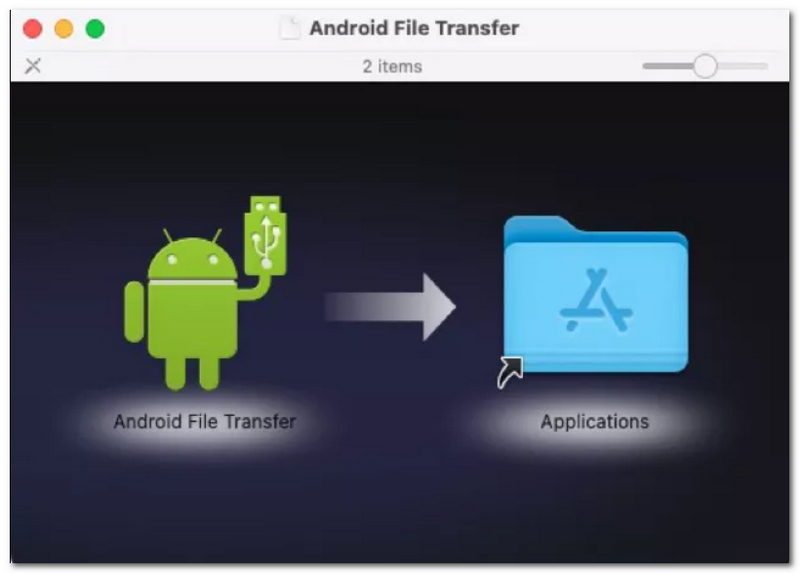
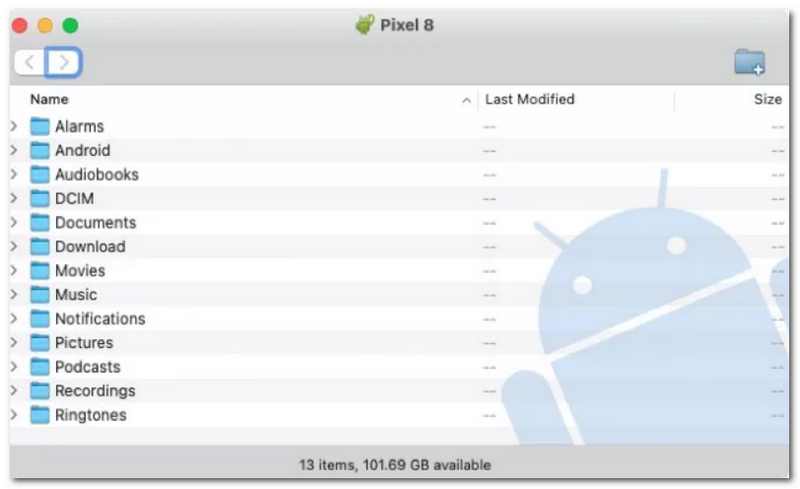
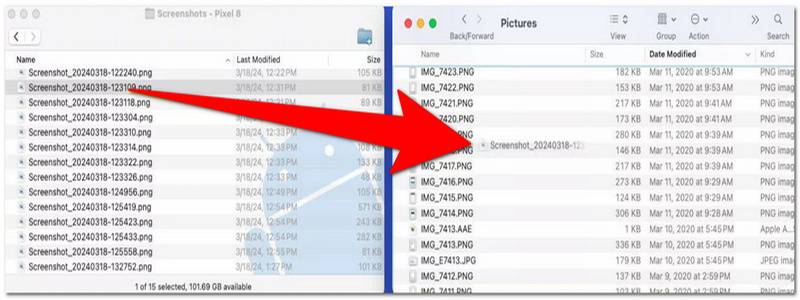
PROS
CONS
As opposed to Windows, macOS doesn't integrate a functionality that would allow a Google Quick Share app from the ground up. So, Quick Share is only accessible on Mac once we install it ourselves. Yet, with its robust features, Near Drop comes to the rescue for those of us who want to make a transfer from Google to macOS. It gives your Android phone the ability to share files with your Mac wirelessly because of this eliminating the need for a USB cable to transfer the files and saving you time and effort as well.
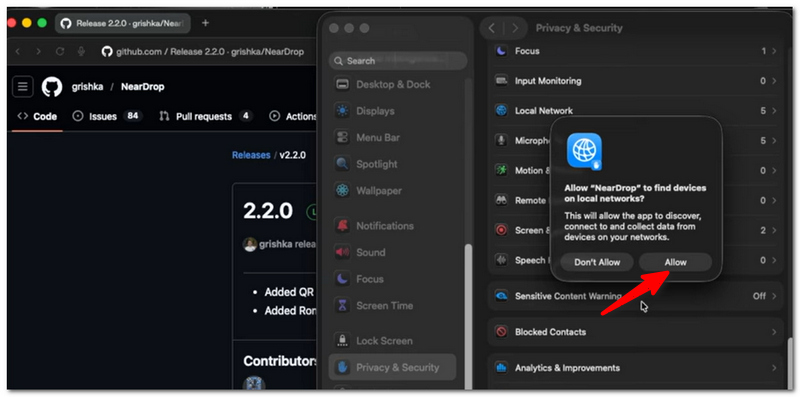
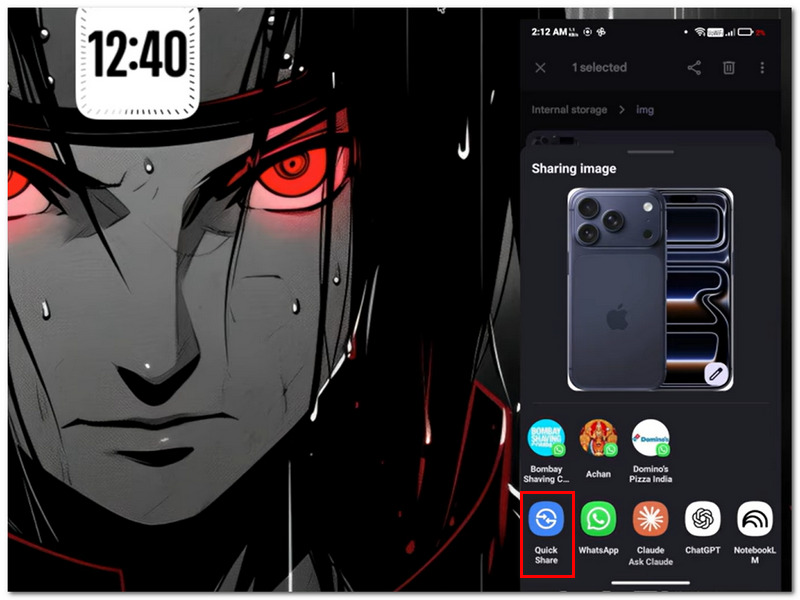
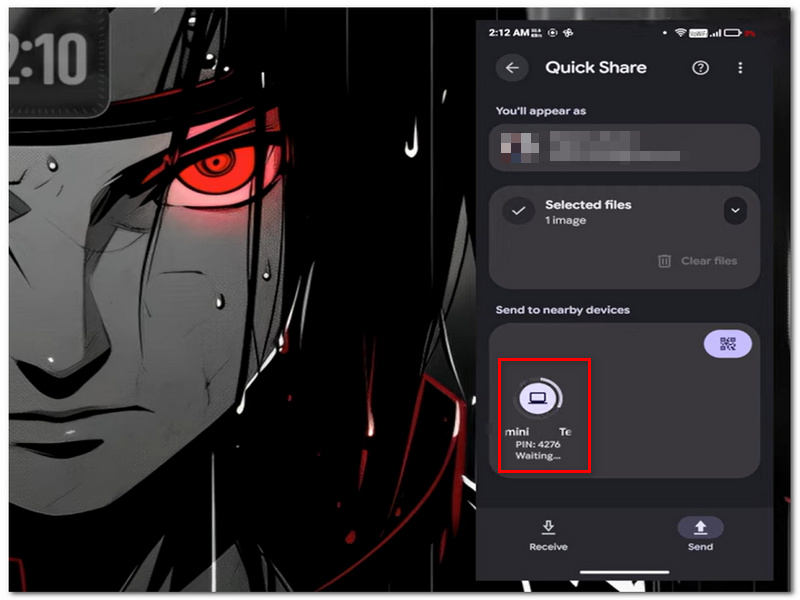
PROS
CONS
You can use LocalSend, a free and open-source Wi-Fi file transfer app, to move files between Macs and Android devices connected to the same local area network. Rather than cloud-based services, your files do not leave your Wi-Fi network, which means the transfer is both quick and confidential.
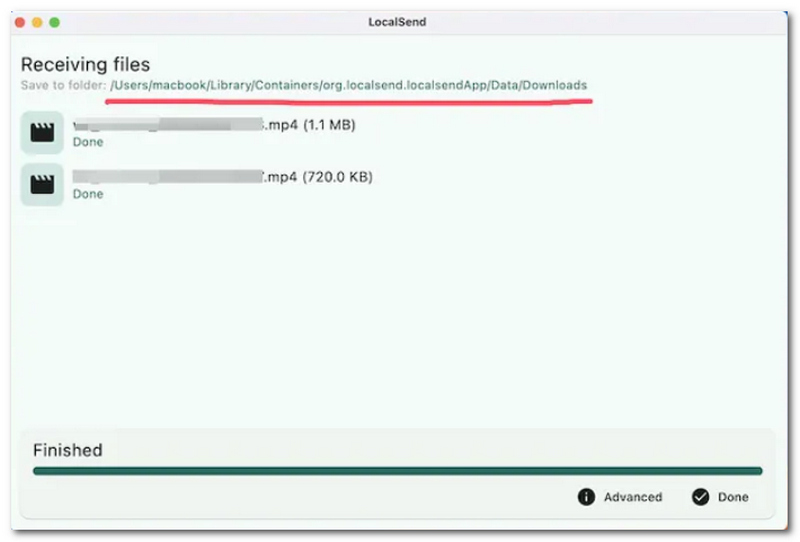
PROS
CONS
Suppose you're a Windows PC owner too. In that case, Aiseesoft FoneEase is one of the apps that one could rely upon for managing data on their Android phone. Although it's incompatible with macOS, it brings an effortless method to share files, sort them out, and make backups on Windows, which will come as a great relief to those who go back and forth between two OS's.
Main Features
 100% Secure. No Ads.
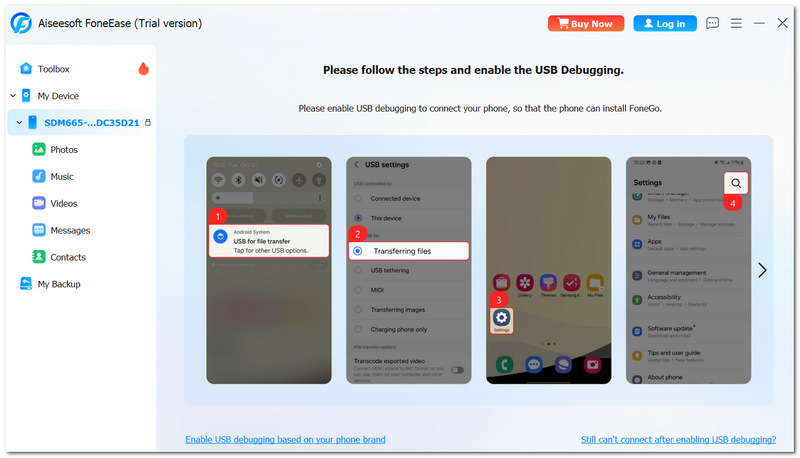
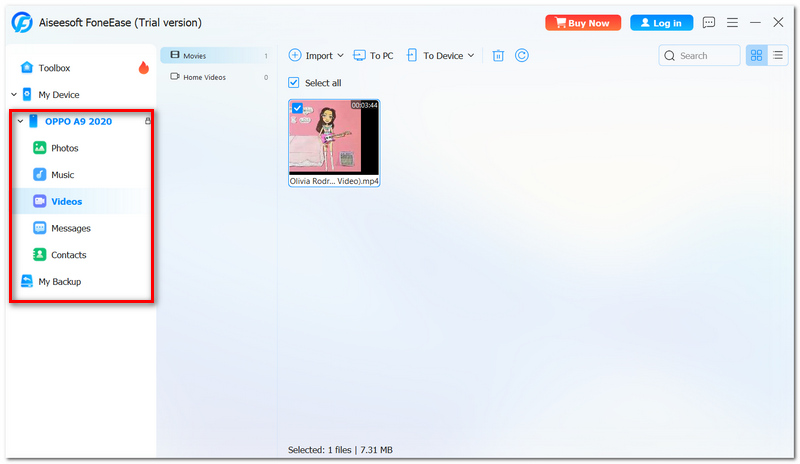
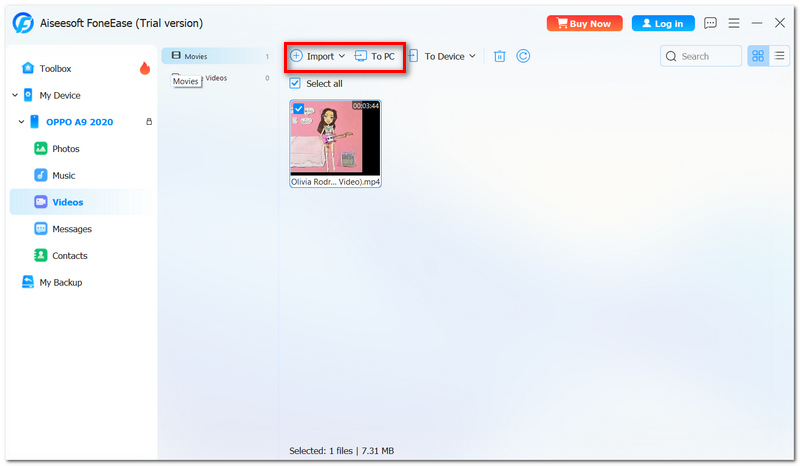
Note: At present, Aiseesoft FoneEase is only available for Windows PCs, while a macOS version isn't on the list of features. Because of this, for macOS users, the guide recommends you try the other methods covered earlier in the article.
Is it possible to transfer files from my Mac's internal storage to an external drive that is connected to it?
Yes, you can. Choose the external drive as your destination while transferring if the application gives the facility of choosing a location.
Why do some files come up with normal icons after they are moved to the Mac?
In most cases, this happens when macOS does not have a default app for that file. The actual file is not corrupted.
Will my transferred files be automatically backed up to my Android phone if I make changes to them on my Mac?
No, they don't. In most ways of transferring files from the computer to your phone, file duplication is involved. Any changes you make on your Mac will not be reflected on your Android phone unless you copy those changed files back manually.
Conclusion
Selecting the perfect file transfer method for Android to Mac file transfer can be a simple task. Once reading the article is complete, it will be straightforward for you to determine the most suitable option. This helps to transfer your files with ease, reliability, and without much energy.
 100% Working Methods to Mirror Android Screen to Mac Computers
To mirror an Android screen to a Mac computer, you can follow our guide to get it done with a Wi-Fi network or a USB cable easily.
 Top 9 Android Emulator Applications for Windows and Mac OS X
Want to use Android OS on a computer? Here are top 9 best Android emulators that can help you install apps on Windows and Mac easily.
 How to Mirror Android Screen on PC, Mac, & TV via USB Cable
Learning to mirror Android screen on PC, macOS, and TV via USB cable is doable, and no special tools are needed. Read the info below to know how.
 Leave your comment and join our discussion
Aiseesoft FoneEase is a data transfer and management tool that lets you seamlessly move, back up, and manage various data between iOS, Android, and computers without resetting your phone or relying on iTunes.
100% Secure. No Ads.

*Required field
*Please enter a valid email

