
Video Converter Ultimate
 100% Secure. No Ads.
100% Secure. No Ads.
If you often manage all types of video files, you should be familiar with 720p (HD) and 1080p (Full HD). They are both considered high definition, so what’s the main difference? The truth is, the practical differences are significant, affecting the real viewing experience, gaming performance, and streaming costs.
Even though 1080p and 4K are the modern standard, 720p still holds significant value in many scenarios. This 720p vs. 1080p guide will explain the necessary information about the two resolutions. Whether you want to create video content, set up a game, or upgrade your monitor, you can better decide which is the right fit for your needs.
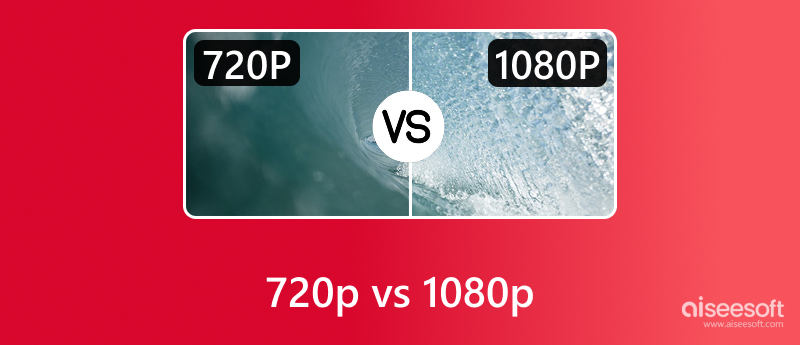
The first section will tell what 720p and 1080p actually mean.
At the core, the key difference is pixel count. 720p, or HD (High Definition), refers to a resolution of 1280 x 720 pixels. A 720p display has 921,600 pixels in total, under 1 million pixels. 1080p (Full HD) refers to a resolution of 1920 x 1080 pixels, 2,073,600 pixels in total. That equates to approximately 2.1 million pixels.
Compared to 720p, 1080p can display more than twice the amount of visual information. That will significantly add more details and improve the sharpness and clarity. Fine details like text clarity, hair, facial expressions, and distant objects will be much clearer at 1080p.
Besides the pixel count, their difference also depends on Pixel Per Inch (PPI) and viewing distance. Generally, 720p is enough for viewing on a small screen at a normal viewing distance, like on a smartphone or a small tablet.
However, if your monitor or display screen is 16 inches or larger, 1080p is considered the absolute minimum. For professional or serious work on a desktop, 1080p is a necessity. In fact, 1080p has become a standard on most modern smartphones. Even for social media content and entertainment, 720p becomes outdated.
Actually, nowadays, we don’t often talk about 720p vs. 1080p anymore. Instead, 1080p vs. 4K is commonly mentioned.
Whatever the resolution, if you have some 720p videos and want to upscale them for better viewing on your high-resolution displays, turn to a video upscaling software. You should select a reputable, AI-powered upscaler to increase the video resolution from 720p to 1080p or even 4K with enhanced quality. These AI tools use advanced algorithms to analyze low-resolution footage and generate correct new pixels.
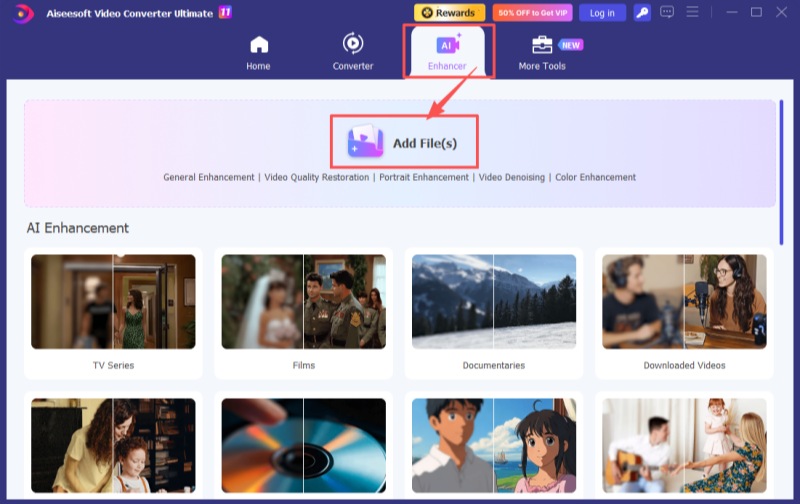
Aiseesoft Video Converter Ultimate is known for its powerful video conversion and editing functions. Its built-in AI Enhancer also stands out for its specific focus on video enhancement. Multiple AI models are available for commonly used enhancement needs. These models are trained on millions of data points to ensure high-quality results. Aiseesoft leverages AI to intelligently upscale and enhance videos.
100% Secure. No Ads.
100% Secure. No Ads.
Core Features of Aiseesoft AI Video Upscaler
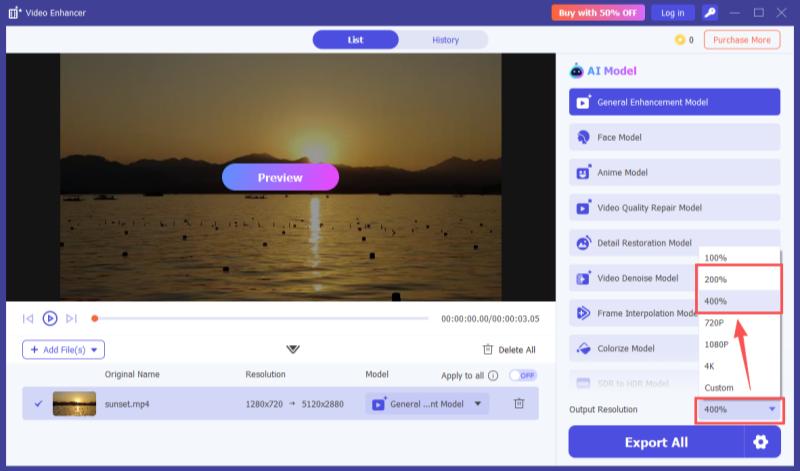
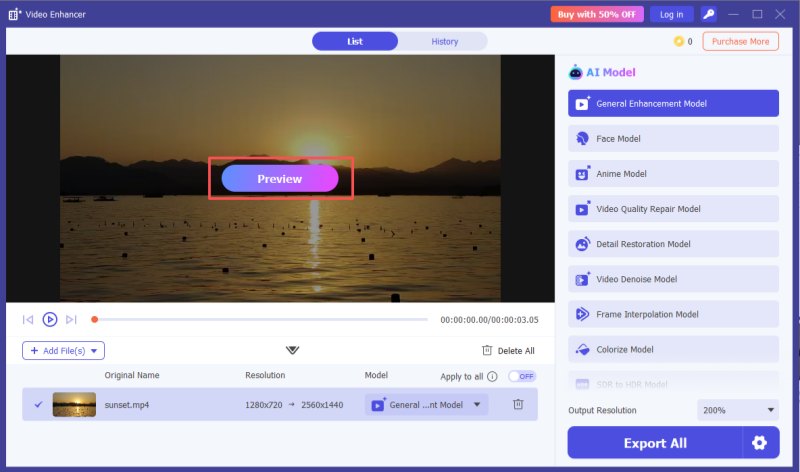
Steps to Upscale a 720p Video to 1080p or 4K
Is 1080p better than 720p?
Technically, 1080p is often better than 720p. As mentioned above, 1080p offers higher resolution and more detail. With more image information, it can deliver a higher-quality viewing experience with fine details, especially on a large, high-resolution monitor. However, the better choice can be decided by your specific situation. 720p can also be a better choice in certain situations.
What resolution is better for streaming, 720p or 1080p?
Under the same network connection, 720p will be much smoother than 1080p. If your connection speed is consistently slow or you are using your mobile data, you can use 720p. However, if your internet connection is fast and you prefer the best visual experience on a large monitor or TV, 1080p is a better choice.
Can I directly upscale a 720p video to 4K?
Yes, you can directly upscale a 720p video to 4K. Many video editors and converters allow you to upscale with ease. However, the final quality depends entirely on the software you used. You should select an AI-powered upscaler like the Aiseesoft AI Enhancer introduced above.
Conclusion
After reading this 720p vs. 1080p guide, you should know that 1080p is the clear winner for large PC monitors, home entertainment, high-quality gaming, and more. In most cases, the choice between 720p and 1080p is no longer mentioned, whether for screen size, hardware capability, or other concerns. Nowadays, current users focus on 1080p vs. 4K and advanced display technologies like HDR. However, if you are stuck with legacy 720p footage, turn to AI upscaling tools like Aiseesoft Video Converter Ultimate to make the 720p to 1080p conversions with ease.
 How to Remaster a Video to 1080p HD or 4K Using AI Enhancer
Can AI help me remaster a pixelated video with enhanced quality? How to remaster a low-quality video captured by my old iPhone? Learn to remaster your videos.
 How to Play 4K Videos & Blu-ray Movies on Windows 11/10/8/7 & Mac
Experiencing choppy 4K playback? Discover the best 4K media players for Windows 11/10 and Mac. Learn how to play 4K UHD videos and Blu-ray movies smoothly.
 HDR vs 4K: What’s the Difference and Which Should You Choose
HDR vs 4K explains how these technologies differ in color, resolution, and performance to help you decide which delivers a better viewing experience.
 Leave your comment and join our discussion
Video Converter Ultimate is excellent video converter, editor and enhancer to convert, enhance and edit videos and music in 1000 formats and more.
100% Secure. No Ads.
100% Secure. No Ads.

*Required field
*Please enter a valid email

