
Best for: Most users (professionals and beginners) who want an all-in-one solution to easily upscale anime pictures to 4K.
Contents
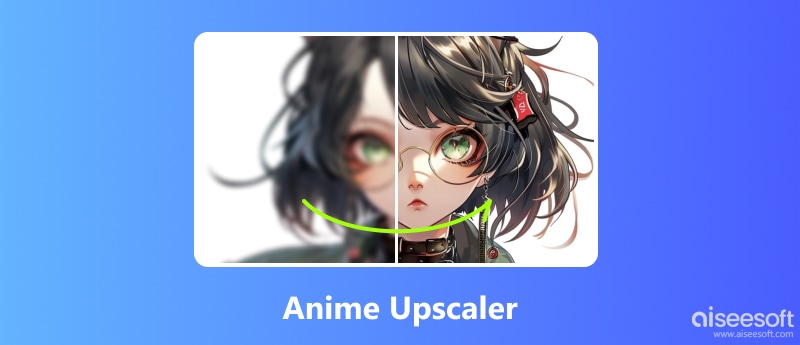
The culture of anime and manga emerged a long time ago. Over so many years, there have been very many classics. And the drawing style of anime has also had a great influence on our daily life. Many people will use anime characters as avatars or set excellent anime paintings as wallpapers. Some people even find professional artists to customize anime images for themselves or their favorite characters. Therefore, this market is very broad. If you see a favorite anime image while surfing the web, you may want to save it on your device. However, the quality of these images comes from an inconsistent source, and many of them become blurry after downloading. And to solve this kind of problem, Anime Upscaler was born. If you are struggling to find the right tool, read on. We'll provide you with the top 4 AI Anime Image Upscalers and briefly analyze their features. At the end of the article, we will also provide you with a detailed step-by-step guide.
| Anime Upscaler | Platform | Max Resolution | Speed | Ease of Use | Price Model |
| Aiseesoft AI Photo Editor | Windows, Mac | Up to 8x (e.g., to 4K) | Very Fast | Very Easy | Freemium One-time Purchase |
| Stable Diffusion | Local and Cloud | Variable (Model-dependent) | Fast | Complex Technical setup |
Free Paid Cloud Access |
| WaifuXL | Web | Up to 4K | Fast | Easy (No sign-up) | Free |
| Vance AI Anime Upscaler | Web, Windows, Mac | Up to 4K | Fast | Easy | Pay-per-image Subscription |
Best for: Most users (professionals and beginners) who want an all-in-one solution to easily upscale anime pictures to 4K.
Score:4.8/5
First of all, we would like to recommend an anime image upscaler with great compatibility, Aiseesoft AI Photo Editor. It works with pictures of any drawing style, including, of course, anime images. Unlike traditional image enhancement tools, it doesn’t require you to perform any complicated step-by-step operations with the application of AI technology. After receiving your images, it will quickly reduce noise, fix blurry parts, and brighten dark areas. On top of that, you can enlarge the size of your pictures. This feature is essential if you want to set a normal-sized anime picture as your computer’s wallpaper.
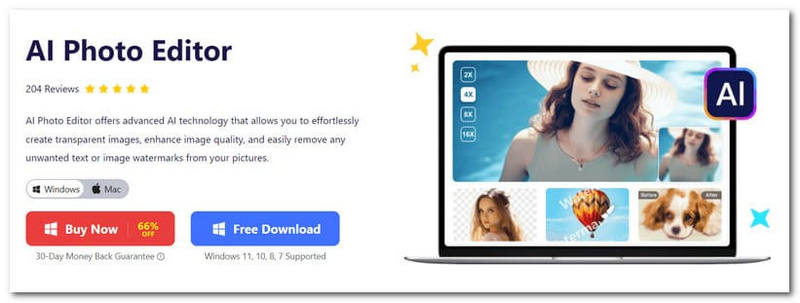
We tried it on an anime headshot. The result was transformed, and the contrast was very noticeable. It also helps us remove watermarks from your pictures. Some platforms may add watermarks to images, which can be very distracting if we want to use them as avatars or wallpapers. It’s a perfect fit for anime lovers.
Pros
Cons
Best for: Professionals and tech-savvy users who want maximum control over image generation and restoration.
Score:4.6/5
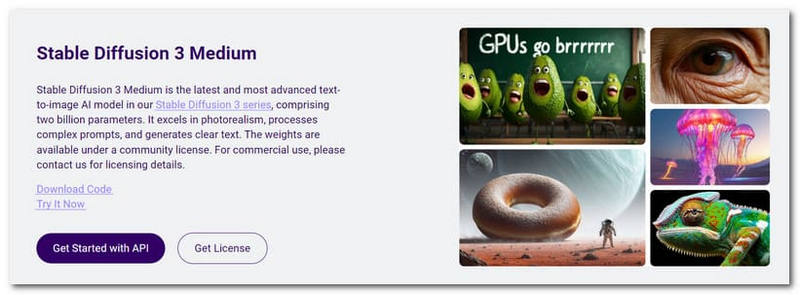
Stable Diffusion is a technique that has been used to improve the quality of images. It is known for being able to stabilize the quality of an image while retaining the important features and details of the original picture. If you want to feel the most professional animated image restoration, you can try using the anime upscaler Stable Diffusion 3. It is one of the most advanced AI image processing models available, developed by Stability AI.
In addition to using it to enhance the quality of your images, you can also enter text commands and let it help you create new anime-style images. However, this tool is not yet widely available, so if you are interested, you can register on its official website and wait for a trial slot. In addition to processing images, Stability AI offers numerous video and audio processing tools, which you can check out on its website.
Pros
Cons
Best for: Pure anime fans or art enthusiasts who want a free, quick, and specialized online upscaler.
Score:4.4/5
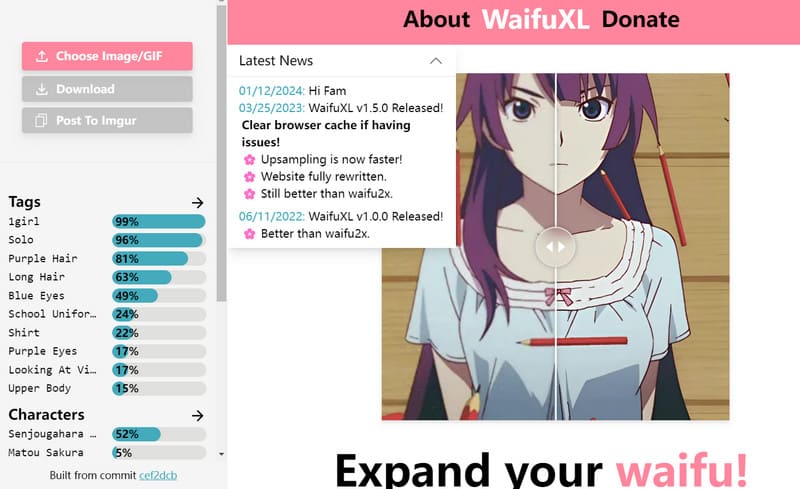
If you are a fan of anime style, then WaifuXL must be the best for you. It is a platform designed to create and enhance anime-style artwork. This web-based anime upscaler runs on AI technology at its core as well, and it also has a built-in deep learning model designed to improve the clarity of animated images and reproduce every detail.Since its main focus is the anime style, we can clearly feel that the images it processes have smoother lines and a stronger sense of texture. Anime enthusiasts and engaged creators favor this anime upscaler because it fits their needs perfectly and outputs works with a high level of professionalism.
Pros
Cons
Best for: Most general users who want control over the final noise reduction and sharpening results.
Score:4.3/5
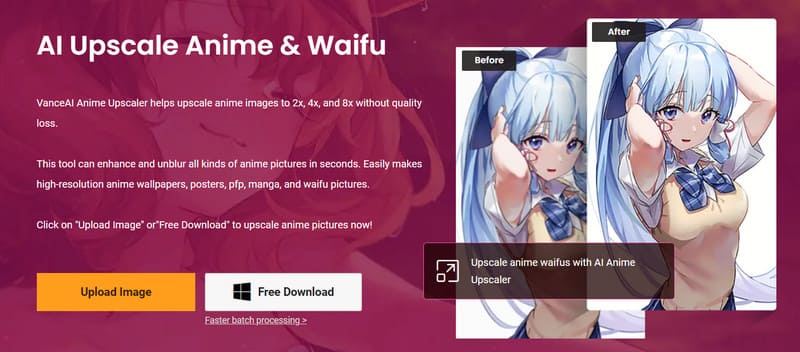
Like the previous tool, Vance AI Anime 4K Upscaler is an online animated image editor. This tool works based on waifu2x upscale algorithms. It can be used to work with a variety of drawing styles, such as anime avatars, wallpapers, old cartoons, manga, comics, and more. Even if your original image is very blurry, it can be fixed to Super HD or 4K quality. If you are worried that the online tool is not stable enough, you can also download the desktop version to your computer and fix your pictures.
One of the surprising things about this tool is that it allows us to adjust the level of sharpening and noise reduction manually. The edited results are presented directly in the preview window. In this way, we will be able to output pictures at a precise level. It also processes images very fast.
Pros
Cons
If you want a straightforward way to upscale and enhance your anime pictures, are tired of steep learning curves, or a lack of real editing tools, directly turn to the recommended Aiseesoft AI Photo Editor. It bypasses all the limitations and guarantees a fast, secure upscaling experience. You can use it to turn your favorite anime wallpapers into stunning 4K with ease.
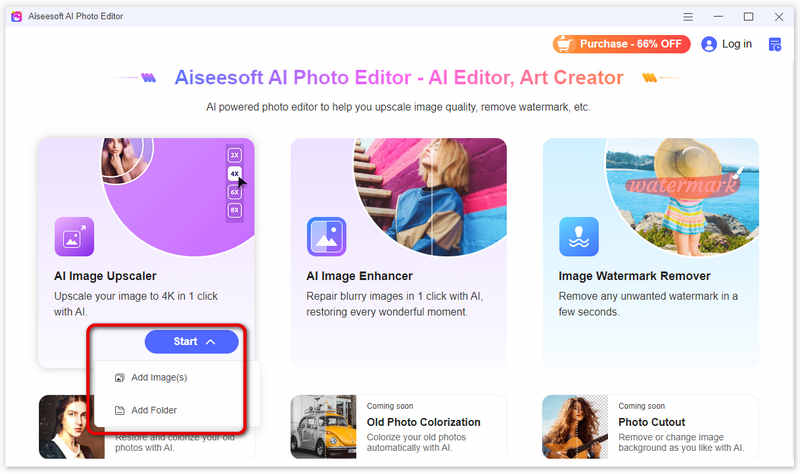
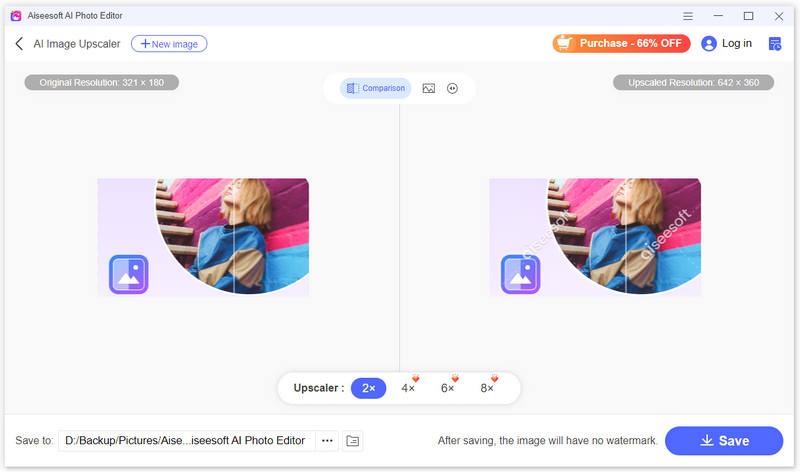
If you need to use an anime upscaling AI to enhance an image but are unsure how to get started with the specifics, follow the steps below. We'll show you how to fix your file with the help of Aiseesoft AI Photo Editor.
Is it possible to upscale anime?
Yes, it is possible to upscale anime. You can consider using various image editing software tools or platforms supported by AI algorithms.
What is the best AI enhancer for anime?
There are several AI image enhancing tools and software designed specifically for improving the quality of anime-style artwork. The best AI enhancer for anime can depend on various factors. Aiseesoft AI Photo Editor, Vance AI, and Waifu2x are all good options.
What is the best printing resolution for anime images?
For daily prints with sharp details, a resolution of 300 DPI is typically recommended. However, if you are printing images for commercial posters, banners, etc., please consider 600 DPI or higher quality.
Conclusion
Whether you are an anime collector, wallpaper enthusiast or social media avatar maker, you can pick the right anime upscaler according to your actual needs. Casual users who pursue efficiency and effect give priority to Aiseesoft AI Photo Editor, professional players can choose Stable Diffusion for in-depth adjustment, pure anime fans can use free WaifuXL, and users who need fine-tuning can try Vance AI related tools.
 5 Best AI Video Upscalers to Enhance Video to 4K/8K [2026]
What is the best AI video upscaler? How do you upscale a video to 1080p online for free? Check the full review of the top 5 AI-powered video upscaling tools.
 100% Working Ways to Upscale Images to 4K on PCs and Mobile Devices
Image quality enhancement is an essential skill for everyone. Following our guide and you can learn how to upscale images to 4K and HD quality for different purposes.
 How to Change the Video Quality on TikTok for Better Uploading
Do you know the small trick to upscale the TikTok video quality to 1080P? Click here to learn the detailed steps to change the video quality on TikTok easily.
 Leave your comment and join our discussion
Enlarge and upscale images up to 4K in batches quickly with wide support for various image formats.
 100% Secure. No Ads.
100% Secure. No Ads.

*Required field
*Please enter a valid email
