
Best for: Fast & focused recovery
iPhone Data Recovery
 100% Secure. No Ads.
100% Secure. No Ads.
With the release of iOS 26 and the latest iPhone 17 / iPhone 17 Pro series, Apple devices have become more powerful and cloud-driven than ever. However, iPhone data loss problems such as accidental deletion, iOS update failure, iCloud sync errors, system crash, or device reset are still frequently reported.
Important files like photos, contacts, messages, WhatsApp chats, videos, notes, and app data can disappear instantly without warning. When this happens, users need a reliable way to recover iOS data safely and effectively without overwriting existing files.
So, what is the best iPhone data recovery software, and how can you quickly recover deleted iPhone data?
Recovery Mode: It should offer multiple recovery modes, like from device, iTunes/Finder backup, iCloud, etc.
Recovery Type: It should support recovering various file types, like photos, videos, audio, data from WhatsApp, iMessage, Backup History, and more.
Selective Recovery: Some users don’t need to restore all data, so the selective recovery feature is convenient and restores data in a precise way.
iOS Compatibility: It must support your specific version (e.g., iOS 18 or 19). Older tools often fail on newer file systems.
| Price | Scan Speed | Recovery Type | Selective Recovery | Compatibility | Success rate | |
| FoneLab | $63.96/Lifetime | Fast | Comprehensive | √(preview) | iOS 26 | High |
| Mac First Aid | Free | Medium | App-focused Recovery | √ | iOS 19 | Medium |
| Dr.Fone | $69.95/Lifetime | Medium | Comprehensive | √ | iOS 26 | High |
| Leawo iOS Data Recovery | $69.95/Lifetime | Slow | Basic file | √ | iOS 26 | Low |
| EaseUS MobiSaver | $99.95/Lifetime | Slow | Media/text | √ | iOS 18 | Medium |
| iMyFone D-Back | $79.99/Lifetime | Fast | App-focused Recovery | √(intelligently select) | iOS 19 | High |
| FoneTool | $59.95/Lifetime | Medium | Basic file | √ | iOS 26 | Low |
| Enigma Recovery | $59.99/Lifetime | Medium | Message/call/calendar | √ | iOS 18 | Low |
Best for: Fast & focused recovery
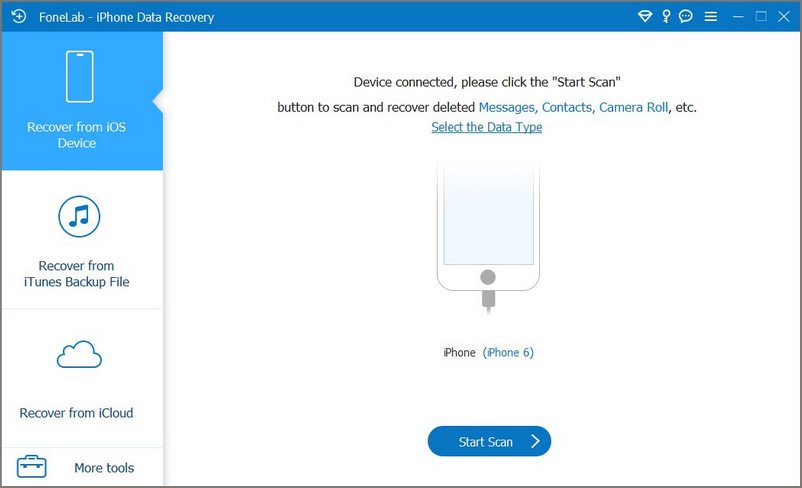
FoneLab iPhone Data Recovery is a powerful third-party data recovery software for iphone designed to help users recover iOS data from iPhone, iTunes backup, and iCloud backup. It supports multiple scenarios, including accidental deletion, iOS update failure, system crash, and factory reset.
It is fully compatible with iOS 26 and iPhone 17 series, and supports recovery of photos, contacts, messages, WhatsApp data, videos, and more.
100% Secure. No Ads.
100% Secure. No Ads.
PROS
PROS
Best for: Support various data formats
As one of the best iPhone data recovery software, iMobie PhoneRescue can recover 25 types of deleted or lost iPhone/iPad/iPod data, such as contacts, messages, photos, notes, WhatsApp messages, Safari bookmarks and so on. This iPhone data recovery software can recover iPhone data directly from iOS device, from iTunes backup and iCloud backup.
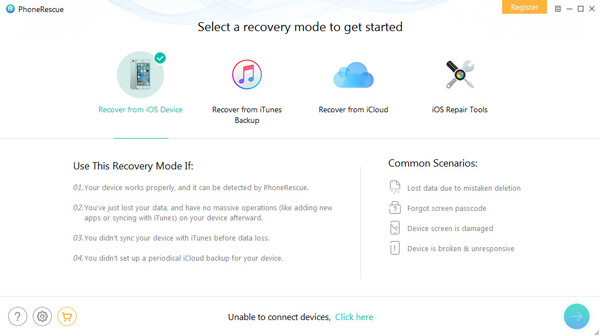
iMobie PhoneRescue provides three recovery modes to help user retrieve iPhone data from the device, from iTunes backup or from iCloud backup. The software may not run smoothly sometimes. What's more, it is not a free iPhone data recovery tool. You need to pay $59.99 for it.
PROS
Cons
Best for: All-in-One mobile data recovery
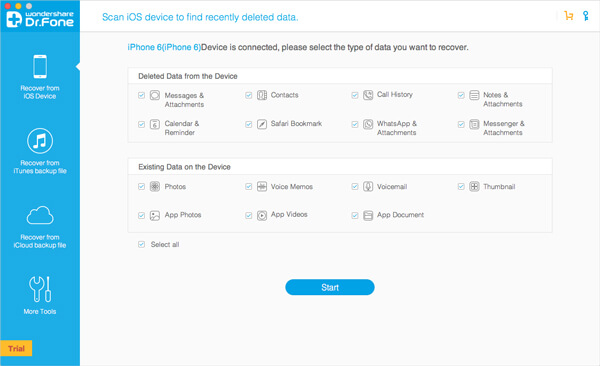
Wondershare Dr.Fone is a very popular iOS data recovering program. It is able to recover many types of iOS data like contacts, messages, call history, reminder, Safari bookmark, photos, and voicemail and so on. More powerfully, it can even recover app data produced by WhatsApp, Kindle, Facebook Messenger, etc. It's simple to use and completely safe software. What you should know is that, many options in this iPhone data recovery software are locked unless your upgrade it to the Pro version. Dr.Fone can't help you recover videos, songs and other media data.
PROS
Cons
Best for: Older iOS versions (pre-iOS 15)
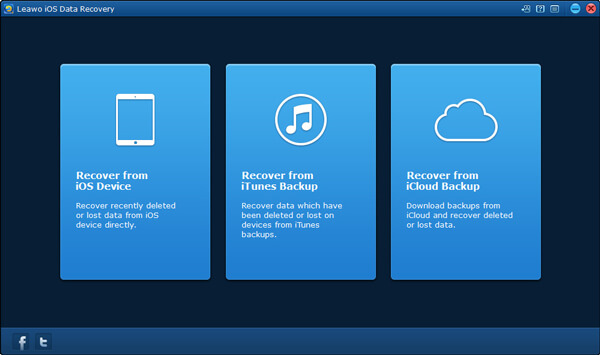
Leawo iOS Data Recovery is one great iPhone data recovery software which supports all iOS devices. It is capable of recovering 12 types of data on iPhone, iPad or iPod. It can help you preview the whole files. This iPhone recovery tool also has pursuit and filter actions. It can retrieve many iOS data, including photos, videos, voice memos and contacts, and so on. But the whole iOS data recovery seems a little time-consuming.
PROS
Cons
Best for: Beginners on a budget
EaseUS MobiSaver is a popular iPhone data recovering app which can help you solve data loss issue on your iOS device. It enables you to restore any frequently-used data types like contacts, photos, videos, voice memos, messages, call logs, notes, reminders, calendar entries, Safari bookmarks, WhatsApp messages, and Kik messages.
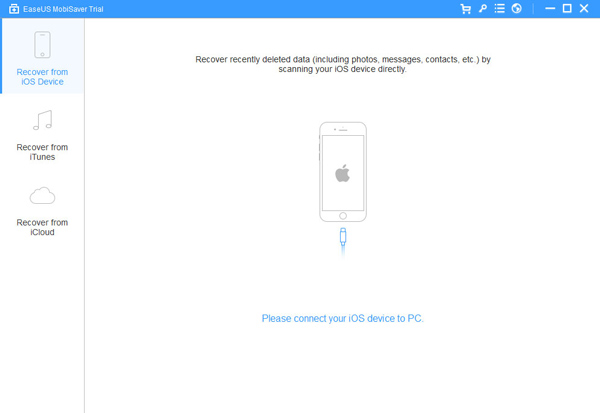
EaseUS MobiSaver has the capability to restore iOS data from iOS device, iTunes and iCloud backup. You can handily make the iPhone data recovery on Windows PC, Mac and some certain Android phones. But it takes really long time to finish the recovery process.
PROS
Cons
Best for: Deep Scanning for Lost Media
iMyFone D-Back iPhone Data Recovery is a famous iOS data recovery. It can restore more than 20 file types including photos, messages, contacts, voice memos, notes and more. This iPhone data recovery software supports the latest iOS 26 and new iOS devices like iPhone 17 and more.
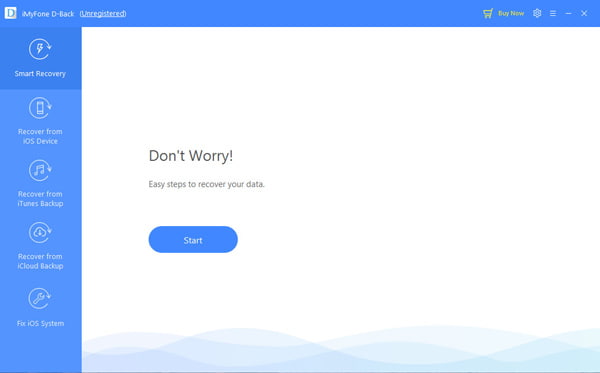
iMyFone D-Back enables you to retrieve many popular iPhone files from iOS device and iTunes/iCloud backup. It also offers a handy feature that allows you to analyze the data that you want to recover. The trial version of this iPhone data recovery software comes with limited functions.
PROS
Cons
Best for: Transfer, back up, and manage iPhone data without using iTunes.
FoneTool is an iOS data management tool that focuses on practical daily tasks like iPhone data transfer, backup, and storage cleanup. In real use, the setup process is straightforward — connect your iPhone, trust the device, and most functions are accessible within a few clicks. Its selective backup and transfer features are especially useful for users who only want to move photos, videos, contacts, or WhatsApp data instead of restoring the entire device through iTunes. Transfer speed is generally stable, and the interface is simpler and less overwhelming than Apple’s default tools.
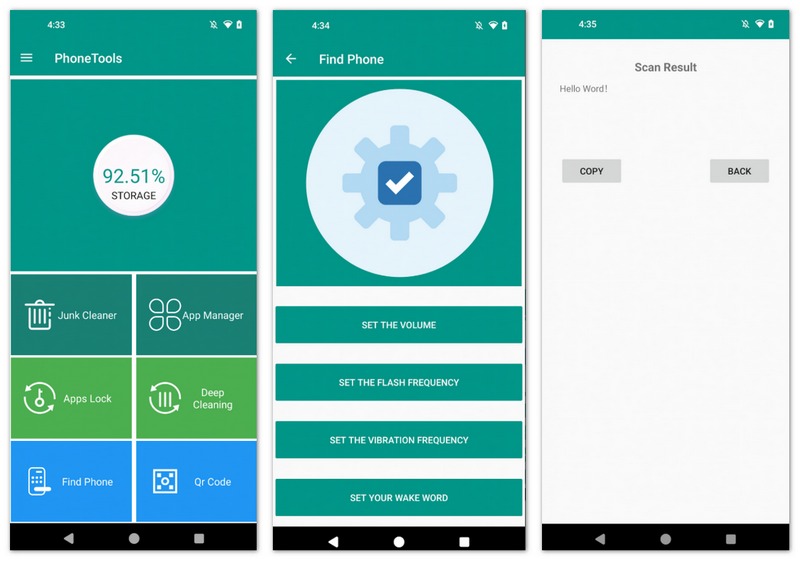
Any popular iOS data types can be restored by this iPhone data recovery software, such as videos, contacts, call logs, notes, pictures, messages, reminders and more. One thing you should know is that, its trial version allows you to preview lost files, but not to recover them.
PROS
PROS
Best for: Business data & audit logs
Enigma Recovery is the last recommendation of iPhone data recovery software. It can recover deleted and lost iOS files from iPhone, iPad, and iPod touch. In addition, you are allowed to extract iPhone data from iTunes and iCloud backups.
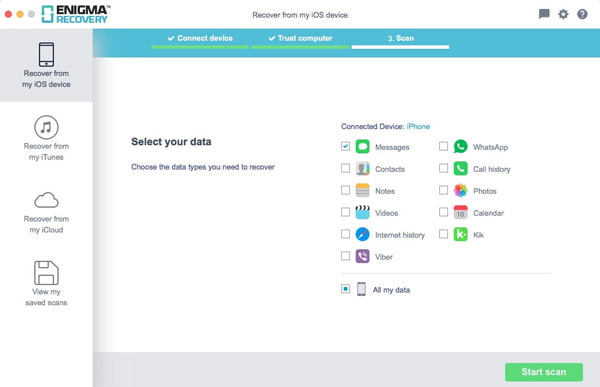
This iPhone data recovery software enables you to preview data before recovering. It supports all frequently-used data types like contacts, calls, notes, WhatsApp, photos, videos, and more. You can check a video tutorial on how to use in its official site.
PROS
Cons
The success rate of iPhone data recovery cannot reach 100%, mainly due to the following technical limitations:
1. Hardware encryption: Modern iPhones use file level encryption. When deleting a file, the system will destroy the unique key of the file. Even if the data is still on the chip, without the key, you can only get a bunch of unbreakable garbled code.
2. Coverage mechanism: Due to limited storage space, newly generated data (such as photos and system logs) will randomly overwrite the physical location of deleted data. Once covered, the original data completely disappears physically.
3. TRIM command: In order to maintain flash speed, iOS automatically runs TRIM and garbage collection, actively erasing deleted data marked as "invalid" to make it irreversible.
4. Physical damage: If the storage chip or Secure Enclave chip is physically burned, software means cannot extract any information.
Can I recover WhatsApp messages on iPhone?
Yes. Many iPhone recovery programs support recovering WhatsApp chats, attachments, photos, videos, and other messaging app data from the device or backups.
Do I need iTunes to recover iPhone data?
No. Many modern iPhone recovery tools can recover deleted files directly from the device without using iTunes.
Will iPhone recovery software overwrite my existing data?
Most professional tools support read-only scanning and selective recovery, which helps avoid overwriting existing files during the recovery process.
Conclusion
We all know that, due to various reasons like unsuccessful upgrade, failure jailbreak, forgotten password, broken or water damage and so on, valuable iOS data on iPhone are easily to lose. We mainly talk about the best iPhone data recovery software in this post. If you want to recover deleted files, you can choose any of them to get the job done. If you have any better recommendation about the best iPhone data recovery software, you can leave us a message.
 [Solved] New iPhone Update Problems You May Encounter in iOS 11/12
Have no idea how to fix new iPhone update problems? From this article, you can get detailed solutions for iOS 11 and iOS 12 update issues. Just read and follow.
 How to Back up iPad to iTunes in Easy Ways
Back up iPad is definitely important, in this article, we will show you how to back up your iPad to iTunes in different ways: back up your iPad via iTunes, back up your iPad via Aiseesoft iOS Data Backup & Restore, and back up your iPad via Aiseesoft FoneTrans.
 How to Get Your Contacts Back on iPhone [Complete Guide]
iPhone contacts are missing, how to get contacts back on iphone? Learn how to get your contacts back on iPhone X/8/7/SE/6s Plus/6s/6 Plus/6/5s/5c/5/4S/4/3GS from this post.
 Leave your comment and join our discussion
iPhone Data Recovery
Free iPhone Call History Recovery Best iPhone Photo Recovery iPhone Data Recovery Software Reviews Free iPhone Contacts Recovery Software Reviews Free iPhone Notes Recovery Software Reviews Best iPhone Message Recovery App
The best iPhone data recovery software ever, allowing users to safely recover lost iPhone/iPad/iPod data from iOS device, iTunes/iCloud backup.
100% Secure. No Ads.
100% Secure. No Ads.

*Required field
*Please enter a valid email
