Aiseesoft Screen Recorder
 100% Secure. No Ads.
100% Secure. No Ads.
Does Facebook notify screenshots?
Whether you want to take screenshots of an important announcement in a group, a picture that contains information in an event, or just a funny meme in a story, you may want to know if your operation is private and won’t alert the other person. Surely, you need a definitive, up-to-date answer to the above question: Does Facebook notify when you screenshot a story, post, profile, or message?
The first section will discuss the current Facebook notification policies for screenshots. The short answer is resounding No.
Facebook does not send notifications for most screenshots on the platform. This includes content on all types of daily posts, Stories, Reels, Events, and even profile pictures. Unlike Snapchat, Facebook operates on a more open-sharing philosophy and does not focus on ephemeral messaging with alerts.
No. Facebook does not notify users (the original content posters) when you take a screenshot of their Story, whether it is a photo, text, or video story. This can be the most common worry.
Even if you see a Story that is only up for 24 hours, your screenshot action on it won’t alert others. This policy applies to both the Facebook app and the integrated Stories within Facebook Messenger. What’s more, they will not receive any alert or notifying message about it, even if you screen record someone’s story video.
When it comes to taking a screenshot of some sensitive or personal content, such as an account profile picture, a photo in an album, or a post on your timeline, you may wonder if there is any risk.
The truth is, Facebook does not track users’ actions on its platform. It won’t notify users when you screenshot any standard content. This includes all posts, events, Reels, photos, videos, profile pictures, and others. The current Facebook policies still focus on user-controlled privacy settings.
When you screenshot a standard text conversation in Facebook Messenger, the other person will not receive a notification or alert. However, if the Disappearing Messages (formerly known as Vanish Mode or Secret Conversations) has been enabled by you or the other person in the chat, the other person will not be notified when you take a screenshot.
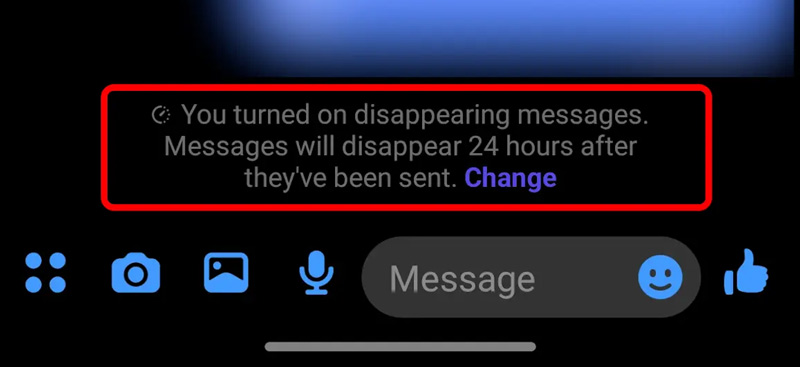
These end-to-end encrypted chats are specifically designed for heightened privacy. In the “Vanish Mode”, all the screenshot operations will be tracked by Facebook. When you take a screenshot, the other person will not be notified by a system message inside the chat window. You should tread this privacy feature carefully.
In most cases, you can take screenshots on Facebook. As you can learn from above, your actions will be tracked by the app/platform unless you have enabled the Disappearing Messages feature. So, whether you want to capture a profile picture, record a Reel or Store video, or screenshot a conversation, you are safe to do that. The other won’t be notified. There are a few reliable ways to take screenshots on Facebook. Check the two methods below for high-quality, discreet capturing.
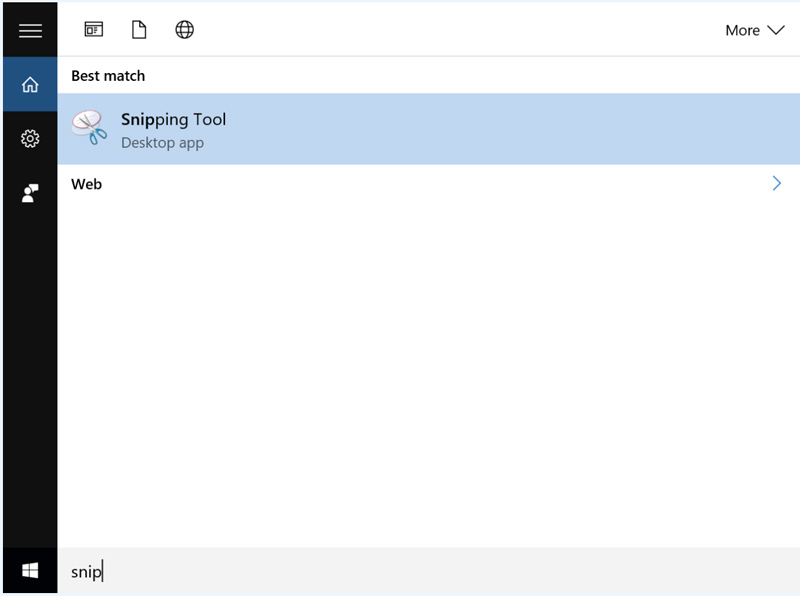
Most users will use the built-in screenshot tools on their phone or computer to capture and save Facebook content, such as photos, regular posts, messages, and more. This is often considered the fastest and most effective way to take screenshots.
If you want to capture long scrolling pages, record a Facebook video, or need some advanced editing functions, system shortcuts have limitations. You can try using a professional screen capture tool like Aiseesoft Screen Recorder. It can act as a “ghost” capture tool that allows you to record or screenshot anything on your screen without being tracked by Facebook or other platforms.
100% Secure. No Ads.
100% Secure. No Ads.
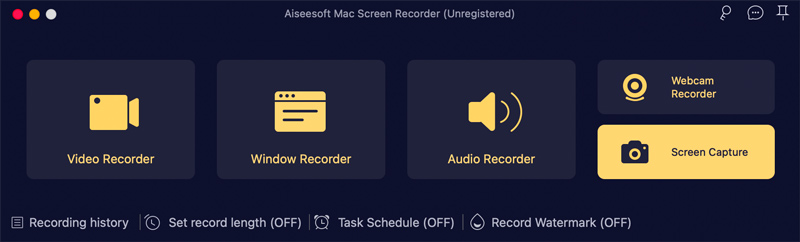
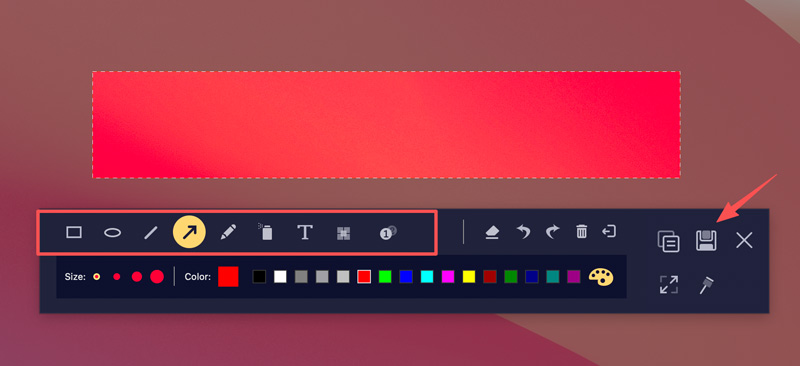
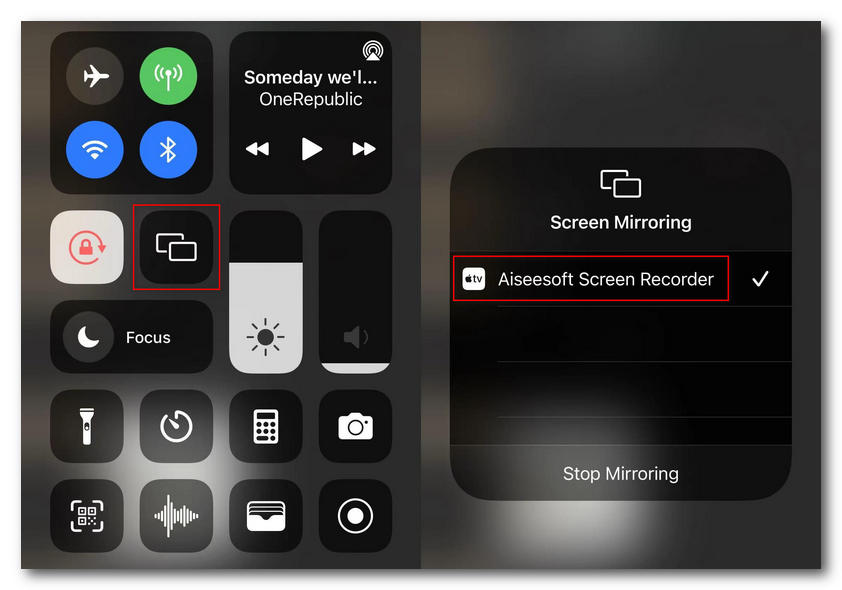
Aiseesoft offers a dedicated Phone Recorder for you to screenshot Facebook on your iOS and Android devices. It can mirror your phone screen to the computer for capturing.
Question 1. Does Facebook notify of screen recordings?
No. In most cases, Facebook won’t notify you when you record. The platform treats screen recordings the same as screenshots. Similarly, the only exception is during a Vanish Mode (Disappearing messages enabled) chat.
Question 2. Can someone see if I screenshot their disappearing photo?
Yes. As mentioned above, when the Disappearing messages function is enabled, you are only allowed to view the content. If you take a screenshot, Facebook will notify the sender.
Question 3. Where can I turn on Disappearing messages?
Open the Facebook Messenger app or tap the Messenger icon inside the Facebook app. Go to the chat where you want to enable Disappearing messages. Tap the profile name to display related chat settings. You can scroll down to locate the Disappearing messages option. Turn it on by choosing 24 hours.
Conclusion
After reading this guide, you can learn the latest 2026 screenshot notification policies for Facebook stories, profile, messages, and more. Generally, you can take screenshots on Facebook without the fear of being tracked. For most actions on the platform, including the screenshots on posts, Stories, Reels, profiles, and common Messenger chats, there is no notification or alert. Again, the only place you should be careful is inside Messenger while Disappearing messages have been enabled.
 How to Clear Facebook Cache on iPhone, Android, PC, and Mac
Is your Facebook app lagging? Learn how to clear Facebook cache on iOS, Android, Windows, and Mac following our step-by-step tutorial.
 2 Ways to Recover Contacts from Facebook Messenger on Your iPhone
Want to recover contacts from Facebook Messenger app due to the deletion or other reasons? Here you can get 2 ultimate ways to get your deleted Facebook contacts back without a backup.
 Can We Just Get Rid of Meta AI on Facebook- How to Do
If you don't want extra apps or pop-ups to bother you while using Facebook, read this article and learn how to turn off Meta AI on Facebook while searching.
 Leave your comment and join our discussion
Aiseesoft Screen Recorder is the best screen recording software to capture any activity like online videos, webcam calls, game on Windows/Mac.
100% Secure. No Ads.
100% Secure. No Ads.

*Required field
*Please enter a valid email

