
Aiseesoft Video Converter Ultimate
 100% Secure. No Ads.
100% Secure. No Ads.
High-quality videos have become a necessity for content creators, marketers, and even for casual users. Media.io Video Enhancer claims to be your go-to tool for video enhancement, with AI-powered features that can make your videos look more stylish, vibrant, and professional. So, the question remains: Is this tool really worth your time and money? This review will reveal the answer to that question along with other information. You’ll also discover the best alternative if you want even more advanced capabilities, which will help you decide whether Media.io Video Enhancer is the right tool for you. Let’s get started!
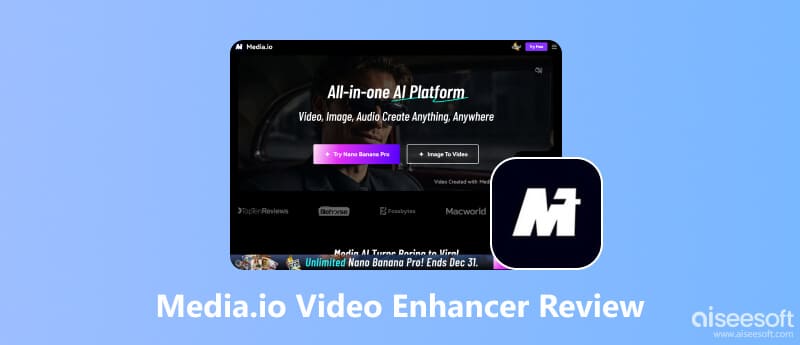
Media.io Video Enhancer is an AI-powered tool that quickly and efficiently improves video quality. It uses sophisticated algorithms to deblur out-of-focus videos, depixelate videos, and increase video resolution, making it an excellent tool for both ordinary users and content creators.
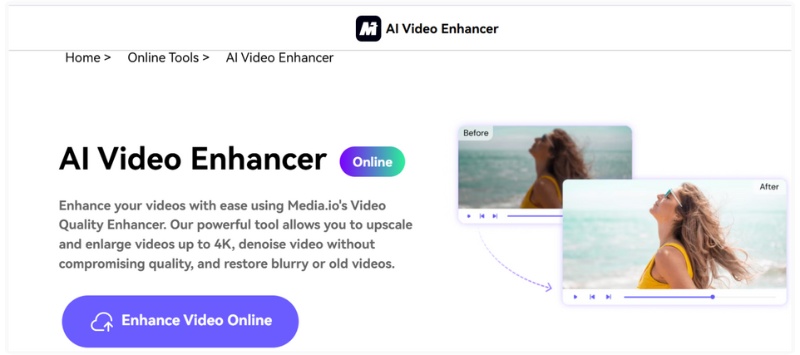
Key Features
Pros
Cons
Supported Platforms
In general, Media.io AI Video Enhancer is a dependable option for people who want to upgrade the visual quality of their videos but are not willing to deal with complex software. The product is perfect for non-professional video editors and content creators who require a quick AI video enhancer.
Media.io Video Enhancer provides several price plans that are made to meet the diverse requirements of users, starting from those who only want to test the tool, up to the creators who need to enhance videos of high quality regularly.
Free Version
Paid Plans
Media.io Video Enhancer’s paid options generally fall into two styles: Membership and pay‑as‑you‑go credit plans.
Differences Between Free and Paid Versions
While subscription plans unlock full-feature capabilities, such as higher-resolution upscaling and watermark-free downloads, the free version helps test the application.
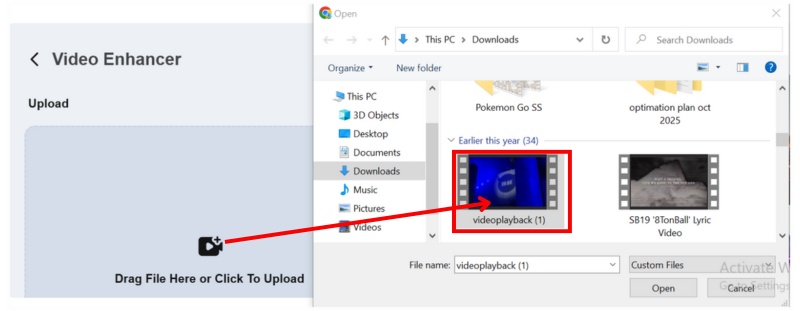
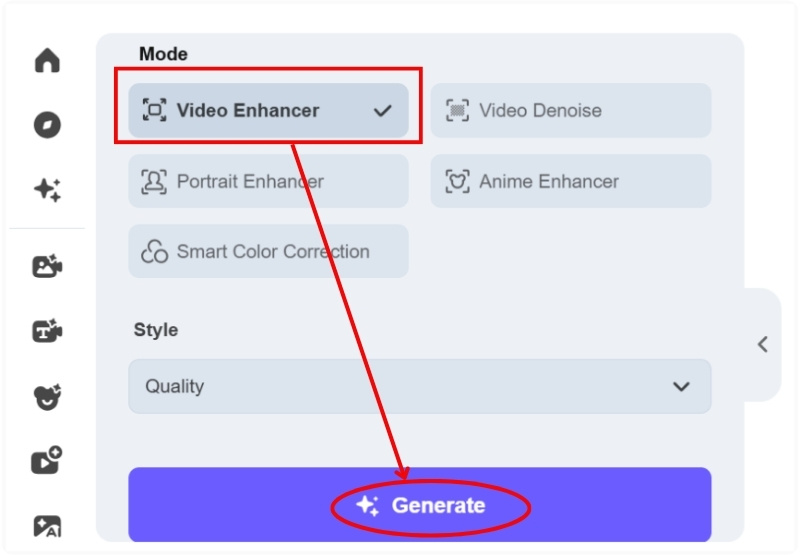
It's quite simple to improve your footage with Media.io Video Enhancer, a tool that even a layperson can use with ease. Basically, the machine learning software does nearly everything by itself, so you could have your video quality raised in no time without the need for traditional and complicated editing software. Follow this easy guide to see how it's done:
From the standpoint of a genuine user, Media.io Video Enhancer feels useful and beginner-friendly, particularly for people who want fast results without having to cope with complex editing tools.
Ease of use
The user interface is clear and easy to use. It just requires a few clicks to upload a video, choose improvement settings, and begin the process. Even first-time users won’t feel overwhelmed, since everything is clearly labeled and AI handles most of the work automatically.
Processing speed
Processing time is generally reasonable for a web-based tool. Short clips are enhanced fairly quickly, while longer or higher-resolution videos naturally take more time. Since everything runs online, speed can also depend on your internet connection.
Watermark on enhanced videos
Media.io's free version typically imposes limits on downloads or adds restrictions, such as watermarks or preview-only outputs. As soon as you move to a paid subscription, you can save edited videos without the watermark so that they can be used professionally.
Batch processing support
Batch upgrading can be done by those that have a paid subscription and it is a great addition if you are handling multiple videos. This is a great time-saver and puts the tool at the disposal of content creators who have to maintain the same quality across several clips, and that content creators in general find more useful.
Overall, Media.io offers a smooth and accessible experience, especially for users who want AI-powered video enhancement without the learning curve of advanced editing software.
If that's you craving for greater control, quicker processing, and a capability to work offline, then cutting-edge technology just cannot beat Aiseesoft Video Converter Ultimate as a substitute for Media.io AI Video Enhancer. Enhanced privacy, increased flexibility, especially with large or multiple video files, and greater user convenience are the benefits of this software installed on your computer, not a web-based tool.

Downloads
Aiseesoft Video Converter Ultimate
100% Secure. No Ads.
100% Secure. No Ads.
How to Enhance Videos with Aiseesoft Video Converter Ultimate
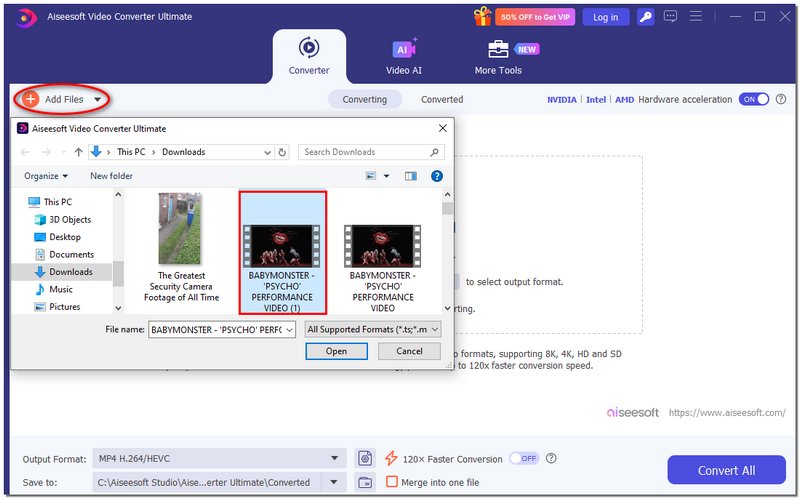
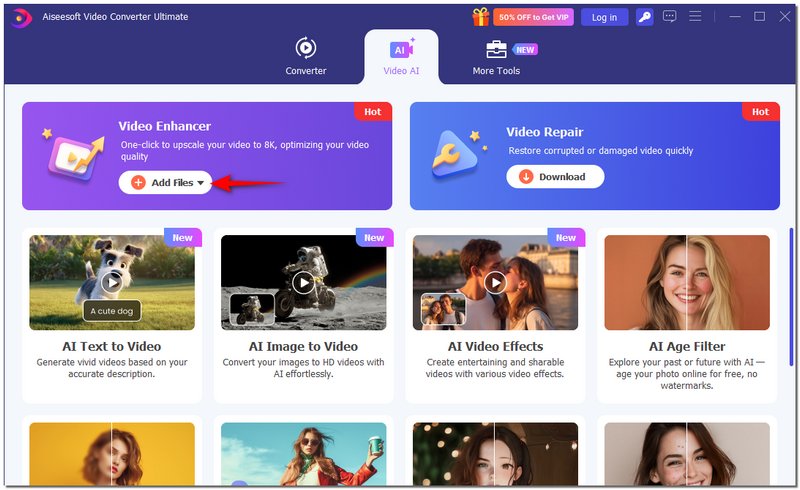
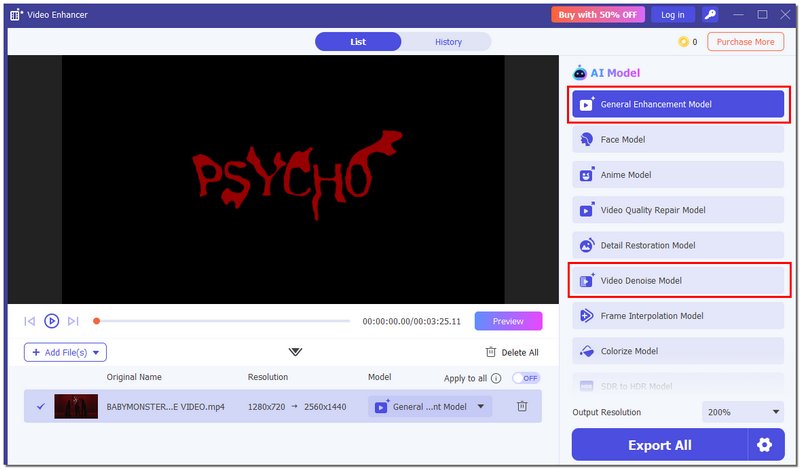
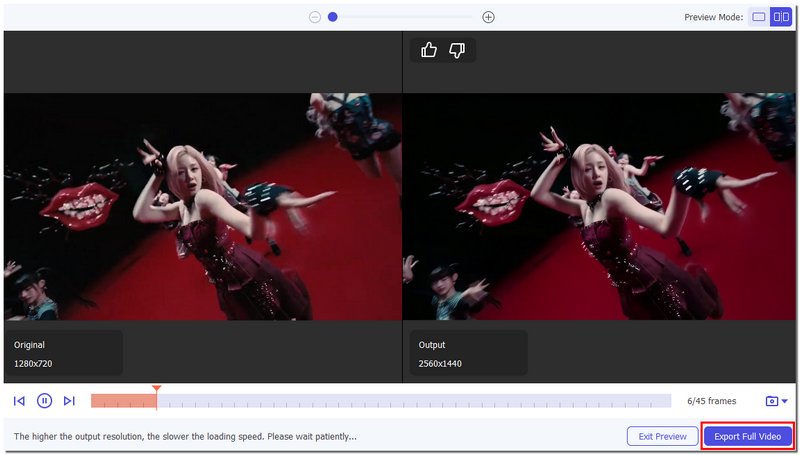
Why It’s the Best Alternative
Although Media.io is perfect for quick online enhancements, Aiseesoft Video Converter Ultimate is a more suitable option for those who desire professional-level results, faster performance, and are not limited by the internet. In particular, its offline AI processing and batch support are great for lengthy videos and a high volume of enhancement tasks.
Conclusion
This article supports the readers' comprehension of the work of AI video enhancement and helps them choose the tool that meets their requirements the most. Media.io AI video enhancer is perfect for momentary, online, small-file improvements, whereas desktop alternatives can be great for regular use and larger files.
 5 Best Free Video Quality Enhancers Online (Pros & Cons)
Want the best free video enhancers to improve the quality of your videos? Here are 5 trusted tools to improve video clarity, resolution, and colors online with no cost required.
 A Full Review of the 5 Best AI Video Generators from Image
Can AI generate a video from images? Is there a free AI video maker from photos? This post shares the top five AI image-to-video generator tools for you.
 Top 8 AI Video Restoration Tools to Enhance Old Footage
Can AI repair old videos and restore details? How can I restore the quality of old videos? This post shares 8 AI video restoration tools to enhance quality.
 Leave your comment and join our discussion
Video Converter Ultimate is excellent video converter, editor and enhancer to convert, enhance and edit videos and music in 1000 formats and more.
100% Secure. No Ads.
100% Secure. No Ads.

*Required field
*Please enter a valid email

