
iPhone Data Recovery LogoiPhone Data Recovery

TRUSTED BY TOP MEDIA OUTLETS

Logo

Effortlessly Recover Data from iPhone Under Any Scenario.

Data loss happens when you least expect it. No matter how you lost your precious files, our professional iPhone data recovery software is built to handle the toughest situations.

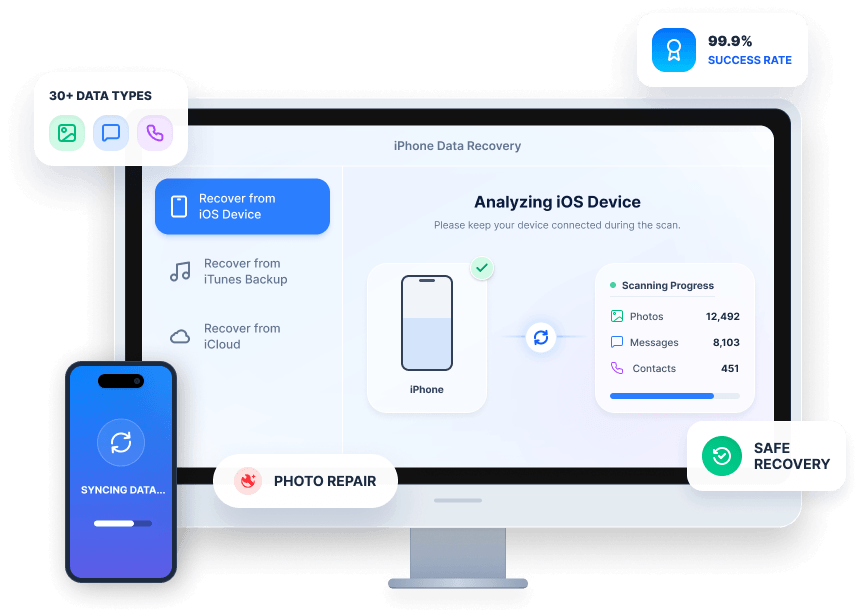
3 Professional Recovery Modes for iOS Data Recovery

  • Recover from iOS Device Directly
  • Recover from iTunes Backup
  • Recover from iCloud Backup
iOS Device Recover

Recover from iOS Device Directly

No backup? No problem. Deeply scan your iPhone/iPad/iPod to directly retrieve deleted files from the device's internal storage. Recover and export lost data from any iOS device, including the latest iPhone 17.

iTunes Recover

Recover from iTunes Backup

Recover iPhone with iTunes. Instead of blindly restoring the whole phone, our software lets you preview backup files before recovering them and easily extract them from your iTunes backup to PC or Mac.

iCloud Recover

Recover from iCloud Backup

The safest way to restore from iCloud backup without reset. Simply log in, scan your synced iCloud data, and selectively download your backup file and choose the deleted files you want to restore from backup.

Recover 30+ types of data from your iOS device.

We support the recovery of a wide range of file types, including your most precious memories, important contacts, and critical app data.

More File Types Supported

  • Voice Memo
  • Calendar
  • Apple Music
  • Videos
  • Music
  • Ringtone
  • Podcast

100% Free and Full Data Preview Before Recovery

Why pay before you know it works? Our software provides a full-resolution preview of all recoverable photos, messages, notes, and files. View the exact content, check the details, and make sure it’s exactly what you need before you hit the "Recover" button.

Preview And Select iPhone Data Recovery Interface Free Full Preview Preview Data
AI Enhance AFTER
AI Enhance Blur
New Feature

Industry-First AI Photo Restoration

Sometimes recovered deleted photos are pixelated, blurry, or partially corrupted. Built-in with advanced AI technology, our software can automatically upscale, denoise, and restore your damaged photos to their original stunning clarity. Get your memories back looking better than ever.

Selective Recovery with Zero Data Overwriting

Standard Apple recovery methods force you to erase all existing data. We do it differently:

No Data Overwriting: Keep your current files perfectly safe.

Selective Extraction: Check only the items you want (e.g., just one WhatsApp chat or a single video).

No DFU Mode Required: Easy to use, no complex tech skills or risky DFU/recovery mode operations needed.

Select to Recover Select Interface Select File Select Arrow

How to Use FoneLab iPhone Data Recovery

1

Step 1. Connect Your Device

Launch the software and connect your iPhone/iPad to the computer via a USB cable.

2

Step 2. Scan Data

Click Start Scan and wait until all your data appears

3

Step 3. Preview & Recover

Select the photo you want to recover. Click Preview to check the content and click Recover to export.

Why Choose Us

Get your lost iPhone data back quickly and securely.

  • Preview First

    Verify and preview your files before recovering.

  • Selective Restore

    Pick exactly what to recover without overwriting your existing device data.

  • 100% Secure

    Read-only scanning guarantees your personal data is never stored or leaked.

  • Instant Recover

    Recover selected data to your device directly.

Features Choose Us
99.9%

Success Rate

95+

Countries Saved

24/7

Technical

50M+

Downloads

Tech Specifications & Compatibility

Supported Devices

iPhone 17/16/15/14/13/12 series, iPhone SE, iPad Pro/Air/mini, and iPod Touch.

System Requirements

Windows 11/10/8/7 and Mac OS X 10.10 or higher.

iOS 26, iOS 18, iOS 17, and all earlier versions.

Trusted by Millions of Apple Users

Accidentally deleted a project file at work. Aiseesoft got it back for me!

- McCall

I'm not tech-savvy, but Aiseesoft iPhone Data Recovery made it so simple to restore my files. The step-by-step guide was very clear, and I was able to get everything back without any hassle.

- Michael

This iPhone data recovery software supports a wide range of devices, not just iPhones, but also iPads. The interface is clean, and the recovery process was fast. Highly recommended!

- Sophia

I was able to recover lost contacts and text messages in no time. It even managed to recover data lost due to a system crash.

- Olivia

I was desperately searching for how to recover deleted photos from iPhone after my toddler wiped my gallery. This iPhone data recovery software found them all in minutes! The AI restoration feature is mind-blowing.

- Samon

I accidentally deleted important work chats. Not only did it answer how to recover deleted messages on iPhone, but it got all my WhatsApp attachments back safely.

- Miller

I needed an old calendar event. Apple support said I had to wipe my phone, but this tool let me restore from iCloud backup without reset. Exactly what I needed!

- David

The repair success rate of this software completely exceeded my expectations. My iPhone 13 was trapped in an endless boot loop after a software conflict. Aiseesoft fixed it smoothly without a single error during the process. As someone who frequently troubleshoots tech issues, I now consider this a must-have iOS repair tool.

- Mark

Due to a system glitch, my app reinstalled and wiped out crucial client chat histories and contract files. I tried several free software with no luck until I used this tool. After a deep scan, it actually brought back my deleted messages and attachments! It saved me from a huge loss.

- Kevin

Explore Full Features of Aiseesoft FoneLab

Beyond backing up and restoring iOS data, this tool also has built-in features like iOS data recovery, system restore, and WhatsApp transfer for iOS devices. Find more here:

iOS System Recovery

Fix broken iPhone/iPad/iPod like black screen, frozen iPhone, Apple logo screen stuck, etc., easily.

Learn More >

iOS Data Backup & Restore

Safely back up your entire iPhone/iPad to your computer in one click, and restore it selectively.

Learn More >

WhatsApp Transfer

Easily transfer, backup, and restore WhatsApp data between iOS devices.

Learn More >

Frequently Asked Questions

How to recover deleted photos from iPhone?

Simply connect your iPhone to your computer, launch our iOS data recovery tool, select "Recover from iOS Device," and scan for "Photos." You can preview the deleted pictures and click "Recover" to save them to your PC/Mac.

Can I restore from iCloud backup without reset?

Yes! Unlike the official Apple method which requires you to factory reset your iPhone, our software allows you to log into your iCloud account, view the backup files, and selectively extract the data directly to your computer.

How to recover deleted messages on iPhone?

If you don't have a backup, use the "Recover from iOS Device" mode to scan the deleted SQLite database on your phone. If backed up, use the iTunes/iCloud recovery mode to extract messages without wiping your current data.

Is this iPhone data recovery software safe to use?

Absolutely. The scanning process is 100% read-only. It runs locally on your computer, meaning your private data (photos, contacts, etc.) is never uploaded to any servers.

More Solutions You May Need

Ready to Get Your Lost iPhone Data Back?

Stop worrying about lost files. Download now for a free scan and full preview!