
Best for: Users who want the widest selection with zero effort.

Video Converter Ultimate
 100% Secure. No Ads.
100% Secure. No Ads.
Default ringtones are designed to be universally recognizable — which means they're also universally boring. Whether you want the latest music, a classic video game chime, or a sound clip from your favorite meme, downloading ringtones is one of the quickest ways to make your phone feel like yours.
In this guide, you'll find 5 trustworthy and free ringtone sites, step-by-step instructions for downloading ringtones to Android and iPhone, and a bonus tip for making your own ringtones when you can't find the perfect one.
| Website | Best For | Platform | Format | Registration? |
| Zedge | Largest library | Android / iOS / Web | MP3, M4R | Optional |
| Tones7 | 100% free, no signup | Web | MP3, M4R | No |
| Pixabay Music | Royalty-free music & sounds | Web | MP3, WAV | No |
| Garage Ringtones | Retro & classic tones | Android / iOS / Web | MP3, M4R | No |
| Prokerala | Regional & devotional collections | Web | MP3, M4R | No |
Best for: Users who want the widest selection with zero effort.
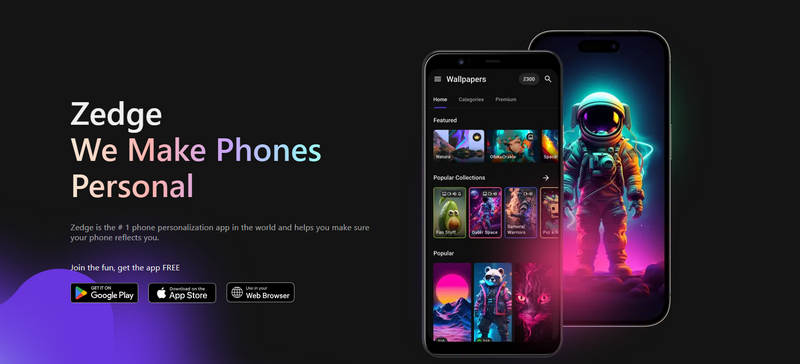
Zedge is the undisputed king of free ringtones. With millions of tones, notification sounds, and wallpapers available for both Android and iPhone, it's the first place most people go — and for good reason. The web interface lets you browse by genre, and you can preview any tone instantly before downloading. The Android and iOS apps make it even easier: find a tone, tap download, and set it directly on your phone.
PROS
CONS
Best for: Budget-conscious users who want no-strings-attached downloads.
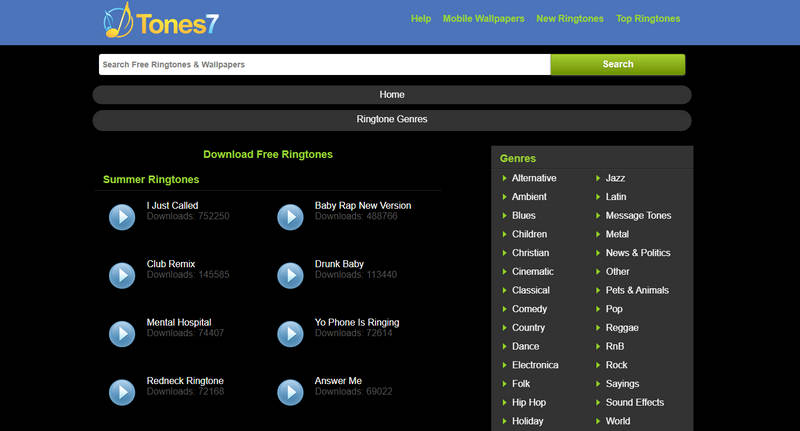
Tones7 is straightforward: every ringtone on the site is completely free, no account needed, no hidden costs. The collection includes everything from classic melodies to funny sound effects and seasonal tones (Christmas, New Year, etc.). Each ringtone shows its file size and download count, so you can see what's popular.
PROS
CONS
Best for: Users who want unique, high-quality sounds and don't mind doing a little editing.
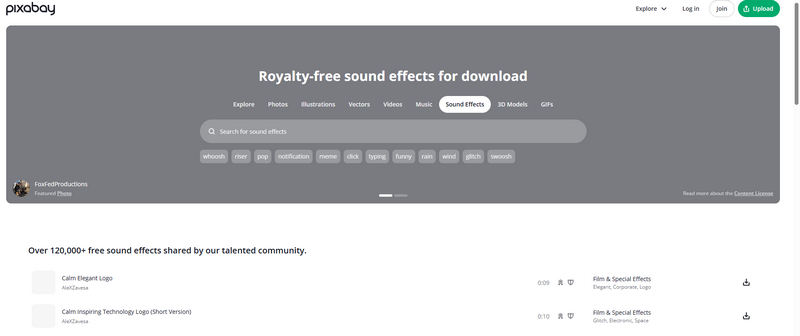
Pixabay is best known for its stock photography, but its music section is a hidden gem for ringtone hunters. Unlike typical ringtone sites, Pixabay offers professionally produced, royalty-free music tracks organized by mood (Upbeat, Relaxing, Cinematic, Dark, Romantic, etc.) and genre (Pop, Electronic, Jazz, Classical, etc.).
Every track is free to download and use for personal purposes. The audio quality is studio-grade, and tracks are available in MP3 formats. You can preview any track instantly and download it with a single click.
PROS
CONS
For dedicated and customized ringtones, you can try using Aiseesoft Video Converter Ultimate.
100% Secure. No Ads.
100% Secure. No Ads.
Best for: Nostalgia seekers and fans of retro sounds.
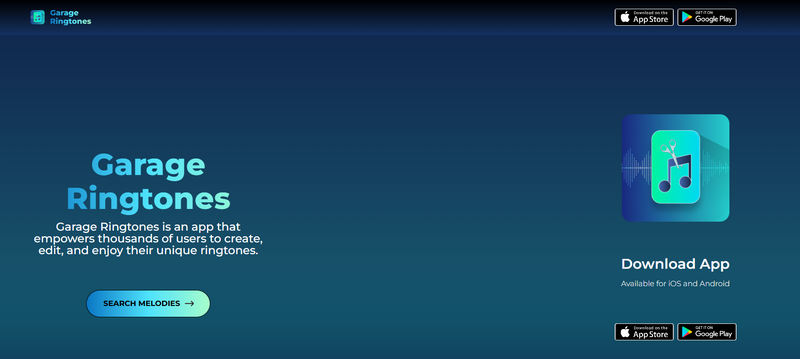
Garage Ringtones specializes in retro, classic, and nostalgic ringtones. From vintage telephone rings to 80s arcade game sounds, classic Nokia tones, and old-school TV show themes — if it reminds you of a simpler time, it's probably here.
The site is very simple, you can browse categories with brands like iPhone, Xiaomi, and Samsung. No signup, no ads. Each page includes a preview player so you can listen before downloading.
PROS
CONS
Best for: Users looking for regional, devotional, or non-English ringtones.
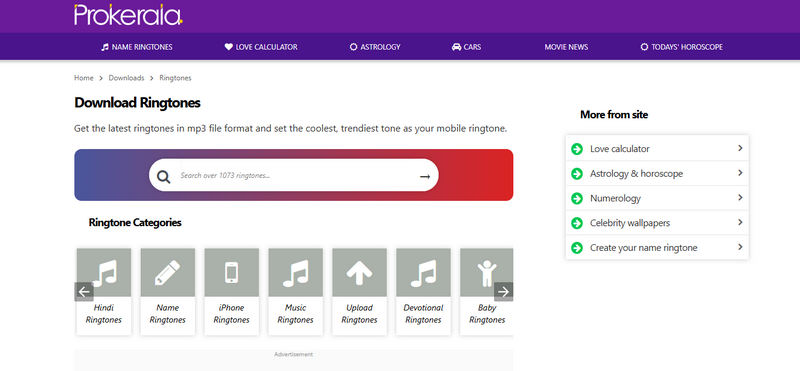
Prokerala offers around 35,000 free ringtones in MP3 format, many submitted by the community. What sets it apart is the regional and language variety — you'll find dedicated categories for Indian classical, devotional music, regional movie songs, and traditional melodies alongside the usual pop and rock.
PROS
CONS
You can directly download a ringtone app ,browser and download ringtones; it will handle everything, including setting it as your phone ring.
You can also browse to any site from the list above and find a ringtone you like. Download the ringtone as an MP3 file to your Android Phone. Then, open Settings > Sounds & vibration > Phone ringtone.
Tap Add from or My sounds (varies by manufacturer) and select the downloaded file to make it as ringtones on Android.
Ringtone Apps also work on iOS devices to help download and set ringtones. If you want to set a ringtone from your local audio file, it is a little more complicated.
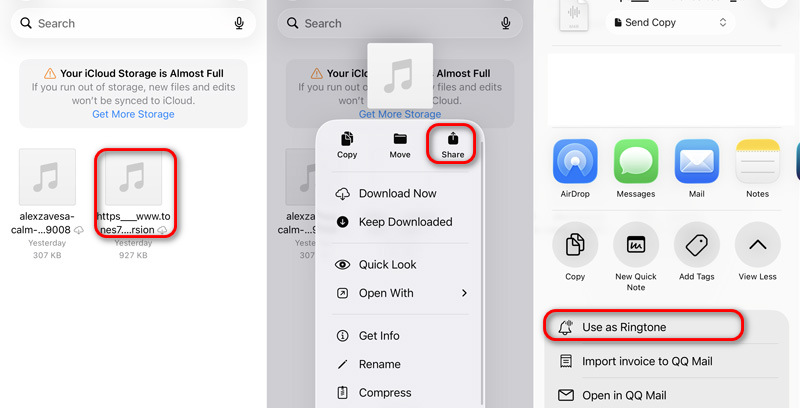
Note: iPhone only allow you to set ringtone with audio shorter than 30s. If the downloaded audio file is longer, you need to trim it first with iOS GarageBand or other editing tools.
Sometimes the perfect ringtone doesn't exist yet — a specific 10-second clip from your favorite music, video or podcast. How do I make custom ringtones?
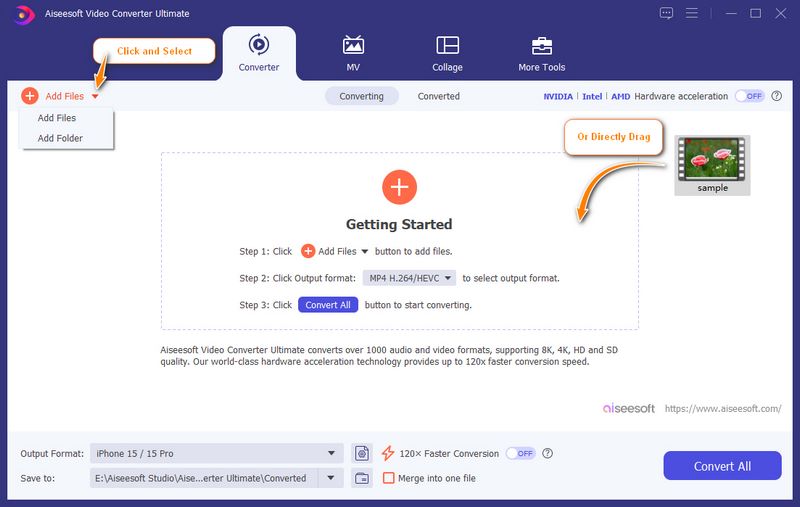
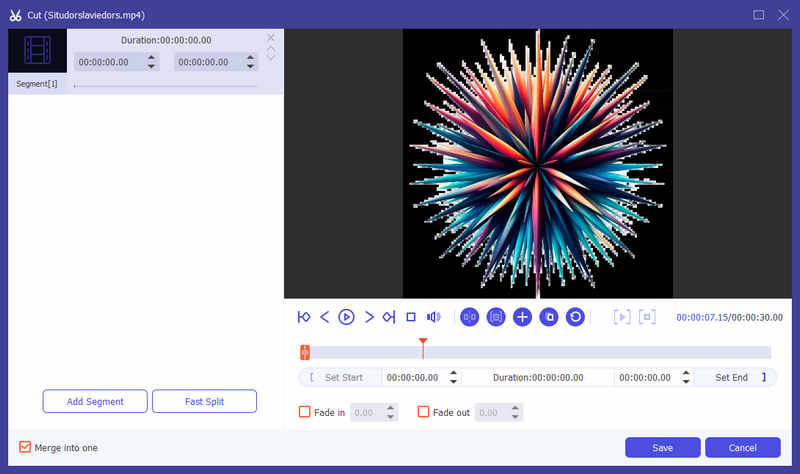
Aiseesoft Video Converter Ultimate must be your best ringtone maker for Android and iOS. You can easily import your favorite media, trim, edit, and convert it to MP3 or M4R to set it as your Android and iPhone ringtone.
100% Secure. No Ads.
100% Secure. No Ads.
How to make a ringtone with Aiseesoft Video Converter Ultimate:
Are these ringtone download websites safe?
All 5 sites listed above are widely used and considered safe. Zedge provides moderated uploads, Pixabay curates all content professionally, and the others are simple direct-download sites without pop-up traps or misleading buttons. As always, we recommend having basic antivirus protection and avoiding sites that ask for payment or sensitive permissions.
What's the maximum ringtone length on iPhone?
iPhone ringtones are limited to 40 seconds (30 seconds is the practical sweet spot). Longer audio files will still work, but only the first 40 seconds will play. Android phones generally don't have this limit.
Can I download ringtones directly to my iPhone without a computer?
Yes. Zedge (from the App Store) lets you download and set tones directly on your device — no computer or iTunes needed. Alternatively, use GarageBand to convert MP3 files downloaded from any of the listed websites.
Do I need to worry about copyright?
Most ringtone websites use Creative Commons-licensed or public domain audio. Personal use (setting a ringtone on your own phone) is generally fine. Pixabay tracks are royalty-free and explicitly cleared for personal use. Downloading copyrighted pop songs from unauthorized sources may violate copyright — stick to the platforms above to stay safe.
Why can't I set a downloaded MP3 as my ringtone on iPhone?
iPhone doesn't support MP3 as a ringtone format. You need M4R. Use GarageBand or Zedge, both of which handle the conversion automatically. Alternatively, use a free online converter to change MP3 to M4R, then sync via Apple Music.
Conclusion
Personalizing your phone with a custom ringtone is one of the simplest ways to make your device feel like yours. And despite what some sites would have you believe, it doesn't take shady downloads or questionable apps to get there. The best ringtone is one that makes you smile every time your phone rings. Make it yours — but make it safe.
 10 Best Free Ringtone Apps for Android & iPhone (2026 Updated)
Discover the best free ringtone apps for Android and iPhone. Create, download, and customize ringtones easily with these top-rated apps.
 4 Ways to Get/Set Google Play Music/Song to Ringtone on Android
How do I get a song from Google Play to be my ringtone on Android? Here are 4 ways to help you download, create and save ringtone on Android phone easily.
 10+ Best Ringtone Makers for Android and How to Make a Ringtone
Want to make ringtones for your Android? Here are top 10 Android ringtone maker apps to help you create MP3 ringtones.
 Leave your comment and join our discussion
Video Converter Ultimate is excellent video converter, editor and enhancer to convert, enhance and edit videos and music in 1000 formats and more.
100% Secure. No Ads.
100% Secure. No Ads.

*Required field
*Please enter a valid email
