Aiseesoft iKnockin - iPhone Unlocker
 100% Secure. No Ads.
100% Secure. No Ads.
It is common that you want to switch carriers. For instance, you bought a Boost Mobile cell phone, and now you want to take it elsewhere, you found a cheaper plan on another carrier, or you currently need a local SIM. Whatever the reason, you need to know how to unlock a Boost Mobile phone.
Many related unlock tools and services claim to help you handle a Boost Mobile phone yourself for free. Actually, there are only two methods worth your time: the official carrier route and a dedicated third-party tool, iPhone Unlocker. You can compare them and decide which fits your situation.
The phone with a carrier lock was sold at a subsidized price. Because the carrier expects you to stay on their network long enough to recoup the discount, you should know that over 40 million prepaid phone users in the US are dealing with carrier locks annually.
You might need to switch to a network with better coverage, or you might have found a prepaid plan that costs half as much. As mentioned, there are several reasons that you may want to unlock a Boost Mobile cell phone. Sometimes you want to sell the phone and prefer it to be unlocked.
If your Boost Customer phone is eligible and meets the basic requirements for unlocking, you should start with the official Boost Mobile Support. This method does not require you to install any software or enter any codes. Once the unlock is done, you can simply insert a new SIM from another carrier, and the phone will recognize it normally.
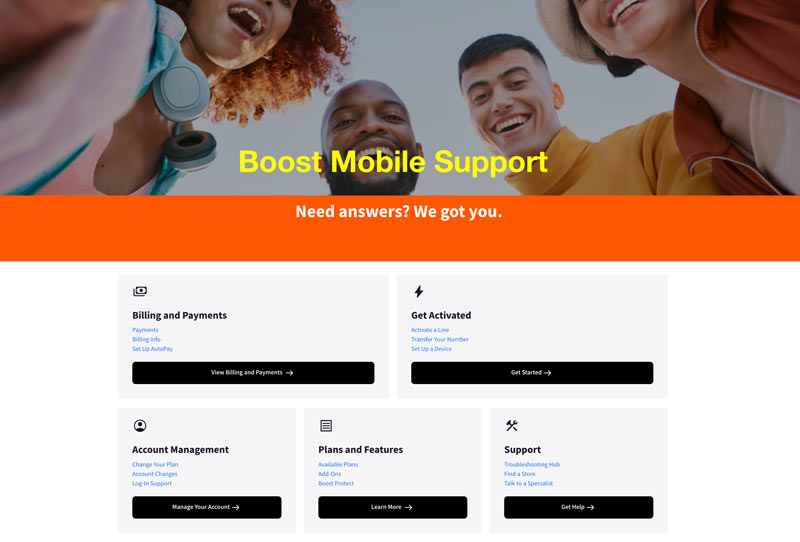
Before you call or chat, check if you meet the conditions below:
If you meet the requirements, contact the official at 833-50-BOOST (833-502-6678) and request that your phone be unlocked.
Follow them to proceed with the unlock request. Most unlocks process instantly, usually within 48 hours. After that, you can power off your phone, insert a non-Boost SIM, turn it back on, and check if the device recognizes the new carrier.
If you don’t meet the carrier’s requirements, the first method is not an option. Maybe you bought a used Boost Mobile phone, or you have only had service for several months. In that case, you need a dedicated third-party phone-unlocking tool.
After testing several options, the recommended one is Aiseesoft iPhone Unlocker for reliability and safety. The software is specifically designed for iPhones and supports most Boost Mobile models. It can remove carrier locks from Boost Mobile, T-Mobile, AT&T, Verizon, and others. Besides, it can handle other types of locks from mobile devices.
100% Secure. No Ads.
100% Secure. No Ads.
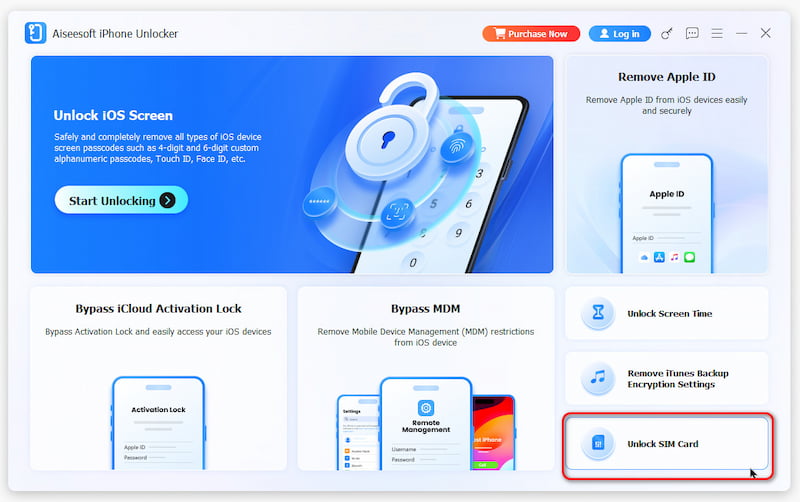
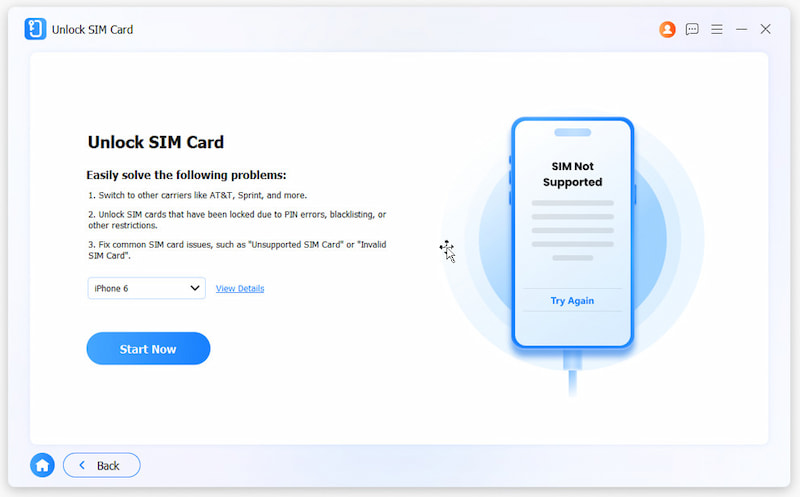
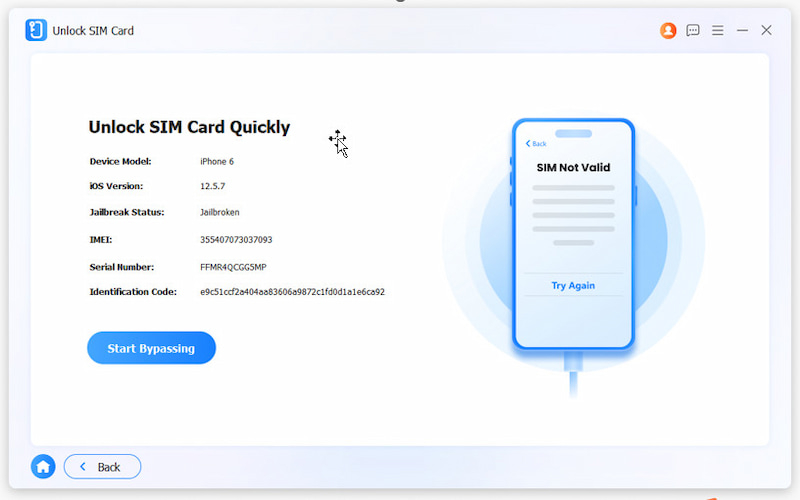
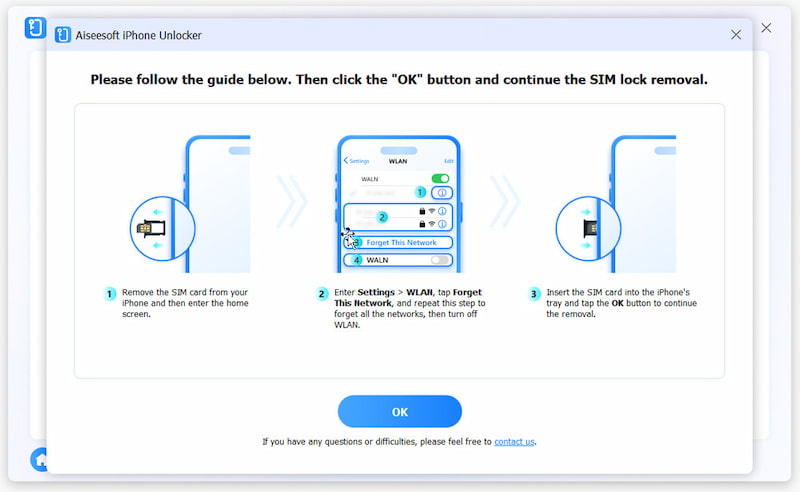
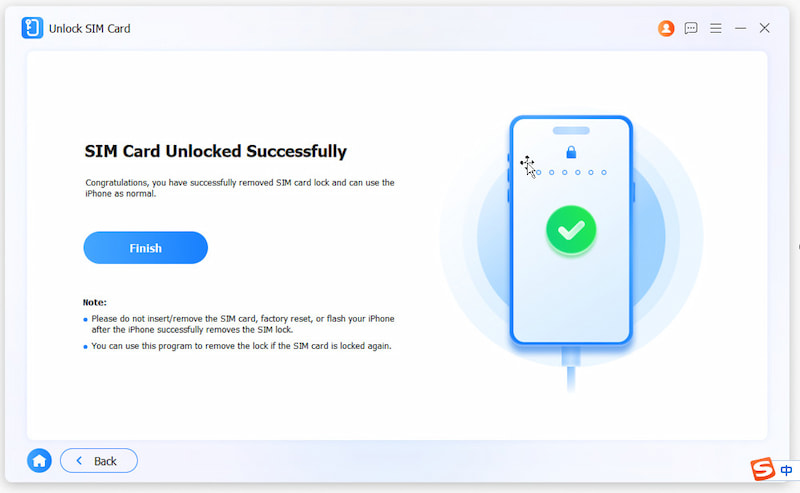
Besides that, Aiseesoft iPhone Unlocker can also help you remove Apple ID, Screen Time restrictions, iCloud activation lock and more. With it, you can access your iOS devices smoothly.
What is Boost Mobile’s network unlock code?
Boost Mobile does not have a traditional network unlock code for its phones. Instead, they apply a carrier unlock remotely. When you request an unlock through customer service, they push the change to your phone’s SIM lock database over the air. You don’t need to enter a code to unlock manually.
Can I put a Boost Mobile SIM card in an unlocked phone?
Yes. If you have an unlocked phone from another carrier, you can directly insert a Boost Mobile SIM card. It will work as long as the phone is compatible with Boost’s network. Instead of unlocking a Boost Mobile phone, you can bring an unlocked phone to Boost.
Are T-Mobile and Boost the same carrier?
Even though Boost Mobile and T-Mobile are closely related, they are not the same. Boost is a prepaid brand owned by Dish Network. However, its network infrastructure is largely built on T-Mobile’s towers. That means a Boost Mobile phone can work on T-Mobile’s network after unlocking, and a T-Mobile phone will work on Boost with a compatible SIM. So, their underlying technology is the same, but the billing and customer service are separate entities.
Conclusion
This guide shares two helpful methods to unlock a Boost Mobile cell phone. In most cases, you are advised to use the official unlocking service. However, if you don’t currently meet their unlocking policy and still want to get rid of the carrier lock, turn to a reputable software tool like iPhone Unlocker. You are free to switch carriers whenever you want.
 Just One Click Can You Unlock Phone Free with IMEI Number
Easy and powerful. Find your IMEI number and unlock your phone in one click. This passage will tell you different methods to achieve this and release your hand.
 How to Unlock iPhone from Verizon/AT&T/Sprint/T-Mobile
How to unlock SIM on iPhone from carrier? This page will share you two ways to unlock iPhone 16/15/14/13/12/11/XS/XR/X/8/7 from Verizon, AT&T, Sprint, T-Mobile, and more freely.
 How to Unlock a Blacklisted iPhone with 4 Ways [Free & Paid]
This post offers details about blacklisted iPhones and four practical method of unlocking your blacklisted iPhone, including free and paid ways. Let us dive in!
 Leave your comment and join our discussion
To fix iPhone screen locked, wiping password function can help you a lot. And you also can clear Apple ID or Screen Time password easily.
100% Secure. No Ads.
100% Secure. No Ads.

*Required field
*Please enter a valid email

