Aiseesoft iKnockin - iPhone Unlocker
 100% Secure. No Ads.
100% Secure. No Ads.
Contents
Have you bought a second-hand iPhone but found that the Apple ID is still locked and you don’t know the password?
Or maybe you forgot your Apple ID password and now you can’t sign out or reset the device?
👉 Don’t worry — you are not alone.
In this guide, we will show you 6 practical ways to remove Apple ID without password, including official methods and advanced tools that can help unlock your iPhone safely.
| Situation | Best Method |
| You want the fastest and easiest solution | Professional iPhone Unlocker Tool |
| You still have access to a computer and prefer official software | iTunes Method |
| You are using macOS and have Finder access | Finder Method |
| You know your Apple ID email but forgot password | iForgot Method |
| All methods failed or device is locked to previous owne | Contact Apple Support |
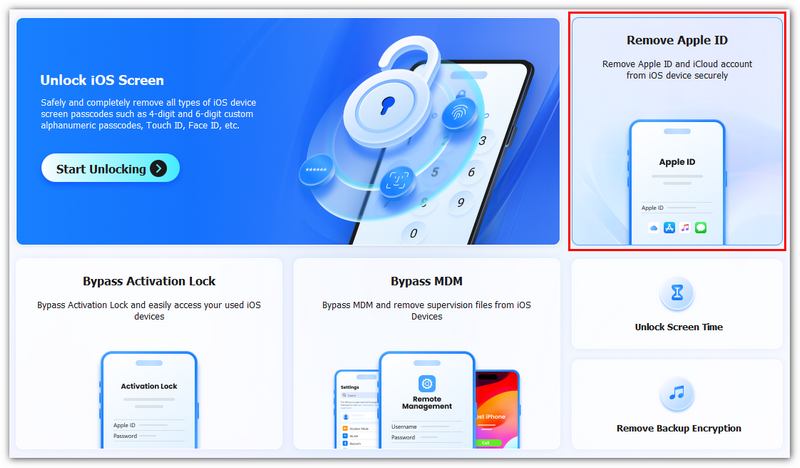
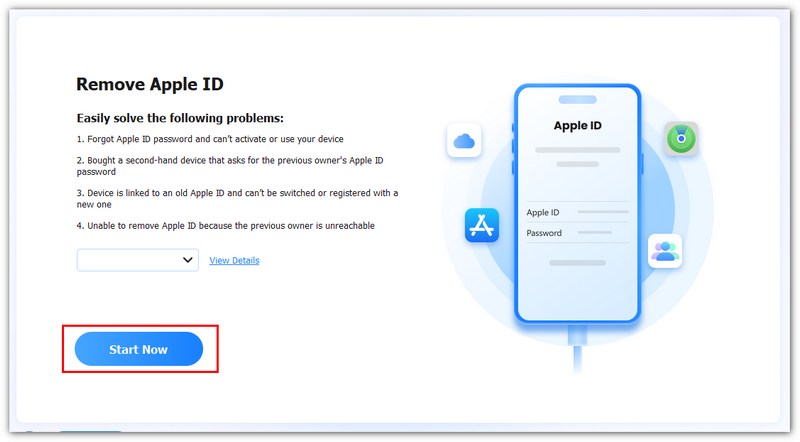
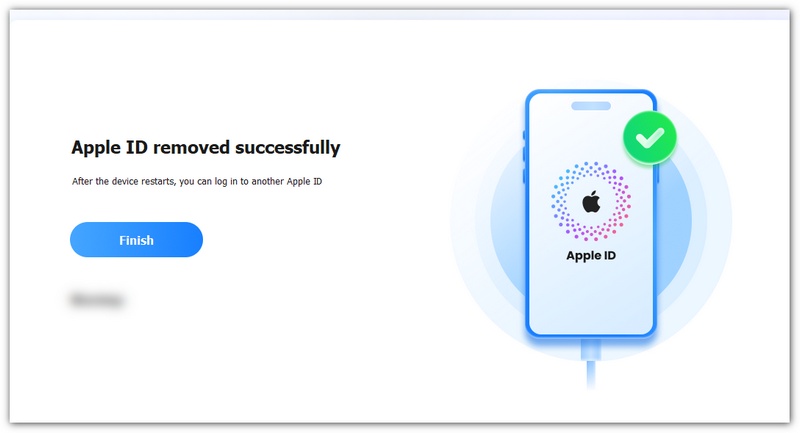
If you cannot remember your Apple ID password or the recovery methods do not work, the fastest solution is to use a professional unlocking tool like Aiseesoft iKnockin – iPhone Unlocker. It is designed to help users remove Apple ID without password and regain full access to their iPhone safely.
Using it, instead of struggling with complicated Apple recovery steps, you can directly remove Apple ID from your iPhone in just a few clicks.
👉 This method is especially useful if you bought a second-hand iPhone with someone else’s Apple ID, forgot both Apple ID and password, or your device is locked and cannot sign out normally.
Downloads
Aiseesoft iKnockin - iPhone Unlocker
100% Secure. No Ads.
100% Secure. No Ads.
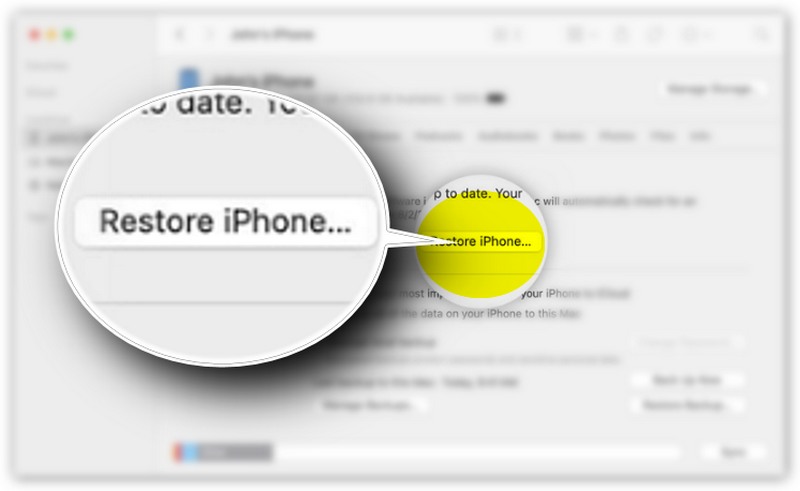
To erase an Apple ID without a password, you can use a dedicated Apple ID remover for a safe and fast removal, or alternatively, perform a factory reset via iTunes. You can rely on its “Erase All Content and Settings” function to directly reset your device to the factory condition. Though this won’t clear your activation lock eratically, you can get into your device without Apple ID if you haven’t enabled iPhone’s Find My.
Limitations of the method:
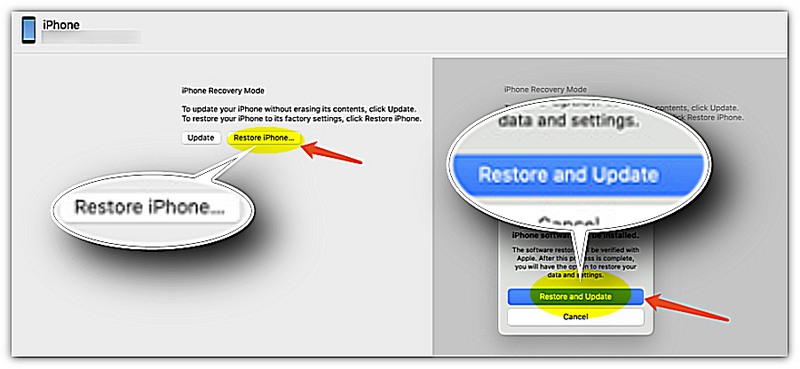
If you are using a Mac running macOS Catalina or later, Finder can be used as an alternative to iTunes to erase your iPhone and attempt to remove your Apple ID without a passcode. This method resets your device to factory settings, which may help when you don’t know the Apple ID password.
Limitations of the method:
Apple’s iForgot service allows you to reset your Apple ID password if you’ve forgotten it. While it doesn’t directly remove an Apple ID from a device, it enables you to regain access and then sign out of the Apple ID safely. This is a useful method when you want to get rid of Apple ID without password but still have some account recovery options.
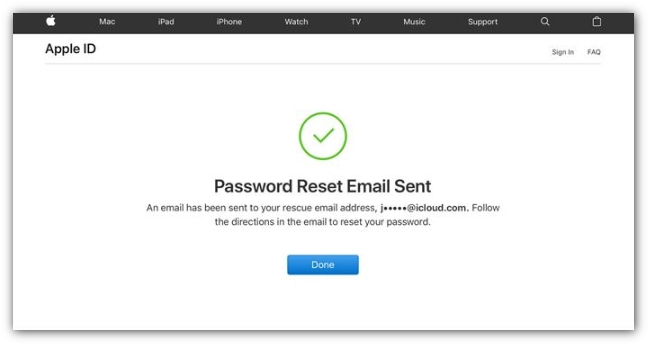
Limitations of the method:
Contacting Apple Support is the official, final pathway for removing an Apple ID from a device when you don't have the password. It is not a simple bypass but a security verification process designed exclusively for the legitimate owner of the hardware.
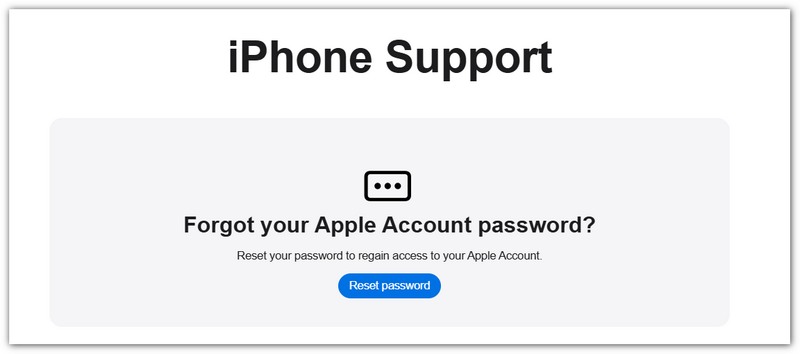
Limitations of the method:
Find My iPhone is a unique feature built into all iOS devices that provides real-time location tracking in case your device is lost or stolen. Beyond helping you locate your iPhone or iPad, it also plays a key role in Apple ID security. If you need to remove an Apple ID from a device, you have to disable Find My iPhone first, as this feature is directly linked to the device’s Apple ID and Activation Lock.
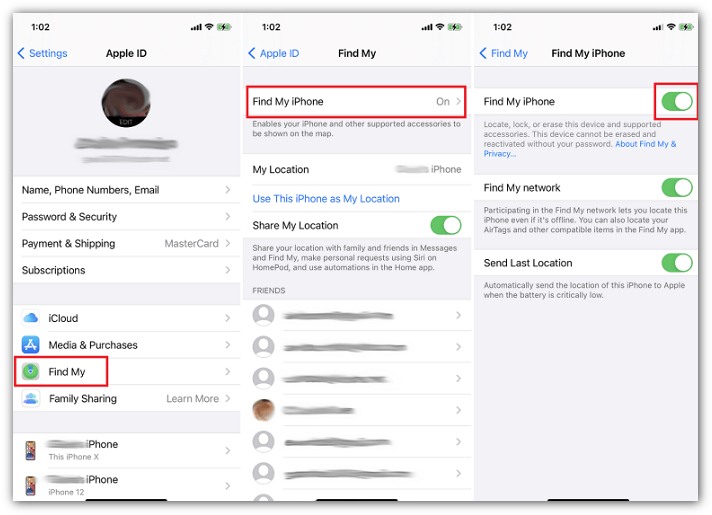
Question 1. How do I get rid of someone else's Apple ID on my iPhone?
To quickly remove someone else's Apple ID from your iPhone, you can go to the Settings app, tap the Apple account name at the top of the screen, and then scroll down to the bottom and tap the Sign Out button. When you want to remove the previous owner’s Apple ID, you can also choose to factory reset the iOS device. Go to General in the Settings app, and scroll down to choose the Transfer or Reset iPhone option. Tap Erase All Content and Settings, enter the lock screen password as required, and proceed with the process.
Question 2. How do you log out of an Apple ID without the password?
With the three methods above, you can handily log out of an Apple ID without the password. If you have forgotten your Apple ID password, you can reset it using your email address or security questions. Also, you can rely on the introduced Aiseesoft iKnockin – iPhone Unlocker to easily remove your Apple ID and its passcode. Besides, you can choose to contact Apple Support directly and get assistance for erasing your Apple ID with a password.
Question 3. Can you remove Apple ID without a password temporarily?
No, you cannot temporarily remove an Apple ID without a password. Even though there are ways to help you delete your Apple ID without a password, the operation can’t be undone. However, Apple allows you to temporarily deactivate your account. That ensures all Apple apps and services won’t be accessed. You can go to the specific Data and Privacy page of the official Apple website to get the option. If you have another Apple account associated with your device, you can also choose to switch to that one temporarily.
Question 4. Does a factory reset remove Apple ID?
No. A factory reset only erases the data stored on your iPhone or iPad. If Find My is enabled, the device will still be protected by Activation Lock after the reset and will require the original Apple ID and password during setup. Therefore, a factory reset alone cannot remove an Apple ID from a protected device at the root.
Question 5. Will I lose my data when removing an Apple ID?
It depends on the method you choose. Using iTunes, Finder, or performing a factory reset will erase all data on the device. If you have access to the Apple ID and simply sign out normally, you can choose to keep certain data on your iPhone. Before attempting any Apple ID removal method, it is recommended to back up your important files whenever possible.
Question 6. Is it legal to remove an Apple ID from a second-hand iPhone?
Yes, if you are the lawful owner of the device. If you purchased a used iPhone that is still linked to the previous owner's Apple ID, you should first ask the seller to remove the device from their account. Apple Support may also assist if you can provide valid proof of purchase. Attempting to bypass Activation Lock on a device that you do not own may violate Apple's policies or local laws.
Conclusion
In this guide, we give every practical route to remove an Apple ID without a password - from built‑in recovery options to contacting Apple Support. While those methods work in specific scenarios, they often require account access, proof of purchase, or risk data loss. For most users who need a reliable, time‑saving solution, Aiseesoft iKnockin - Phone Unlocker is the recommended choice: it can safely remove your Apple ID without a password, handle Screen Time passcodes without data loss, and assist with MDM or lock‑screen issues. If you don’t have the previous owner’s credentials or recovery options, this tool offers a straightforward alternative to regain control of your device.
100% Secure. No Ads.
100% Secure. No Ads.
 Actionable Methods to Unlock Your Apple ID in Various Situations
It is annoying if your Apple ID is locked due to a variety of reasons. Fortunately, you can follow our solutions to get your Apple ID unlocked easily.
 [Solved]How to Activate iPhone & iPad Without Apple ID and Password
Forget your Apple ID and password? 5 practical solutions are provided in this article to help you activate your iPhone or iPad without a password.
 5 Easy Methods to Unlock an iPhone without Passcode/Face ID/ Touch ID
You recently changed your passcode on your iPhone, and you forgot it already. You can still access it with these solutions on how to get into a locked iPhone.
 Leave your comment and join our discussion
Apple ID Removal
Remove Apple ID
Unlock iOS Screen
Manage Apple ID
To fix iPhone screen locked, wiping password function can help you a lot. And you also can clear Apple ID or Screen Time password easily.
100% Secure. No Ads.
100% Secure. No Ads.

*Required field
*Please enter a valid email

