 Google Phone Video Converter
Aiseesoft Google Phone Video Converter is the best Video Converter for Google Phone, which can convert all regular video formats. With it, you can enjoy any videos and music files on your any device without limitation, even HD/4K UHD and 3D videos are highly supported.
$25.00 $12.50 50% OFF
Windows 10/8/7
30-Day Money Back Guarantee



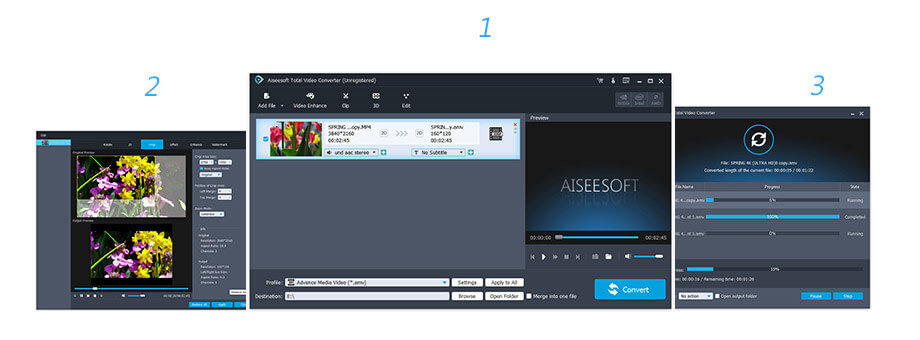
Aiseesoft Google Phone Video Converter can easily convert any format to Google Phone MPEG-4, H.264/MPEG-4 AVC, WMV, 3GP, 3G2, and HD video. It provide you with the solution to select your preferred audio track and subtitle for the output video. This Google Phone Video Converter adopts the NVIDIA® CUDA™ and AMD APP acceleration technology, which can help users convert video to Google phone with super high converting speed. You can preview the source and edited video effect with the help of the built-in player. Also you are able to capture your favorite scenes and save them as images.
You are able to adjust video Brightness, Contrast, Saturation, Hue and Volume, and convert the interlaced video to a non-interlaced one with the Deinterlacing function. Aiseesoft Google Phone Video Converter can assist you to adjust the video playing region and the zoom mode. You can trim any segment of your video by setting the exact time length or just dragging the slider bar. This Google Phone Video Converter enables you to add any text/image watermark to your video and set its position and transparency.
This Google Phone Video Converter can help you convert audio files and extract audio from video to Google Phone AAC, AMR, MP3, M4A, WAV, WMA. Aiseesoft Google Phone Video Converter enables you to adjust detailed video and audio settings, such as Video Encoder, Frame Rate, Video Bitrate, Resolution, Audio Encoder, Sample Rate, Channels, and Audio Bitrate.
The Google Phone Video Converter supports Google Phone, iPhone, iPhone 4, Sony XPERIA, BlackBerry, BlackBerry Storm, BlackBerry Bold, Palm Pre, Motorola, LG, Samsung, Sony Ericsson, Mobile Phone, etc. In addition, this video converter also support iPhone, iPad, iPod or other devices like PSP, PS4, Apple TV, etc.


You can preview the effects when you edit the video or audio files so that you could make adjustment duly.
You could use this software to get batch conversion of video and audio files on computer to save your time.
You could feel relieved to use this program because it is renowned for getting rid of ads/spyware/malware.
1 Month License
$25.00$12.50
Use it 1 Month
Use it on 1 PC
30-Day Money Back Guarantee
Lifetime License
$49.95$39.96
Use it lifetime
Use it on 1 PC
30-Day Money Back Guarantee
Video Converter Ultimate
$62.45$49.96
Use it lifetime
Use it on 1 PC
30-Day Money Back Guarantee
Check what famous editor and our customer talk about our product.


I use this Google Phone video converter and sucessfully convert all videos into mp4 ones. The converting speed is very good.
From Jenny
I recorded this video converter software for Google phone. It worked well. It really helped me very much.
By Clarry
Aiseesoft Google Phone Video Converter can not only convert different video formats, it is also equipped with multiple functions, such as video watermark, audio conversion, etc.
By Tailor
This is really a great video converter, letting me convert and edit video easily. All the operations are very easy.
By Healy
The best video recording tool to easily record screen, meetings, game, webinar, audio, and webcam videos.
BUY NOWBUY NOW
Rotate, clip, crop, watermark and convert video and audio files on your Mac and Windows.
BUY NOW BUY NOW
Transfer photos, messages, contacts, music, videos between iPhone and computer or between iDevices.
BUY NOWBUY NOW
Congratulations!
You have successfully subscribed to our newsletter. The exclusive 40% off for subscribers is AISEFOKS . Now, you can copy it and use it to enjoy more benefits!
Copied successfully!
*Required field
*Please enter a valid email

